VEXcode
VEXcode is coding software for VEX robotics learners and educators, from kindergarten through college and beyond.
What VEXcode is
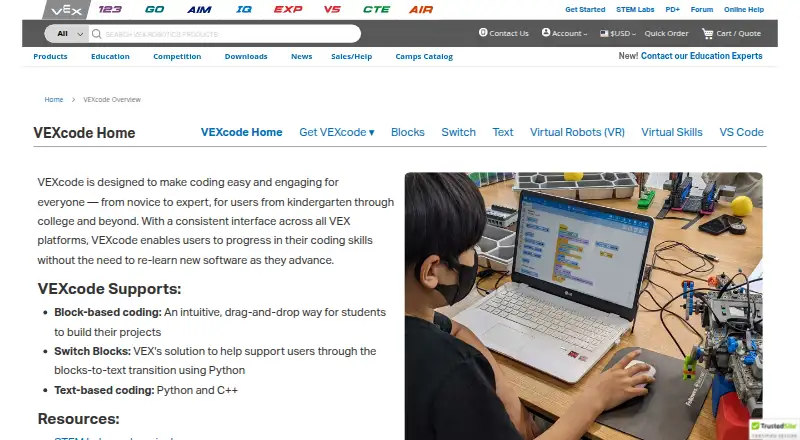
VEXcode is coding software for VEX robotics learners and educators, from kindergarten through college and beyond. Its interface is consistent across VEX platforms, and coding modes include drag-and-drop Blocks, Switch Blocks for moving toward Python, and text-based Python and C++. Listed robot systems include VEX 123, GO, AIM, IQ, EXP, V5, CTE, and AIR. VEXcode VR runs in a browser without installation and supports devices including iPad, Android tablets, Chromebook, Windows, and Mac. Its classroom materials include curriculum and activities, which teachers can edit in Google Docs. VR does not require student accounts, and each license gives an educator access for students at school and at home. The separate VEX VS Code Extension supports C++ and Python on Windows and Mac, with tools for API IntelliSense, documentation, firmware updates, project templates, and hardware troubleshooting. It requires VS Code 1.66 or later and supports selected VEX systems. The extension has replaced VEXcode Pro V5, which is end-of-life, while VEXcode Blocks and Text remain supported. VR has a free plan and paid educator plans.
Good
- Offers Blocks, Switch Blocks, Python, and C++
- Supports a range of VEX robot platforms
- VEXcode VR runs in a browser without installation
- VR licenses include educator access for students
Watch out
- VEXcode Pro V5 is end-of-life
- VS Code Extension requires version 1.66 or later
- Enhanced VR plan costs $199 a year
- Premium VR plan costs $499 a year
Who it suits
VEXcode suits students and educators learning or teaching programming with VEX robots. The browser-based VR option is suited to classrooms that want activities without student accounts.
Verdict
VEXcode provides multiple coding paths for VEX robotics, with browser-based VR and classroom activities alongside robot-specific software. Note that the VS Code Extension has compatibility requirements and VEXcode Pro V5 is no longer supported.
Plans and prices
From VEXcode's own pricing page, checked 30 Sep 2026.
| Plan | Price | What it gives you |
|---|---|---|
| VEXcode VR Free | Free | Blocks · 15 playgrounds with basic graphics · curriculum and activities · online resources |
| VEXcode VR Enhanced | $199 a year | Blocks and Python in browser · 18+ playgrounds · learning submission · offline version · $199/educator per year |
| VEXcode VR Premium | $499 a year | Blocks, Switch, and Python in browser · 20+ playgrounds with AI and Data Science · competitions · learning submission · offline version · $499/educator per year |
The facts
Each one read from VEXcode's own pages, with the date it was checked.
What it does
- Coding modes
- VEXcode supports drag-and-drop Blocks, Switch Blocks for transitioning to Python, and text-based Python and C++.checked 30 Sep 2026
- Consistent interface
- VEXcode uses a consistent interface across VEX platforms so users can progress without relearning new software.checked 30 Sep 2026
- Extension compatibility
- The VEX VS Code Extension works on Windows and Mac, requires VS Code 1.66 or later, and supports IQ (2nd gen), EXP, V5, CTE, and AIR.checked 30 Sep 2026
- Extension tools
- The extension provides VEX API IntelliSense, integrated documentation, firmware updates, project imports and templates, and hardware troubleshooting tools.checked 30 Sep 2026
- Privacy
- The software privacy policy says VEX applications do not collect personally identifiable information, while optional feedback may include information users submit and Google Analytics may collect anonymous aggregate usage data.checked 30 Sep 2026
- Privacy compliance statement
- The maker says its applications comply with applicable U.S. privacy laws including COPPA and FERPA because they do not collect personal user data.checked 30 Sep 2026
- Product lifecycle
- The VEX VS Code Extension replaced VEXcode Pro V5, which is end-of-life; VEXcode Blocks and VEXcode Text remain actively developed and supported.checked 30 Sep 2026
- Purpose
- VEXcode is coding software for VEX robotics users from kindergarten through college and beyond.checked 30 Sep 2026
- Support
- The VEX support page lists product and software support by email and phone, with U.S. phone support Monday through Friday, 7am–5pm CST.checked 30 Sep 2026
- VEXcode VR access
- VEXcode VR runs in a browser without installation, and its page says it works on iPad, Android tablets, Amazon Fire, Chromebook, Windows, and Mac.checked 30 Sep 2026
- VR activities
- VEXcode VR includes curriculum and activities, and teachers can edit its Google Docs activities.checked 30 Sep 2026
- VR classroom use
- VEXcode VR requires no student accounts, and each license includes access for the educator’s students in school and at home.checked 30 Sep 2026
- VS Code integration
- The VEX VS Code Extension supports C++ and Python and lists Git, AI Copilot, and Live Share among its integration options.checked 30 Sep 2026
The company
- Headquarters
- Greenville, Texas, United Stateschecked 28 Sep 2026
Where it runs
- Robotics platforms
- The VEXcode page lists versions for VEX 123, GO, AIM, IQ, EXP, V5, CTE, and AIR.checked 30 Sep 2026
The full review of VEXcode
Overview
VEXcode is a coding environment for learning and programming VEX robots, serving learners from kindergarten through college and beyond. It suits classrooms that want a path from visual coding to text-based languages while keeping a familiar interface across VEX platforms.
Its breadth is the main draw: VEXcode spans eight robot lines, adds a browser-based simulator and classroom materials, and supports Blocks, Python and C++. The trade-off is that capabilities vary across its products and plans, and VEXcode Pro V5 is no longer supported.
Key features
Several routes into code
Beginners can create programs with drag-and-drop Blocks, then use Switch Blocks as a bridge to Python. Python and C++ are also available as text-based options. This range can support progression without changing software environments, although the coding modes depend on the specific VEXcode product and plan.
Robot support and simulation
VEXcode has versions for VEX 123, GO, AIM, IQ, EXP, V5, CTE and AIR. That coverage makes it a practical choice for programs built around those robots, and its consistent interface can ease transitions between VEX platforms. VEXcode VR adds a browser-based simulator without installation, accessible on iPad, Android tablets, Amazon Fire, Chromebook, Windows and Mac.
Classroom resources and extension tools
VEXcode VR includes curriculum and activities that teachers can edit in Google Docs. It requires no student accounts, and each license covers an educator’s students at school and at home. For supported robots, the VEX VS Code Extension brings C++ and Python into Visual Studio Code, with API IntelliSense, documentation, firmware updates, project templates and hardware troubleshooting. It also lists Git, AI Copilot and Live Share as integration options. The extension requires VS Code 1.66 or later, runs on Windows and Mac, and supports IQ (2nd gen), EXP, V5, CTE and AIR.
VEXcode Pro V5 has reached end of life and was replaced by the VS Code Extension; Blocks and Text remain actively developed and supported. Users still on Pro V5 should plan to move to a supported tool.
Pricing
VEXcode VR offers a free tier and two annual educator licenses. The free plan is a useful starting point for block-based work, but its playgrounds have basic graphics and it does not include the paid tiers’ Python, submission or offline features.
| Plan | Price | Includes |
|---|---|---|
| VEXcode VR Free | free | Blocks, 15 playgrounds with basic graphics, curriculum and activities, and online resources. |
| VEXcode VR Enhanced | $199 a year | Blocks and Python in browser, 18+ playgrounds, learning submission and an offline version. |
| VEXcode VR Premium | $499 a year | Blocks, Switch and Python in browser, 20+ playgrounds with AI and Data Science, competitions, learning submission and an offline version. |
Enhanced is the fit for educators who need Python, more playgrounds and offline use without the Premium feature set. Premium adds Switch, AI and Data Science playgrounds, and competitions for programs that need those options. Both paid prices are billed per educator per year, so classroom licensing should be considered on a per-teacher basis.
Platforms
VEXcode is available across web, Windows, macOS, iPadOS and Android, though individual tools have narrower requirements. The VS Code Extension is limited to Windows and Mac and requires VS Code 1.66 or later. VEXcode VR runs in a browser on the listed tablets and computers, with an offline version included in the paid tiers.
Who it's for
VEXcode is best for schools, educators and learners already using VEX robots who want curriculum-backed activities and a progression from blocks to text coding. The free VR tier suits introductory block-based lessons; Enhanced and Premium make more sense when Python, offline access or the higher-tier playgrounds and activities matter. It is a weaker fit for users whose robots are outside the VEX ecosystem or who need an unsupported operating system for the VS Code Extension.
VEX says its applications do not collect personally identifiable information and states that they comply with applicable U.S. privacy laws, including COPPA and FERPA. Optional feedback may contain information users submit, and Google Analytics may collect anonymous aggregate usage data. Product and software support is available by email and phone; U.S. phone support runs Monday through Friday, 7am–5pm CST.
Pros and cons
- Pros: A consistent interface across eight VEX robot lines can help learners carry skills between platforms.
- Pros: Blocks, Switch, Python and C++ provide multiple entry points and a route toward text coding.
- Pros: VEXcode VR combines browser access, classroom activities and no student accounts, reducing setup for school use.
- Cons: VR Free is limited to Blocks and 15 basic-graphics playgrounds; Python and other capabilities require paid tiers.
- Cons: The VS Code Extension has specific software, operating-system and robot compatibility requirements.
- Cons: VEXcode Pro V5 is end-of-life, so users relying on it need to transition.
Alternatives
For a broader selection, browse Robotics Education Software.
- PictoBlox is a freemium option across Android, iOS, Linux, macOS, web and Windows; its free plan is for individual, non-commercial use.
- Sphero Edu offers free app and web access for programming compatible Sphero robots.
- mBlock is a free platform with block-based and Python coding, plus AI and IoT features.
- Open Roberta Lab is free and browser-based, with no installation required.
- Ozobot Classroom offers a free educator account, 700 lessons and a teacher-focused portal.
- Wonder Workshop Blockly has a free tier for up to 35 students, one teacher and one classroom, with Blockly puzzle tracking; it requires a physical Dash robot.
- Micromelon Robotics Platform is a paid option for Windows, macOS, iOS and Android.
- Calypso offers a one-time $14.95 USD plan for personal, non-commercial use with Cozmo, sold separately; institutional licensing is by request.
Verdict
Choose VEXcode if you teach or learn with VEX robots and want a connected route from visual coding to Python or C++, backed by classroom materials and a browser simulator. Its range and continuity are compelling within the VEX ecosystem. Look elsewhere if you need support for other robot brands, or if the extension’s platform and version requirements do not suit your setup.
Alternatives to VEXcode
- 1
FinchBlox
Free planOpen sourceAndroidiOSWebmacOS7.8Free plan - 2
mBlock
Free planOpen sourceAndroidiOSWebLinux7.8Free plan - 3

Ozobot Classroom
Free planAndroidiOSWebmacOS7.4Free plan - 4
EdScratch
Free planAndroidiOSWebmacOS7.3Free plan - 5
Wonder Workshop Blockly
Free planAndroidiOSWeb7.3From $125 a year - 6
ROBO Pro Coding
Free planAndroidiOSLinuxmacOS7.1Free plan