mBlock
mBlock 5 is a free coding platform for robotics, STEM, and coding learning.
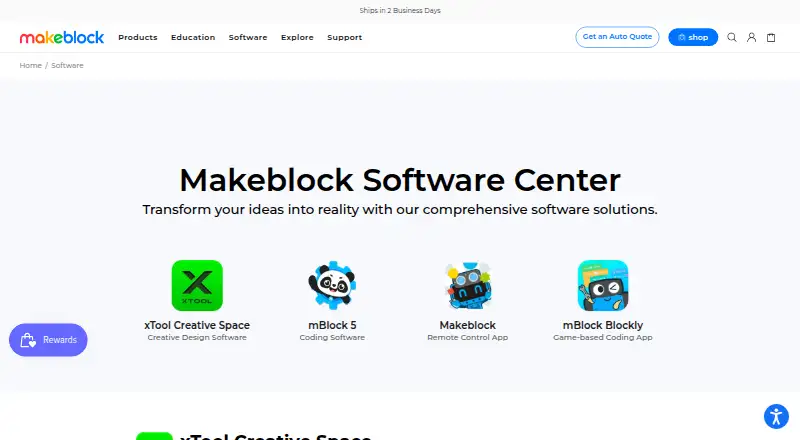
What mBlock is
mBlock 5 is a free coding platform for robotics, STEM, and coding learning. It supports block-based coding and Python, with a one-click switch from blocks to Python. Learners can create games and animations, then program Makeblock robots and other open-resource hardware. The platform also includes AI and IoT features, with integrations described for Microsoft Cognitive Services and Google deep learning. Supported devices include CyberPi, mBot models, mBot Ranger, Ultimate 2.0, mTiny, Codey Rocky, and xLight. mBlock is available on Android, iOS, Linux, macOS, web, and Windows, and the maker describes it as intended for educators, students, makers, and kids. The web version allows direct Bluetooth or serial connections, but not use of the Bluetooth dongle. The Python editor can program devices only for CyberPi; its Upload mode uses MicroPython rather than third-party Python 3 libraries. The Extension Builder enables third-party extensions, but is limited to Google Chrome.
Good
- Free coding platform with blocks and Python.
- Switches from blocks to Python in one click.
- Supports games, animations, and robot programming.
- Includes AI and IoT features.
- Available across mobile, desktop, and web platforms.
Watch out
- Python device programming is limited to CyberPi.
- Upload mode does not use third-party Python 3 libraries.
- Extension Builder supports only Google Chrome.
- Web Bluetooth dongle connections are not supported.
Who it suits
It suits educators, students, makers, and kids learning coding through robotics, STEM projects, games, or animations. Users planning device programming in Python should note the CyberPi restriction.
Verdict
mBlock 5 pairs visual and text-based coding with robotics and creative projects across a broad set of platforms. Its Python device and browser extension limits may matter for particular classroom or maker workflows.
Plans and prices
From mBlock's own pricing page, checked 15 Oct 2026.
| Plan | Price | What it gives you |
|---|---|---|
| mBlock | Free | block coding · Python coding · robotics · AI and IoT features |
| mBlock 5 | Free | Free coding platform; block-based and Python coding; AI and IoT features |
The facts
Each one read from mBlock's own pages, with the date it was checked.
What it does
- AI and IoT
- The software includes AI and IoT features, and the page says it integrates Microsoft Cognitive Services and Google deep learning.checked 4 Oct 2026
- AI integration
- The software integrates Microsoft Cognitive Services and Google deep-learning functions.checked 15 Oct 2026
- Audience
- The maker describes mBlock 5 as intended for educators, students, makers, and kids.checked 4 Oct 2026
- Block coding
- mBlock 5 is based on Scratch 3.0 and provides drag-and-drop programming.checked 15 Oct 2026
- Classroom integration
- mBlock provides homework upload and management through built-in Google Classroom integration.checked 15 Oct 2026
- Current desktop release
- The download page lists mBlock PC version 5.6.0 released April 8, 2025.checked 15 Oct 2026
- Data visualization
- Data can be visualized with Data Chart or Google Sheets, including line, bar, dual-axis and pie charts.checked 15 Oct 2026
- Documentation depth
- The help center covers device connections, extensions, live and upload modes, programming languages, sprite interaction and block-level help.checked 15 Oct 2026
- Extension API
- Extension code can use app, device and block objects plus web APIs other than the DOM.checked 15 Oct 2026
- Extension Builder limit
- The Extension Builder supports only Google Chrome.checked 4 Oct 2026
- Extension limitation
- Extension Builder is supported only in Google Chrome.checked 15 Oct 2026
- Extensions
- The Extension Builder lets third parties develop device, device, and sprite extensions for mBlock 5.checked 4 Oct 2026
- Funding
- Crunchbase lists Makeblock as private, headquartered in Shenzhen and having completed a Series C round with 10 investors.checked 15 Oct 2026
- Hardware support
- The mobile app supports Makeblock robots plus open hardware such as Arduino and micro:bit.checked 15 Oct 2026
- Integrations
- The maker describes support for Makeblock hardware and other open-resource hardware; its help center lists CyberPi, mBot, mBot Ranger, Ultimate 2.0, mBot Mega, mTiny, Codey Rocky, and xLight as supported devices.checked 4 Oct 2026
Where it runs
- Android data safety
- Google Play states that the developer declares no data shared with third parties and no data collected.checked 15 Oct 2026
- Extension platform
- Extension Builder lets third parties add devices, device extensions and sprite extensions.checked 15 Oct 2026
- iOS privacy disclosure
- Apple lists coarse location, photos or videos, audio data and gameplay content as data that may be collected without being linked to identity.checked 15 Oct 2026
The company
- Company founded
- Makeblock says it was founded in 2013.checked 15 Oct 2026
- Company headquarters
- LinkedIn lists headquarters in Shenzhen, Guangdong, China.checked 15 Oct 2026
- Company history
- Makeblock says it was founded in 2013 to help people turn ideas into reality and advance education.checked 4 Oct 2026
- Company legal name
- Crunchbase identifies the legal name as Makeblock Co., Ltd.checked 15 Oct 2026
- Company size
- LinkedIn lists the company size as 501–1,000 employees.checked 15 Oct 2026
- Founded
- 2013checked 28 Sep 2026
The full review of mBlock
mBlock 5 is a coding platform for building games and animations and programming robots and other open-source hardware. It is best suited to educators, students, makers, and kids working across block-based coding and Python. Its range of creative projects, hardware support, and free access make it a strong starting point, though its Python device support and browser-extension requirements narrow some workflows.
Overview
mBlock combines coding instruction with projects that can move from screen-based games and animations to physical devices. Learners can switch from blocks to Python in one click, making it useful for introducing text-based coding without abandoning a visual approach. AI and IoT features add further project options, including integrations with Microsoft Cognitive Services and Google deep learning.
The platform supports Makeblock devices and other open-resource hardware. Its Extension Builder lets third parties create device and sprite extensions, but that tool works only in Google Chrome. The web version can connect directly over Bluetooth or serial, though it does not support the Bluetooth dongle.
Key features
- Blocks and Python: A one-click switch between visual blocks and Python gives learners a path from introductory coding toward text-based work. The Python editor can program only CyberPi devices, however, and Upload mode uses MicroPython rather than third-party Python 3 libraries.
- Creative projects: Games and animations offer screen-based ways to practice coding alongside robot programming, so mBlock is not limited to classrooms with hardware on hand.
- Robotics and extensions: Supported devices include CyberPi, mBot Neo/mBot2, mBot, mBot Ranger, Ultimate 2.0, mBot Mega, mTiny, Codey Rocky, and xLight. Third-party extensions can broaden device and sprite support, provided creators use Chrome's Extension Builder.
- Classroom resources: Classroom tools and a curriculum library support teaching as well as individual projects. The software page also links to a user guide, downloads, and resources.
Pricing
mBlock 5: free. The free plan includes block-based and Python coding, AI and IoT features, and access to the coding platform. It is a practical fit for learners and educators who want to explore coding and supported hardware without a software charge. The listed plan has no paid tier to weigh against it; the main constraints are functional, particularly CyberPi-only device programming in the Python editor and the browser requirements for extension building.
Platforms
mBlock supports Windows, Mac, Linux, Chromebook, iOS, and Android, as well as a web version. That breadth gives classrooms and individuals several ways to access projects. For browser-based hardware work, direct Bluetooth and serial connections are supported, but not the Bluetooth dongle; extension authors are limited to Google Chrome.
Who it's for
mBlock is a good fit for educators and students who want visual coding, a route into Python, classroom tools, and a curriculum library in one platform. Makers and kids can use it for games, animations, and projects with Makeblock or other open-resource hardware. It is less suitable for Python-first device programming beyond CyberPi or for workflows that depend on third-party Python 3 libraries in Upload mode.
Pros and cons
Pros
- Free coding platform: The plan costs nothing while including block-based and Python coding plus AI and IoT features.
- Flexible learning path: One-click switching from blocks to Python lets learners progress without changing platforms.
- Projects with and without robots: Games and animations complement programming for a broad set of supported devices.
- Classroom support: Classroom tools and a curriculum library make it relevant to organized instruction as well as individual learning.
Cons
- Python device programming is narrow: The Python editor supports device programming only for CyberPi, and Upload mode does not support third-party Python 3 libraries.
- Extension building requires Chrome: Third-party extension development is not browser-neutral.
- Web hardware connection has a caveat: Bluetooth and serial work directly, but the Bluetooth dongle is unsupported in the web version.
Alternatives
For a broader comparison, see Robotics Education Software.
- PictoBlox is another free-plan option across mobile, desktop, and web; its free plan is for individual, non-commercial use, with commercial use handled by contacting its maker.
- VEXcode is worth considering for its free VR plan, which includes blocks, 15 playgrounds with basic graphics, curriculum and activities, and online resources.
- Ozobot Classroom offers a free educator account, 700 lessons, and a teacher-focused portal for readers prioritizing lesson materials.
- Sphero Edu provides free app and web access, but programming robots requires a compatible Sphero robot.
- Wonder Workshop Blockly may suit a small classroom using Dash: its free tier supports up to 35 students, one teacher, and one classroom, and requires a physical Dash robot.
- Trackio is a free alternative for readers looking for a library and Hugging Face hosting rather than a robotics coding platform.
- Open Roberta Lab is a free, browser-based option that requires no installation.
- Calypso is an option for Cozmo owners: its personal, non-commercial license costs $14.95, paid once, and the robot is sold separately.
Verdict
Choose mBlock if you want a free platform that connects block-based learning, Python, classroom resources, creative projects, and a substantial range of supported robots. Its best argument is that learners can move from screen projects to hardware and from blocks to Python in one place. Look elsewhere if your work depends on Python device programming beyond CyberPi, third-party Python 3 libraries in Upload mode, or browser-independent extension building.
Getting started
- Visit https://www.makeblock.com/pages/software.
- Choose a supported platform: Windows, Mac, Linux, Chromebook, iOS or Android, or use the web version.
- Start with block-based coding or Python; switch between them with the one-click option.
- Create a game or animation, or select supported hardware to program.
- For web connections, use direct Bluetooth or serial rather than a Bluetooth dongle.
Limits worth knowing
The free mBlock 5 plan includes block-based and Python coding plus AI and IoT features. The Python editor programs devices only for CyberPi, and Upload mode uses MicroPython rather than third-party Python 3 libraries. Extension Builder works only in Google Chrome.
Questions
Is mBlock free?
Yes. The mBlock 5 plan is free.
Which coding languages or modes does it support?
It supports block-based coding and Python, with a one-click switch from blocks to Python.
Which platforms can I use?
Supported platforms include Windows, Mac, Linux, Chromebook, iOS and Android. A web version is also available.
Which robots does mBlock support?
Listed devices include CyberPi, mBot Neo/mBot2, mBot, mBot Ranger, Ultimate 2.0, mBot Mega, mTiny, Codey Rocky and xLight.
Can I program devices using Python?
The mBlock Python editor supports device programming only for CyberPi. Upload mode uses MicroPython rather than third-party Python 3 libraries.
Does mBlock offer an extension builder?
Yes. Extension Builder lets third parties develop extensions for mBlock 5, but it supports only Google Chrome.
Alternatives to mBlock
- 1
FinchBlox
Free planOpen sourceAndroidiOSWebmacOS7.8Free plan - 2

Ozobot Classroom
Free planAndroidiOSWebmacOS7.4Free plan - 3
EdScratch
Free planAndroidiOSWebmacOS7.3Free plan - 4
VEXcode
Free planAndroidiOSWebExtension7.3From $199 a year - 5
Wonder Workshop Blockly
Free planAndroidiOSWeb7.3From $125 a year - 6
ROBO Pro Coding
Free planAndroidiOSLinuxmacOS7.1Free plan