Sphero Edu
Sphero Edu is a coding app for programming compatible Sphero robots, with lessons and activities for learners.
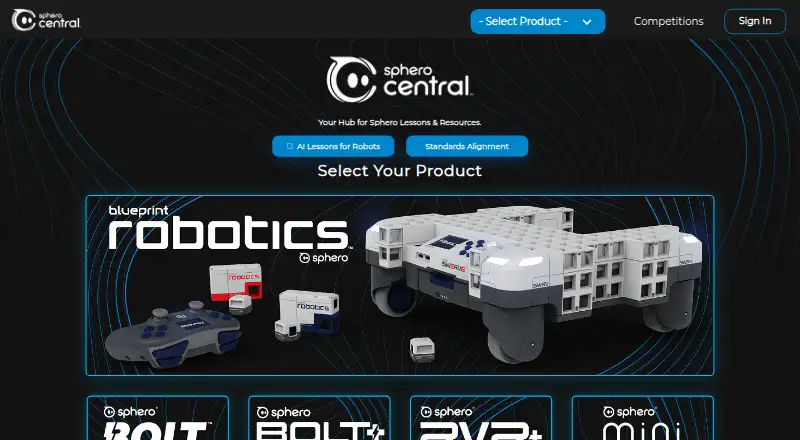
What Sphero Edu is
Sphero Edu is a coding app for programming compatible Sphero robots, with lessons and activities for learners. Depending on the app version, learners can program with Draw, Blocks, or text-based JavaScript or Python. Drive mode uses Bluetooth to communicate with compatible robots. The app offers hundreds of lessons, including standards-aligned activities, and educators can manage classes and assign lessons and activities. Users can create programs and share them with the community. Sphero Edu is free, with app and web access; programming robots requires a compatible Sphero robot. The app is available on Android, iOS, macOS, web, and Windows. On the web, robot connections use Web Bluetooth, which the compatibility information lists as supported in Chrome and Edge but not Safari, Firefox, or Opera. The web app supports BOLT+, BOLT, RVR/RVR+, and Mini, not every robot supported by native apps. Users can drive, program, and complete lessons without logging in or sharing personal information. Google Classroom roster syncing is read-only. Sphero says user data is password protected, stored in a secure database, and encrypted in transit and at rest; users 13 or younger need a parent or educator to set up an account.
Good
- Free app and web access
- Offers Draw, Blocks, JavaScript, or Python
- Hundreds of lessons, including standards-aligned activities
- Users can work without logging in
Watch out
- Robot programming requires a compatible Sphero robot
- Web robot connections require Chrome or Edge
- The web app supports fewer robots than native apps
Who it suits
Sphero Edu suits learners and educators using compatible Sphero robots for coding lessons and classroom activities. The range of coding modes serves learners working with visual or text-based programming, depending on the app version.
Verdict
Sphero Edu combines robot programming with lessons and classroom tools at no app cost. Check robot compatibility and web browser support before choosing the web app.
Plans and prices
From Sphero Edu's own pricing page, checked 2 Oct 2026.
| Plan | Price | What it gives you |
|---|---|---|
| Sphero Edu | Free | Free app and web access · compatible Sphero robot required for robot programming |
The facts
Each one read from Sphero Edu's own pages, with the date it was checked.
What it does
- Child accounts
- Users 13 or younger require a parent or educator to set up their account.checked 2 Oct 2026
- Classroom tools
- Educators can manage classes and assign lessons and activities.checked 2 Oct 2026
- Integrations
- Clever can sync teacher and student accounts and class rosters; changes in Sphero Central do not update Clever.checked 2 Oct 2026
- Lessons
- The app provides access to hundreds of lessons, including standards-aligned activities.checked 2 Oct 2026
- Notable limit
- The web app supports BOLT+, BOLT, RVR/RVR+, and Mini; it does not support every robot supported by native apps.checked 2 Oct 2026
- Privacy
- Users can drive robots, program, and complete lessons without logging in or sharing personal information.checked 2 Oct 2026
- Programming
- Learners can program with Draw, Blocks, or text-based JavaScript or Python, depending on the app version.checked 2 Oct 2026
- Purpose
- Sphero Edu is a coding app for programming Sphero robots, with lessons and activities for learning.checked 2 Oct 2026
- Robot control
- The app includes a Drive mode and Bluetooth communication with compatible Sphero robots.checked 2 Oct 2026
- Security
- Sphero says user data is password protected, stored in a secure database, and encrypted in transit and at rest.checked 2 Oct 2026
- Sharing
- Users can create and share programs with the community.checked 2 Oct 2026
- Support
- Sphero customer support is available Monday through Thursday, 8 a.m. to 6 p.m. Central Time.checked 2 Oct 2026
- Web requirements
- The web app uses Web Bluetooth to connect to robots, which the compatibility page lists as supported in Chrome and Edge but not Safari, Firefox, or Opera.checked 2 Oct 2026
The company
- Founded
- 2010checked 28 Sep 2026
- Headquarters
- Greenville, Texas, United Stateschecked 28 Sep 2026
Alternatives to Sphero Edu
- 1
FinchBlox
Free planOpen sourceAndroidiOSWebmacOS7.8Free plan - 2
mBlock
Free planOpen sourceAndroidiOSWebLinux7.8Free plan - 3

Ozobot Classroom
Free planAndroidiOSWebmacOS7.4Free plan - 4
EdScratch
Free planAndroidiOSWebmacOS7.3Free plan - 5
VEXcode
Free planAndroidiOSWebExtension7.3From $199 a year - 6
Wonder Workshop Blockly
Free planAndroidiOSWeb7.3From $125 a year