FinchBlox
FinchBlox is BirdBrain Technologies' free, icon-based coding app made for the Finch Robot 2.0.
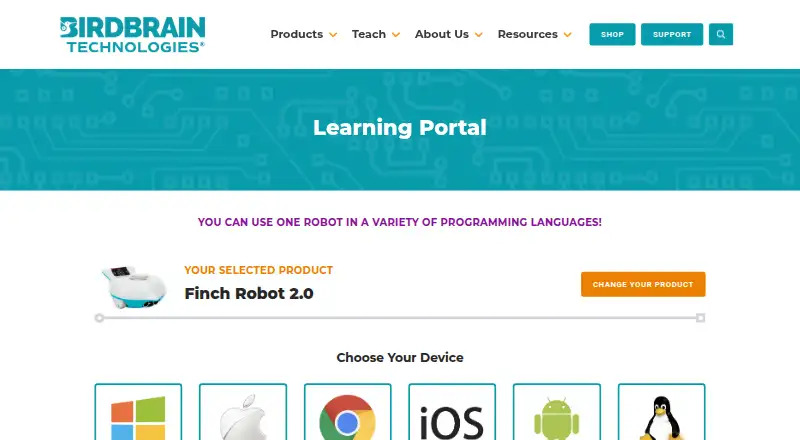
What FinchBlox is
FinchBlox is BirdBrain Technologies' free, icon-based coding app made for the Finch Robot 2.0. Its Level 1 is described as suitable for absolute beginners aged 5 and up, and lets learners sequence actions for the robot's motors, lights, and buzzer. Level 2 adds parameters for those blocks, while Level 3 introduces sensor blocks, loops, and concurrent sequences. Students can edit code while it runs and stay connected to the Finch. BirdBrain provides tutorials, block descriptions, activities, and a video course for teachers. Activities include number-line math, telling time, mazes, shape drawing, dance, and Finch Tales. The app is listed for Windows, Mac, Chrome/Chromebook, iOS, Android, and Kindle Fire. Connecting the robot requires downloading the app and placing a specific Bluetooth .hex file on the micro:bit using a computer with a USB port. FinchBlox requires Bluetooth permission, which also requires location permission on Android. BirdBrain says its software is designed for children under 13 and that personal information is never transmitted to the company.
Good
- Free app for Finch Robot 2.0.
- Three levels add coding concepts progressively.
- Learners can edit code while it runs.
- Includes tutorials, activities, and a teacher video course.
- Available on mobile, desktop, and web platforms.
Watch out
- Requires a Finch Robot and micro:bit.
- Setup requires a specific Bluetooth .hex file and a computer with USB.
- Android Bluetooth permission also requires location permission.
- No robot simulator is listed.
Who it suits
FinchBlox suits beginner learners using a Finch Robot 2.0, including children aged 5 and up at Level 1. Teachers can draw on its listed activities and video course.
Verdict
FinchBlox combines progressively more advanced block coding with live editing and activities for Finch Robot 2.0. Account for the robot and micro:bit setup requirements before getting started.
Plans and prices
From FinchBlox's own pricing page, checked 15 Oct 2026.
| Plan | Price | What it gives you |
|---|---|---|
| FinchBlox | Free | Requires Finch Robot 2.0 · Bluetooth-capable device · icon-based programming |
The facts
Each one read from FinchBlox's own pages, with the date it was checked.
What it does
- Activities
- Listed activities include number-line math, telling time, mazes, drawing shapes, dance, and Finch Tales.checked 7 Oct 2026
- Audience
- The app is designed for children age five and older, including pre-readers.checked 15 Oct 2026
- Battery
- BirdBrain advertises more than seven hours of Finch Robot 2.0 battery life.checked 15 Oct 2026
- Bluetooth permission
- FinchBlox requires Bluetooth permission, which requires location permission on Android.checked 7 Oct 2026
- Bluetooth requirement
- The mobile app requires Bluetooth 4.0 or Bluetooth Low Energy on the phone or tablet.checked 15 Oct 2026
- Curriculum
- BirdBrain provides more than 30 classroom activities, teacher courses, tutorials, and printable resources for Finch.checked 15 Oct 2026
- Developer tooling
- BirdBrain publishes Java and Python libraries, MakeCode extensions, and Snap/Brython web applications for Finch and related robots.checked 15 Oct 2026
- Documentation
- The official program page provides setup instructions and progressive learning modules for movement, lights, sound, and control.checked 15 Oct 2026
- Funding
- Crunchbase lists National Science Foundation grants among BirdBrain Technologies' funding rounds.checked 15 Oct 2026
- Google Play listing
- Google Play lists FinchBlox with 1K+ downloads and an Everyone content rating.checked 15 Oct 2026
- Hardware features
- The Finch Robot 2.0 includes drawing support, line tracking, radio messaging, light, obstacle and sound sensing, full-color LEDs, a buzzer, compass, and a plastic-brick adapter.checked 15 Oct 2026
- Learning resources
- BirdBrain provides FinchBlox tutorials, block descriptions, activities, and a video course for teachers.checked 7 Oct 2026
- Legal name
- Crunchbase lists the legal entity as BirdBrain Technologies LLC.checked 15 Oct 2026
- Level 1
- Level 1 teaches sequencing, such as making the robot move, beep, and turn.checked 15 Oct 2026
- Level 2
- Level 2 adds adjustable parameters through sliders for actions such as turning distance.checked 15 Oct 2026
- Level 3
- Level 3 adds loops and sensor-driven behaviors such as moving until an obstacle is detected.checked 15 Oct 2026
- Lights
- The learning materials include dedicated FinchBlox lessons for controlling robot lights.checked 15 Oct 2026
- Limit: educator scaffolding
- The Learning Standard warns that substantial teacher or parent guidance is needed to prevent unfocused play and support learning.checked 15 Oct 2026
Where it runs
- Android permissions
- FinchBlox requires Bluetooth permission on Android, which also triggers location permission requirements.checked 15 Oct 2026
The company
- Company founding
- BirdBrain Technologies was founded in 2010 at Carnegie Mellon University's CREATE Lab.checked 15 Oct 2026
- Company headquarters and size
- LinkedIn lists BirdBrain Technologies as headquartered in Pittsburgh, Pennsylvania, with 11–50 employees.checked 15 Oct 2026
- Company ownership
- BirdBrain Technologies says it is now part of the CreXo family of STEM brands.checked 15 Oct 2026
- Founded
- 2010checked 28 Sep 2026
- Headquarters
- Eau Claire, Wisconsin, United Stateschecked 28 Sep 2026
The full review of FinchBlox
FinchBlox is BirdBrain Technologies’ block-based coding environment for the Finch Robot 2.0. It is best suited to young beginners, teachers, and families who already have the Finch hardware and want a structured path into robotics. The free app offers a focused learning progression, but its physical-robot and micro:bit preparation requirements make it a poor fit for hardware-free exploration.
Overview
FinchBlox centers on programming one supported robot rather than serving as a general-purpose coding platform. Its Level 1 experience is aimed at absolute beginners from age five, while later levels add increasingly capable robot behaviors. That narrow focus is a strength in a classroom built around Finch Robot 2.0, because learners can move through a defined sequence without switching tools. It is less suitable for anyone seeking several robot ecosystems, a simulator, or text-based programming in the same app.
The software is free, and BirdBrain Technologies provides it across Android, iOS, macOS, Windows, and the web, with Chrome/Chromebook and Kindle Fire also supported in its platform information. BirdBrain, founded in 2010 at Carnegie Mellon University’s CREATE Lab and now part of the CreXo family of STEM brands, positions the software for children under 13. Its privacy approach is correspondingly restrained: the apps request only permissions needed to work, and personal information is not transmitted to BirdBrain. Android users should expect Bluetooth access to require location permission as well.
Key features
FinchBlox teaches through three levels. Level 1 lets children sequence commands for the Finch’s motors, lights, and buzzer, making the relationship between a block and a physical action immediate. Level 2 adds parameters to motor, light, and buzzer blocks, giving learners more control than fixed actions. Level 3 introduces sensor blocks, loops, and concurrent sequences, providing a meaningful next step for students ready to build responsive or simultaneous behaviors. The staged design favors guided progression over open-ended complexity, and the coding mode remains blocks throughout.
Live editing is a practical differentiator: students can alter code while it is running and stay connected to the Finch. That supports quick adjustment during an activity instead of stopping, reconnecting, and restarting after every change. There is no robot simulator, however, so this benefit exists only when a physical Finch is available.
A curriculum library and activities give educators concrete contexts for the blocks. Examples include number-line mathematics, telling time, mazes, drawing shapes, dance, and Finch Tales. Tutorials, block descriptions, activity material, and a video course for teachers add structure for instruction and help explain the available commands. These resources make FinchBlox more than a bare programming canvas, although the experience is still tied to the Finch rather than a broad catalog of classroom robots.
Initial setup requires planning. Users must download FinchBlox, then use a computer with a USB port to place a specific Bluetooth .hex file on the micro:bit before connecting the Finch. That extra preparation is a significant barrier for a child or teacher expecting browser-only access, and it means the free software does not remove the cost or logistics of the robot and micro:bit.
Pricing
The FinchBlox plan costs free. It is for Finch Robot 2.0 and requires both a Finch robot and a micro:bit with the downloaded Bluetooth .hex file. There are no paid tiers, seat charges, quotas, renewal terms, or trial period to weigh. The trade-off is hardware dependence: the app is free, but using its central features requires the compatible physical setup.
Platforms
FinchBlox supports Android, iOS, macOS, Windows, and web access. BirdBrain also identifies Chrome/Chromebook and Kindle Fire among supported platforms. The range suits mixed-device classrooms, though the micro:bit preparation step still calls for a computer with a USB port.
Who it's for
Choose FinchBlox for absolute beginners age five and up, educators introducing robotics through sequenced activities, and Finch Robot 2.0 owners who want a clear route from basic movement to sensors, loops, and concurrent sequences. Live editing is especially useful when learners need to tune behavior during an exercise.
Look elsewhere if you need to start without a robot, prefer a simulator, want Python or another text language, or need support for multiple robot brands. FinchBlox is a focused Finch curriculum, not a general robotics workstation.
Pros and cons
Pros
- Clear three-level progression: beginners start with motors, lights, and the buzzer before advancing to parameters, sensors, loops, and concurrent sequences.
- Live code changes: learners can refine running programs while remaining connected to the Finch.
- Useful teaching material: tutorials, block explanations, a teacher video course, and activities cover mathematics, time, mazes, drawing, dance, and storytelling.
- Free software: the FinchBlox plan has no software charge.
- Child-focused privacy posture: BirdBrain says only functional permissions are requested and personal information is not transmitted to it.
Cons
- Hardware is mandatory: there is no robot simulator, and the app is built around Finch Robot 2.0.
- Setup is more involved than installation: the micro:bit must receive a particular Bluetooth file through a USB-equipped computer.
- Blocks only: learners looking for Python or other coding modes will need another platform.
- Android permission friction: Bluetooth access requires location permission on Android.
Alternatives
Robotics Education Software is the broader category to browse when you are comparing tools beyond a Finch-centered curriculum.
EdScratch is the better pick for free browser-based coding with an Edison robot, since it requires no additional software. mBlock suits learners who want free block-based and Python coding plus AI and IoT features. PictoBlox offers a free individual, non-commercial tier when a freemium platform is acceptable.
ROBO Pro Coding is a free alternative with local and cloud program saving. Ozobot Classroom is preferable for educators seeking a teacher-focused portal and 700 lessons. Rocksi is another free robotics software option. Sphero Edu provides free app and web access for programming a compatible Sphero robot. Thymio Suite is a free desktop choice for users with a Thymio robot.
Verdict
FinchBlox is a strong choice for young beginners and educators who have a Finch Robot 2.0 and want a carefully staged, activity-supported introduction to block coding. Its free price, live editing, and progression into sensors and loops are the main reasons to choose it. Look elsewhere if you need simulator access, text coding, another robot, or a simpler setup that does not involve preparing a micro:bit.
Alternatives to FinchBlox
- 1
mBlock
Free planOpen sourceAndroidiOSWebLinux7.8Free plan - 2

Ozobot Classroom
Free planAndroidiOSWebmacOS7.4Free plan - 3
EdScratch
Free planAndroidiOSWebmacOS7.3Free plan - 4
VEXcode
Free planAndroidiOSWebExtension7.3From $199 a year - 5
Wonder Workshop Blockly
Free planAndroidiOSWeb7.3From $125 a year - 6
ROBO Pro Coding
Free planAndroidiOSLinuxmacOS7.1Free plan