
Versa Zero Trust Network Access
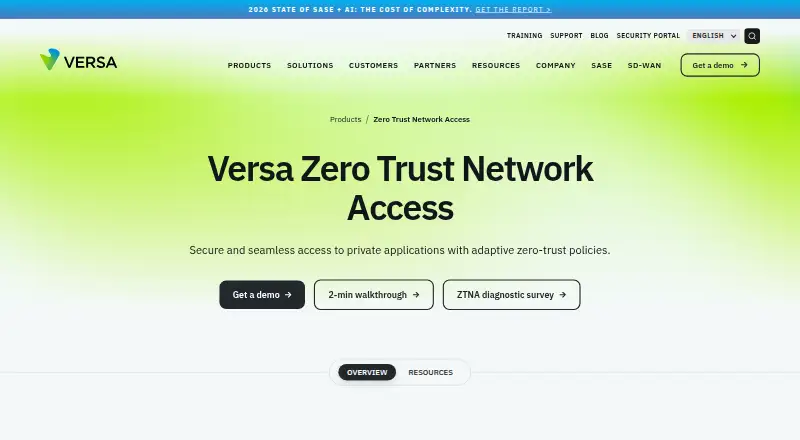
Versa Zero Trust Network Access connects users to private applications across locations and hosting environments, using least-privilege access and ongoing tr…
What Versa Zero Trust Network Access is
Versa Zero Trust Network Access connects users to private applications across locations and hosting environments, using least-privilege access and ongoing trust checks. Administrators can set application-specific policies for users or groups, with decisions informed by behavior, context, device security posture, and user activity. Versa positions the service as a VPN replacement for remote and on-premises users. Its adaptive micro-segmentation divides a LAN into smaller segments to help contain risky devices and users and restrict lateral threat movement.
Secure Private Access is described as cloud-managed and cloud-delivered, connecting distributed users with applications in enterprise data centers and private or public clouds. Identity options listed include Active Directory, Okta, LDAP, RADIUS, and SAML, with MFA options including Microsoft Authenticator, Google Authenticator, and Duo. The Professional tier includes clientless private-resource access and portal access for HTTP(S) applications. The service provides real-time and historical visibility into users, applications, and networks. Versa lists Android, iOS, Linux, macOS, web, and Windows platforms. Pricing is on request, and no free plan is listed.
Good
- Policies can be tailored by application and user or group.
- Device posture and user activity inform access.
- Identity integrations include Active Directory, Okta, LDAP, RADIUS, and SAML.
- Professional tier includes clientless private-resource access.
- Provides real-time and historical visibility.
Watch out
- No free plan is listed.
- Pricing is on request.
- Clientless private-resource access is listed for the Professional tier.
Who it suits
Versa ZTNA suits organizations seeking controlled access to private applications for remote or on-premises users. Its listed platform and identity options may be relevant to enterprises and service providers managing distributed users.
Verdict
Versa ZTNA combines private-app access policies with device checks, identity integrations, and network visibility. Pricing and bundling details require contacting Versa.
Plans and prices
From Versa Zero Trust Network Access's own pricing page, checked 29 Sep 2026.
| Plan | Price | What it gives you |
|---|---|---|
| Essential | Priced on request | 10 applications per tenant · client-based access · listed client platforms include Windows, macOS, iOS, Android, Chromebook, Linux |
| Professional | Priced on request | Unlimited app whitelisting · device-posture policies · clientless HTTP(S) portal access · listed client platforms include Windows, macOS, iOS, Android, Chromebook, Linux |
The facts
Each one read from Versa Zero Trust Network Access's own pages, with the date it was checked.
What it does
- Access policies
- Administrators can set application-specific and user- or group-based access policies that adapt to user behavior and context.checked 29 Sep 2026
- Analytics
- The service provides real-time and historical visibility into users, applications and networks, according to its datasheet.checked 29 Sep 2026
- Clientless access
- The Professional tier includes clientless access to private resources using Terminal Server Agent and portal-based access for HTTP(S) applications.checked 29 Sep 2026
- Deployment
- Versa Secure Private Access is described as cloud-managed and cloud-delivered, connecting distributed users to applications in enterprise data centers and private or public clouds.checked 29 Sep 2026
- Identity integrations
- The Secure Private Access datasheet lists Active Directory, Okta, LDAP, RADIUS and SAML integrations, plus MFA options including Microsoft Authenticator, Google Authenticator and Duo.checked 29 Sep 2026
- Posture checks
- The service continuously assesses device security posture and user activity to inform access policies.checked 29 Sep 2026
- Pricing
- The product page directs visitors to request a demo, and the datasheet says to contact a Versa account representative for bundling details; neither page states a price.checked 29 Sep 2026
- Purpose
- Versa ZTNA connects users to private applications from any location or hosting environment using least-privilege access and continuous trust evaluation.checked 29 Sep 2026
- Security
- The datasheet lists network obfuscation, application-level access controls, posture-based policies, perfect forward secrecy and enterprise-class encryption.checked 29 Sep 2026
- Security reporting
- Versa’s Security and Trust Center says its PSIRT publishes product vulnerability advisories, mitigations and recommendations.checked 29 Sep 2026
- Target customers
- Versa describes its broader platform as serving enterprises and service providers, including managed service offerings.checked 29 Sep 2026
- Threat containment
- Versa says adaptive micro-segmentation divides the LAN into microsegments to contain risky users and devices and prevent lateral threat movement.checked 29 Sep 2026
- VPN replacement
- Versa positions ZTNA as a VPN replacement for remote and on-premises users, with least-privilege controls.checked 29 Sep 2026
The company
- Founded
- 2012checked 28 Sep 2026
- Headquarters
- Santa Clara, California, United Stateschecked 28 Sep 2026
The full review of Versa Zero Trust Network Access
Versa Zero Trust Network Access is a private-application access service built around least-privilege policies and ongoing trust checks. It is best suited to enterprises and service providers managing access across distributed users and hybrid environments. Its breadth is appealing, but custom pricing and tier-dependent features make scope and cost central to the buying decision.
Overview
Versa aims to replace broad VPN connections with access limited to particular applications. Administrators can apply rules by user or group and adapt them to behavior and context, while continuous checks of device posture and user activity inform access decisions. In practice, this is a strong fit for organizations that want to govern access at the application level rather than treat remote users as generally trusted once connected.
The cloud-managed, cloud-delivered service connects distributed users to applications in enterprise data centers and private or public clouds. Versa also describes adaptive micro-segmentation that separates the LAN into smaller zones to contain risky users and devices and limit lateral movement. That adds a network-containment angle to private-app access, though organizations should assess how it fits their existing security architecture.
Key features
Identity integrations include Active Directory, Okta, LDAP, RADIUS, and SAML. MFA options include Microsoft Authenticator, Google Authenticator, and Duo, giving organizations several ways to connect access decisions to existing identity systems.
Security controls include network obfuscation, application-level access controls, posture-based policies, perfect forward secrecy, and enterprise-class encryption. Versa also provides real-time and historical visibility into users, applications, and networks. For teams responsible for monitoring and investigation, that visibility is useful context alongside access controls; SIEM log export is supported.
Professional adds clientless access to private resources through Terminal Server Agent and portal-based access for HTTP(S) applications, as well as streaming to third-party analytics servers. These options can help when users need browser-based access or security teams want analytics feeds, but they are not part of the stated Essential tier.
Pricing
Versa is a paid product with custom pricing; visitors are directed to request a demo, and bundling details require contacting a Versa account representative. There is no free plan, so it is not a low-commitment option for individual users or small teams seeking a free tier.
| Plan | What it includes | Best suited to |
|---|---|---|
| Essential | Access for 10 applications | Organizations whose private-app needs fit within that application limit. |
| Professional | Versa SASE Client, enterprise authentication integration, unlimited application whitelisting, device-posture-based zero-trust policies, clientless access to private resources, and streaming to third-party analytics servers. | Organizations that need broader application coverage, posture-based policies, or clientless access and analytics streaming. |
Neither tier has a stated price. Essential's 10-application cap is a meaningful constraint for larger portfolios; Professional removes that cap through unlimited whitelisting and adds several named capabilities. Buyers should compare the quote and bundle against the functions they actually need rather than assume the tiers are interchangeable.
Platforms
Supported platforms include Windows, macOS, iOS, Android, Linux, and Chromebook. The product also supports web and self-hosted deployment contexts. Its hybrid access and deployment model suits organizations spanning on-premises and cloud resources. Supported application protocols include HTTP/HTTPS, SSH, RDP, and VNC, covering web applications as well as common remote administration and desktop access paths.
Who it's for
Versa is aimed at enterprises and service providers, including managed-service offerings. It makes the most sense for teams that need identity-aware, posture-informed private-app access across data centers and public or private clouds, and that can evaluate a quoted enterprise offering. Organizations seeking a free plan, published per-seat costs, or a clearly self-serve purchase path should look elsewhere.
Pros and cons
- Pros: Application- and user-specific policies with ongoing posture checks support more granular decisions than general network access.
- Pros: Identity integrations, MFA options, and multiple supported platforms suit distributed enterprise environments.
- Pros: Real-time and historical visibility, SIEM log export, and third-party analytics streaming in Professional support security operations.
- Cons: No free plan and custom pricing mean buyers must engage Versa to evaluate cost.
- Cons: Essential is limited to 10 applications, while several useful functions, including clientless access and posture-based policies, are specifically included in Professional.
Alternatives
Cloudflare Access is worth considering for teams that want a free option: its free plan covers fewer than 50 users, and its pay-as-you-go plan is $7 a month. Choose Versa instead when the stated enterprise-focused controls and hybrid private-app model better match the deployment.
Zscaler Private Access is another paid private-access option; its Standard tier is described as limited private access for 5% of users, while its broader platform tier has custom pricing. Airtel Business Connect is a paid alternative with no published plan price in its product description.
Octelium is the clearest contrast for buyers prioritizing a free, self-hosted option: its open-source plan is free forever for personal and evaluation use, while its enterprise package is custom-priced. Check Point Harmony SASE offers a 30-day trial before a license is required. Cato Client has a paid commercial license purchased for one or more years through Cato or a reseller. Cisco Secure Access uses tiered pricing based on covered-user count and subscription term. Fortra ZTNA is a quote-based paid alternative.
Readers comparing adjacent categories can also browse Cloud Access Security Broker Software, SD-WAN Software, Security Service Edge Software, Business VPN Software, and Zero Trust Network Access Software.
Verdict
Choose Versa ZTNA if you need enterprise-oriented, identity- and posture-aware access to private applications across hybrid environments, and can work through a custom quote to confirm tier fit. Its combination of granular policies, containment, and operational visibility is the main reason to shortlist it. Look elsewhere if you need transparent pricing, a free plan, or broader access than Essential's 10 applications without moving to a quoted Professional tier.
Alternatives to Versa Zero Trust Network Access
- 1

Tailscale
Free planOpen sourceAndroidiOSWebAPI9.4From $1 a month - 2

Windscribe
Free planOpen sourceAndroidiOSWebExtension9.1From $3 a month - 3

NetBird
Free planAndroidiOSLinuxmacOS9.0From €6 a month - 4
Twingate
Free planAndroidiOSWebAPI8.9From $5 a month - 5

GoodAccess
Free planAndroidiOSWebLinux8.8Free plan - 6
ZeroTier
Free planAndroidiOSWebAPI8.8From $18 a month