Vengi VoxEdit
Vengi VoxEdit is a free, open-source voxel editor for creating and changing voxel scenes.
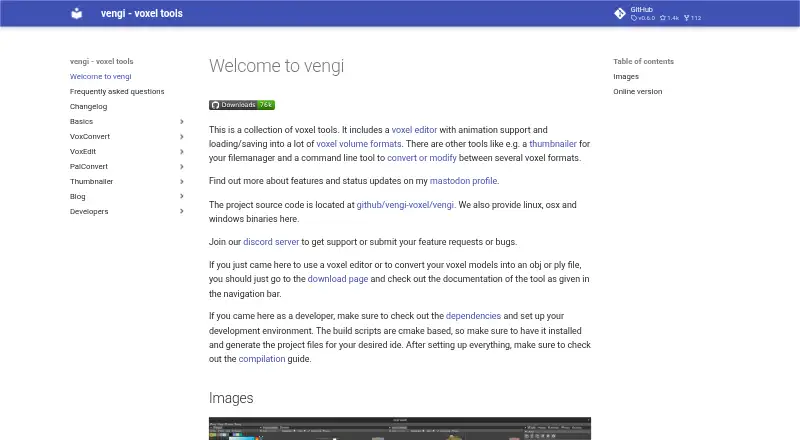
What Vengi VoxEdit is
Vengi VoxEdit is a free, open-source voxel editor for creating and changing voxel scenes. It runs on Linux, macOS, Windows, and the web, with OpenGL 4.3 listed as a system requirement. Its editing tools cover shapes, stamps, lines, extrusion, sculpting, texturing, painting, and transforms. Animation options include layers, keyframes, automatic keyframing, and IK constraints. VoxEdit can load and save many voxel formats, import meshes for voxelization, and export models or scenes to meshes and other formats. The vengi format has the strongest stated support; other formats may not preserve all scene details, and animations save only to vengi or formats that support animation. Lua scripting is available through a built-in editor and community script browser. Network mode supports collaborative editing and chat. Connection to voxbox.store for browsing and exchanging models requires a VoxBox account. An MCP server can let LLMs control VoxEdit through its network interface, provided VoxEdit and the server are running. The editor is under development, and the project directs users to Discord for support and reports.
Good
- Free and open source.
- Runs on Linux, macOS, Windows, and web.
- Includes Lua scripting and animation tools.
- Network mode supports collaborative editing and chat.
- Imports meshes and exports models or scenes.
Watch out
- Requires OpenGL 4.3.
- Other formats may lose scene details.
- Animations save only to vengi or animation-capable formats.
- voxbox.store model exchange requires an account.
Who it suits
VoxEdit suits voxel artists who want editing, animation, scripting, or collaborative tools across desktop and web platforms. It may also suit developers exploring the project while it remains under development.
Verdict
VoxEdit combines voxel editing with scripting, animation, and network collaboration in a free package. Check format support and the OpenGL requirement against your workflow before relying on it.
Plans and prices
From Vengi VoxEdit's own pricing page, checked 30 Sep 2026.
| Plan | Price | What it gives you |
|---|---|---|
| VoxEdit | Free | Free and open source; under development |
The facts
Each one read from Vengi VoxEdit's own pages, with the date it was checked.
What it does
- Animation
- Animation features include layers, keyframes, automatic keyframing and IK constraints.checked 30 Sep 2026
- Animation limit
- Animations are saved only in vengi format or formats that support animation.checked 30 Sep 2026
- Collaboration
- Network mode supports real time collaborative editing and chat.checked 30 Sep 2026
- Compatibility limit
- Saving to formats other than vengi may lose scene details depending on format capabilities and implementation completeness.checked 30 Sep 2026
- Development status
- The voxel editor is under development, and the project invites developers and voxel artists to contribute.checked 30 Sep 2026
- Editing tools
- Editing options include shape, stamp, line, extrude, sculpt, texture, paint and transform brushes.checked 30 Sep 2026
- Imports and exports
- The editor can import meshes and voxelize them, and export models or scenes to meshes and other formats.checked 30 Sep 2026
- Integrations
- VoxEdit integrates with voxbox.store to browse, download and upload models, which requires a VoxBox account.checked 30 Sep 2026
- MCP
- An MCP server lets LLMs control VoxEdit through its network interface and requires a running VoxEdit instance and server.checked 30 Sep 2026
- Scripting
- VoxEdit has a Lua scripting API, built in editor and community script browser.checked 30 Sep 2026
- Support
- The project directs users to its Discord server for support, feature requests and bug reports.checked 30 Sep 2026
- System requirement
- The stated requirement is OpenGL 4.3.checked 30 Sep 2026
- Voxel formats
- It can load and save many voxel formats, and the vengi format is described as the best supported format.checked 30 Sep 2026
- What it is
- VoxEdit is a free, open source, cross platform voxel volume editor with scripting and animation support.checked 30 Sep 2026
The full review of Vengi VoxEdit
Overview
Vengi VoxEdit is a free, open-source editor for building voxel volumes and scenes. It suits voxel artists who want editing, animation, scripting, and live collaboration in one cross-platform tool. Its strongest case is breadth; projects that depend on preserving detail across formats need to plan around its vengi format.
VoxEdit runs on Linux, macOS, Windows, and the web, and requires OpenGL 4.3. The editor is under development, with support, feature requests, and bug reports handled through the project’s Discord server. The project also invites voxel artists and developers to contribute.
It belongs among the Voxel Editors, especially for creators whose workflow calls for animation or shared editing.
Key features
Editing and format handling
Shape, stamp, line, extrude, sculpt, texture, paint, and transform brushes cover both volume creation and surface work. VoxEdit can load and save many voxel formats, but vengi is its best-supported format. Saving elsewhere can lose scene details depending on the target format’s capabilities and implementation, so it is a less dependable choice when round-tripping complex scenes is essential.
Mesh import and voxelization offer a route from conventional 3D geometry into voxel work, while model and scene export to meshes and other formats supports the reverse direction. Game engine export is supported, though no particular engines or export workflow are established.
Animation, scripting, and collaboration
Animation includes layers, keyframes, automatic keyframing, and IK constraints, giving VoxEdit more reach than a static model editor. Animation can be saved only in vengi or in formats that support animation, which makes format choice particularly important for animated projects.
A Lua API, built-in editor, and community script browser make scripting part of the application rather than an external add-on. Network mode adds real-time collaborative editing and chat, a practical advantage for shared work. An MCP server can let LLMs control VoxEdit through its network interface, but it requires both a running VoxEdit instance and server.
Model library integration
Integration with voxbox.store lets users browse, download, and upload models. Using it requires a VoxBox account.
Pricing
VoxEdit — free. The free and open-source plan includes the editor, with no free-trial period. It suits individual creators and teams that can work within the project’s evolving development state and format constraints. There are no paid tiers or seat quotas to weigh; the meaningful trade-offs are format-dependent detail loss and the limits of an editor still under development.
Platforms
VoxEdit supports Linux, macOS, Windows, and the web. Its stated OpenGL 4.3 requirement is a compatibility check for users considering a local installation.
Who it's for
Choose VoxEdit if voxel modeling is only part of the job and you also need animation, Lua scripting, mesh conversion, or real-time collaboration. It is a weaker fit when a project must preserve scene details reliably in formats other than vengi, or when animation needs to travel in a format without animation support.
Pros and cons
- Pros: A wide brush set, animation tools, scripting, and network collaboration bring several voxel workflows into one free editor.
- Pros: Mesh voxelization and export to meshes help connect voxel assets with other 3D workflows.
- Cons: Non-vengi saves can lose scene detail, and animation is limited to vengi or animation-capable formats.
- Cons: OpenGL 4.3 is required, and the editor is still under development.
- Cons: voxbox.store integration requires a VoxBox account; LLM control requires a running editor and MCP server.
Alternatives
Consider it if those platform or scene-size details better match your needs.
Blockhammer is a free early-access voxel editor for Linux, macOS, and Windows. It may suit desktop users looking for another early-access option.
Mega Voxels is a freemium Android and iOS app, with a free download and paid premium content licensing. Choose it if you want a mobile voxel app and its content-license model fits your needs.
Voxel Builder is a free option for Android, iOS, Linux, the web, and Windows.
pixemboss is a free in-browser editor that needs no installation or account to start, making it a straightforward alternative for browser-only use.
VoxShop is a free, self-hosted and web option.
Crocotile 3D is a paid option for Linux, macOS, and Windows, with a free trial. Its registration code is priced at $29.99 a month.
SpriteStack is a paid Linux, macOS, web, and Windows alternative: its $30.00 USD or more purchase includes a Steam key.
Verdict
VoxEdit is a strong fit for voxel artists who want modeling, animation, scripting, and live collaboration without a software charge. Its main reason to choose is that unusually broad mix in one open-source editor; its main reason to look elsewhere is the risk of losing scene detail outside the best-supported vengi format, alongside an OpenGL 4.3 requirement and active development.
Getting started
- Visit the Vengi VoxEdit website.
- Use the web version or choose a platform: Windows, macOS, or Linux.
- Ensure the system meets the stated OpenGL 4.3 requirement.
- Load or create voxel content, then use the editing and animation tools.
- For model browsing and exchange, connect to voxbox.store with a VoxBox account.
- For LLM control, run VoxEdit and its MCP server; use Discord for support, feature requests, or bug reports.
Limits worth knowing
VoxEdit is free and open source. Saving outside the vengi format may lose scene details, and animation is saved only in vengi or formats that support animation.
Questions
Is Vengi VoxEdit free and open source?
Yes. VoxEdit is free and open source, and its listed plan is $0.00 per free.
Which platforms does it support?
The listed platforms are Windows, macOS, Linux, and web.
What formats can it use?
It can load and save many voxel formats, with vengi described as the best-supported. It can import meshes for voxelization and export models or scenes to meshes and other formats.
Can it create animations?
Yes. Animation features include layers, keyframes, automatic keyframing, and IK constraints. Animation is saved only in vengi or formats that support animation.
Does VoxEdit support scripting and collaboration?
It has a Lua scripting API, built-in editor, and community script browser. Network mode supports real-time collaborative editing and chat.
Are accounts or a running service required for integrations?
Browsing, downloading, and uploading models through voxbox.store requires a VoxBox account. Its MCP server requires a running VoxEdit instance and server.
Alternatives to Vengi VoxEdit
- 1
Goxel
Free planOpen sourceAndroidiOSLinuxmacOS8.5Free plan - 2

Mega Voxels
Free planAndroidiOS6.9From $1.99 a month - 3
Facet
Free planWebWindows6.7$10 one-time - 4
Solid Editor
Free planLinuxWindows6.6$10 one-time - 5
VoxelAI Studio
Free planWebAPI6.6From C$8 a month - 6
Qubicle Voxel Editor
Free planmacOSWindows6.5$0.99 one-time