Goxel
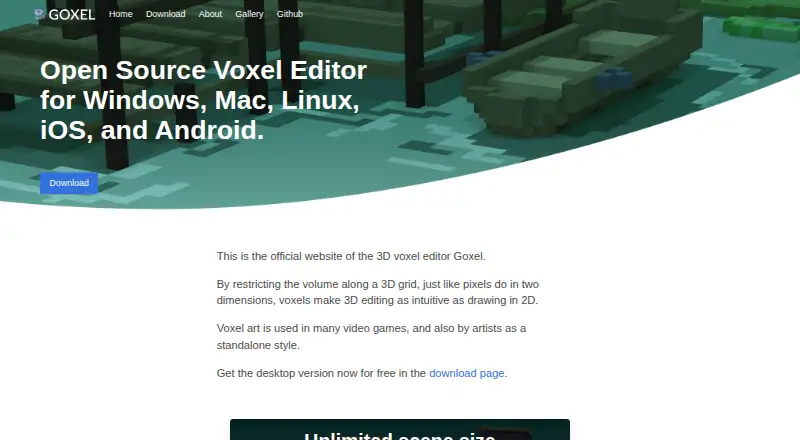
Goxel is a voxel editor for building 3D graphics from cube-shaped elements.
What Goxel is
Goxel is a voxel editor for building 3D graphics from cube-shaped elements. It supports scene editing and, according to its maker, scenes without a size limit. Layers keep parts of a scene as separately editable 3D models, while 24-bit RGB color and an unlimited undo buffer support detailed editing and revision. Rendering options include marching cubes, procedural rendering, and ray tracing. For moving work into other tools, Goxel exports OBJ, PLY, PNG, MagicaVoxel, and Qubicle files, and game engine export is supported. Goxel is available for Windows, macOS, Linux, iOS, and Android. Its desktop release is free; the current stable desktop version is 0.15.1, and the Desktop plan is free. The source code uses the GNU GPL 3 license, and the maker says commercial licensing can be arranged by contacting them. Voxel art can serve video game projects or work as a standalone art style, making Goxel relevant to both uses.
Good
- Supports scenes described as unlimited in size.
- Layers keep 3D models independently editable.
- Includes 24-bit RGB color and unlimited undo.
- Offers marching cubes, procedural rendering, and ray tracing.
- Exports OBJ, PLY, PNG, MagicaVoxel, and Qubicle.
- Available on desktop and mobile platforms.
Watch out
- Commercial licensing requires contacting the maker.
Who it suits
Goxel suits artists and creators who want to build 3D work from cubes, whether for video games or standalone voxel art. Its layers, broad export formats, and support for five platforms also suit people who want to separate scene elements and move their work between environments.
Verdict
Choose Goxel if you want a free desktop voxel editor with layered scene editing, multiple rendering options, and several export formats.
Plans and prices
From Goxel's own pricing page, checked 19 Oct 2026.
| Plan | Price | What it gives you |
|---|---|---|
| Desktop | Free | Windows, macOS and Linux desktop release · version 0.15.1 · free |
| Android app | €2.99, paid once | Android app · 1K+ downloads shown · €2.99 one-time Google Play price |
| iOS app | $4.99, paid once | iPhone and iPad · iOS/iPadOS 9.3 or later · $4.99 one-time App Store price |
| iOS | Priced on request | Available through iTunes; price not stated on the opened page |
The facts
Each one read from Goxel's own pages, with the date it was checked.
Where it runs
- Android update
- Google Play shows the app updated for Android 16 on July 26, 2026.checked 19 Oct 2026
- Apple privacy
- Apple's listing reports that the developer declared no data collected for the iOS app.checked 19 Oct 2026
- Limit: Android workflow
- Google Play reviewers asked for clearer save-to behavior, file naming and FBX export, describing basic file operations as messy.checked 19 Oct 2026
What it does
- Audience
- The maker describes voxel art as used in video games and as a standalone art style.checked 3 Oct 2026
- Build system
- Building from source uses SCons or the provided make targets.checked 19 Oct 2026
- Changelog update
- Version 0.15.1, dated 2024-07-28, fixed a macOS save crash and improved extrusion, navigation and help text.checked 19 Oct 2026
- Color depth
- The editor supports 24-bit RGB colors.checked 19 Oct 2026
- Colors and undo
- The repository lists 24-bit RGB colors and an unlimited undo buffer.checked 3 Oct 2026
- Contributor terms
- Contributors must sign a CLA, partly so the maintainer can distribute the mobile branch under a non-GPL licence.checked 19 Oct 2026
- Desktop release
- The official download page identifies version 0.15.1 as the current stable desktop release.checked 19 Oct 2026
- Desktop version
- The current stable desktop version shown is 0.15.1.checked 3 Oct 2026
- Developer documentation
- The repository includes an internals document describing copy-on-write voxel blocks, volumes, layers, undo snapshots and rendering architecture.checked 19 Oct 2026
- Developer identity
- Google Play identifies Guillaume Marie Bernard Chereau as the Android developer and lists a Taipei, Taiwan address.checked 19 Oct 2026
- Export
- The maker lists export to OBJ, PLY, PNG, MagicaVoxel, and Qubicle formats.checked 3 Oct 2026
- Export formats
- Official pages list MagicaVoxel, Qubicle, glTF2, OBJ, PLY and Build Engine export.checked 19 Oct 2026
- Google Play privacy
- The Android store listing states that no data is shared with third parties and no data is collected.checked 19 Oct 2026
- Independent alternatives
- AlternativeTo lists MagicaVoxel, 3D-Coat, vengi, VoxelShop and SpriteStack among Goxel alternatives.checked 19 Oct 2026
- Independent directory listing
- AlternativeTo categorizes Goxel as free and open source and describes it as a 24-bit voxel editor with unlimited scene size and undo.checked 19 Oct 2026
- Integrations
- The maker lists file format export options; no third-party service integrations are stated on the opened pages.checked 3 Oct 2026
- Layer editing
- Layers keep separate parts of a scene as independently editable 3D models.checked 19 Oct 2026
- Layers
- Layers let users separate a scene into independently editable 3D models.checked 3 Oct 2026
- Licence
- The project is released under GNU GPL version 3, with a commercial licence available by contacting the author.checked 19 Oct 2026
- License
- The source code is released under the GNU GPL 3 license; the maker says commercial licensing is available by contacting them.checked 3 Oct 2026
Money
- Free plan
- Yeschecked 21 Sep 2026
The full review of Goxel
Goxel is a voxel editor for making three-dimensional art from cubes. It is a strong fit for artists and game creators who want to shape scenes in layers and choose among several rendering and export options. Its free desktop version is the clearest draw; the iOS option has no stated price.
Overview
Voxel art can serve as game content or stand on its own, and Goxel supports both uses through scene editing and exports for images, 3D models, and other voxel tools. The maker describes scene size as unlimited, so there is no stated scene-size ceiling to constrain larger projects. Desktop users also get source code released under the GNU GPL 3 license, with commercial licensing available by contacting the maker.
Key features
- Layered scene editing: Layers divide a scene into independently editable 3D models. That is useful when revising one component without reworking the rest, particularly in scenes with multiple parts.
- Color and undo: 24-bit RGB color gives artists a broad color range, while an unlimited undo buffer allows changes to be reversed without a stated history cap.
- Rendering choices: Marching cubes, procedural rendering, and ray tracing offer distinct ways to render work. That range is valuable for users who want more than one approach, though the feature list does not establish how each method fits a particular workflow.
- Export formats: OBJ, PLY, PNG, MagicaVoxel, and Qubicle exports cover image output and handoff to 3D or voxel workflows. Game engine export is supported, making Goxel relevant to game-asset creation as well as standalone art.
Pricing
The Desktop plan costs free and includes the free desktop version, with scene size described as unlimited. It is the straightforward choice for desktop users who want a no-cost editor and do not need a paid support plan. The source is under GPL 3; commercial licensing is available by contacting the maker.
Android is also a supported platform, though no separate mobile plan terms are given. There is no listed support plan; the repository README provides an email contact.
Platforms
Goxel supports Windows, macOS, Linux, iOS, and Android. The current stable desktop version is 0.15.1. The platform range gives users options beyond desktop, but the published price terms are clearest for desktop.
Who it's for
Goxel suits voxel artists who want independently editable scene parts, multiple rendering approaches, and exports that can feed into game or 3D workflows. Unlimited scene size and undo are practical advantages for projects that grow or require repeated revisions. It is less suitable for buyers who need clearly priced mobile access or a defined support arrangement.
Pros and cons
- Pros: Free desktop version: The desktop plan costs nothing, making it accessible without a stated scene-size limit.
- Pros: Flexible scene structure: Layers keep models independently editable, which can simplify targeted revisions.
- Pros: Broad output options: Five named export formats plus game engine export support both image output and downstream workflows.
- Cons: No formal support plan: An email contact is provided, but users seeking a defined support commitment should look elsewhere.
Alternatives
Voxel Editors is the category directory for comparing more tools in this field. For a wider software category, see 3D modeling software.
- Vengi VoxEdit is another free, open-source voxel editor, and may suit users who prefer a web option alongside desktop platforms; it is under development.
- Blockhammer is a free voxel editor for Linux, macOS, and Windows, currently offered in early access.
- Qubicle Voxel Editor is a paid alternative with a free demo for macOS and Windows.
- VoxelShop is a free option for Linux, macOS, and Windows.
- Facet offers a browser-based demo that saves and reloads JSON projects; its full version adds one-click OBJ export for a one-time 10.00 USD.
- Mega Voxels is a mobile alternative for Android and iOS, with a free app and optional premium content licenses.
- Sproxel is a free, open-source project for Linux, macOS, and Windows.
- Voxel Builder is a free option for Android, iOS, Linux, web, and Windows.
Verdict
Choose Goxel if you want a free desktop voxel editor with room for large scenes, separable model layers, varied rendering methods, and useful export choices. Look elsewhere if a known mobile price or formal support plan is essential to your decision.
Getting started
- Choose a supported platform: Windows, macOS, Linux, iOS, or Android.
- For desktop, use the free Desktop plan, listed as free.
- For iOS, get the app through iTunes.
- Create and edit a voxel scene, using layers to separate editable models.
- Export the scene to OBJ, PLY, PNG, MagicaVoxel, or Qubicle as needed.
Questions
Which platforms does Goxel support?
It is available for Windows, macOS, Linux, iOS, and Android.
What file formats can Goxel export?
It exports OBJ, PLY, PNG, MagicaVoxel, and Qubicle formats. Game engine export is also supported.
Is Goxel open source?
Its source code is released under the GNU GPL 3 license. The maker says commercial licensing is available by contacting them.
Does Goxel connect to third-party services?
The maker lists file format export options; no third-party service integrations are stated.
What can I make with Goxel?
Goxel creates 3D graphics formed from cubes. Voxel art is used in video games and as a standalone art style.
Alternatives to Goxel
- 1
Mega Voxels
Free planAndroidiOS6.9From $1.99 a month - 2
Facet
Free planWebWindows6.7$10 one-time - 3
Solid Editor
Free planLinuxWindows6.6$10 one-time - 4
VoxelAI Studio
Free planWebAPI6.6From C$8 a month - 5
Qubicle Voxel Editor
Free planmacOSWindows6.5$0.99 one-time - 6
Voxel Builder
AndroidiOSWebLinux6.5