UNetbootin
UNetbootin creates bootable Live USB drives for Ubuntu and other Linux distributions, so users can prepare an installation without burning a CD.
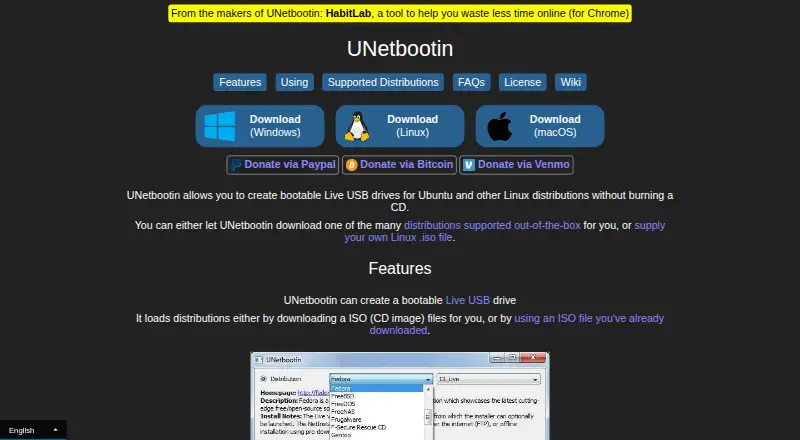
What UNetbootin is
UNetbootin creates bootable Live USB drives for Ubuntu and other Linux distributions, so users can prepare an installation without burning a CD. It can download a supported distribution or use a Linux ISO already on the computer, with a USB drive or hard disk as the target. Built-in downloads include Ubuntu, Debian, Fedora, Arch Linux, Linux Mint and FreeBSD, as well as system utilities such as Parted Magic, SystemRescueCD and rescue disks. The project says most Linux ISO files should work, though some need extra boot options or modifications and some will not boot from USB as-is. Non-Linux operating system ISOs are not expected to work because they use a different boot mechanism. Linux download options include 32-bit and 64-bit binaries, packages for several distributions, an Ubuntu PPA and source code. UNetbootin is free, and donations are accepted. Its source is available on GitHub under GNU GPL Version 2 or above.
Good
- Can download supported distributions or use local Linux ISOs
- Built-in downloads include major Linux distributions
- Can load listed system utilities
- Free, with source code available
Watch out
- Non-Linux operating system ISOs are not expected to work
- Some Linux ISOs need extra options or modifications
- Some ISOs cannot boot from USB as-is
Who it suits
UNetbootin suits people preparing a bootable Linux installation or system utility from a USB drive or hard disk. It is available for Linux, macOS and Windows.
Verdict
UNetbootin offers a free route to preparing bootable media for supported Linux distributions and listed system utilities. Check whether a particular ISO works as-is; the project warns that some require changes and non-Linux ISOs are not expected to work.
Plans and prices
From UNetbootin's own pricing page, checked 15 Oct 2026.
| Plan | Price | What it gives you |
|---|---|---|
| UNetbootin | Free | Windows, Linux and macOS desktop downloads · creates bootable USB or hard-disk installs · Linux/BSD distributions and supplied ISO images · No charge; donations accepted |
The facts
Each one read from UNetbootin's own pages, with the date it was checked.
What it does
- Build tooling
- The development guide says qmake is used as the build system and Qt is used for the cross-platform GUI.checked 15 Oct 2026
- Built-in distributions
- The official list includes Ubuntu, Debian, Fedora, openSUSE, Arch Linux, Linux Mint, CentOS, FreeBSD, NetBSD and many other distributions.checked 15 Oct 2026
- Command line
- The wiki documents command-line options for language, distribution, disk image, install type, persistence and unattended installation.checked 15 Oct 2026
- Developer documentation
- The wiki provides user guides, install-mode explanations, command references, compilation instructions, plugin material and development guidance.checked 15 Oct 2026
- Distribution support
- Built-in download support includes Ubuntu, Debian, Fedora, Arch Linux, Linux Mint, FreeBSD, and other listed distributions.checked 30 Sep 2026
- Extensibility
- Official documentation covers building and using UNetbootin plugins and creating custom versions.checked 15 Oct 2026
- Image sources
- It can download a supported distribution or use a Linux ISO file already on the computer.checked 30 Sep 2026
- Independent reception
- Full Circle described the interface as dated but said the program worked well for writing Linux or BSD distributions to USB media.checked 15 Oct 2026
- Install targets
- The interface supports USB-drive and hard-disk installation modes.checked 15 Oct 2026
- ISO input
- Users can select a distribution for automatic download or provide an ISO already stored locally.checked 15 Oct 2026
- Latest release
- GitHub lists release 702, adding macOS 11.1 Big Sur support, dated 4 February 2021.checked 15 Oct 2026
- License
- UNetbootin is released under GNU GPL version 2 or later; site materials use Creative Commons Attribution-Share-Alike 3.0.checked 15 Oct 2026
- Limit: boot failures
- SnapFiles includes a one-star report where a 7 GB CentOS image took almost a day and produced media that would not boot, while Rufus succeeded.checked 15 Oct 2026
- Limit: hard-disk install risk
- The official FAQ explains that removing a hard-disk installation can require restoring the Windows bootloader and deleting the Linux partition manually.checked 15 Oct 2026
- Limit: outdated support
- AlternativeTo marks the project discontinued, citing a latest version from 4 February 2021 and a last repository commit dated 28 June 2023.checked 15 Oct 2026
- Limit: reliability
- AlternativeTo users report failed downloads, images that do not boot and frequent need to use Rufus or balenaEtcher instead.checked 15 Oct 2026
- Limit: UEFI and Secure Boot
- AlternativeTo comments repeatedly report that it is mainly useful with legacy BIOS or CSM and lacks dependable UEFI/Secure Boot support.checked 15 Oct 2026
- Multiple installs
- Multiple installations on the same device are not supported.checked 15 Oct 2026
- Operating system limit
- The site says not to expect non-Linux operating system ISOs to work because they use a different boot mechanism.checked 30 Sep 2026
- Other images
- The site says most Linux ISO files should work, but some require extra boot options or modifications and some cannot boot from USB as-is.checked 30 Sep 2026
- Other ISO limits
- The project says some Linux images need extra boot options and that non-Linux operating-system ISOs generally use a different boot mechanism.checked 15 Oct 2026
The company
- Company structure
- The official site identifies Geza Kovacs as the creator and author; it does not identify a separate legal company, headquarters or funding information.checked 15 Oct 2026
- Maker
- The site credits Geza Kovacs as the person who created and wrote UNetbootin.checked 30 Sep 2026
Where it runs
- Linux downloads
- The Linux downloads page lists an Ubuntu PPA, 32-bit and 64-bit binaries, packages for several distributions, and source code.checked 30 Sep 2026
The full review of UNetbootin
Overview
UNetbootin prepares bootable media for Linux distributions and system utilities, using either a supported download or a local Linux ISO. It is best suited to people who want a free, cross-platform way to make Linux or recovery media. Its broad distribution menu is useful, but ISO compatibility is not universal.
Built-in choices include Ubuntu, Debian, Fedora, Arch Linux, Linux Mint, and FreeBSD, with USB drives and hard disks named as targets. That makes UNetbootin a practical option for common Linux setup and rescue tasks, not a dependable all-purpose tool for operating-system images: non-Linux ISOs use a different boot mechanism and are not expected to work.
The project was created by Geza Kovacs, and its source is available on GitHub under GNU GPL Version 2 or above. The FAQ directs bug reports to GitHub Issues and patches to GitHub Pull Requests.
Key features
- Download or local ISO: Choose a supported distribution download or supply a Linux ISO already on the computer. The download path helps when no image is at hand; using a local ISO gives users more choice, subject to compatibility.
- Distribution and utility options: Built-in downloads include major Linux choices such as Ubuntu, Debian, Fedora, Arch Linux, and Linux Mint, as well as FreeBSD. System tools including Parted Magic, SystemRescueCD, and rescue disks make it useful for recovery as well as installation media.
- USB and hard-disk targets: Both target types appear in the usage instructions. The FAQ also links to command-line options, including a targetdrive option for cases where the target drive is not detected.
- Variable ISO compatibility: Most Linux ISO files should work, but some need additional boot options or modifications and others will not boot from USB unchanged. Anyone relying on a particular image should check its compatibility before choosing UNetbootin.
- Security guidance: The FAQ says antivirus warnings for Trojan.generic can be false positives associated with the auto-uninstall feature and recommends downloading from the official site. That guidance is relevant if a warning appears, but it does not remove the need to obtain the software from the recommended source.
Pricing
UNetbootin is free: its plan is free, with no paid plans listed. Donations are accepted. There is no trial period to weigh against a subscription, and the free offering is the only stated plan, so there is no paid tier to unlock additional features.
The free plan suits individuals who need to prepare supported Linux or utility media without software cost. Its meaningful constraint is compatibility rather than a stated seat or usage quota: images that need changes may require extra work, and non-Linux operating-system ISOs are not expected to work.
Platforms
UNetbootin has apps for Linux, macOS, and Windows. The Linux downloads page offers an Ubuntu PPA, 32-bit and 64-bit binaries, packages for several distributions, and source code. This range gives Linux users multiple installation routes, while the same cross-platform availability makes it an option for people preparing media from a Windows or Mac computer.
Who it's for
Choose UNetbootin if you want a free utility for creating Linux Live USB media, need one of its built-in distribution or system-utility downloads, or already have a Linux ISO and are prepared to check whether it boots as-is. Its support for both USB and hard-disk targets and its command-line options also suit users comfortable troubleshooting a target-drive detection issue.
Look elsewhere if the image is for a non-Linux operating system or if you need confidence that an arbitrary Linux ISO will boot without adjustment. UNetbootin's own compatibility caveat makes it a less certain choice for those cases.
Pros and cons
Pros
- Free across Linux, macOS, and Windows: Users can prepare media from the three listed desktop platforms without choosing among paid tiers.
- Built-in Linux and utility downloads: The distribution list and rescue-tool selections cover both installation and recovery needs.
- Local ISO support and multiple target types: Users can bring an existing Linux image and target a USB drive or hard disk.
- Open-source project: GitHub source and the GNU GPL Version 2 or above license make the code available to the community.
Cons
- ISO support is conditional: Some Linux images need boot options or modifications, and some will not boot from USB unchanged.
- Not aimed at non-Linux OS images: The different boot mechanism used by non-Linux systems rules out relying on UNetbootin for those ISOs.
- Drive detection may need intervention: The FAQ's targetdrive command-line option is a workaround to know about, not a guarantee that every target will be detected automatically.
Alternatives
Browse Bootable USB Software for more options in the category. Among the alternatives, balenaEtcher is another free, open-source choice for Linux, macOS, and Windows; pick it if open-source status and community contributions are priorities.
Fedora Media Writer is free on Linux, macOS, and Windows and is centered on Fedora images, making it the more focused option when Fedora is the target. SARDU MultiBoot Creator has a free tier for personal, non-commercial use on Windows and Linux; consider it if those terms fit your use.
USBImager is a free, MIT-licensed open-source alternative for Linux, macOS, and Windows. YUMI is free on Linux and Windows and is described as supporting USB flash drives or microSD, so it may suit users who want that media support.
Raspberry Pi Imager is a free desktop imaging utility for Linux, macOS, and Windows, with its source published on GitHub. Easy2Boot is a free option for Linux and Windows; its menu system uses open-source components and plain-text scripts, while its download also includes the maker's closed-source Windows utilities. Buddi is another free option for Linux, macOS, and Windows.
Verdict
UNetbootin is a sound fit for users who want a no-cost, cross-platform way to prepare supported Linux distribution or rescue media, especially when its built-in choices match the job. Its main reason to choose something else is image uncertainty: some Linux ISOs need adjustment, and non-Linux ISOs are not expected to work. For a known compatible Linux image, it is a useful free option; for other systems or a particular unverified ISO, choose a tool better suited to that target.
Alternatives to UNetbootin
- 1
USBImager
Free planOpen sourceLinuxmacOSWindows7.1Free plan - 2

balenaEtcher
Free planLinuxmacOSWindows6.8From $1,720 a year - 3
FlashBoot
Free planWindows6.5$29.95 one-time - 4
WinToUSB
Free planWindows6.5$44.95 one-time - 5
Unraid USB Creator
LinuxmacOSWindows6.4$49 one-time - 6

Deepin Boot Maker
Free planLinuxmacOSWindows6.3Free plan