TrafficGuard
TrafficGuard provides click fraud protection and ad verification for digital advertising.
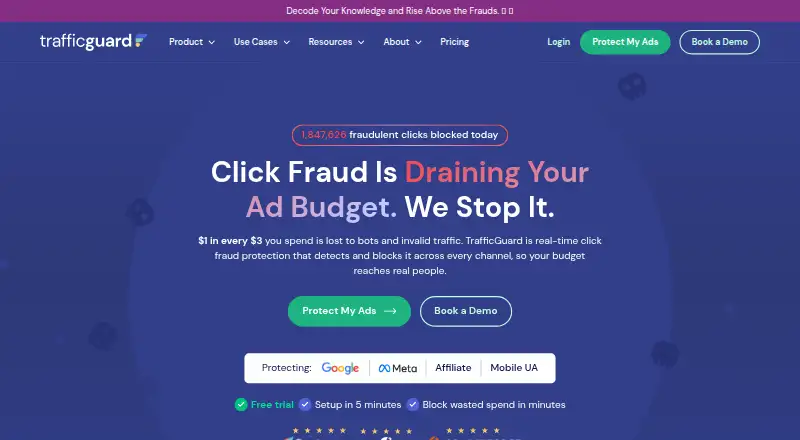
What TrafficGuard is
TrafficGuard provides click fraud protection and ad verification for digital advertising. It says it detects and blocks invalid traffic in real time, including bots, click farms, proxies, and competitor clicks. Its product pages describe coverage for Google Search, Performance Max, affiliate, social, and mobile campaigns. Detection mode reports invalid traffic without blocking or removing it. With the Google Ads integration, click data goes to TrafficGuard, and prevention mode can add invalid traffic sources to the Google Ads IP exclusion list through the API. The maker recommends placing its site tag across website pages to analyze the full traffic journey and improve detection accuracy. TrafficGuard says it uses SSL, encrypted data, identity and access controls, and Tier 1 cloud infrastructure. A free detection solution is listed for ad spend under $2.5K per month. Shield costs $49 a month and covers up to $30k in monthly ad spend and one domain for Google Search Ads. The 30-day free trial requires a credit card, has no charge during the trial, and operates in detection mode only.
Good
- Detects invalid traffic in real time.
- Detection mode reports traffic without blocking it.
- Google Ads prevention can add IP exclusions through the API.
- Free detection is listed for ad spend under $2.5K per month.
- Trial lasts 30 days with no charge during the trial.
Watch out
- The 30-day trial requires a credit card.
- Trial mode is detection only.
- Shield is limited to one domain and Google Search Ads.
- Shield covers up to $30k monthly ad spend.
Who it suits
It suits advertisers and agencies seeking invalid-traffic detection or blocking across the listed campaign channels. Shield is aimed at accounts within its stated spend and domain limits.
Verdict
TrafficGuard combines invalid-traffic monitoring with prevention options and Google Ads integration. Check the trial mode and Shield coverage limits against your campaign setup.
Plans and prices
From TrafficGuard's own pricing page, checked 4 Oct 2026.
| Plan | Price | What it gives you |
|---|---|---|
| Free detection solution | Free | For ad spend under $2.5K/month · detection only |
| Shield | $49 a month | Up to $30k monthly ad spend · one domain · Google Search Ads · $49 / month |
| Enterprise Affiliate Protection | Priced on request | Conversion-level protection · custom AMP integration · Custom |
| Enterprise Plan (Mobile) | Priced on request | Mobile attribution verification · native MMP integrations · Custom |
| Enterprise Social Protection | Priced on request | One Meta portfolio · up to 25 ad accounts · Custom |
| Scale | Priced on request | For advertisers spending more than $30K monthly · omnichannel protection · unlimited users and ad accounts · Custom |
The facts
Each one read from TrafficGuard's own pages, with the date it was checked.
What it does
- Channels
- Its product pages describe protection for Google Search, Performance Max, affiliate, social, and mobile campaigns.checked 4 Oct 2026
- Compliance
- TrafficGuard states that its invalid-traffic mitigation is built to MRC guidelines, it complies with GDPR requirements, and consent management uses the IAB framework.checked 4 Oct 2026
- Detection mode
- Detection mode reports invalid traffic in real time without blocking or removing it.checked 4 Oct 2026
- Google Ads integration
- The Google Ads integration sends click data to TrafficGuard, and prevention mode can add invalid traffic sources to the Google Ads IP exclusion list through the API.checked 4 Oct 2026
- Intended customers
- The maker presents TrafficGuard for startups, SMBs, enterprises, and agencies.checked 4 Oct 2026
- Notable limits
- Shield covers up to $30k monthly ad spend and one website connected to a Google Search Ads account.checked 4 Oct 2026
- Real-time prevention
- TrafficGuard says it detects and blocks invalid traffic in real time, including bots, click farms, proxies, and competitor clicks.checked 4 Oct 2026
- Security
- TrafficGuard says it uses SSL, encrypted data, identity and access controls, and Tier 1 cloud infrastructure.checked 4 Oct 2026
- Support
- The Shield plan includes email support; Scale includes a dedicated success manager.checked 4 Oct 2026
- Website tag
- The maker recommends installing its site tag across website pages to improve detection accuracy by analyzing the full traffic journey.checked 4 Oct 2026
- What it does
- TrafficGuard provides click fraud protection and ad verification to safeguard digital advertising investments.checked 4 Oct 2026
The company
- Founded
- 2016checked 28 Sep 2026
- Headquarters
- Perth, Australiachecked 28 Sep 2026
Money
- Trial terms
- The 30-day free trial requires a credit card, has no charge during the trial, and runs in detection mode only.checked 4 Oct 2026
The full review of TrafficGuard
Overview
TrafficGuard is an ad-fraud protection service for advertisers who want to monitor invalid traffic and, when appropriate, stop it from reaching their campaigns. Its standout fit is a Google Search advertiser who wants an entry-level paid plan with automated blocking; its low-spend free option is monitoring only.
Coverage spans search, Performance Max, affiliate, social and mobile campaigns, with detection drawing on click, behavioural and site-tag data. TrafficGuard says its system uses more than 200 indicators and machine learning to identify bots, click farms, proxies and competitor clicks. The breadth is appealing, but protection is not uniform across every plan: Shield is limited to one website connected to a Google Search Ads account.
Key features
Monitoring and blocking
Detection mode reports invalid traffic in real time without blocking or removing it. That makes it the safer way to observe traffic before enabling prevention, but it does not itself stop suspected clicks. TrafficGuard says prevention can block invalid traffic automatically.
Google Ads and site tag
The Google Ads integration sends click data to TrafficGuard; in prevention mode, the service can add invalid sources to the account’s IP exclusion list through the API. Installing the site tag across website pages is recommended to capture the full traffic journey and improve detection accuracy. That approach can give the service a richer signal, but it also means implementation involves tagging the site, not just connecting an ad account.
Security and compliance
TrafficGuard says it uses SSL, encryption, identity and access controls, and Tier 1 cloud infrastructure. It states that its mitigation follows MRC guidelines, that it complies with GDPR requirements, and that its consent management uses the IAB framework. These are useful assurances for businesses assessing ad-traffic handling, though they do not remove the need to review fit with an organization’s own requirements.
Pricing
The free detection solution costs nothing and is for ad spend under $2.5K/month. It is detection only, so it suits advertisers who need visibility at no charge but not those seeking automatic prevention.
Shield costs $49 a month, billed $49 / month. It covers up to $30k monthly ad spend, one domain and Google Search Ads, with email support. That is a clear starting point for a single-site Search advertiser; the one-domain and Search-only scope make it a poor fit for teams expecting multi-channel coverage at the entry price.
Four custom-pricing plans address narrower or larger needs. Enterprise Social Protection covers one Meta portfolio and up to 25 ad accounts. Enterprise Plan (Mobile) provides mobile attribution verification and native MMP integrations. Enterprise Affiliate Protection offers conversion-level protection and custom AMP integration. Scale is for advertisers spending more than $30K monthly and includes omnichannel protection, unlimited users and ad accounts, plus a dedicated success manager. These options target distinct channel or scale requirements, but require a custom quote rather than a published monthly price.
The 30-day free trial requires a credit card, carries no charge during the trial, and runs in detection mode only. It lets a team assess monitoring before paying, but cannot demonstrate prevention during the trial.
Platforms
TrafficGuard supports API and web access. Its stated ad coverage includes Google Ads, Meta Ads, affiliate and mobile app acquisition. Shield’s narrower Google Search scope is important: platform-level breadth should not be mistaken for that plan’s coverage.
Who it's for
TrafficGuard is best suited to advertisers who want invalid-traffic monitoring and an option to automate Google Ads exclusions, especially single-site Search campaigns that fit Shield’s spend cap. A business spending under $2.5K/month can start with free detection, while larger advertisers, agencies or teams with social, affiliate or mobile needs should look at the relevant custom plan. It is less suitable for buyers who need blocking during evaluation, or who require broader coverage within a fixed, publicly priced entry plan.
Pros and cons
- Pros: Real-time detection and automatic blocking address both monitoring and prevention needs.
- Pros: Google Ads integration can turn detected invalid sources into IP exclusions through the API.
- Pros: Free detection gives lower-spend advertisers a no-cost way to monitor traffic.
- Cons: The trial is detection-only, so prevention cannot be assessed during its 30 days.
- Cons: Shield’s one-domain Google Search limit excludes advertisers seeking entry-plan protection across multiple sites or channels.
- Cons: Social, mobile, affiliate and higher-spend coverage requires custom pricing, making cost harder to compare upfront.
Alternatives
ClickHelm is worth considering if a freemium option and self-hosted deployment matter more; its free edition omits blocking, rules or automatic actions, weekly email reports and Google charge reconciliation.
ClickLens suits teams that prefer session-based monitoring, with a free tier offering 1,000 sessions per month for one site, basic scoring and seven-day retention.
Didva is another free starting point, with Watchtower covering up to 3,000 clicks per month on one site and manual IP blocking.
Clixtell is an alternative in the click-fraud category.
ClickStopper is an alternative in the click-fraud category.
ClickGuardian is an alternative in the click-fraud category.
AdProtektor is an alternative in the click-fraud category.
ProtectPPC is an alternative in the click-fraud category.
Browse more options in Click Fraud Software.
Verdict
Choose TrafficGuard if you need invalid-traffic detection with a path to automated Google Ads exclusions, and your campaigns fit the chosen plan’s channel and spend limits. The free tier is useful for monitoring, while Shield makes prevention accessible to a single-site Search advertiser. Look elsewhere if you need prevention during a trial, or want broader multi-channel protection at a transparent entry price.
Getting started
- Open the TrafficGuard website
- Choose the free detection solution, Shield or an enterprise plan
- Connect Google Ads so click data can be sent through the integration
- Install the TrafficGuard site tag across your website pages
- Use detection mode for reporting or prevention mode for blocking
Limits worth knowing
The free detection solution is for ad spend under $2.5K per month and provides detection only. Shield covers up to $30k monthly ad spend, one domain and one Google Search Ads account; the 30-day trial requires a credit card and remains detection-only.
Questions
Is there a free TrafficGuard plan?
Yes. Free detection is available for ad spend under $2.5K per month, with detection only.
How much does Shield cost?
Shield is billed at $49 a month and covers up to $30k monthly ad spend.
Which advertising platforms are supported?
Listed platforms include Google Ads, Meta Ads, affiliate and mobile app acquisition. Protection is described for Google Search, Performance Max, affiliate, social and mobile campaigns.
Does TrafficGuard block invalid clicks automatically?
Yes, prevention mode detects and blocks invalid traffic in real time. Detection mode reports it without blocking or removing it.
What does the trial require?
The 30-day free trial requires a credit card, has no charge during the trial and runs in detection mode only.
Alternatives to TrafficGuard
- 1
ClickPatrol
Free planAndroidiOSWebAPI7.9From €71 a month - 2
ClickHelm
Free planOpen sourceWebSelf-hosted7.7From $29 a month - 3
Didva
Free planOpen sourceWebAPIExtension7.7From $39 a month - 4
JuicyTraffic
Free planWeb7.3$15 one-time - 5

ClickCease
AndroidiOSWeb7.0From $69 a month - 6
ClickDefender
AndroidiOSWebAPI6.9From £49 a month