ClickLens
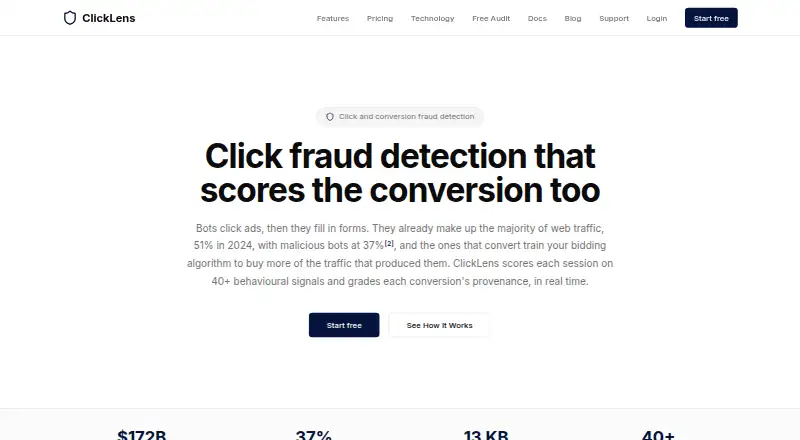
ClickLens analyzes advertising sessions for click fraud and evaluates conversion provenance in real time.
What ClickLens is
ClickLens analyzes advertising sessions for click fraud and evaluates conversion provenance in real time. Its JavaScript tag scores sessions using more than 40 behavioral signals, and each dashboard verdict identifies the signals and flags behind it. Scores range from 0 to 100: above 70 is classed as human, 40 to 70 as suspect, and below 40 as bot. Conversion verdicts can pass, downweight or retract a conversion. Installation guides cover Shopify, WordPress, WooCommerce and Google Tag Manager. Google Ads IP and placement exclusions can sync automatically; Microsoft and Meta placement sync is rolling out, while TikTok placements are report-only. The tag does not collect names, email addresses, phone numbers, form values or typed text. It is about 13 KB gzipped, loads asynchronously and does not block page rendering. When a monthly session limit is reached, the tag continues loading but stops sending data until the account is upgraded.
Good
- Scores sessions using more than 40 behavioral signals.
- Dashboard verdicts name their signals and flags.
- Google Ads exclusions can sync automatically.
- The tag does not collect contact details or typed text.
Watch out
- Free plan is limited to 1,000 sessions per month.
- Tag stops sending data after the monthly limit.
- Microsoft and Meta placement sync is rolling out.
- TikTok placements are report-only.
Who it suits
ClickLens suits businesses running paid campaigns, as well as high-spend advertisers and in-house teams. Its plans range from a free allowance to higher session limits and API access.
Verdict
ClickLens provides session scoring and conversion verdicts, with different ad-platform connections depending on the platform. Review the session limits and sync availability that apply to your campaigns.
Plans and prices
From ClickLens's own pricing page, checked 30 Sep 2026.
| Plan | Price | What it gives you |
|---|---|---|
| Free | Free | 1,000 sessions/mo · 1 site · Basic scoring · 7-day data retention · Session explorer · /mo |
| Starter | $49 a month | 10,000 sessions/mo · 3 sites · Full scoring engine · 30-day data retention · Email reports · CSV export · /mo |
| Growth | $149 a month | 50,000 sessions/mo · 10 sites · Google Ads sync · Microsoft & Meta Ads sync (rolling out) · TikTok Ads waste reporting · Waste calculator · Auto-exclusions · 90-day data retention · /mo |
| Pro | $399 a month | 200,000 sessions/mo · Unlimited sites · API access · Priority support · Custom rules · SSO (SAML/OIDC) · 1-year data retention · /mo |
The facts
Each one read from ClickLens's own pages, with the date it was checked.
What it does
- Ad integrations
- Google Ads IP and placement exclusions can sync automatically, while Microsoft and Meta placement sync is rolling out and TikTok placements are report-only.checked 30 Sep 2026
- Compliance
- ClickLens states that it relies on GDPR legitimate interest for fraud prevention and security and acts as a data processor for customers.checked 30 Sep 2026
- Conversion verdicts
- Conversion verdicts can be pass, downweight or retract.checked 30 Sep 2026
- Data collection
- The tag does not collect names, email addresses, phone numbers, form values or typed text.checked 30 Sep 2026
- Detection signals
- Its JavaScript tag scores each session on more than 40 behavioural signals.checked 30 Sep 2026
- Explainability
- Each dashboard verdict lists the named signals and flags that produced it.checked 30 Sep 2026
- Installation
- ClickLens provides installation guides for Shopify, WordPress, WooCommerce and Google Tag Manager.checked 30 Sep 2026
- Performance
- The tag is about 13 KB gzipped, loads asynchronously and does not block page rendering.checked 30 Sep 2026
- Purpose
- ClickLens scores advertising sessions for click fraud and grades conversion provenance in real time.checked 30 Sep 2026
- Scoring model
- Sessions receive a 0–100 score classified as human above 70, suspect from 40 to 70, and bot below 40.checked 30 Sep 2026
- Security
- Beacons use HMAC-SHA256 signatures with nonces and timestamps to prevent forged or replayed payloads.checked 30 Sep 2026
- Session limit behavior
- After a monthly session limit is reached, the tag keeps loading but stops sending data until the account is upgraded.checked 30 Sep 2026
- Support
- Support is available at [email protected] and a person replies within one business day.checked 30 Sep 2026
- Target customers
- The plans describe users ranging from small businesses running paid campaigns to high-spend advertisers and in-house teams.checked 30 Sep 2026
The full review of ClickLens
Overview
ClickLens is a web and API service that scores ad sessions for click fraud and assesses conversion provenance. It is best suited to advertisers who want to inspect why traffic was flagged and connect findings to campaign decisions. Its strongest case is explainable scoring with Google Ads exclusion syncing; monthly session caps and uneven automation across ad networks are important trade-offs.
Key features
A JavaScript tag scores sessions across more than 40 behavioural signals, including device-fingerprint consistency, automation markers and network indicators. Scores run from 0 to 100, with sessions above 70 classed as human, 40 to 70 as suspect and below 40 as bot. Because dashboard verdicts identify the signals and flags behind a score, teams can review the basis for a result rather than rely on an unexplained label.
Conversion verdicts can pass, downweight or retract a conversion, and ClickLens supports automatic click blocking and advanced traffic reporting. That range is useful for advertisers who want to distinguish traffic quality from conversion quality, although the verdicts still require campaign decisions about how to treat each result.
Google Ads IP and placement exclusions can sync automatically. Microsoft and Meta placement sync is rolling out, while TikTok placements are report-only. ClickLens therefore suits Google Ads users better than teams expecting the same automated response across all four networks. Installation guides cover Shopify, WordPress, WooCommerce and Google Tag Manager.
The tag is about 13 KB gzipped, loads asynchronously and does not block page rendering. It avoids collecting names, email addresses, phone numbers, form values and typed text. ClickLens says it relies on GDPR legitimate interest for fraud prevention and security and acts as a data processor for customers. Its beacons use HMAC-SHA256 signatures with nonces and timestamps to guard against forged or replayed payloads. Support is available by email, with a person replying within one business day.
Pricing
ClickLens has a free tier and paid plans billed monthly. The main pricing decision is how many sessions and sites a campaign needs: once a monthly session cap is reached, the tag continues loading but stops sending data until the account is upgraded.
| Plan | Price | What it includes |
|---|---|---|
| Free | free | 1,000 sessions/mo, 1 site, basic scoring, 7-day data retention and session explorer |
| Starter | $49 a month (billed /mo) | 10,000 sessions/mo, 3 sites, full scoring engine, 30-day retention, email reports and CSV export |
| Growth | $149 a month (billed /mo) | 50,000 sessions/mo, 10 sites, Google Ads sync, Microsoft and Meta Ads sync (rolling out), TikTok Ads waste reporting, waste calculator, auto-exclusions and 90-day retention |
| Pro | $399 a month (billed /mo) | 200,000 sessions/mo, unlimited sites, API access, priority support, custom rules, SSO (SAML/OIDC) and 1-year retention |
Free is a sensible way for a small advertiser to assess basic scoring, but 1,000 sessions a month, one site and seven days of history leave little room for sustained campaign analysis. Starter raises the cap to 10,000 sessions across three sites and adds full scoring and exports; it is the practical entry point for small businesses that need more than a basic check, but it does not include the listed ad-sync tools. Growth is the tier for advertisers who need Google Ads syncing and higher volume, with Microsoft and Meta sync still rolling out and TikTok limited to waste reporting. Pro is aimed at high-spend advertisers and in-house teams that need API access, custom rules, SSO and longer retention. No seat allowance is specified among these plan terms.
Platforms
ClickLens supports web and API use and connects with Google Ads, Microsoft Ads, Meta Ads and TikTok Ads, with different degrees of automation. Google Ads exclusions sync automatically; Microsoft and Meta placement syncing is rolling out, and TikTok placements remain report-only. The installation guides for common commerce platforms and Google Tag Manager make deployment relevant to both stores and campaign sites.
Who it's for
ClickLens is a strong fit for advertisers who want session-level evidence behind fraud scores and a route from those findings to Google Ads exclusions. Small businesses can start on Free or Starter, while larger advertisers have higher session caps and more advanced controls in Growth and Pro. It is a weaker fit for teams that need equivalent automated placement actions across Google, Microsoft, Meta and TikTok, or whose traffic regularly exceeds a plan's monthly cap.
Pros and cons
- Pros: Named signals and flags make scores easier to review and challenge.
- Pros: Conversion verdicts, automatic blocking and Google Ads exclusion sync offer ways to act on findings, not just report them.
- Pros: The tag is lightweight, asynchronous and avoids collecting direct personal details such as names, phone numbers and typed text.
- Cons: Automation differs by network: Google Ads syncs exclusions, Microsoft and Meta syncing is rolling out, and TikTok is report-only.
- Cons: Data transmission stops at the monthly session cap, so choosing too small a plan can create a gap in monitoring.
- Cons: The free tier has only 1,000 sessions a month, one site and seven-day retention, limiting its usefulness for ongoing or multi-site campaigns.
Alternatives
Click Fraud Software is the category guide for comparing options. Consider TrafficGuard if its free detection option for ad spend under $2.5K/month or its paid Shield plan is a better fit. ClickHelm is another freemium alternative, with self-hosted and web platforms. ClickPatrol offers a 7-day trial with a 5,000-click limit and no active exclusions during the trial. Didva has a free Watchtower plan for up to 3,000 clicks a month, one site and manual IP blocking. Clixtell supports Android, iOS and web. ClickStopper is a freemium web and API option. ClickGuardian is a paid web and API option with a free trial. AdProtektor is a paid web and API option with a free trial.
Verdict
Choose ClickLens if you want explainable session scoring, conversion verdicts and automatic Google Ads exclusions, and can match your campaigns to its monthly session limits. Its combination of reviewable evidence and campaign actions is compelling for small businesses through in-house teams. Look elsewhere if you need uniform automated placement syncing across ad networks or cannot risk monitoring stopping when a monthly cap is reached.
Alternatives to ClickLens
- 1
ClickPatrol
Free planAndroidiOSWebAPI7.9From €71 a month - 2
ClickHelm
Free planOpen sourceWebSelf-hosted7.7From $29 a month - 3
Didva
Free planOpen sourceWebAPIExtension7.7From $39 a month - 4
JuicyTraffic
Free planWeb7.3$15 one-time - 5

ClickCease
AndroidiOSWeb7.0From $69 a month - 6
ClickDefender
AndroidiOSWebAPI6.9From £49 a month