TinyImagePro Add Watermark
TinyImagePro Add Watermark is a free browser tool for adding text, logo, or QR-code watermarks to images.
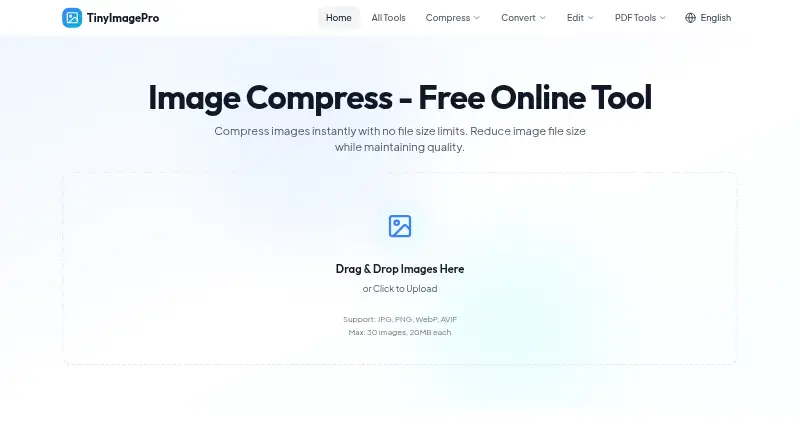
What TinyImagePro Add Watermark is
TinyImagePro Add Watermark is a free browser tool for adding text, logo, or QR-code watermarks to images. It accepts JPG, PNG, WebP, AVIF, and HEIC files and exports JPG, PNG, or WebP. You can process unlimited photos in a batch and download the results as a ZIP; the maker sets no batch cap or daily quota, with device RAM as the practical limit. Watermarks can be placed on a nine-position grid or by dragging, and adjusted for opacity, rotation, and tiling. The tool includes 15 editable templates and can add a date stamp using a photo’s EXIF metadata. Logo marks can use PNG, JPG, or SVG files, with transparent PNG recommended. Watermark processing happens in the browser. The maker says photos and logos are not uploaded to a server, no account is needed, and nothing is tracked during processing. The free plan permits images up to 20MB each. The site describes the tool for photographers, makers, online shops, real-estate listings, newsrooms, and design teams.
Good
- Adds text, logo, and QR-code watermarks
- Unlimited batches with no daily quota
- 15 editable watermark templates
- Browser processing; maker says files are not uploaded
Watch out
- Free plan limits each image to 20MB
- Batch capacity depends on device RAM
- Output formats are JPG, PNG, or WebP
Who it suits
It suits people who want to watermark image batches in a browser, including photographers, online shops, and design teams. It may also fit users who prefer processing without uploading photos or logos to a server, as described by the maker.
Verdict
TinyImagePro Add Watermark brings batch processing and flexible placement controls to a browser-based workflow. Check the 20MB per-image plan limit and your device’s RAM when handling large batches.
Plans and prices
From TinyImagePro Add Watermark's own pricing page, checked 15 Oct 2026.
| Plan | Price | What it gives you |
|---|---|---|
| Free | Free | No account · unlimited watermark batches · up to 20MB per input image · output JPG, PNG or WebP · Free, forever |
The facts
Each one read from TinyImagePro Add Watermark's own pages, with the date it was checked.
What it does
- Account requirement
- The watermark tool requires no signup or account.checked 15 Oct 2026
- Analytics statement
- The privacy policy permits anonymous aggregated analytics while stating that image contents are not tracked.checked 15 Oct 2026
- Batch limit
- There is no maker-set batch or daily quota; available device RAM is the practical limit.checked 15 Oct 2026
- Batch processing
- Users can apply identical settings to many images and download the results as one ZIP archive.checked 15 Oct 2026
- Date stamp
- The tool can add an automatic date stamp from a photo’s EXIF metadata.checked 8 Oct 2026
- EXIF date stamp
- The tool can burn the original capture date from EXIF metadata into the image.checked 15 Oct 2026
- File formats
- It accepts JPG, PNG, WebP, AVIF, and HEIC images and can output JPG, PNG, or WebP.checked 8 Oct 2026
- Independent file-size context
- PDFtoPNG notes that high-DPI PNG exports can reach roughly 8–30MB, a use case for which it recommends browser compression tools including TinyImagePro.checked 15 Oct 2026
- Independent format context
- PDFtoPNG reports that WebP is typically 25–35% smaller than PNG at similar quality and retains transparency.checked 15 Oct 2026
- Independent mention: batch use
- PDFtoPNG’s guide says TinyImagePro can accept several PNGs because its batch compressor handles multiple files.checked 15 Oct 2026
- Independent mention: no upload
- PDFtoPNG states that TinyImagePro files never get uploaded during browser processing.checked 15 Oct 2026
- Independent mention: sensitive files
- PDFtoPNG recommends the local workflow for compressing sensitive screenshots or documents without sending them elsewhere.checked 15 Oct 2026
- Independent quality context
- PDFtoPNG says lossy compression around 80% quality can reduce photo files by about 60–80% with little visible difference.checked 15 Oct 2026
- Independent technical context
- PDFtoPNG explains that lossless compression keeps pixels unchanged while removing unnecessary metadata, a workflow it associates with browser tools such as TinyImagePro.checked 15 Oct 2026
- Input formats
- Accepts JPG, PNG, WebP, AVIF and HEIC images up to 20MB each.checked 15 Oct 2026
- Intended users
- The maker describes uses including photographers, makers, online shops, real-estate listings, newsrooms, and design teams.checked 8 Oct 2026
- Launch date
- The About page lists the project as launched in 2024.checked 15 Oct 2026
- Limit: narrower ecosystem
- The maker’s comparison says iLoveIMG offers a broader 20-plus-tool ecosystem than TinyImagePro’s watermark-focused workflow.checked 15 Oct 2026
- Limit: watermark removal
- The maker says simple corner marks can be removed by AI inpainting in roughly 2–3 seconds, so watermarks are deterrents rather than unbreakable protection.checked 15 Oct 2026
- Logo files
- Logo watermarks can use PNG, JPG, or SVG files, with transparent PNG recommended.checked 8 Oct 2026
- Logo watermark
- Logo mode accepts PNG, JPG or SVG files, with transparent PNG recommended.checked 15 Oct 2026
The company
- Founded
- 2024checked 28 Sep 2026
Where it runs
- Independent mention: browser processing
- PDFtoPNG describes TinyImagePro as a browser compressor that processes files on the user’s device.checked 15 Oct 2026
- Limit: device memory
- Very large batches can slow the device because browser RAM, rather than a service quota, limits processing.checked 15 Oct 2026
Alternatives to TinyImagePro Add Watermark
- 1

Watermark.ws
Free planAndroidiOSWebAPI7.9From $4 a month - 2

DoWatermark
Free planAndroidiOSWeb7.8$4.99 one-time - 3
eZy Watermark
Free planAndroidiOSWebmacOS7.3From $1.99 a month - 4
Watermarkly
Free planAndroidiOSWebLinux7.3From $19.95 a year - 5
Watermark Maker
Free planAndroidiOS6.9$24.99 one-time - 6
Terma
Free planWebLinuxmacOSSelf-hosted6.8Free plan