
ThinkWave
ThinkWave is cloud-based school administration software that brings student records, grades, attendance, teacher gradebooks, and student and parent portal ac…
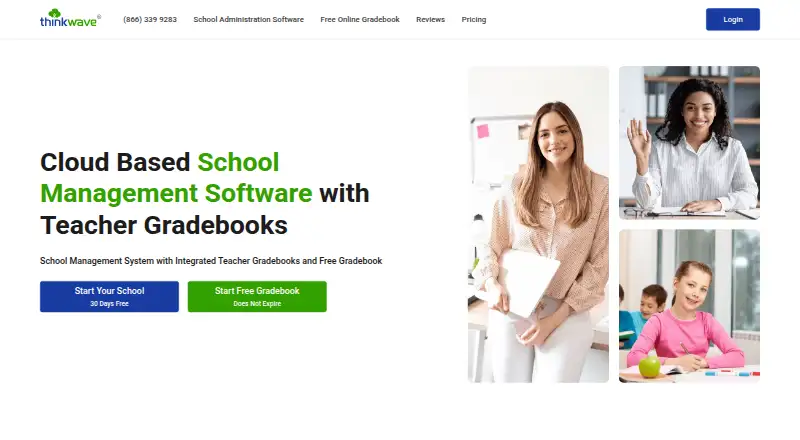
What ThinkWave is
ThinkWave is cloud-based school administration software that brings student records, grades, attendance, teacher gradebooks, and student and parent portal access together. Teachers can post assignments and handouts, collect student work online, and upload files up to 25 MB each. The school system provides 100 GB of storage and can produce customizable report cards and transcripts using grades, comments, attendance, and custom student data. Grading options include points, letter, pass-fail, and custom scales, alongside assignment-type weighting and term averages.
Schools can send messages and announcements to students and parents by class, group, or school, including group email. ThinkWave also offers a free online gradebook. Its school administration software has a free 30-day trial with all features available during the trial. The maker says accounts are password protected, transmissions use SSL encryption, and stored data is hosted in Google Cloud data centers; it also says it does not sell student or other user data to third parties. The system exports student, attendance, grade, and custom-field data in CSV format. ThinkWave serves K–12 schools, colleges, trade schools, homeschool networks, international schools, and training programs. It was founded in 1997 and is headquartered in Sebastopol, California.
Good
- Combines student administration, grades, attendance, and portal access.
- Teachers can collect student work online.
- Report cards and transcripts are customizable.
- Supports points, letter, pass-fail, and custom grading scales.
- Exports student, attendance, grade, and custom-field data as CSV.
Watch out
- Uploads are limited to 25 MB per file.
- Paid subscriber support is by email.
Who it suits
ThinkWave suits schools and education programs that need student administration, gradebooks, attendance, and family access in a cloud-based system. It can also suit teachers seeking an online gradebook or schools that need assignments, report cards, transcripts, and group communication.
Verdict
Choose ThinkWave if your school needs administration and teacher gradebook functions alongside attendance, portals, reporting, and communications. Larger school workflows can start with a 30-day trial of the school administration software. Consider another option if your required integrations must be named third-party product connections.
Plans and prices
From ThinkWave's own pricing page, checked 7 Oct 2026.
| Plan | Price | What it gives you |
|---|---|---|
| Free Solo Gradebook | Free | Does not expire · no stated limits on students, classes, or assignments · uploads up to 25 MB per file |
| School 1–15 students | $17 a month | 1–15 students · administrators, teacher gradebooks, student/parent access · monthly |
| School 16–35 students | $32 a month | 16–35 students · monthly |
| Premium Gradebook — 151–175 teachers | $32.95 a year | 100 GB online storage · ad-free · uploads up to 25 MB per file · $32.95 per teacher / year |
| Premium Gradebook — 126–150 teachers | $33.95 a year | 100 GB online storage · ad-free · uploads up to 25 MB per file · $33.95 per teacher / year |
| Premium Gradebook — 101–125 teachers | $34.95 a year | 100 GB online storage · ad-free · uploads up to 25 MB per file · $34.95 per teacher / year |
| Premium Gradebook — 76–100 teachers | $35.95 a year | 100 GB online storage · ad-free · uploads up to 25 MB per file · $35.95 per teacher / year |
| Premium Gradebook — 51–75 teachers | $36.95 a year | 100 GB online storage · ad-free · uploads up to 25 MB per file · $36.95 per teacher / year |
| Premium Gradebook — 20–50 teachers | $37.95 a year | 100 GB online storage · ad-free · uploads up to 25 MB per file · $37.95 per teacher / year |
| Premium Gradebook — 10–19 teachers | $38.95 a year | 100 GB online storage · ad-free · uploads up to 25 MB per file · $38.95 per teacher / year |
| Premium Gradebook — 2–9 teachers | $39.95 a year | 100 GB online storage · ad-free · uploads up to 25 MB per file · $39.95 per teacher / year |
| Premium Gradebook — 1 teacher | $49.95 a year | 100 GB online storage · ad-free · uploads up to 25 MB per file · $49.95 per teacher / year |
| School 36–60 students | $54 a month | 36–60 students · monthly |
| School 61–90 students | $76 a month | 61–90 students · monthly |
| School 91–130 students | $109 a month | 91–130 students · monthly |
| School 1–15 students | $179 a year | 1–15 students · 12-month subscription · yearly |
| School 16–35 students | $329 a year | 16–35 students · yearly |
| School 36–60 students | $549 a year | 36–60 students · yearly |
| School 61–90 students | $769 a year | 61–90 students · yearly |
| School 91–130 students | $1,099 a year | 91–130 students · yearly |
The facts
Each one read from ThinkWave's own pages, with the date it was checked.
What it does
- Administrator features
- Administrators manage students, classes, schedules, attendance, custom data, enrollment and multiple academic years.checked 14 Oct 2026
- API and SDKs
- The official sitemap and support index expose feature, FAQ and report resources but no public API, SDK or developer-documentation section.checked 14 Oct 2026
- Assignments
- Teachers can post assignments and handouts, collect student work online, and upload files up to 25 MB each; the school system includes 100 GB of storage.checked 7 Oct 2026
- Attendance
- Attendance types can be customized and recorded daily or by period, with support for standard, cyclical and weekly schedules.checked 14 Oct 2026
- Communication
- The system can send messages and announcements to students and parents by class, group, or school, including group email.checked 7 Oct 2026
- Data export
- Student, attendance, grade and custom-field data can be exported in CSV, while structured custom reports can be exported as PDF.checked 14 Oct 2026
- Data sharing
- The privacy policy says ThinkWave will not sell or share personal information outside ThinkWave, Inc., subject to stated legal and school-request exceptions.checked 14 Oct 2026
- Deployment
- ThinkWave is entirely web based, requires no installed client software or school server, and is deployed through browser logins and emailed access codes.checked 14 Oct 2026
- Documentation and support
- Support materials include videos, a Quickstart PDF, FAQs, screen-by-screen guides, release notes and email support for paid subscribers.checked 14 Oct 2026
- Extensibility
- Schools can add custom fields, custom grade scales, custom calculations, custom report cards and custom transcripts.checked 14 Oct 2026
- Gradebook
- Teachers can use points, percentages, letter grades, pass/fail, check-style and custom grading scales with weighted assignment types.checked 14 Oct 2026
- Grading
- Teachers can use points, letter, pass-fail, and custom grading scales, with assignment type weighting and term averages.checked 7 Oct 2026
- Homework workflow
- Teachers upload assignments and handouts, while students submit homework online and files are organized by assignment and date.checked 14 Oct 2026
- Hosting
- ThinkWave says its data runs on Google App Engine with redundant servers and continuous backups across multiple U.S. data-center locations.checked 14 Oct 2026
- Integrations
- ThinkWave's blog says its gradebook integrates with Google Apps, Microsoft Teams and other digital tools.checked 14 Oct 2026
- Integrations and exports
- The school system exports student, attendance, grade, and custom-field data in CSV format; the maker pages opened did not name third-party product integrations.checked 7 Oct 2026
- Licence model
- ThinkWave presents the product as a proprietary, paid subscription with an all-inclusive license covering administration, gradebooks, access, support and upgrades; no open-source license is identified.checked 14 Oct 2026
- Limit: co-teacher access
- G2 reviewers reported that shared classes may require sharing a login because co-teachers cannot be added cleanly without exposing other grade data.checked 14 Oct 2026
- Limit: custom grading complexity
- A Capterra reviewer found nontraditional grade scales cumbersome, with workaround-heavy setup for numeric and check-style grades and insufficient documentation.checked 14 Oct 2026
- Limit: discipline workflow
- A Capterra reviewer said the product lacks a built-in discipline system and wished teachers could submit grades directly.checked 14 Oct 2026
Where it runs
- Browser and device support
- Official pages list Chrome, Firefox, Safari and other modern browsers on PC, Mac, Linux, iPad, iPhone and Android devices.checked 14 Oct 2026
The company
- Company size on LinkedIn
- LinkedIn lists ThinkWave, Inc. as privately held with 51–200 employees and headquarters in Sebastopol.checked 14 Oct 2026
- Founded
- 1997checked 28 Sep 2026
- Headquarters
- Sebastopol, California, United Stateschecked 28 Sep 2026
The full review of ThinkWave
ThinkWave is a cloud-based school administration system with teacher gradebooks and a free standalone gradebook. It is best suited to schools that want academic records, attendance, family access, and reporting together; its main caveat is that the free school plan is capped at 15 students.
Overview
ThinkWave brings student administration, grades, attendance, teacher gradebooks, and student and parent portals into one system. Teachers can distribute assignments and handouts, collect work online, and send announcements or messages by class, group, or school. That breadth can reduce the need to coordinate separate tools, but schools should match the plan to their enrollment and workflow before relying on it as a full administration system.
ThinkWave serves K–12 schools, colleges, trade schools, homeschool networks, international schools, and training programs. Founded in 1997 and headquartered in Sebastopol, California, it has a long-standing focus on education software.
Key features
Gradebooks support points, letter, pass-fail, and custom grading scales, along with assignment-type weighting and term averages. Customizable report cards and transcripts can draw on grades, comments, attendance, and custom student data, a useful combination for schools that need classroom assessment to feed formal reporting.
Teachers can post assignments and handouts, collect work online, and upload files up to 25 MB each. The school system includes 100 GB of storage, giving schools room for shared coursework while keeping a firm per-file ceiling. CSV exports cover student, attendance, grade, and custom-field data, which helps with data portability; named third-party product integrations are not part of ThinkWave's stated feature set.
ThinkWave says accounts are password protected, data transmission uses SSL encryption, and stored data is hosted in Google Cloud data centers. It also says it does not sell student or other user data to third parties. Paid subscribers can contact support by email, while support videos, FAQs, and a quickstart guide offer self-service help.
Pricing
ThinkWave uses a freemium model, with school administration software advertised from $17/mo and a free 30-day trial with all features enabled. That trial is the practical way for a school to assess the broader system before committing. The free-plan student cap is 15, so it is a limited fit for institutions with larger enrollments.
- Free Solo Gradebook: free, does not expire. It has no stated limits on students, classes, or assignments, and allows uploads up to 25 MB per file. This is the strongest fit for an individual teacher who needs a basic gradebook without a school administration system.
- Premium Gradebook: annual per-teacher pricing varies by teacher count: $49.95 a year for 1 teacher; $39.95 a year for 2–9; $38.95 a year for 10–19; $37.95 a year for 20–50; $36.95 a year for 51–75; $35.95 a year for 76–100; $34.95 a year for 101–125; $33.95 a year for 126–150; and $32.95 a year for 151–175. Each tier includes 100 GB of online storage, ad-free service, and uploads up to 25 MB per file. Larger teacher counts lower the per-teacher annual price, while a solo teacher pays the highest listed rate.
The free gradebook and the trial of the school administration software serve different purposes: the former is an ongoing standalone option, while the latter provides temporary access to all school-system features. The school administration starting price is distinct from the per-teacher gradebook prices.
Platforms
ThinkWave supports Android, iOS, Linux, macOS, Windows, and web access, giving schools and teachers options across mobile and desktop environments.
Who it's for
ThinkWave is a sensible shortlist choice for schools and education programs that want grades, attendance, portals, communications, and reporting in a combined system. It can also suit an individual teacher who wants an enduring free gradebook, or a department that needs ad-free gradebook accounts and shared storage. Schools that need more than 15 students should check the administration plan and pricing directly rather than assume the free school option will scale.
Pros and cons
- Pro: Administration, gradebooks, attendance, portals, communications, and reporting are combined, making it relevant to more than classroom grading alone.
- Pro: The standalone free gradebook does not expire and has no stated student, class, or assignment limits.
- Pro: Custom scales, weighting, term averages, and report generation accommodate varied grading and reporting practices.
- Con: The school free plan's 15-student limit is restrictive for many schools.
- Con: Uploads are limited to 25 MB per file, even with 100 GB of total storage on Premium Gradebook.
- Con: The published integration and export details emphasize CSV exports rather than named third-party product connections, a drawback for schools that require specific integrations.
Alternatives
For a different gradebook-focused option, SimpleGradebook has a free plan and supports Android, iOS, and web; Newcastle Technologies identifies it as 100% Canadian owned and operated. Vidyapeeth360 Digital Gradebook may suit readers seeking a free tier with a stated 100-student allowance and 29 of 58 modules, or paid Essentials at ₹99 a year per student. For a teacher who wants AI credits and planning schemes in a free tier, Smart Teacher offers three classes, unlimited students, three planning schemes, 10 AI credits a month, and 100 MB on its free plan.
Gradebook.ng is a web-based freemium gradebook with a free plan for up to 50 students and essential grade management. Gradebox offers a free forever teacher plan limited to one classroom and 120 single-page assignment submissions or grades per month. GradingPal is a web-based freemium option with a free plan and no free trial. Madrasatey is a free Android and web option for Madaris and Maktabs, with no per-parent charges. NavEd Free Gradebook offers a free-forever web plan limited to one class and 10 students.
Browse more options in Gradebook Software and School Management Software.
Verdict
Choose ThinkWave when your school needs administration and teacher gradebook functions alongside attendance, portals, reporting, and communications, and when its plan limits fit your enrollment. The standalone free gradebook is a clear entry point for individual teachers; schools should use the 30-day all-features trial to assess the broader system. Look elsewhere if your required workflows depend on named third-party integrations or the free school-plan cap is too low.
Getting started
- Visit https://www.thinkwave.com/.
- Choose the free online gradebook or school administration software.
- Start the free 30-day trial for the school administration software if needed.
- Create an account and use the web, iOS, or Android platform.
- Set up student records, classes, grading, attendance, and portal access.
Limits worth knowing
The free Solo Gradebook does not expire and has no stated limits on students, classes, or assignments; uploads are capped at 25 MB per file. The school system includes 100 GB of storage.
Questions
Does ThinkWave have a free plan?
Yes. Its Free Solo Gradebook does not expire and has no stated limits on students, classes, or assignments.
Is there a free trial?
Yes. ThinkWave advertises a free 30-day trial of its school administration software with all features available during the trial.
What does ThinkWave do for schools?
It combines student administration, grades, attendance, teacher gradebooks, and student and parent portal access. It also supports assignments, reports, and communications.
Which platforms are available?
ThinkWave lists Android, iOS, Linux, macOS, web, and Windows.
What are ThinkWave's security and privacy statements?
ThinkWave says accounts are password protected, data transmission uses SSL encryption, and stored data is hosted in Google Cloud data centers. It also says it does not sell student or other user data to third parties.
Does ThinkWave integrate with other products?
No named third-party product integrations are provided. The school system can export student, attendance, grade, and custom-field data in CSV format.
Alternatives to ThinkWave
- 1

RosarioSIS
Free planOpen sourceAndroidiOSWebAPI8.6Free plan - 2

feKara
Free planAndroidiOSWebAPI8.0From $75 a year - 3

Gibbon
Free planOpen sourceWebLinuxmacOSSelf-hosted7.7Free plan - 4

Gradelink
Free planAndroidiOSWebmacOS7.6From $106 a month - 5

PowerSchool SIS
AndroidiOSWebAPI7.4 - 6

CircleUp
Free planiOSWeb7.3From $23 a month