
Gradebox
Gradebox helps teachers digitize paper assignments, organize work in its internal gradebook, and provide feedback.
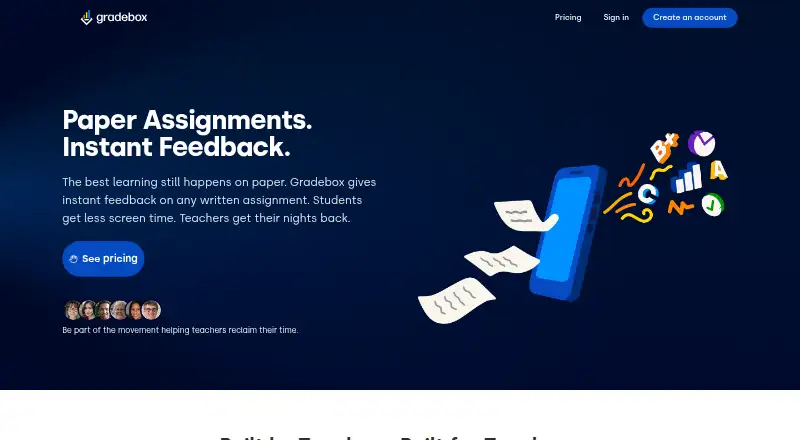
What Gradebox is
Gradebox helps teachers digitize paper assignments, organize work in its internal gradebook, and provide feedback. Teachers can capture assignments with a mobile device; its Quick Scan OCR workflow reads student names and matches submissions to the gradebook. When a paper has no name, the system can suggest likely students by comparing the roster with earlier submissions for teacher review. AI analyzes student work and drafts instructional feedback, while teachers review and approve recommended grades. Teachers can also grade by hand or digitally and scan work that has already been graded. Gradebox supports CSV grade exports, while API connections to popular systems are described as planned. Student submissions from home are still in development. The service is intended for teachers and school administrators, with parent and guardian access to student work and feedback. Its terms say student data is not used to train AI models by default and is not sold or used for targeted advertising or behavioral profiling. The free plan is free; Pro is $11.99 a month with an annual commitment.
Good
- Scans assignments using mobile devices and OCR.
- AI drafts feedback; teachers approve recommended grades.
- Supports hand or digital grading.
- Free plan includes one classroom.
- CSV grade exports are supported.
Watch out
- Free plan is limited to 120 single-page submissions or grades monthly.
- Free plan allows one classroom.
- Home assignment submissions are still in development.
- API integrations are planned, not currently available.
Who it suits
Gradebox suits teachers and school administrators who want to scan assignments, manage grading, and share feedback with parents or guardians. Its one-classroom free plan may suit teachers with modest monthly submission needs.
Verdict
Gradebox combines assignment capture, grading options, and feedback in a teacher-managed workflow. Check the free-plan limits and current integration scope against your classroom needs.
Plans and prices
From Gradebox's own pricing page, checked 3 Oct 2026.
| Plan | Price | What it gives you |
|---|---|---|
| Free | Free | 1 classroom · 120 single page assignment submissions/grades per month · No card required · Free Forever for Teachers |
| Pro | $11.99 a month | Unlimited classrooms · Unlimited submission scans · 2,000 AI grading actions per month · $11.99 /mo billed monthly; annual commitment, cancel anytime before renewal |
| Enterprise | Priced on request | Everything in Pro · District-level insights and reporting · Multi-tenant SIS and LMS integration · Single sign-on (SSO) · Dedicated customer success team · Custom pricing |
The facts
Each one read from Gradebox's own pages, with the date it was checked.
What it does
- AI grading
- The platform uses AI to analyze student work and generate instructional feedback, while recommended grades are reviewed and approved by teachers.checked 3 Oct 2026
- AI model training
- The terms say Student Data is not used to train or improve Gradebox or third-party AI models by default, and accommodation data is excluded from model training.checked 3 Oct 2026
- AI review limits
- The terms say OCR and AI analysis may contain errors, and final decisions about grades and other material student outcomes remain the responsibility of the school and its authorized users.checked 3 Oct 2026
- Assignment capture
- Teachers can scan assignments with a mobile device, and the Quick Scan OCR workflow decodes student names and matches work to the gradebook.checked 3 Oct 2026
- Grading options
- Teachers can grade assignments by hand or digitally, and can scan already graded work into the gradebook.checked 3 Oct 2026
- Home submissions
- Student assignment submissions from home are described as a feature in development, not one that currently exists.checked 3 Oct 2026
- Integrations
- The current app uses an internal gradebook and supports CSV grade exports; the homepage says API integrations with popular systems are planned.checked 3 Oct 2026
- Intended users
- Gradebox describes its platform for teachers and school administrators, with parent and guardian access to student work and feedback.checked 3 Oct 2026
- Privacy
- The terms say Gradebox will not sell Student Data or use it for targeted advertising or behavioral profiling of students.checked 3 Oct 2026
- Purpose
- Gradebox digitizes physical student assignments and provides feedback for teachers.checked 3 Oct 2026
- Roster matching
- When an assignment has no name, Gradebox can suggest likely students by comparing the roster and previous submissions for the teacher to review.checked 3 Oct 2026
- Security
- The terms list TLS 1.2 or higher encryption in transit, encryption at rest, and role-based access controls; access logging and audit trails are described as planned capabilities unavailable in the current version.checked 3 Oct 2026
- Support
- The terms direct questions about student data handling and privacy practices to [email protected].checked 3 Oct 2026
The company
- Headquarters
- Arizona, United Stateschecked 28 Sep 2026
The full review of Gradebox
Gradebox is a web platform for converting paper assignments into organized grades and teacher feedback. It suits educators who still collect physical work and want AI assistance while retaining control of final marks. Its paper-focused workflow is compelling, but its free-plan ceiling and limited current integrations matter for larger or more connected school systems.
Overview
Gradebox combines assignment capture, grading and feedback in one teacher-managed process. A teacher can scan work with a mobile device, enter grades manually or digitally, or scan assignments that were already graded into the internal gradebook. Quick Scan OCR reads student names and matches submissions to the roster. When a paper has no name, the service suggests likely students by comparing the roster with earlier submissions, leaving the teacher to confirm the match. That reduces sorting work without pretending that automated identification is infallible.
Its AI reviews student work and drafts instructional feedback, then proposes grades for teacher approval. This is a sensible division for schools that want speed without delegating consequential decisions. OCR and AI analysis can make mistakes, so educator review remains essential. The gradebook supports standards-based grading, progress reports and CSV exports. API connections to popular systems are planned rather than part of the current product, and home submissions are still in development.
Key features
Capture and grading
Mobile scanning is the defining capability. OCR-based name recognition and roster matching are most useful for teachers handling stacks of handwritten or printed assignments. Hand and digital grading options also accommodate teachers who prefer to mark work themselves, while scanning completed grading keeps records in one place.
AI feedback with oversight
AI-generated instructional comments can accelerate response writing and provide a starting point for consistent feedback. Recommended grades require approval, which makes Gradebox an assistant rather than an autonomous assessor. Schools should allow time for checking both the analysis and the student match.
Privacy and security
Gradebox’s terms say it does not sell Student Data or use it for targeted advertising or behavioral profiling. Student Data is not used by default to train Gradebox or third-party AI models, and accommodation data is excluded from training. Data is encrypted in transit with TLS 1.2 or higher and at rest, with role-based access controls. Access logging and audit trails are planned capabilities, not current ones, so organizations needing mature monitoring should account for that gap.
Pricing
| Plan | Price | What you get |
|---|---|---|
| Free | free, Free Forever | One classroom, 120 single-page assignment submissions or grades per month, no card required. |
| Pro | $11.99 a month, billed monthly | Unlimited classrooms and submission scans, plus 2,000 AI grading actions per month. Annual commitment; cancel anytime before renewal. |
| Enterprise | Custom pricing | Everything in Pro, district-level insights and reporting, multi-tenant SIS and LMS integration, SSO and a dedicated customer success team. |
The Free plan is appropriate for a single teacher with modest paper volume, but 120 single-page submissions or grades per month can be restrictive during heavy marking periods. Pro removes classroom and scan limits, making it the practical choice for active teachers or multi-class use, although the 2,000 monthly AI-action allowance still defines automated grading capacity. Enterprise targets districts that need identity management, reporting and live system connections; its custom price requires a separate budget decision.
Platforms
Gradebox runs on the web. Mobile-device scanning is part of the workflow, but the listed platform is web rather than a separate native app.
Who it's for
Teachers and school administrators are the primary users, with parent and guardian access to student work and feedback. It is a strong match for paper-heavy classrooms seeking faster capture and feedback, especially where standards-based records and progress reports are useful. It is less suitable for schools that require present-day SIS or LMS connectivity, built-in home submission workflows or extensive audit trails.
Pros and cons
- Pros: Quick Scan OCR and roster matching reduce manual entry for physical assignments.
- Pros: AI feedback and suggested grades save time while teacher approval preserves human accountability.
- Pros: Standards-based grading, progress reports and CSV export support structured reporting.
- Pros: Clear restrictions on selling data, targeted advertising and default model training address important student-privacy concerns.
- Cons: The free tier is limited to one classroom and 120 single-page submissions or grades per month.
- Cons: Pro’s AI assistance is capped at 2,000 grading actions monthly.
- Cons: The current gradebook is internal; SIS/LMS APIs, home submissions and audit trails are not yet available.
- Cons: OCR and AI errors mean every identification, comment and recommended grade needs review.
Alternatives
If you need a broad, dedicated directory of classroom record tools, browse Gradebook Software. ThinkWave is worth choosing instead when you want a free solo gradebook with no stated student, class or assignment limits and support across Android, iOS, Linux, macOS, web and Windows. SimpleGradebook is another freemium option for users seeking Android, iOS or web access. Vidyapeeth360 Digital Gradebook fits organizations comparing low-cost modular plans, including a free tier for up to 100 students. Smart Teacher suits teachers who want planning tools and a small monthly AI-credit allowance alongside grade management. Gradebook.ng is an alternative for schools evaluating student-count-based plans in Nigerian naira. GradingPal may suit users who prefer a web service with a 50-submission monthly free allowance. Madrasatey is a free Android and web option designed for Madaris and Maktabs. NavEd Free Gradebook is aimed at very small classes, with a free-forever plan for one class and up to 10 students.
Verdict
Choose Gradebox if your priority is turning stacks of paper assignments into rostered, standards-aware records with AI-assisted feedback that teachers still approve. Look elsewhere if your school depends on current SIS/LMS integrations, at-home submissions, extensive audit logging or a free plan larger than one classroom and 120 monthly single-page submissions.
Alternatives to Gradebox
- 1

ThinkWave
Free planAndroidiOSWebLinux8.2Free plan - 2
Smart Teacher
Free planAndroidiOSWeb7.9From £29.99 a year - 3
Vidyapeeth360 Digital Gradebook
Free planAndroidiOSWebAPI7.9From ₹99 a year - 4
Jupiter
AndroidiOSWebAPI7.6From $16 a year - 5
Gradebook.ng
Free planWeb7.2From 15,000 NGN a year - 6

SimpleGradebook
Free planAndroidiOSWeb7.2$3 one-time