
Termius
Termius is an SSH client designed for productivity and collaboration, available on Windows, macOS, Linux, iOS, Android and iPadOS.
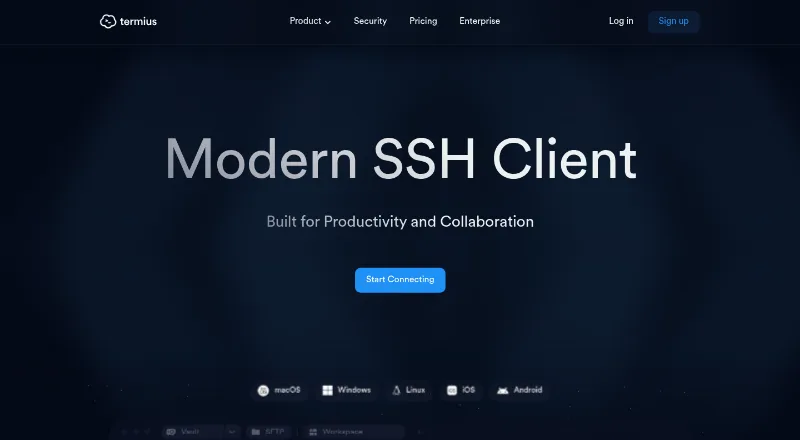
What Termius is
Termius is an SSH client designed for productivity and collaboration, available on Windows, macOS, Linux, iOS, Android and iPadOS. It supports SSH, SFTP, Telnet, Mosh and a local terminal, with tools such as port and agent forwarding, jump hosts, proxies and serial connections. Encrypted vaults can sync and share infrastructure data across a team, and encrypted local copies support offline access. Termius says data is encrypted on the device before it leaves and that it cannot access the plaintext. Listed integrations include AWS, DigitalOcean, Azure, API bridge, Ansible and Vanta. Starter is free for commercial use and includes a local vault, SSH and SFTP, AI-powered autocomplete and port forwarding. Pro costs $10 a month when paid annually. Team costs $20 a month per seat and Business $30 a month per seat, both when paid annually. Enterprise pricing is custom. Termius says its app launched in 2011 and its company was founded in November 2019.
Good
- Supports SSH, SFTP, Telnet, and Mosh
- Available on Windows, macOS, Linux, iOS, Android, and iPadOS
- Encrypted local data supports offline access
- Free Starter tier allows commercial use
Watch out
- Pro costs $10 a month when paid annually
- Team and Business are priced per seat
- Enterprise pricing is custom
Who it suits
Starter is described for home lab enthusiasts, Pro for individuals responsible for infrastructure, and Team for groups managing infrastructure together. Its supported platforms include desktop, mobile and iPadOS.
Verdict
Termius combines terminal access and infrastructure tools with encrypted vaults for individual and team use. Starter is free for commercial use, while syncing and team capabilities appear in paid plans.
Plans and prices
From Termius's own pricing page, checked 14 Oct 2026.
| Plan | Price | What it gives you |
|---|---|---|
| Starter | Free | Local vault · SSH and SFTP · AI-powered autocomplete · Port forwarding |
| Pro | $10 a month | Personal cloud vault · Sync across mobile and desktop · Session logs · Snippets automation · when paid annually |
| Team | $20 a month | One team vault · Real-time collaboration · Shared session logs · Consolidated billing · per seat, when paid annually |
| Business | $30 a month | Multiple team vaults · Granular vault access control · SAML SSO add-on · per seat, when paid annually |
| Enterprise | Priced on request | SAML SSO · SOC 2 Type II report · Custom billing · Priority support · Dedicated manager · Migration and onboarding support |
The facts
Each one read from Termius's own pages, with the date it was checked.
What it does
- API
- Termius API Bridge is an interactive REST API for creating and deleting hosts and creating groups in vaults.checked 14 Oct 2026
- API documentation depth
- The API documentation provides OpenAPI 3.0 schemas, endpoint paths, request bodies and curl examples.checked 14 Oct 2026
- Authentication security
- The security page states that Termius provides two-factor authentication and blocks brute-force account-takeover attempts.checked 14 Oct 2026
- Compliance
- Termius advertises certified SOC 2 compliance and offers SOC 2 Type II reporting on Enterprise.checked 14 Oct 2026
- Documentation and support
- The support portal links to documentation, a help center, system-status monitoring and request submission.checked 14 Oct 2026
- Enterprise controls
- The Enterprise page lists SAML SSO and 2FA enforcement, granular access control, and post-quantum-ready support.checked 29 Sep 2026
- Founder
- Roman Kudiyarov is identified as Termius founder and CEO.checked 14 Oct 2026
- Funding record
- Crunchbase lists one seed funding round and four investors, including Initialized Capital and S28 Capital.checked 14 Oct 2026
- Integrations
- The official feature matrix lists AWS, DigitalOcean, Azure, API Bridge, Ansible and Vanta integrations.checked 14 Oct 2026
- Intended users
- The pricing page describes Starter for home lab enthusiasts, Pro for individuals responsible for infrastructure, and Team for teams managing infrastructure together.checked 29 Sep 2026
- Licence
- The API documentation labels the material proprietary and confidential, and Termius is not presented as an open-source product.checked 14 Oct 2026
- Limit: cloud dependency concern
- An independent home-lab review identifies concern about trusting a cloud service with encrypted private keys and reliance on cloud synchronization.checked 14 Oct 2026
- Limit: data loss reports
- Several Trustpilot reviewers report losing saved hosts, settings or snippets after logout, updates, password resets or subscription changes.checked 14 Oct 2026
- Limit: export and backup
- Trustpilot reviewers complain that hosts and keys cannot be easily exported and that backup or synchronization requires a paid plan.checked 14 Oct 2026
- Limit: feature gaps
- A Trustpilot reviewer says Termius lacks the broader companion-tool set they expected, including a key generator, SSH agent and separate SCP utilities.checked 14 Oct 2026
- Limit: pricing
- Capterra reviewers repeatedly describe paid packages as expensive compared with alternatives, while free users say premium features exceed their budgets.checked 14 Oct 2026
- Limit: SFTP performance
- Independent reviewers report slow large-file transfers, missing file-management shortcuts and freezes during bulk operations in SFTP.checked 14 Oct 2026
- Offline access
- Termius says it keeps an encrypted local copy of data on devices for offline use.checked 29 Sep 2026
- Offline operation
- Termius describes itself as offline-first and says it connects directly to servers rather than acting as a proxy.checked 14 Oct 2026
The company
- Company history
- Termius says its app launched in 2011 and the company was founded in November 2019.checked 14 Oct 2026
- Company locations
- Termius lists San Francisco, California and Takapuna, Auckland locations.checked 14 Oct 2026
- LinkedIn company size
- LinkedIn lists Termius as a privately held information-technology company with 11–50 employees and headquarters in San Francisco.checked 14 Oct 2026
Money
- Free tier
- Starter is listed as free and available for commercial usage.checked 29 Sep 2026
Where it runs
- Linux packaging
- The Linux download page offers a DEB package and links to Snapcraft.checked 14 Oct 2026
The full review of Termius
Overview
Termius is an SSH client for connecting to remote systems and working with infrastructure across desktop and mobile devices. It suits infrastructure-minded individuals and teams that want shared, encrypted connection data; its clearest trade-off is that syncing and collaboration require paid plans.
Key features
Termius supports SSH, SFTP, Telnet and Mosh, along with a local terminal. Port and agent forwarding, jump hosts, SOCKS and HTTP proxies, and serial connections extend it beyond basic remote shell access. Workspaces provide session management, while SFTP support makes file transfer part of the same toolkit.
Vaults are the product’s more consequential distinction. Starter keeps a local vault; paid plans add personal or team cloud vaults, with syncing and sharing for infrastructure data. Termius says data is encrypted on the device before transmission and it cannot access plaintext. An encrypted local copy also allows offline access. That combination is useful for users who need a consistent set of connection details across devices, though the free plan does not include cloud sync.
Integrations named in the feature comparison include AWS, DigitalOcean, Azure, Ansible and Vanta, as well as an API bridge. More advanced infrastructure users may value these connections, while the Starter plan remains focused on core SSH and SFTP use.
Pricing
Termius is freemium. Starter costs nothing and is available for commercial use. It includes a local vault, SSH and SFTP, AI-powered autocomplete and port forwarding. It is a credible fit for home labs and basic connections, but not for people who need synced data or team workflows.
Pro costs $10 a month, billed when paid annually. It adds a personal cloud vault, mobile and desktop sync, session logs and snippets automation, making it the sensible step up for an individual responsible for infrastructure who works across devices.
Team costs $20 a month, billed per seat when paid annually. It adds one team vault, real-time collaboration, shared session logs and consolidated billing. The per-seat model means costs rise with team size; this plan fits teams that need to share infrastructure data and sessions.
Business costs $30 a month, billed per seat when paid annually. Multiple team vaults and granular access control make it better suited to organizations managing separate groups or access needs. SAML SSO is available as an add-on.
Enterprise uses custom pricing and includes SAML SSO, a SOC 2 Type II report, priority support, a dedicated manager, and migration and onboarding support. Termius identifies itself as SOC 2 Type II compliant. Enterprise is the plan for organizations that need those controls and support; smaller users can avoid paying for them.
Platforms
Termius supports Windows, macOS, Linux, iOS, Android and iPadOS. That breadth is a practical advantage for people who move between computers, phones and tablets, especially on Pro and above, where syncing is included.
Who it's for
Starter is aimed at home lab enthusiasts and anyone who needs local SSH and SFTP access without a subscription. Pro is for individuals managing infrastructure who benefit from cross-device sync and session records. Team and Business suit groups that need shared vaults, collaboration or more granular access. Enterprise is the fit for organizations that also require SSO, formal support and onboarding.
Termius is less compelling for a user who only needs a free, single-platform terminal or file-transfer client: its strongest differentiation is encrypted vault syncing and collaboration, and those start with paid plans.
Pros and cons
- Pro: SSH, SFTP, Telnet, Mosh and local terminal support cover varied connection needs in one client.
- Pro: Device-side encryption, encrypted offline copies and cloud vault options support secure access across devices and teams.
- Pro: Plans scale from a free commercial-use tier to team controls and Enterprise support.
- Con: Starter has only a local vault, so syncing across mobile and desktop requires Pro or higher.
- Con: Team and Business are priced per seat, which makes collaboration more expensive as membership grows.
- Con: SAML SSO is an add-on on Business, while Enterprise pricing is custom.
Alternatives
For a broader SSH-client comparison, browse SSH Clients.
- electerm is a free option with a terminal and file manager, broad protocol support including RDP and VNC, and platforms that include web and self-hosted use; choose it when those capabilities matter more than Termius’s paid cloud vaults and team features.
- Royal TS is another freemium option with a free Lite plan capped at 10 connections, 10 credentials and one document; consider it if those limits cover your needs.
- XPipe is an open-core alternative for Linux, macOS and Windows, with its application core available under Apache License 2.0; choose it if open-core software is a priority.
- Tabby is a free FOSS terminal emulator for Linux, macOS and Windows; consider it if you want a free desktop terminal.
- WindTerm is free for commercial and non-commercial use without limitations and has partially open source code; it is a fit for desktop users seeking that licensing model.
- WinSCP is a free, open-source Windows file-transfer client supporting SFTP, FTP, FTPS, SCP, WebDAV and S3; choose it when file transfer on Windows is the main need.
- Ásbrú Connection Manager is a free, open-source connection manager for Linux and Windows.
- MobaXterm is a freemium Windows option with a Home Edition capped at 12 sessions, two SSH tunnels and four macros; consider it if those stated limits suit your use.
Verdict
Termius is the right choice for infrastructure users who want SSH and related tools across devices, with encrypted vaults that can grow from personal sync to team collaboration. Its main reason to choose is that shared infrastructure data and session workflows sit alongside a broad protocol toolkit. Look elsewhere if you need a free client with syncing, or if a focused free terminal or file-transfer tool is enough.
Getting started
- Visit the Termius website.
- Choose a plan: Starter is free, or select a paid plan for its listed features.
- Install Termius on Windows, macOS, Linux, iOS, Android, or iPadOS.
- Use Starter's local vault with SSH and SFTP, or choose Pro for a personal cloud vault and mobile-desktop sync.
- For team use, choose Team or Business for shared vault and collaboration features.
Limits worth knowing
Starter includes a local vault, SSH and SFTP, AI-powered autocomplete, and port forwarding. Personal cloud vault and sync across mobile and desktop begin with Pro, priced at $10 a month when billed annually.
Questions
Is Termius free?
Yes. Starter costs nothing and is available for commercial usage.
What do the paid plans cost?
Pro is $10 a month when billed annually. Team is $20 per seat per month and Business is $30 per seat per month, both billed annually; Enterprise uses custom pricing.
Which platforms does Termius support?
It supports Windows, macOS, Linux, iOS, Android, and iPadOS.
Which protocols and terminal tools are supported?
Supported protocols and tools include SSH, SFTP, Telnet, Mosh, and a local terminal. The feature comparison also lists port forwarding, agent forwarding, jump hosts, SOCKS and HTTP proxy, and serial connections.
What integrations are listed?
The feature comparison names AWS, DigitalOcean, Azure, API bridge, Ansible, and Vanta.
What security and enterprise features are available?
Termius says data is encrypted on the device before it leaves and cannot be accessed as plaintext by Termius. Enterprise lists SAML SSO, 2FA enforcement, granular access control, post-quantum-ready support, a SOC 2 Type II report, priority support, a dedicated manager, and migration and onboarding support.