
Tabby
Tabby is a free, open-source terminal app for Windows, macOS, and Linux.
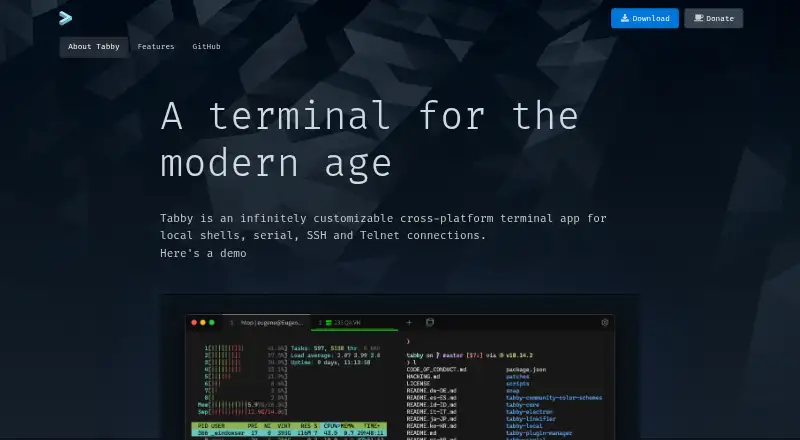
What Tabby is
Tabby is a free, open-source terminal app for Windows, macOS, and Linux. It connects to local shells, serial devices, SSH servers, and Telnet hosts. Its SSH2 client includes a connection manager, while the serial terminal provides connection profiles and input modes. SSH sessions support SFTP and Zmodem transfers, X11 and port forwarding, jump hosts, and agent forwarding. Tabby can restore open tabs and split panes after you leave the app, and nested panes can accept simultaneous input. An encrypted container stores SSH secrets and configuration; an optional password manager uses a master passphrase. Shell options include PowerShell, PS Core, WSL, Git-Bash, Cygwin, Cmder, and CMD. Users can customize themes, colors, shortcuts, and plugins. Tabby also lists GPU acceleration, scripting, and session sync. Windows users get shell support, tab completion, Explorer integration, and portable mode. The app includes WinSCP integration and shell profiles. Its page provides download and GitHub links but does not state dedicated support terms.
Good
- Connects to local shells, serial, SSH, and Telnet
- Supports SFTP and Zmodem transfers
- Remembers tabs and split panes
- Stores SSH secrets in an encrypted container
- Offers themes, shortcuts, and plugins
Watch out
- No dedicated support terms are stated
- Optional password manager requires a master passphrase
Who it suits
Tabby suits users who need one terminal app for local shells, serial connections, SSH, or Telnet. Its range of shell options and pane layouts may also suit people who work across multiple sessions.
Verdict
Tabby brings several connection types, SSH tools, and configurable multi-pane layouts into a free app. Its support information is limited to download and GitHub links.
Plans and prices
From Tabby's own pricing page, checked 27 Sep 2026.
| Plan | Price | What it gives you |
|---|---|---|
| Free FOSS | Free | Forever FOSS |
The facts
Each one read from Tabby's own pages, with the date it was checked.
What it does
- Connection types
- Supports local shells, serial, SSH, and Telnet connections.checked 27 Sep 2026
- Customization options
- Supports CSS themes, color schemes, configurable shortcuts, and plugins.checked 27 Sep 2026
- Encrypted storage
- Provides an encrypted container for SSH secrets and configuration.checked 27 Sep 2026
- File transfer
- Supports SFTP and Zmodem transfers to and from SSH sessions.checked 27 Sep 2026
- GPU acceleration
- Yeschecked 20 Sep 2026
- Integrations
- Includes WinSCP integration and shell profiles.checked 27 Sep 2026
- Pane layout
- Supports multiple nested panes and simultaneous multi-pane input.checked 27 Sep 2026
- Password manager
- Offers an optional built-in password manager with a master passphrase.checked 27 Sep 2026
- Pricing model
- Free and open-source software.checked 27 Sep 2026
- Scripting API
- Yeschecked 20 Sep 2026
- Serial terminal
- Includes an integrated serial terminal with connection profiles and input modes.checked 27 Sep 2026
- Session sync
- Yeschecked 20 Sep 2026
- Shell support
- Supports PowerShell, PS Core, WSL, Git-Bash, Cygwin, Cmder, and CMD.checked 27 Sep 2026
- Split panes
- Yeschecked 20 Sep 2026
- SSH client
- Includes an integrated SSH2 client with a connection manager.checked 27 Sep 2026
- SSH features
- Includes X11 and port forwarding, jump hosts, and agent forwarding.checked 27 Sep 2026
- SSH support
- Yeschecked 20 Sep 2026
- Support model
- The page provides a download and GitHub link, but states no dedicated support terms.checked 27 Sep 2026
- Tab persistence
- Remembers open tabs and split panes after leaving the app.checked 27 Sep 2026
- Telnet client
- Includes a Telnet client.checked 27 Sep 2026
Money
- Free plan
- Yeschecked 20 Sep 2026
- Free tier
- The app is available as a forever-free FOSS product.checked 27 Sep 2026
Where it runs
- Supported platforms
- Windows, Mac, and Linux.checked 27 Sep 2026
- Windows features
- Provides shell support, tab completion, Explorer integration, and portable mode.checked 27 Sep 2026
The full review of Tabby
Overview
Tabby is a cross-platform terminal app for local shells, remote connections, and serial work. It suits people who want several terminal workflows organized in one place; its broad connection and layout tools are compelling, but it is a poor fit for anyone who needs dedicated support.
It spans both terminal-emulator and SSH-client use cases, so readers weighing those categories can browse our Terminal Emulators and SSH Clients lists.
Key features
Connections and file movement
Tabby supports local shells, SSH, serial, and Telnet connections. The integrated SSH2 client has a connection manager, while the serial terminal provides profiles and input modes. SFTP and Zmodem transfers are available within SSH sessions, a useful convenience for users who move files as part of remote terminal work.
Supported shells include PowerShell, PowerShell Core, WSL, Git-Bash, Cygwin, Cmder, and CMD. Windows users also get tab completion, Explorer integration, and portable mode. This combination serves people moving between Windows shells and remote systems better than a tool aimed only at straightforward local command-line work.
SSH tools and organization
SSH options include X11 and port forwarding, jump hosts, and agent forwarding. Tabby can store SSH secrets and configuration in an encrypted container, and its optional password manager uses a master passphrase. These features make it a substantial SSH workspace, though they do not change the support trade-off: the support model provides download and GitHub links without dedicated support terms.
Open tabs and split panes persist when leaving the app. Users can build nested pane layouts and send input to multiple panes simultaneously, which can help when coordinating related sessions. CSS themes, color schemes, configurable shortcuts, and plugins allow further customization. GPU acceleration, session sync, and a scripting API are also supported.
Pricing
Tabby is a forever-free FOSS product. Its Free FOSS plan has no published price, so there is no stated paid tier or plan cap to weigh; the main limitation for buyers is the lack of dedicated support terms. It is a sensible fit for individuals and teams comfortable relying on the project’s GitHub presence rather than a defined support arrangement.
Platforms
Tabby runs on Windows, macOS, and Linux. Windows receives additional shell integration and portable mode, while the core app’s cross-platform availability makes it a candidate for users who want a similar terminal workspace across desktop operating systems.
Who it's for
Choose Tabby if your work spans local shells, SSH, serial, or Telnet and you value persistent tabs, nested panes, and built-in SSH tools in a free application. Its breadth is especially relevant to Windows users who need several shell environments alongside remote sessions. Someone seeking only a minimal local terminal, or requiring dedicated support, should consider a narrower or better-supported option.
Pros and cons
Pros
- One app handles local shells, SSH, serial, and Telnet, reducing the need to switch tools for these connection types.
- SFTP and Zmodem transfers, plus SSH forwarding and jump-host features, support richer remote workflows.
- Persistent tabs, nested panes, and simultaneous multi-pane input help keep related sessions together.
- Free, open-source availability across Windows, macOS, and Linux makes it accessible to users on all three platforms.
Cons
- No dedicated support terms are provided, which may be a drawback for users who need formal support.
- The wide set of connection types, shells, and customization options may be unnecessary for someone who wants only a basic local terminal.
Alternatives
Warp is worth considering for developers who want a free tier with core terminal features and Warp Agent CLI access; it also supports Linux, macOS, Windows, and self-hosted use.
Contour is another free option for Linux, macOS, and Windows, with no paid plans stated.
WezTerm suits readers looking for free, MIT-licensed software for Linux, macOS, or Windows, with pre-built releases or source builds.
Windows Terminal is a free Windows-only choice; its GitHub distribution does not automatically update.
MobaXterm is a Windows alternative with a Home Edition capped at 12 sessions, 2 SSH tunnels, and 4 macros, plus a 360-second limit for TFTP, NFS, and Cron; its Professional Edition costs $69 a year.
Alacritty is a free, open-source terminal emulator for Linux, macOS, and Windows.
iTerm2 is a free option for macOS users.
Ghostty is free and open source for Linux and macOS, with no commercial backing or dedicated support team.
Verdict
Tabby is a strong fit for users who want a free, configurable workspace for local shells and varied remote connections, particularly those who benefit from persistent multi-pane sessions and integrated SSH tools. Its main reason to look elsewhere is the absence of dedicated support terms; for support-dependent use, choose another tool.
Alternatives to Tabby
- 1

Warp
Free planLinuxmacOSSelf-hostedWindows8.3From $50 a month - 2

MobaXterm
Free planWindows8.1From $69 a year - 3
Termalin
Free planiOSWebAPILinux7.8From $8 a month - 4

Konsole
Free planLinuxmacOSWindows7.4Free plan - 5

Tabby (formerly Terminus)
Free planWebLinuxmacOSSelf-hosted7.2Free plan - 6
ZOC
macOSWindows7.1$79.99 one-time