Ghostty
Ghostty is a free terminal emulator for macOS and Linux, with GPU-accelerated rendering and native interface components.
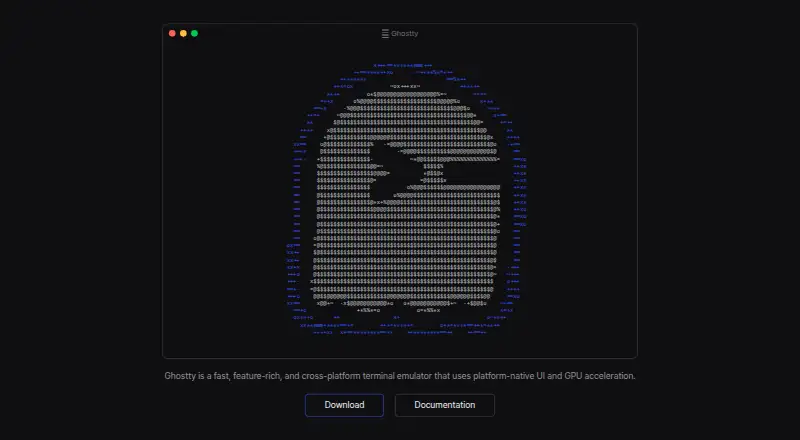
What Ghostty is
Ghostty is a free terminal emulator for macOS and Linux, with GPU-accelerated rendering and native interface components. It supports multiple windows, tabs and split panes. Its shared core, libghostty, handles terminal emulation, fonts and rendering through a cross-platform C ABI; rendering uses Metal on macOS and OpenGL on Linux. Ghostty includes hundreds of themes and can automatically follow the system’s light or dark appearance. It supports the Kitty graphics protocol for displaying images in a terminal, along with automatic shell integration for bash, elvish, fish, nushell and zsh. SSH integration can forward environment variables and install Ghostty terminfo entries on remote hosts. On macOS, Secure Keyboard Entry helps protect passwords from other processes, and project-issued binaries are signed and notarized. Ghostty is MIT-licensed and fiscally sponsored by Hack Club. It has no dedicated support team; community help is available through GitHub Discussions and Discord.
Good
- Free and open source under the MIT license
- GPU rendering uses Metal on macOS and OpenGL on Linux
- Supports windows, tabs and split panes
- Includes hundreds of themes
- SSH integration can forward environment variables
Watch out
- No dedicated support team or support resources
- Available platforms are macOS and Linux
Who it suits
Ghostty suits macOS and Linux users who want a free terminal with tabs, split panes, shell integrations and GPU rendering. It may also suit users who are comfortable relying on community support.
Verdict
Ghostty combines a native terminal interface with features such as split panes, shell integrations and image rendering. It is free, but help comes from the community rather than a dedicated support team.
Plans and prices
From Ghostty's own pricing page, checked 1 Oct 2026.
| Plan | Price | What it gives you |
|---|---|---|
| Ghostty | Free | No commercial backing · no dedicated support team · Free and open source |
The facts
Each one read from Ghostty's own pages, with the date it was checked.
What it does
- Architecture
- Its shared core, libghostty, provides terminal emulation, font handling, and rendering through a cross-platform C ABI.checked 1 Oct 2026
- Distribution security
- Official macOS binaries are signed and notarized by the Ghostty project.checked 1 Oct 2026
- GPU acceleration
- Yeschecked 20 Sep 2026
- Graphics protocol
- Ghostty supports the Kitty graphics protocol for rendering images in the terminal.checked 1 Oct 2026
- Product
- Ghostty is a fast, feature-rich, native terminal emulator.checked 1 Oct 2026
- Project governance
- Ghostty is fiscally sponsored by Hack Club, a 501(c)(3) nonprofit, and remains licensed under the MIT license.checked 1 Oct 2026
- Rendering
- Ghostty uses Metal on macOS and OpenGL on Linux for GPU-accelerated rendering.checked 1 Oct 2026
- Scripting API
- Yeschecked 20 Sep 2026
- Shell integrations
- Automatic shell integration is provided for bash, elvish, fish, nushell, and zsh.checked 1 Oct 2026
- Split panes
- Yeschecked 20 Sep 2026
- SSH integration
- Its SSH integration can forward environment variables and install Ghostty terminfo entries on remote hosts.checked 1 Oct 2026
- SSH support
- Yeschecked 20 Sep 2026
- Support
- Ghostty has no support team or dedicated support resources; help is community-provided through GitHub Discussions and Discord.checked 1 Oct 2026
- Terminal UI
- It supports multiple windows, tabs, and splits using native UI components.checked 1 Oct 2026
- Themes
- Ghostty ships with hundreds of themes and can switch themes automatically with system light and dark mode.checked 1 Oct 2026
Money
- Free plan
- Yeschecked 20 Sep 2026
Where it runs
- macOS security
- Ghostty supports macOS Secure Keyboard Entry to protect passwords from other processes.checked 1 Oct 2026
- Platforms
- Ghostty runs on macOS and Linux; Windows support is planned for the future.checked 1 Oct 2026
- Supported platforms
- macOS,Linuxchecked 20 Sep 2026
Alternatives to Ghostty
- 1

Warp
Free planLinuxmacOSSelf-hostedWindows8.3From $50 a month - 2

MobaXterm
Free planWindows8.1From $69 a year - 3
Termalin
Free planiOSWebAPILinux7.8From $8 a month - 4

Tabby
Free planLinuxmacOSWindows7.5Free plan - 5

Konsole
Free planLinuxmacOSWindows7.4Free plan - 6

Tabby (formerly Terminus)
Free planWebLinuxmacOSSelf-hosted7.2Free plan