Ásbrú Connection Manager
Ásbrú Connection Manager is a graphical tool for organizing and launching remote-machine connections, with automation for repetitive tasks.
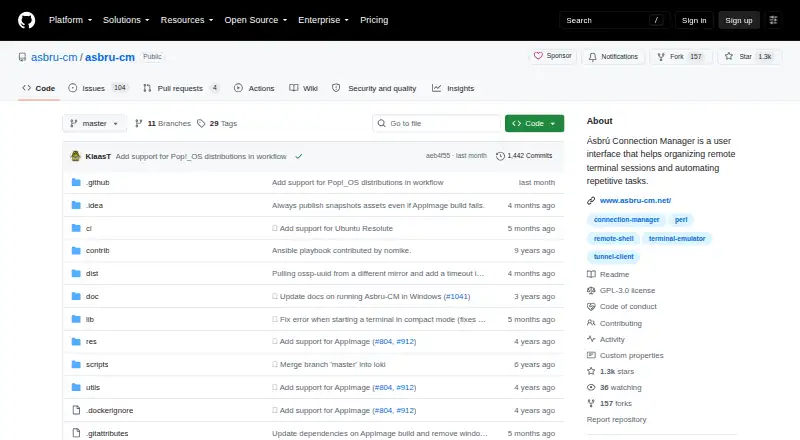
What Ásbrú Connection Manager is
Ásbrú Connection Manager is a graphical tool for organizing and launching remote-machine connections, with automation for repetitive tasks. It supports SSH, SFTP, RDP, VNC, Telnet, and FTP, and sessions can run in tabs or separate windows, including clustered connections. Automation options include scripts, local commands that run before or after connecting, and macros that run locally or on a connected client. Conditional Expect executions can chain SSH connections, automate tunnels, and delay sent lines. The application also supports port forwarding, proxy connections, KeePassXC integration, Wake On LAN, and local and global variables. A tray icon provides quick access to managed connections, alongside Gnome/Gtk integration. It is free and open source under the GNU General Public License version 3. Linux packages are listed for Debian or Ubuntu, Fedora, and Arch Linux or Manjaro. Windows support is through WSL; newer WSL instructions specify Windows 10 Build 19044 or later, or Windows 11.
Good
- Supports SSH, SFTP, RDP, VNC, Telnet, and FTP.
- Macros and scripts can automate connection tasks.
- Supports clustered connections and tabbed or windowed terminals.
- Integrates with KeePassXC and proxy servers.
- Free and licensed under GNU GPL version 3.
Watch out
- Windows support is through WSL.
- Newer WSL instructions require Windows 10 Build 19044 or later, or Windows 11.
- The listed packages are DEB, RPM, and .TAR.GZ.
Who it suits
It suits people who manage multiple remote sessions and want scripting or macros for repeatable connection tasks. Windows users need to run it through WSL.
Verdict
Ásbrú Connection Manager combines remote-session organization with several automation options. Its Windows support depends on WSL, while Linux installation instructions cover several distributions.
Plans and prices
From Ásbrú Connection Manager's own pricing page, checked 4 Oct 2026.
| Plan | Price | What it gives you |
|---|---|---|
| Ásbrú Connection Manager | Free | Free and open-source connection manager · GNU General Public License version 3 |
The facts
Each one read from Ásbrú Connection Manager's own pages, with the date it was checked.
What it does
- Additional features
- It includes Wake On LAN, local and global variables, Gnome/Gtk integration, and a tray icon for quick launching managed connections.checked 4 Oct 2026
- Automation
- It supports scripting, configurable local commands before or after connecting, and macros that can run locally or be sent to a connected client.checked 4 Oct 2026
- Community support
- The project asks contributors to check existing issues, and says issues and pull requests will be triaged and responded to as quickly as possible.checked 4 Oct 2026
- Connection management
- It provides a GUI to manage and launch connections to remote machines.checked 4 Oct 2026
- Downloads
- The project lists DEB, RPM, and .TAR.GZ packages and recommends prebuilt packages hosted on Cloudsmith.checked 4 Oct 2026
- Expect
- Conditional Expect executions can chain SSH connections, automate tunnels, and use line-send delays.checked 4 Oct 2026
- Integrations
- It integrates with KeePassXC and can connect to machines through a proxy server.checked 4 Oct 2026
- License
- The project is licensed under the GNU General Public License version 3.checked 4 Oct 2026
- Project history
- The project describes itself as a fork of PAC (Perl Auto Connector) Manager.checked 4 Oct 2026
- Purpose
- Ásbrú Connection Manager is a user interface for organizing remote terminal sessions and automating repetitive tasks.checked 4 Oct 2026
- Terminals
- It supports clustered connections and tabbed or windowed terminals.checked 4 Oct 2026
Where it runs
- Linux distributions
- Install instructions are listed for Debian or Ubuntu, Fedora, and Arch Linux or Manjaro.checked 4 Oct 2026
- Windows support
- The README describes running the application on Windows through WSL, with Windows 10 Build 19044 or later or Windows 11 for its newer WSL instructions.checked 4 Oct 2026