SHELLNGN
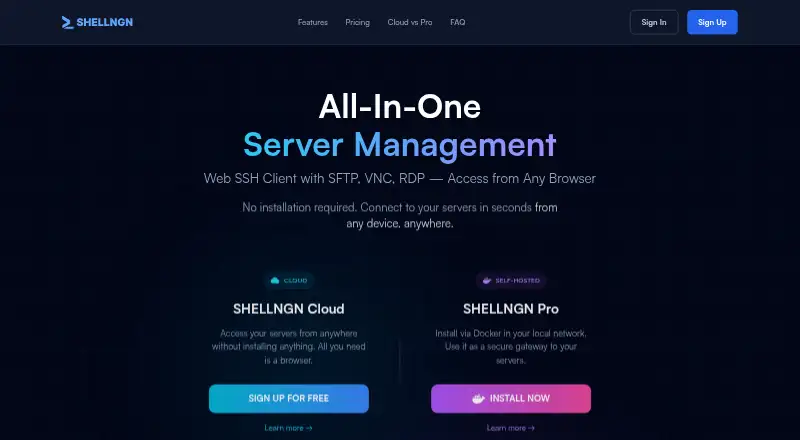
The facts below are what the maker publishes about SHELLNGN, checked and dated. Our editors have not written about it yet.
Plans and prices
From SHELLNGN's own pricing page, checked 11 Oct 2026.
| Plan | Price | What it gives you |
|---|---|---|
| Cloud Free Trial | Free | 1 concurrent SSH session · 1 concurrent SFTP session · 1 remote desktop session · Up to 3 saved servers · No credit card required · 30 days trial period |
| Pro Free Trial | Free | Unlimited sessions · Unlimited saved servers · Cloud and LAN server access · Multiple users and teams · Server sharing · SSO · No credit card required · 30 days trial period |
| Cloud Basic | $3.25 a month | 10 concurrent SSH sessions · 3 concurrent SFTP sessions · 2 remote desktop sessions · Up to 30 saved servers · High bandwidth · Priority email support · $39 billed annually |
| Cloud Advanced | $8.25 a month | 20 concurrent SSH sessions · 10 concurrent SFTP sessions · 5 remote desktop sessions · Unlimited saved servers · High bandwidth · Priority email support · $99 billed annually |
| Pro Personal | $39 a year | Unlimited sessions · Unlimited saved servers · Cloud and LAN server access · Self-hosted Docker · Single user · Non-commercial use · Priority email support · Annual license |
| Pro Commercial | $199 a year | Everything in Personal · Multiple users and teams · Server sharing · SSO · Commercial use · Priority email support · Starting at $199 /year |
The facts
Each one read from SHELLNGN's own pages, with the date it was checked.
What it does
- Cloud access limit
- SHELLNGN Cloud connects to publicly accessible internet servers and does not provide LAN server access.checked 11 Oct 2026
- Cloud security
- The privacy policy says Cloud data in transit uses TLS/SSL, passwords are one-way hashed, and server credentials are encrypted at rest.checked 11 Oct 2026
- Intended users
- The pricing page describes Cloud Basic for individuals managing a few servers, Pro Personal for home labs and personal use, and Pro Commercial for teams and business environments.checked 11 Oct 2026
- Mobile
- SHELLNGN is responsive on mobile devices and offers keyboard support, command snippets, and file management there.checked 11 Oct 2026
- Pro data handling
- The maker says it has no access to data stored in a self-hosted Pro installation, and that credentials, connection data, and usage information remain on the user's systems.checked 11 Oct 2026
- Product
- SHELLNGN is a browser-based server management platform with SSH, SFTP, RDP, VNC, and Telnet access.checked 11 Oct 2026
- Remote desktop
- The remote desktop feature supports RDP for Windows servers and VNC for Linux and Unix servers, with sound redirection and clipboard support.checked 11 Oct 2026
- Self-hosted option
- SHELLNGN Pro runs in Docker on the customer's infrastructure and can access cloud and LAN servers.checked 11 Oct 2026
- SFTP
- Its SFTP file browser supports drag-and-drop transfers, automated ZIP creation, and an in-app code editor with syntax highlighting.checked 11 Oct 2026
- SSH
- The SSH client supports tabbed sessions, password and private-key authentication, auto-completion, and command snippets.checked 11 Oct 2026
- Support
- The contact page says support replies within 24–48 hours and lists email, a support portal, and a knowledge base.checked 11 Oct 2026
- Two-factor authentication
- The FAQ says TOTP two-factor authentication is available on all plans and names Google Authenticator, Authy, and FreeOTP.checked 11 Oct 2026
The company
- Teams and SSO
- Pro Commercial includes team features and SAML 2.0 single sign-on, with Okta listed as an integration.checked 11 Oct 2026