Taskal
Taskal is a web-based scheduling tool that uses AI to place tasks into open calendar slots.
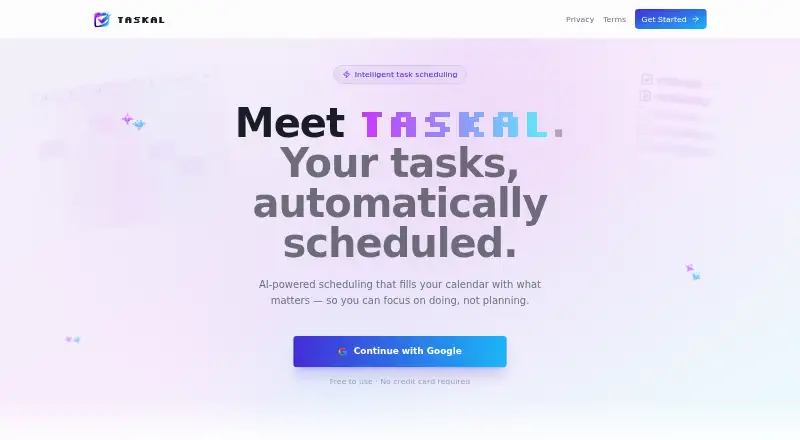
What Taskal is
Taskal is a web-based scheduling tool that uses AI to place tasks into open calendar slots. Enter tasks in plain English, and it turns them into structured items with schedules. You can set priorities, categories, due dates, durations, and status to organize and track work. Taskal syncs both ways with Google Calendar, keeping tasks and calendar events aligned, and can bring multiple Google accounts into a unified calendar view. It takes working hours and preferences into account so tasks are not scheduled during off-time. Google Calendar is the named calendar connection, and users can sign in with Google to get started. Taskal is free to use, with a Free plan listed as free and no credit card required. It runs on the web and combines task management with automatic calendar scheduling.
Good
- Automatically schedules tasks in open calendar slots
- Two-way Google Calendar sync
- Supports multiple Google accounts in one view
- Respects working hours and preferences
Watch out
- Google Calendar is the only named calendar connection
- Web is the only listed platform
Who it suits
Taskal suits people who want tasks scheduled around their calendar rather than assigning every time slot themselves. It may also suit users who manage multiple Google accounts.
Verdict
Taskal combines task organization with automatic scheduling and two-way Google Calendar sync. Its listed calendar connection is Google Calendar, and it is available on the web.
Plans and prices
From Taskal's own pricing page, checked 7 Oct 2026.
| Plan | Price | What it gives you |
|---|---|---|
| Free | Free | Free to use · No credit card required |
The facts
Each one read from Taskal's own pages, with the date it was checked.
What it does
- Auto-scheduling
- Taskal finds open calendar slots and schedules tasks for you.checked 7 Oct 2026
- Calendar sync
- Two-way Google Calendar sync keeps tasks and calendar events aligned.checked 7 Oct 2026
- Getting started
- The page says users can sign in with Google to get started.checked 7 Oct 2026
- Integration
- The page names Google Calendar as the calendar users can connect to Taskal.checked 7 Oct 2026
- Multiple accounts
- Taskal can connect multiple Google accounts into one unified calendar view.checked 7 Oct 2026
- Natural language input
- Users can enter tasks in plain English and Taskal converts them into structured, scheduled items using AI.checked 7 Oct 2026
- Pricing detail
- The page says Taskal is free to use and requires no credit card.checked 7 Oct 2026
- Purpose
- Taskal describes itself as AI-powered scheduling that fills your calendar with tasks.checked 7 Oct 2026
- Task management
- Users can prioritize, categorize, and track tasks with due dates, durations, and status.checked 7 Oct 2026
- Working hours
- Taskal respects working hours and preferences so tasks are not scheduled during off-time.checked 7 Oct 2026