SwiftScan
SwiftScan is a mobile scanner for creating PDF and JPEG files from documents, receipts, whiteboards, QR codes, and other items.
What SwiftScan is
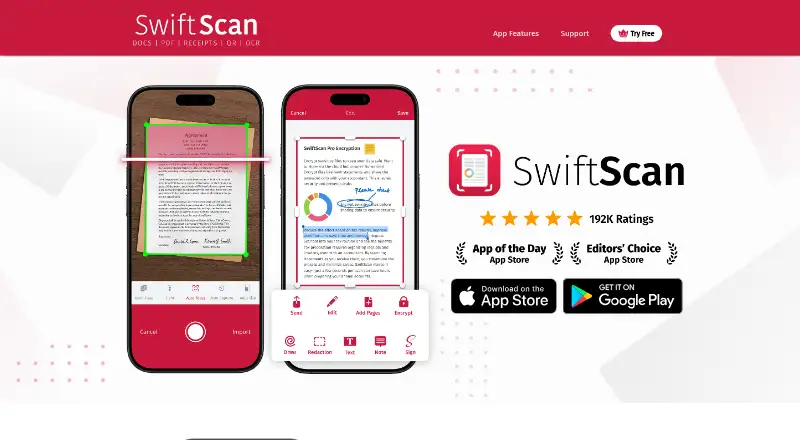
SwiftScan is a mobile scanner for creating PDF and JPEG files from documents, receipts, whiteboards, QR codes, and other items. It runs on iOS and Android and offers automatic capture at 200 dpi or higher, cropping, perspective correction, and image optimization. Optical character recognition makes text in scans recognizable, while full-text search creates searchable PDFs. Multipage documents can be assembled, and PDF tools support annotation, highlighting, signatures, text additions or redaction, and page reordering. Files can be uploaded or shared through services including iCloud, Google Drive, Dropbox, Evernote, Slack, Todoist, OneDrive for Business, Box, FTP, and WebDAV. SwiftScan can send faxes to more than 50 countries; each page uses one credit and charges apply only to successful delivery. The app is free with in-app purchases and includes a free trial.
Good
- Automatic capture at 200 dpi or higher
- OCR and full-text searchable PDFs
- PDF annotation, signing, and page management
- iOS and Android apps
- On-device document data and text recognition
Watch out
- Faxing uses credits per page
- No desktop platform listed
- Free app includes in-app purchases
Who it suits
SwiftScan suits individuals scanning documents on iPhone, iPad, or Android who need OCR, searchable PDFs, editing, signing, and cloud sharing. It also fits users who need multipage files or fax sending.
Verdict
SwiftScan covers mobile capture, OCR, PDF editing, sharing, and faxing in one app. Its free access and broad integrations suit individual document workflows, while fax credits and mobile-only platforms may affect some users.
Plans and prices
From SwiftScan's own pricing page, checked 11 Oct 2026.
| Plan | Price | What it gives you |
|---|---|---|
| Best Apps Bundle (includes SwiftScan) | $9.99 a month | Includes 9 apps and games · 7-day free trial · iPhone and iPad · Renews at $9.99/month |
The facts
Each one read from SwiftScan's own pages, with the date it was checked.
Where it runs
- Android app
- Yeschecked 23 Sep 2026
- Device security
- The features page describes locking the iOS app with a passcode or Touch ID and protecting PDF scans.checked 11 Oct 2026
- iOS app
- Yeschecked 23 Sep 2026
- Platforms
- The maker links to SwiftScan downloads for iOS and Android.checked 11 Oct 2026
What it does
- Audience
- The maker describes SwiftScan as a mobile scanner for individual document scanning, with features for signing, editing, sharing, and cloud uploads.checked 11 Oct 2026
- Auto capture
- Yeschecked 23 Sep 2026
- Capture
- The app advertises automatic document capture at 200 dpi or higher, cropping, perspective correction, and image optimization.checked 11 Oct 2026
- Fax
- The app can send faxes to more than 50 countries, and the site says one page costs one credit and charges apply only to successfully delivered faxes.checked 11 Oct 2026
- File formats
- Scans can be saved as PDF or JPEG files.checked 11 Oct 2026
- Integrations
- The site lists iCloud, Google Drive, Dropbox, Evernote, Slack, Todoist, OneDrive for Business, ownCloud, OneNote for Business, FTP, FTPS, SFTP, Box, MagentaCLOUD, Shoeboxed, and WebDAV for upload or sharing.checked 11 Oct 2026
- Multipage PDF
- Yeschecked 23 Sep 2026
- OCR and search
- SwiftScan recognizes text in scans and makes scans searchable through full-text search.checked 11 Oct 2026
- OCR included
- Yeschecked 23 Sep 2026
- PDF tools
- Users can annotate, highlight, sign, add or redact text, and add, remove, or rearrange PDF pages.checked 11 Oct 2026
- Privacy
- SwiftScan says document data and text recognition stay on the device and document data is not sent to the company or a third party.checked 11 Oct 2026
- Purpose
- SwiftScan is a mobile scanner app for creating PDF and JPG scans of documents, receipts, whiteboards, QR codes, and other items.checked 11 Oct 2026
- Searchable PDF
- Yeschecked 23 Sep 2026
- Support
- SwiftScan’s help center offers a request form, and the App Store listing gives [email protected] as a contact.checked 11 Oct 2026
Money
- Free access
- The App Store listing marks SwiftScan as Free with in-app purchases.checked 11 Oct 2026
- Free plan
- Yeschecked 23 Sep 2026
The company
- Maker
- The site footer identifies Maple Media LLC, and its privacy policy lists its address as 9570 West Pico Blvd, Los Angeles, CA 90035, USA.checked 11 Oct 2026
Alternatives to SwiftScan
- 1

Smallpdf
Free planAndroidiOSWebWindows8.9From $10 a month - 2

DocuWare
AndroidiOSWebAPI8.6From £1,060 a month - 3

Docutain
Free planAndroidiOSWindows8.4From €2.08 a month - 4

CamScanner
Free planAndroidiOSWebmacOS8.3From $59.99 a year - 5

Google Photos
Free planAndroidiOSWebAPI8.3Free plan - 6
TapScanner
Free planAndroidiOSWeb8.2From $39.99 a year