StackStorm
StackStorm is a free, open-source platform for integrating services and automating actions in response to events.
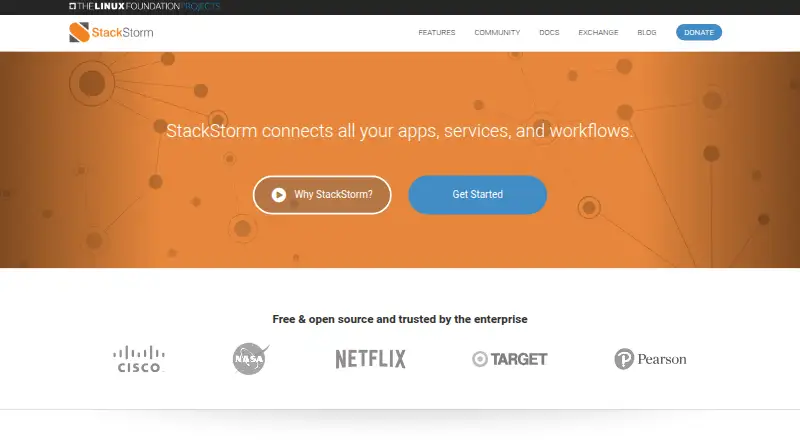
What StackStorm is
StackStorm is a free, open-source platform for integrating services and automating actions in response to events. Rules connect triggers to actions or workflows, while workflows combine actions into multi-step automations. Sensors and actions link external systems; listed examples include webhooks, SSH, REST calls, OpenStack, Docker, Puppet, Sensu, and JIRA. StackStorm Exchange offers ready-made integration packs, and users can also create and share their own. The platform records each action execution with its triggering context and results. Audit logs can integrate with Logstash, Splunk, statsd, and syslog. Administrators can use role-based access control to restrict users’ access and operations. StackStorm provides a Web UI, CLI client, REST API, and Python client bindings. It is distributed as Linux RPMs and Debs and as Docker images; deployment documentation also covers Vagrant/OVA, Ansible, Puppet, and Kubernetes. The project supports 64-bit Ubuntu and RHEL, Rocky Linux, or CentOS. It does not officially support other Linux distributions, Windows, or Apple OSX. Common uses include automated remediation, continuous deployment, ChatOps, and automated security response.
Good
- Rules connect triggers to actions or workflows.
- Workflows support multi-step automations.
- Exchange offers ready-made integration packs.
- Execution records include triggering context and results.
- Role-based access control is available in the open-source project.
Watch out
- Officially supports only specified 64-bit Linux distributions.
- Windows and Apple OSX lack official support.
- The project offers no paid products.
Who it suits
StackStorm suits teams automating event-driven responses across connected services and tools. Listed uses include automated remediation, continuous deployment, ChatOps, and automated security response.
Verdict
StackStorm brings event triggers, integrations, workflows, and execution records into a self-hosted automation platform. Confirm that your Linux distribution is supported before choosing it.
Plans and prices
From StackStorm's own pricing page, checked 2 Oct 2026.
| Plan | Price | What it gives you |
|---|---|---|
| StackStorm Open Source | Free | Free and open source · No paid products are offered by the project |
The facts
Each one read from StackStorm's own pages, with the date it was checked.
What it does
- Access control
- Role based access control lets administrators limit users’ access and operations, and is available in StackStorm Open Source since version 3.4.checked 2 Oct 2026
- Audit trail
- Action executions are recorded with triggering context and results, and audit logs can integrate with Logstash, Splunk, statsd and syslog.checked 2 Oct 2026
- Automation model
- Rules map triggers to actions or workflows, and workflows combine actions into multi-step automations.checked 2 Oct 2026
- Deployment
- StackStorm is distributed as Linux RPMs and Debs and as Docker images; its documentation also describes Vagrant/OVA, Ansible, Puppet and Kubernetes deployment options.checked 2 Oct 2026
- Integration packs
- StackStorm Exchange offers ready-made integration packs, and users can create and share their own packs.checked 2 Oct 2026
- Integrations
- Sensors and actions connect external systems; examples listed include webhooks, SSH, REST calls, OpenStack, Docker, Puppet, Sensu and JIRA.checked 2 Oct 2026
- Purpose
- StackStorm is a platform for integration and automation across services and tools, with a focus on taking actions in response to events.checked 2 Oct 2026
- Security reporting
- The project asks vulnerability reporters to use its private mailing list and says it acknowledges reports within 48 hours or less.checked 2 Oct 2026
- Supported operating systems
- The documentation says StackStorm supports 64-bit Ubuntu and RHEL/RockyLinux/CentOS Linux distributions, and does not support other Linux distributions.checked 2 Oct 2026
- Use cases
- The maker lists automated remediation, continuous deployment, ChatOps and automated security response as common applications.checked 2 Oct 2026
- User interface and API
- StackStorm provides a Web UI, a CLI client, a full REST API and Python client bindings.checked 2 Oct 2026
The company
- Founded
- 2013checked 28 Sep 2026
- Headquarters
- Palo Alto, Californiachecked 28 Sep 2026
Where it runs
- Platform limits
- The documentation says Windows and Apple OSX are among platforms without official support.checked 2 Oct 2026
The full review of StackStorm
Overview
StackStorm is an open-source automation platform that turns events from connected services into actions and multi-step workflows. It is best suited to technical teams prepared to host it on a supported Linux distribution and manage their own deployment. Its strongest case is event-driven automation with execution records; its biggest constraint is that it does not officially support every Linux distribution.
Key features
Rules connect triggers to actions or workflows, and workflows combine actions into sequences. That makes StackStorm a fit for automated remediation, continuous deployment, ChatOps and automated security response. The model offers flexibility for teams coordinating responses across tools, but it assumes they want to define and operate automations rather than use a fully managed service.
Sensors and actions connect external systems, including through webhooks, SSH and REST calls, with integrations for OpenStack, Docker, Puppet, Sensu and JIRA. StackStorm Exchange adds ready-made integration packs, while teams can create and share their own. This breadth helps connect varied systems; when an existing pack does not cover a need, extending the platform may require creating a pack.
Executions retain their triggering context and results, and audit logs can feed into Logstash, Splunk, statsd and syslog. That is useful for teams that need to trace what an automation did and carry records into their logging environment. Role-based access control lets administrators limit users’ access and operations, and is included in StackStorm Open Source since version 3.4.
Users can work through a Web UI, CLI client, REST API or Python client bindings. The project also provides Linux RPM and Deb packages and Docker images; its deployment documentation covers Vagrant/OVA, Ansible, Puppet and Kubernetes options. The available interfaces and deployment paths suit teams with varied operating practices, but all still require a self-hosted setup.
Pricing
StackStorm Open Source costs nothing. It is free and open source, and the project offers no paid products. That makes it a straightforward option for teams wanting to run event-based automation without a software subscription. The trade-off is that StackStorm is self-hosted, so teams must operate it themselves; there is no paid project tier to choose instead.
Platforms
StackStorm supports 64-bit Ubuntu and RHEL, Rocky Linux and CentOS distributions. It is distributed for Linux and can also run in Docker, with documented deployment options including Kubernetes. Windows and Apple OSX do not have official support, and other Linux distributions are unsupported. Confirm the operating system before adopting it: teams committed to an unsupported platform should choose another tool.
Who it's for
StackStorm is for operations, security and engineering teams that want to connect events to automated responses across services, and that can host software on a supported Linux distribution. Its execution records, access controls and integration options are particularly relevant where teams need auditable, multi-step automation. It is not the right fit for those seeking a hosted service or requiring official support for Windows, macOS or another Linux distribution.
Pros and cons
- Pros: Event triggers can launch single actions or multi-step workflows, supporting use cases from remediation to security response.
- Pros: Integration packs, plus the ability to create and share packs, offer ways to connect external systems.
- Pros: Execution context and results are recorded, with audit-log integrations for common logging tools.
- Pros: The open-source plan is free, with role-based access control included since version 3.4.
- Cons: Official operating-system support is limited to specified 64-bit Linux distributions; Windows, macOS and other Linux distributions are not supported.
- Cons: The self-hosted deployment model puts operation of the platform on the adopting team.
Alternatives
Rundeck is worth considering if broader operating-system support matters: it lists Linux, macOS and Windows alongside API, web and self-hosted platforms, and its free Community plan is for small teams with registration required.
Shuffle is another free-plan option for teams wanting a stated run allowance: its Scale plan includes 2k App Runs, a hard run limit, three tenants and one location.
Tanium Deploy may suit organizations already using Tanium; it requires a Tanium license that includes Deploy and Tanium Core Platform servers.
Tracecat offers an open-source, self-hosted alternative with unlimited workflows, cases and agents, with monthly executions self-managed.
Azure Automation is an alternative for Windows and Linux environments, with 500 minutes per month included for process automation job run time.
Palo Alto Networks Cortex Cloud API Security is another paid option for API security.
Tines may fit teams wanting a free edition capped at three live workflows.
Torq Case Management is another paid API and web option.
Browse Runbook Automation Software, IT Documentation Software, IT Orchestration Software, Workload Automation Software, Cloud Automation Software and Cloud Orchestration Software for related categories.
Verdict
Choose StackStorm if your team needs free, self-hosted event-driven automation, values recorded execution context and can operate it on a supported Linux distribution. Its integration and workflow model is compelling for teams building automated responses across services. Look elsewhere if you need a hosted platform or official support for Windows, macOS or other Linux systems.