Snipping Tool
Snipping Tool is a Windows app for capturing text or images from a PC screen and then editing, saving, or sharing them.
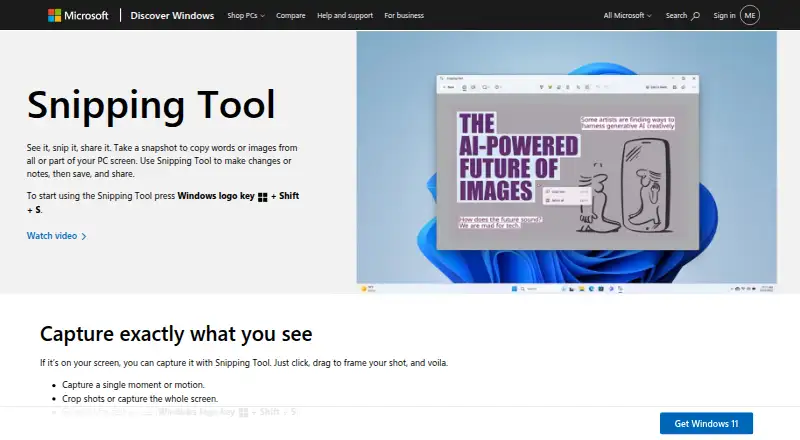
What Snipping Tool is
Snipping Tool is a Windows app for capturing text or images from a PC screen and then editing, saving, or sharing them. Image captures can cover a freeform area, rectangle, window, or the full screen, and the app also records video snips. Windows+Shift+S opens image capture; Windows+Shift+R opens video capture. Image markup tools include a pen, highlighter, shapes, and emojis, with options to erase marks and crop. OCR text actions can copy selected or all text and redact email addresses or phone numbers; Microsoft says recognition happens locally on the device. Captures save automatically to the Screenshots folder, though settings can change the save behavior or default folder. Video snips can be opened in Clipchamp for editing, including adding captions or audio. Snipping Tool is free and ships with Windows, and Microsoft says it applies to Windows 10 and Windows 11. Copilot+ PC features include Perfect screenshot and Color picker; scrolling capture is not supported.
Good
- Captures freeform, rectangular, window, and full-screen images.
- Video snips are available.
- OCR can extract and redact text.
- Image markup includes shapes, pen, highlighter, and emojis.
- Free app that ships with Windows.
Watch out
- Available on Windows only.
- Scrolling capture is not supported.
- Perfect screenshot and Color picker are Copilot+ PC features.
Who it suits
It suits Windows users who need to capture screen content, extract text, or document an issue with images or video. People needing scrolling capture should note that it is not supported.
Verdict
Snipping Tool covers common screen capture, image markup, and OCR tasks at no cost. Its Windows-only availability and lack of scrolling capture may matter for some users.
Plans and prices
From Snipping Tool's own pricing page, checked 11 Oct 2026.
| Plan | Price | What it gives you |
|---|---|---|
| Snipping Tool | Free | Windows app · Microsoft Store lists it as Free |
The facts
Each one read from Snipping Tool's own pages, with the date it was checked.
What it does
- Annotations
- Users can mark up image snips with a pen, highlighter, shapes, or emojis, erase marks, and crop images.checked 11 Oct 2026
- Automatic saving
- Captured snips are automatically saved to the Screenshots folder, and settings can change the save behavior or default folder.checked 11 Oct 2026
- Capture modes
- It supports freeform, rectangular, window, and full-screen image snips, plus video snips.checked 11 Oct 2026
- Copilot+ PC features
- Perfect screenshot and Color picker are identified as Copilot+ PC features; Perfect screenshot automatically frames prominent on-screen content.checked 11 Oct 2026
- Delay
- The delay control can start a capture countdown of 1 to 5 seconds.checked 11 Oct 2026
- Distribution
- Microsoft says Snipping Tool ships with Windows and can be obtained from the Microsoft Store if it is missing.checked 11 Oct 2026
- Intended use
- Microsoft describes Snipping Tool as a way to capture and share screen content, and lists it as an alternative for screen recording and troubleshooting documentation.checked 11 Oct 2026
- Keyboard shortcuts
- Windows+Shift+S opens the image capture overlay, and Windows+Shift+R opens the video capture overlay.checked 11 Oct 2026
- Local processing
- Microsoft says all text recognition processes are performed locally on the device.checked 11 Oct 2026
- OCR text extraction
- Yeschecked 19 Sep 2026
- Purpose
- Snipping Tool captures words or images from all or part of a PC screen for editing, saving, and sharing.checked 11 Oct 2026
- Scrolling capture
- Nochecked 19 Sep 2026
- Text extraction
- Text actions uses OCR to extract text from a snip, with options to copy selected text or all text and redact email addresses or phone numbers.checked 11 Oct 2026
- Video editing
- Recorded video snips can be opened in Clipchamp for editing, including adding captions or audio.checked 11 Oct 2026
The company
- Founded
- 1975checked 4 Oct 2026
- Headquarters
- Redmond, Washington, USAchecked 4 Oct 2026
Money
- Free plan
- Yeschecked 19 Sep 2026
Where it runs
- Platform availability
- Microsoft Support says Snipping Tool applies to Windows 10 and Windows 11.checked 11 Oct 2026
Alternatives to Snipping Tool
- 1
Gyazo
Free planAndroidiOSWebExtension8.8Free plan - 2
GrabzIt
Free planAndroidiOSWebAPI8.4Free plan - 3

Awesome Screenshot
Free planiOSWebExtensionmacOS8.3From $5 a month - 48.0Free plan
- 5

Monosnap
Free planWebExtensionLinuxmacOS7.9From $2.50 a month - 6
 7.8From $7 a month