Smarsh Call Recording and Analytics
Smarsh Call Recording and Analytics captures, secures, and analyzes conversations for organizations managing compliance and record retention.
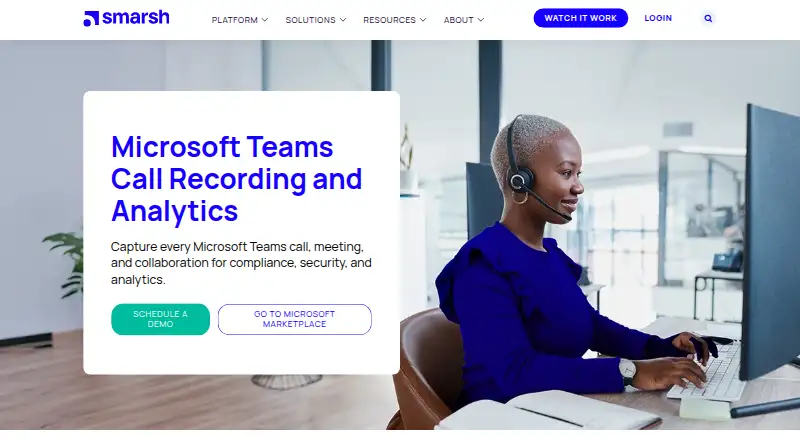
What Smarsh Call Recording and Analytics is
Smarsh Call Recording and Analytics captures, secures, and analyzes conversations for organizations managing compliance and record retention. For Microsoft Teams, it covers calls, meetings, and collaboration, including meetings with multiple video streams and shared screens. Policy-driven capture can include calls made through Teams on mobile or desktop, as well as Teams contact-center recording. Operator Connect and Direct Routing support recording in mobile and hybrid environments. Recordings use encryption, policy enforcement, and data-sovereignty controls. Deployment options include cloud, hybrid, or on-premise, with role-based access and retention policies. Secure archiving and defensible exports are intended for audits, regulators, and internal reviews. Features include AI-driven intelligence, sentiment analysis, reporting, searchable archiving, transcription, and AI call summaries. Call Recording includes immutable storage, metadata capture, and on-demand transcription and summarization. Android and iOS are listed as platforms. Pricing is available on request; the listed plan directs prospective customers to schedule a demo or contact sales for a quote.
Good
- Captures Teams calls, meetings, and collaboration.
- Offers cloud, hybrid, and on-premise deployment.
- Includes searchable archiving and AI call summaries.
- Supports role-based access and retention policies.
- Lists Android and iOS platforms.
Watch out
- Pricing is available by request.
- The listed plan requires contacting sales for a quote.
- No free plan is listed.
Who it suits
The product is intended for compliance leaders and organizations with regulatory, e-discovery, or record-retention requirements. It may also suit teams that need to capture Microsoft Teams calls, meetings, or contact-center conversations.
Verdict
Smarsh brings Teams capture, archiving, and analytics together for compliance-focused organizations. Contact sales for pricing and consider which deployment option and capture scope you need.
Plans and prices
From Smarsh Call Recording and Analytics's own pricing page, checked 1 Oct 2026.
| Plan | Price | What it gives you |
|---|---|---|
| Call Recording and Analytics | Priced on request | Schedule a demo · contact sales for quote |
| Smarsh Call Recording and Analytics | Priced on request | voice capture · recording · advanced recording · conversation analytics · compliance archive · integrations |
The facts
Each one read from Smarsh Call Recording and Analytics's own pages, with the date it was checked.
What it does
- AI analytics
- The product provides AI-driven intelligence, sentiment analysis, and reporting.checked 1 Oct 2026
- Analytics
- Conversation Analytics provides sentiment, trend, agent, customer-experience and real-time risk signals.checked 14 Oct 2026
- API authentication
- API access is provisioned by Smarsh and uses OAuth 2.0 client credentials with short-lived JWT bearer tokens.checked 14 Oct 2026
- API availability
- Smarsh offers version 3 data-acquisition, search, export, retrieval, reconciliation, audit-log, case and ingestion APIs.checked 14 Oct 2026
- Audit readiness
- Secure archiving and defensible exports support regulators, auditors, and internal reviews.checked 1 Oct 2026
- Compliance
- Smarsh cites GDPR, MiFID II, HIPAA, FINRA and SEC requirements as supported compliance use cases.checked 14 Oct 2026
- Contact centers
- Smarsh offers Microsoft Teams-certified contact-center recording.checked 1 Oct 2026
- Core storage
- Call Recording includes immutable storage, metadata capture, and on-demand transcription and summarization.checked 1 Oct 2026
- Deployment
- Smarsh describes cloud, hybrid and on-premises deployment options for Teams compliance recording.checked 14 Oct 2026
- Documentation
- Public documentation includes Call Recording and Analytics guides, release notes, product specifications and connector instructions, with additional community and training resources.checked 14 Oct 2026
- Google Play complaints
- Android reviewers report lag, missed texts, login loops, contact limitations and buggy behavior.checked 14 Oct 2026
- Google Play rating
- Capture Mobile is rated 2.6 out of 5 from 120 reviews and has 10K+ downloads.checked 14 Oct 2026
- Hybrid calling
- Operator Connect and Direct Routing support recording across mobile and hybrid environments.checked 1 Oct 2026
- Integrations
- Listed integrations include Cisco, Microsoft Teams, 8x8, Zoom, Avaya, NetSapiens and RingCentral.checked 14 Oct 2026
- Licence
- The services agreement grants a revocable, nonexclusive term license and prohibits reverse engineering, source-code access and use of nonpublic APIs.checked 14 Oct 2026
- Limit: reliability and search
- Complaints include service errors, unreliable texting or exports and limited search filters.checked 14 Oct 2026
Where it runs
- Apple app requirements
- The Capture Mobile iOS app requires iOS or iPadOS 16 or later and is listed at 88.6 MB.checked 14 Oct 2026
The company
- Company focus
- Smarsh says it helps organizations meet regulatory compliance, e-discovery, and record-retention requirements.checked 1 Oct 2026
- Company founded
- LinkedIn lists Smarsh as founded in 2002.checked 14 Oct 2026
- Company headquarters
- LinkedIn lists Portland, Oregon as Smarsh headquarters.checked 14 Oct 2026
- Company legal name
- The services agreement identifies the supplier as Smarsh Inc.checked 14 Oct 2026
- Company size
- LinkedIn places Smarsh in the 1,001–5,000 employee range.checked 14 Oct 2026
- Headquarters
- Portland, Oregon, United Stateschecked 28 Sep 2026
Money
- Limit: cost and contracts
- Reviewers report opaque billing, difficult renewals, add-on charges and sharply higher costs to retrieve archived data.checked 14 Oct 2026
The full review of Smarsh Call Recording and Analytics
Overview
Smarsh Call Recording and Analytics is a Microsoft Teams capture, archiving, and analysis product for organizations with regulatory recordkeeping needs. It is strongest for compliance teams that need to control and retain conversations across calls and meetings; organizations seeking a low-cost, self-serve recorder should look elsewhere.
Key features
Policy-driven recording covers Teams calls made from mobile or desktop, as well as meetings and collaboration. Meeting capture can include multiple video streams and shared screens, while consent controls help organizations govern when conversations are recorded. That breadth is useful when employees communicate through more than voice calls, though it is most relevant to organizations that need consistent compliance capture across Teams.
Call Recording includes immutable storage, metadata capture, searchable archiving, and on-demand transcription and summarization. AI-driven intelligence, sentiment analysis, and reporting extend the product beyond preservation into conversation analysis. Secure archiving and defensible exports support regulator, auditor, and internal reviews, making the analytical layer a better fit for organizations that need both evidence and insight than for teams that only need a basic call archive.
Security controls include encryption in transit and at rest, policy enforcement, data-sovereignty controls, single sign-on, multifactor identification, penetration testing, disaster recovery, and ISO/SOC audits. Organizations can choose cloud, hybrid, or on-premise deployment, with role-based access and retention policies. These options serve varied infrastructure and governance requirements, but buyers will need to decide which deployment model and capture scope fit their environment.
For voice environments beyond standard Teams calling, Smarsh supports Operator Connect and Direct Routing, and offers Microsoft Teams-certified contact-center recording. Voice integrations include Cisco, Microsoft Teams, 8x8, Zoom, Avaya, NetSapiens, and RingCentral. Smarsh cites GDPR, MiFID II, HIPAA, FINRA, and other global regulatory requirements for its voice records. Customers can submit support cases through Smarsh Central and use its support tools.
Pricing
Call Recording and Analytics: custom pricing; contact sales for a quote or schedule a demo. The plan includes call capture, transcription, a searchable archive, consent controls, AI call summaries, and mobile app access. This is a paid product without a published per-seat price or free plan, so organizations should establish the quote against their required capture scope and deployment before comparing costs. The product is aimed at buyers prepared to evaluate it with sales rather than start with a self-serve tier.
Platforms
Smarsh lists Android and iOS platforms. Teams calls can be captured from mobile or desktop, with deployment available in cloud, hybrid, or on-premise environments.
Who it's for
Smarsh is best suited to compliance leaders and organizations that must retain, review, and analyze regulated communications. It is a particularly strong fit where Teams is central and policy-led capture must extend across meetings, mobile and desktop calls, or contact-center conversations. Smaller teams wanting transparent pricing or a simple recorder without compliance and archive requirements are less likely to benefit from its breadth.
Pros and cons
- Pro: Broad Teams capture includes calls, meetings, collaboration, multiple video streams, and shared screens, reducing gaps between communication types.
- Pro: Immutable storage, metadata, searchable records, transcription, summaries, and defensible exports support both retention and review workflows.
- Pro: Cloud, hybrid, and on-premise deployment plus role-based access and retention policies accommodate different governance needs.
- Con: Custom pricing requires sales contact, so buyers cannot quickly compare a published price or begin with a free plan.
- Con: The product's compliance and analytics breadth may be more than organizations need if they only want basic call recording.
Alternatives
For a wider shortlist, see Call Recording Software. Consider Luware Nimbus if you want a routing-focused paid alternative with a free trial and Android, iOS, API, and web platforms; its Advanced Routing plan is $85 a month, billed Licensed per service (for 25 services or more).
AudioCodes Interaction Insights is another paid option with a free trial and Android, iOS, API, and web platforms; its Essential Recording plan includes hosted voice recording and retention up to 24 months, with additional recording add-ons costing extra. Choose Numonix IXCloud if a free plan matters: it also offers a free trial and API and web platforms, with Enterprise for Teams plus other users and Business for Teams PBX users.
Dubber may suit buyers looking for flexible monthly or annual Microsoft Teams subscriptions, with trial plans available on request and unlimited, scalable secure storage for voice, video, and chat recordings. Eckoh Secure Call Recording is a paid alternative with self-hosted and web platforms; Eleveo Call Recording offers subscription options for on-premise, hybrid, or SaaS contact-center needs, with support and professional services included.
Uniphore U-Assist is a paid web-based alternative with a Real-Time Guidance Agent plan. Imagicle Call Recording offers a paid Cloud plan with an annual fee, no hardware requirement, ImagicleCare, automatic updates, unlimited scalability, and elastic storage; it also has a free trial and API, self-hosted, and web platforms.
Verdict
Choose Smarsh when your organization needs policy-controlled Teams capture, defensible retention, and analytics under a compliance program. Its combination of broad capture, secure archiving, and deployment choices is the main reason to choose it; custom pricing and the possibility of paying for more compliance depth than you need are the reasons to look elsewhere.
Getting started
- Visit https://www.smarsh.com/call-recording/microsoft-teams/.
- Schedule a demo or contact sales for a quote.
- Choose cloud, hybrid, or on-premise deployment.
- Set up role-based access and retention policies.
Questions
How is the product priced?
Pricing is on request. The listed plan directs customers to schedule a demo or contact sales for a quote.
Which platforms are listed?
Android and iOS are listed.
What can it capture in Microsoft Teams?
It captures calls, meetings, and collaboration, including meetings with multiple video streams and shared screens.
What deployment options are available?
Deployment options are cloud, hybrid, or on-premise.
Which voice integrations are listed?
Voice integrations include Cisco, Microsoft Teams, 8x8, Zoom, Avaya, NetSapiens, and RingCentral.
What archiving and analytics features does it include?
Features include searchable archiving, transcription, AI call summaries, AI-driven intelligence, sentiment analysis, reporting, immutable storage, and metadata capture.
Alternatives to Smarsh Call Recording and Analytics
- 1
Dubber
AndroidiOSWebAPI7.7From $14.95 a month - 2
MiaRec
WebAPILinuxSelf-hosted7.4From $25 a month - 3
Imagicle Call Recording
AndroidiOSWebAPI7.1 - 4
AthTek Video Call Recorder for Skype
macOSWindows6.8$29.95 one-time - 5

Verint Interaction Recording
AndroidiOSWebAPI6.7 - 6

Numonix IXCloud
AndroidiOSWebAPI6.6