SilverFast
SilverFast is scanner and digital imaging software for digitizing photos, slides, negatives, and Kodachromes.
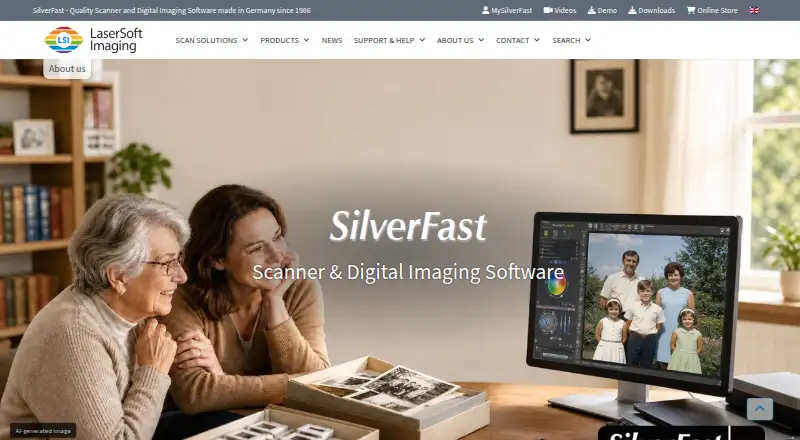
What SilverFast is
SilverFast is scanner and digital imaging software for digitizing photos, slides, negatives, and Kodachromes. Its scanner software is individually adjusted for about 340 scanner models and combines WorkflowPilot guidance with color management, scanner-specific profiles, NegaFix negative profiles, dust and scratch removal, and automatic or manual optimization. Some functions, including infrared dust removal and Multi-Exposure, depend on scanner hardware. Ai Studio includes automatic IT8 color calibration. For archiving, the Archive Suite can save scans as RAW files, with captured data that may include an infrared channel for later dust and scratch removal. SilverFast HDR handles scanned and other digital images, while HDR Studio supports 64-bit/48-bit image data and tools such as color restoration, exposure compensation, sharpening, and dust removal. JobManager can process scan frames in sequence and batch-optimize existing scans. SilverFast runs on Windows and macOS, either as standalone software or a Photoshop plug-in. SilverFast 9 requires a 64-bit Windows 7-or-later or macOS 10.13-or-later system, at least 8 GB RAM, an internet connection, and a MySilverFast account.
Good
- Scanner software is adjusted for about 340 models.
- WorkflowPilot guides image-processing tasks.
- RAW archiving may retain an infrared channel.
- Available standalone or as a Photoshop plug-in.
Watch out
- No free plan is listed.
- Some functions depend on scanner hardware support.
- SilverFast 9 requires at least 8 GB RAM.
- SilverFast 9 requires internet access and a MySilverFast account.
Who it suits
SilverFast suits beginners digitizing analog images as well as professionals processing images. It is relevant to users whose scanner model and hardware support the features they need.
Verdict
SilverFast combines scanner-specific workflows, image correction, and archiving tools, with features varying by edition and scanner hardware. Check system requirements and hardware support, and use the free demo to assess compatibility before purchase.
Plans and prices
From SilverFast's own pricing page, checked 9 Oct 2026.
| Plan | Price | What it gives you |
|---|---|---|
| SilverFast SE | $49, paid once | BASIC edition · Scan Assistant · One-Click Image Optimization · Film and Color Profiles · Help Videos |
| SilverFast SE Plus | $99, paid once | PLUS edition · SE features · Maximum Dynamic Range for Film · Kodachrome Mode · More Details in Dark Areas |
| SilverFast Ai Studio | — | PREMIUM edition · IT8 Color Calibration · Expert Mode · Film and Color Profiles · 16bit Histogram |
The facts
Each one read from SilverFast's own pages, with the date it was checked.
What it does
- Archiving
- SilverFast can save captured image data in RAW files, which may include the infrared channel for later dust and scratch removal.checked 8 Oct 2026
- Audience
- The software is developed for both professional image processing and beginners digitizing analog images.checked 9 Oct 2026
- Batch processing
- JobManager can process multiple scan frames in sequence and batch-optimize images that have already been scanned.checked 8 Oct 2026
- Calibration
- Automatic IT8 color calibration is included in Ai Studio.checked 9 Oct 2026
- HDR workflow
- HDR Studio uses 64-bit/48-bit image data and supports color restoration, color management, exposure compensation, sharpening, and dust and scratch removal.checked 8 Oct 2026
- Image processing
- SilverFast HDR handles already scanned images and other digital images, but does not support proprietary RAW data formats.checked 8 Oct 2026
- Image tools
- Features include color management, individual scanner profiles, NegaFix negative profiles, automatic and manual optimization, and dust and scratch removal.checked 9 Oct 2026
- Integrations
- SilverFast can run as stand-alone software or as a Photoshop plug-in.checked 9 Oct 2026
- Notable limits
- Some features, including infrared dust removal and Multi-Exposure, depend on scanner hardware support.checked 9 Oct 2026
- Other integration
- The HDR product overview lists ColorServer as an optional image-processing add-on and JobMonitor as a SilverFast iPhone app.checked 8 Oct 2026
- Photoshop integration
- SilverFast is available as stand-alone software or as a Photoshop plug-in, and SilverFast 9 supports plug-in use with current Photoshop CC and Photoshop Elements versions on a current operating system.checked 8 Oct 2026
- Purpose
- SilverFast scanner software is individually adjusted for about 340 scanner models to digitize analog images.checked 9 Oct 2026
- RAW archiving
- The Archive Suite can save scans as RAW image files with captured data that may include the infrared channel.checked 9 Oct 2026
- Scanner compatibility
- SilverFast says supported scanner models have been tested, and compatibility depends on the scanner and operating system.checked 9 Oct 2026
- Scanning features
- Scanner software features include WorkflowPilot, color management, scanner-specific color profiles, dust and scratch removal, NegaFix, and automatic and manual optimization tools.checked 8 Oct 2026
- Security and compliance
- The reviewed product, download, system requirements, and company pages do not state a security certification or compliance standard.checked 9 Oct 2026
- Support
- SilverFast provides a Help Center, FAQs, video tutorials, manuals, and a support tool.checked 9 Oct 2026
- Support data handling
- The optional support tool sends technical data with a support request using SSL encryption to help the support team analyze errors.checked 8 Oct 2026
- System requirements
- SilverFast 9 requires a 64-bit Windows 7-or-later or macOS 10.13-or-later system, at least 8 GB RAM, an internet connection, and a MySilverFast account.checked 9 Oct 2026
The company
- Company
- LaserSoft Imaging was founded in 1986, and its headquarters is in Kiel, Germany.checked 8 Oct 2026
- Founded
- 1986checked 28 Sep 2026
- Headquarters
- Kiel, Germanychecked 28 Sep 2026
Where it runs
- Platforms
- SilverFast is available for Mac and Windows; the maker lists support for Intel and Apple Silicon Macs and 64-bit Windows systems for version 9.checked 8 Oct 2026
Money
- Trial
- The maker offers demo software so users can check system compatibility and explore SilverFast features before buying.checked 9 Oct 2026
Alternatives to SilverFast
- 1

Google Photos
Free planAndroidiOSWebAPI8.3Free plan - 2
FilmBox by Photomyne
Free planAndroidiOSWebmacOS8.0From $39.99 a year - 3

FilmLab
Free planAndroidiOSLinuxmacOS8.0From $59.99 a year - 4
Brother iPrint&Scan
Free planAndroidiOSmacOSWindows7.4Free plan - 5

NAPS2
Free planOpen sourceAPILinuxmacOSWindows7.4Free plan - 6

Nostalgia
Free planAndroidiOSWebmacOS7.4From $79.99 a year