Shutter
Shutter is a free, open-source screenshot program for Linux that captures areas, desktops, windows, menus, tooltips, and websites.
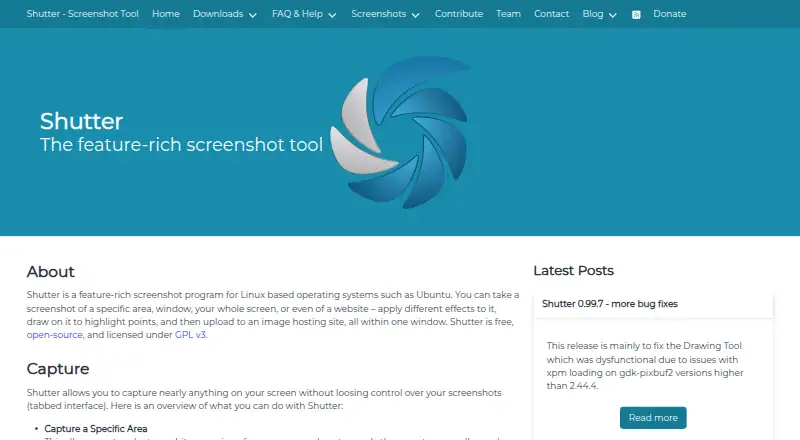
What Shutter is
Shutter is a free, open-source screenshot program for Linux that captures areas, desktops, windows, menus, tooltips, and websites. Desktop capture includes multi-monitor settings, and scrolling capture is supported. Its editor can add text, arrows, and shapes, crop images, censor or pixelize content, and create auto-increment shapes. Plugins add screenshot effects. Shutter can upload screenshots and format generated links for use in forums, wikis, and similar places. Export formats include JPEG, PNG, GIF, BMP, PDF, PS, SVG, WebP, and AVIF. The project licenses it under GPL v3 and says it is available for major GNU/Linux distributions through package managers. GNOME users can set global screenshot shortcuts. On Wayland, capture is limited to XDG Portal capture, although editing, uploads, and plugins remain available. The project describes Shutter as mostly in maintenance mode and says technical difficulties currently prevent full Wayland support. Its FAQ does not describe Windows or macOS versions because it depends on Linux-specific components.
Good
- Captures areas, windows, desktops, and websites
- Editor supports annotations, censoring, and cropping
- Uploads screenshots and formats shareable links
- Exports to a wide range of listed formats
Watch out
- Wayland capture is limited to XDG Portal capture
- Project says it is mostly in maintenance mode
- No Windows or macOS version is described
Who it suits
Shutter suits Linux users who need varied screenshot capture options, annotation tools, and screenshot uploads. It may also fit GNOME users who want global screenshot shortcuts.
Verdict
Shutter covers capture, editing, and sharing for Linux screenshots, with many capture types and export formats. Wayland users should note the capture limitation, and the project’s maintenance status is also relevant.
Plans and prices
From Shutter's own pricing page, checked 20 Sep 2026.
| Plan | Price | What it gives you |
|---|---|---|
| Free and open-source | Free | GPL-licensed screenshot application |
| Shutter | Free | Free and open-source screenshot software · GPL v3 |
The facts
Each one read from Shutter's own pages, with the date it was checked.
What it does
- Capture
- It supports area, desktop, window, menu, tooltip, and website captures; desktop capture includes multi-monitor settings.checked 5 Oct 2026
- Desktop shortcuts
- Shutter has built-in functionality for setting global screenshot shortcuts in GNOME.checked 5 Oct 2026
- Editing
- Its built-in editor supports annotations such as text, arrows, and shapes, plus censoring, pixelizing, auto-increment shapes, and cropping.checked 5 Oct 2026
- Export formats
- jpeg,png,gif,bmp,pdf,ps,svg,webp,avifchecked 20 Sep 2026
- License
- The project describes Shutter as free and open source, licensed under GPL v3.checked 5 Oct 2026
- Maintenance
- The FAQ says the project is mostly in maintenance mode and that full Wayland support cannot currently be added due to technical difficulties.checked 5 Oct 2026
- Plugins
- Shutter includes plugins that add effects to screenshots.checked 5 Oct 2026
- Product
- Shutter is a screenshot program for Linux that captures screen areas, windows, desktops, and websites, and can edit and upload screenshots.checked 5 Oct 2026
- Scrolling capture
- Yeschecked 20 Sep 2026
- Shareable links
- Yeschecked 20 Sep 2026
- Sharing
- Shutter can upload screenshots and format generated links for posting in forums, wikis, and similar places.checked 5 Oct 2026
- Support
- The project recommends GitHub for bug reports, feature requests, and questions, and also lists IRC and a contact form.checked 5 Oct 2026
- Upload integrations
- The project documents using Postr and the “Open with” menu to upload screenshots to Flickr.checked 5 Oct 2026
- Wayland limitation
- The project says Wayland capture is currently limited to XDG Portal capture, while the editor, uploads, and plugins are also available.checked 5 Oct 2026
Money
- Free plan
- Yeschecked 20 Sep 2026
Where it runs
- Linux support
- The project says Shutter is available for major GNU/Linux distributions and can be installed through a package manager.checked 5 Oct 2026
- Platform limitation
- The FAQ explains that Shutter depends on Linux-specific components and does not describe a Windows or macOS version.checked 5 Oct 2026
- Supported platforms
- linuxchecked 20 Sep 2026
Alternatives to Shutter
- 1
Gyazo
Free planAndroidiOSWebExtension8.0Free plan - 2

Awesome Screenshot
Free planiOSWebExtensionmacOS7.6From $5 a month - 3

Microsoft Edge
Free planAndroidiOSWebExtension7.5Free plan - 4

Monosnap
Free planWebExtensionLinuxmacOS7.5From $2.50 a month - 5

Greenshot
Free planWindows7.0$1.99 one-time - 6
Screention
Free planLinuxmacOSWindows7.0Free plan