Shotpad
The facts below are what the maker publishes about Shotpad, checked and dated. Our editors have not written about it yet.
The facts
Each one read from Shotpad's own pages, with the date it was checked.
What it does
- Annotations
- Annotation tools include pen, highlighter, arrows, lines, shapes, text, numbered badges, redaction, and eraser.checked 12 Oct 2026
- Beautification
- It supports gradient, solid, image, or transparent backgrounds, plus padding, shadows, borders, grain, aspect ratios, and tilt.checked 12 Oct 2026
- Capture and editing
- It captures areas, screens, or windows and supports cropping, rotating, flipping, undo and redo, and export at up to 3×.checked 12 Oct 2026
- Desktop support
- The project lists GNOME, KDE Plasma, XFCE, MATE, Cinnamon, and LXQt support on X11 and Wayland; several other desktop environments are recognized but marked untested.checked 12 Oct 2026
- Distribution
- It can be installed with pipx or downloaded as a self-contained AppImage.checked 12 Oct 2026
- Editing
- Shotpad supports cropping, rotating, flipping, unlimited undo and redo, and export at 1×, 1.5×, 2×, or 3×.checked 11 Oct 2026
- Installation
- Shotpad can be installed through pipx or downloaded as an AppImage, which includes its own Python and Qt.checked 11 Oct 2026
- Integration
- Shotpad supports copying finished images to the clipboard and opening or pasting images from other applications.checked 12 Oct 2026
- Known limitation
- The README describes a capture shortcut issue on GNOME 46 and earlier when no other window is open; GNOME 47 and 48 are marked untested.checked 12 Oct 2026
- Latest release
- The GitHub releases page lists Shotpad 1.0.7 as the latest release and dates it August 8.checked 11 Oct 2026
- License
- Shotpad is licensed under GPL-3.0-or-later, and the README says the product name and icon remain the maker’s property.checked 12 Oct 2026
- No telemetry
- The README says Shotpad never checks for updates on its own and never phones home.checked 11 Oct 2026
- OCR
- Its bundled OCR recognizes English, Turkish, Azerbaijani, and Russian, and accepts additional Tesseract traineddata files.checked 12 Oct 2026
- Offline and privacy
- The OCR runs on the user’s machine, uploads nothing, and works without a network connection; Shotpad also states that it never phones home.checked 12 Oct 2026
- Offline processing
- The OCR recognizer is bundled, runs on the user's machine, and works without a network connection; the page says nothing is uploaded.checked 11 Oct 2026
- Purpose
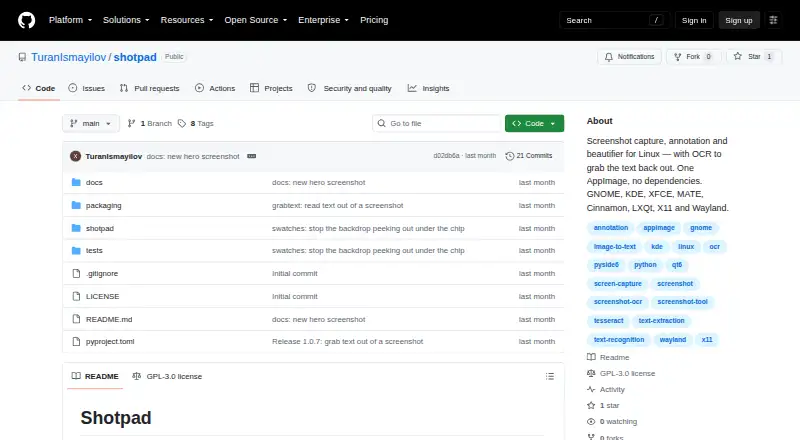
- Shotpad is a Linux screenshot capture, annotation, and beautification app with OCR.checked 12 Oct 2026
- Redaction behavior
- Redactions are baked into screenshot pixels, and OCR reads the redacted image as it will be exported.checked 11 Oct 2026
- Redaction tools
- Yeschecked 20 Sep 2026
- Requirements
- The pipx installation requires Python 3.10 or later, while the AppImage includes Python and Qt and has no host dependencies.checked 12 Oct 2026
- Screenshot styling
- It supports gradient, solid, image, or transparent backgrounds, padding, rounded corners, shadows, tilt, and grain.checked 11 Oct 2026
- Wayland permissions
- On Wayland, screen capture uses the XDG desktop portal, and GNOME and KDE request permission on first use.checked 12 Oct 2026
Money
- Free plan
- Yeschecked 20 Sep 2026
The company
- Maker
- The README identifies Turan Ismayilov as the copyright holder and says copyright is © 2026.checked 12 Oct 2026
Alternatives to Shotpad
- 1
Gyazo
Free planAndroidiOSWebExtension8.0Free plan - 2

Awesome Screenshot
Free planiOSWebExtensionmacOS7.6From $5 a month - 3

Microsoft Edge
Free planAndroidiOSWebExtension7.5Free plan - 4

Monosnap
Free planWebExtensionLinuxmacOS7.5From $2.50 a month - 5

Greenshot
Free planWindows7.0$1.99 one-time - 6
Screention
Free planLinuxmacOSWindows7.0Free plan