Sessionize
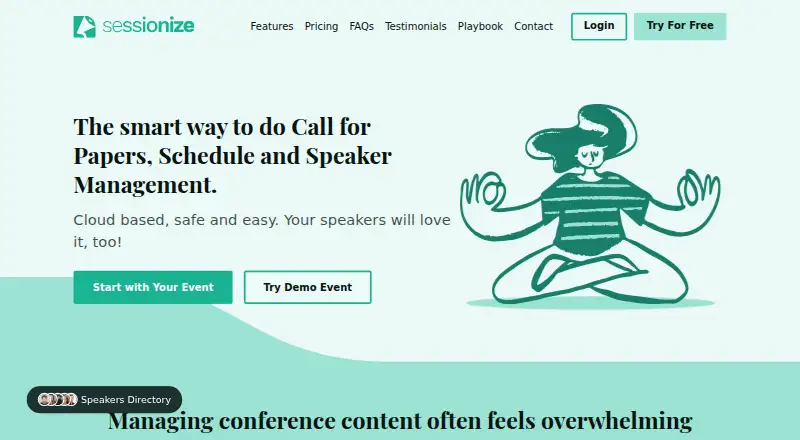
Sessionize is cloud-based event content management software for organizing in-person and online events.
What Sessionize is
Sessionize is cloud-based event content management software for organizing in-person and online events. Its tools cover calls for speakers, proposal evaluation, speaker and session management, and schedule building. Organizers can make submission forms with custom fields, limits, deadlines, and agent mode, then assess proposals with star ratings, Yes/No decisions, or comparisons. Schedules can be arranged by drag and drop, embedded on websites, or retrieved as JSON or XML. The included attendee app works on phones, tablets, and desktops, supports offline use, and lets attendees make personal schedules. API integration and embedding are available for event websites, mobile apps, and WordPress sites. Sessionize lists unlimited sessions, speakers, team members, organizers, and evaluators. A free trial requires no credit card; a Professional event costs $499, paid once for one event occurrence. It does not provide attendee management or ticket selling, live streaming or video hosting, or an event webpage builder. Platforms include Android, iOS, and web.
Good
- Customizable speaker forms include limits and deadlines.
- Schedules support drag-and-drop building and website embeds.
- Attendee app works offline and supports personal schedules.
- Free trial requires no credit card.
Watch out
- Does not provide attendee management or ticket selling.
- No live streaming or video hosting.
- No event webpage builder.
- Professional event costs $499, paid once.
Who it suits
Sessionize suits organizers managing speaker proposals, sessions, and schedules for in-person or online events. It can also serve attendees who want to build a personal schedule in the included app.
Verdict
Sessionize focuses on event content rather than the full attendee or ticketing operation. Its proposal and scheduling tools are broad, but organizers needing ticket sales, streaming, or an event-page builder will need other provisions.
Plans and prices
From Sessionize's own pricing page, checked 30 Sep 2026.
| Plan | Price | What it gives you |
|---|---|---|
| Community event | Free | free community events only · not internal, private, promotional, marketing, profit or commercial events |
| Professional event | $499, paid once | priority email support · no credit card required · fully functional test mode · one event occurrence |
| Bulk | Priced on request | 5+ events per year · activation codes purchased in advance |
The facts
Each one read from Sessionize's own pages, with the date it was checked.
Where it runs
- Attendee app
- The included app is installable on mobile phones, works on tablets and desktops, supports offline use, and lets attendees build personal schedules.checked 30 Sep 2026
What it does
- Core workflow
- It supports calls for speakers, session evaluation, session and speaker management, schedule building, and related event-content tasks.checked 30 Sep 2026
- Evaluation
- Sessionize provides stars rating, Yes/No, and comparison evaluation modes.checked 30 Sep 2026
- Integrations
- Sessionize offers API integration and embedding for event websites, mobile apps, and WordPress sites.checked 30 Sep 2026
- Product boundaries
- Sessionize does not provide attendee management or ticket selling, live streaming or video hosting, or an event webpage builder.checked 30 Sep 2026
- Product type
- Sessionize is cloud-based event content management software for organizing in-person or online events of any size and complexity.checked 30 Sep 2026
- Reliability and hosting
- Sessionize states 99.9% uptime, encrypted data at rest, geo-redundant backups, and hosting through Microsoft Azure and Amazon AWS.checked 30 Sep 2026
- Schedule publishing
- Schedules can be built by drag and drop, embedded on websites, or retrieved as JSON or XML.checked 30 Sep 2026
- Security
- The service uses HTTPS, one-way password hashing and salting, and request-level role-based access control.checked 30 Sep 2026
- Submission management
- Organizers can create customizable call-for-speakers forms with custom fields, submission limits, deadlines, and agent mode.checked 30 Sep 2026
- Support
- Support is available by email, and the Playbook provides articles and guidance for using Sessionize.checked 30 Sep 2026
- Usage limits
- The feature page states unlimited sessions, speakers, and team members, with unlimited organizers and evaluators.checked 30 Sep 2026
Money
- Trial
- The trial is free, requires no credit card, and supports login through Google, Microsoft, Facebook, Office 365, or Twitter.checked 30 Sep 2026
The full review of Sessionize
Sessionize is cloud software for collecting proposals, evaluating speakers, and turning accepted sessions into a publishable event program. It is a strong fit for conference teams that need a disciplined content workflow across online or in-person events, especially when an attendee schedule app matters. The trade-off is scope: teams looking for ticketing, attendee administration, streaming, or a complete event website will need complementary services.
Overview
Sessionize covers the content side of events of any size and complexity. Its workflow runs from a call for speakers through review, speaker and session administration, room and track planning, and schedule publication. That focus makes it more suitable for program committees and conference organizers than for operators seeking a single system for registration and event operations.
Key features
Call-for-speakers forms can be customized with extra fields, submission limits, deadlines, and agent mode. These controls help organizers collect proposals in a consistent format and delegate submissions where appropriate. Reviewers can use star ratings, Yes/No decisions, or side-by-side comparison, so a committee can match its evaluation method to the selection process rather than being locked into one scoring model.
Session and speaker management is joined by session tracks and room scheduling. Accepted content can be arranged with drag-and-drop schedule building, then embedded on a website or delivered as JSON or XML. API integration and embedding for event websites, mobile apps, and WordPress sites make the schedule usable in an existing digital setup instead of forcing a separate attendee destination.
The included attendee app works on phones, tablets, and desktops, supports offline use, and lets people create personal schedules. That is a practical advantage for conferences where attendees need their program while moving between rooms or when connectivity is unreliable. Sessionize states that sessions, speakers, team members, organizers, and evaluators are unlimited, removing stated caps that could otherwise constrain a large content team.
Security and hosting provisions include HTTPS, one-way password hashing and salting, request-level role-based access control, encrypted data at rest, geo-redundant backups, and hosting on Microsoft Azure and Amazon AWS. The service states 99.9% uptime. Email support is supplemented by the Playbook, which provides usage guidance, but the published support offer is narrower than a dedicated event-services operation.
Pricing
Sessionize uses a freemium model. The Community event plan costs free and is restricted to free community events; it cannot be used for internal, private, promotional, marketing, profit, or commercial events. It is appropriate for genuinely free community programming, but those restrictions rule it out for many business and paid conferences.
The Professional event plan costs $499, paid once, billed for one event occurrence. It includes priority email support, requires no credit card, and provides a fully functional test mode, making it the practical choice for a commercial or private event that needs to validate its setup before launch. Teams running five or more events per year can use Bulk, which sells activation codes in advance; pricing is custom rather than published.
A free trial is available without a credit card. Sign-in can use Google, Microsoft, Facebook, Office 365, or Twitter, lowering the barrier to evaluating the workflow before committing. The service does not replace ticket sales or attendee management at any plan level, so budget for those functions separately.
Platforms
Sessionize is available on Android, iOS, and the web. Its attendee application also supports tablets and desktops, while integrations and embeddable outputs extend the service into websites, mobile apps, and WordPress.
Who it's for
Choose Sessionize when a conference or event team primarily needs proposal intake, structured review, speaker coordination, scheduling, and an attendee-facing program. Unlimited stated content and team capacity suit broad calls for speakers and sizeable committees. Look elsewhere if the central requirement is registration, ticket commerce, live video, or building the event’s public webpage; those are outside Sessionize’s remit.
Pros and cons
- Pros: Flexible submission forms and three evaluation modes support different committee processes.
- Pros: Drag-and-drop scheduling, room and track tools, and JSON/XML output connect selection work to publication.
- Pros: The offline-capable attendee app supports personal schedules across mobile and desktop devices.
- Pros: Unlimited stated sessions, speakers, team members, organizers, and evaluators avoid published scale ceilings.
- Cons: The free Community plan excludes commercial, private, and promotional events.
- Cons: Ticketing, attendee management, streaming, video hosting, and event-page creation require other provisions.
- Cons: Bulk pricing is custom, so recurring-event costs cannot be compared from a published rate.
Alternatives
For a broader shortlist, see Call for Papers Software, Event Scheduling Software, and Speaker Management Software.
Fourwaves is worth choosing when unlimited registrations and events on its free Starter plan matter more than Sessionize’s event-content focus; Starter allows 25 abstract submissions per year and charges a 3% service fee.
ConfTool suits smaller non-commercial events that can use a local installation and accept up to 150 participants on its free Standard license.
HotCRP is an alternative for ACM- or USENIX-sponsored conferences, journals, and workshops using its corresponding free plans.
MeetingHand Abstract Management fits a web-only workflow with a free allowance of up to 25 registrations or abstracts.
SimplyConf is a candidate for self-hosted teams wanting unlimited events, submissions, and users on its free Core plan.
Airballoon is an option when a companion event and networking app is the priority.
OpenConf may suit organizations preferring self-hosted conference software and a Community Edition for up to three events or journals per calendar year.
AbstractWiz is suitable for a simpler per-event submission workflow, with a free tier capped at 20 submissions and a 270.00 USD one-time Standard plan for unlimited submissions.
Verdict
Sessionize is a strong choice for organizers whose defining problem is managing event content from proposal to published schedule, with an attendee app and integration options included. Its unlimited stated content and team capacity, flexible review tools, and offline schedule support are compelling for conference programs. Choose another platform—or pair it with one—if your event also needs ticket sales, attendee administration, streaming, video hosting, or a built-in event website.
Alternatives to Sessionize
- 1

Fourwaves
Free planAndroidiOSWebAPI8.2From $999 a year - 2
HotCRP
Free planOpen sourceWebAPILinuxmacOS8.1$7.50 one-time - 3
ConfTool
Free planAndroidiOSWebSelf-hosted6.9Free plan - 4

MeetingHand Abstract Management
Free planWeb6.9$990 one-time - 5
OpenConf
Free planWebSelf-hosted6.9From $600 a year - 6
EasyChair
Free planWeb6.8$3.90 one-time