
Screencap
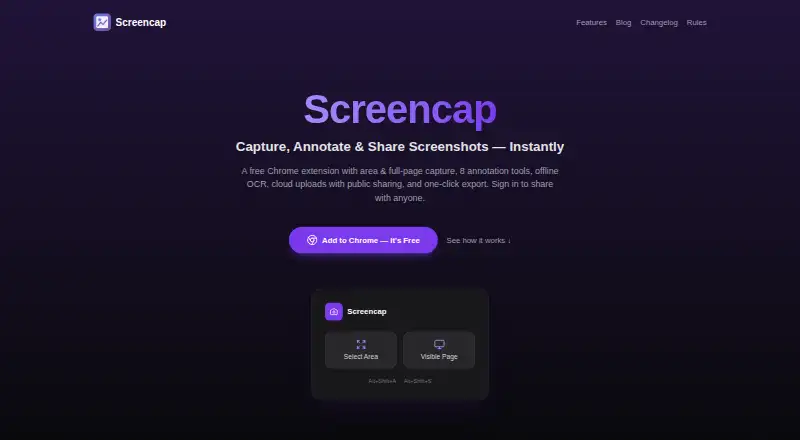
The facts below are what the maker publishes about Screencap, checked and dated. Our editors have not written about it yet.
Plans and prices
From Screencap's own pricing page, checked 10 Oct 2026.
| Plan | Price | What it gives you |
|---|---|---|
| Free | Free | 1 GB cloud storage · local capture and editing without an account |
The facts
Each one read from Screencap's own pages, with the date it was checked.
What it does
- Annotations
- Its eight annotation tools are rectangle, arrow, line, freehand, text, blur, select, and crop, with undo and redo.checked 10 Oct 2026
- Backgrounds
- It offers 11 background presets, adjustable padding and corner radius, and three shadow intensities.checked 10 Oct 2026
- Capture
- It captures a selected area or the currently visible page, using the extension or keyboard shortcuts.checked 10 Oct 2026
- Cloud sharing
- Optional Google sign-in enables cloud uploads and public share links that anyone with the link can view.checked 10 Oct 2026
- Cloud storage limit
- A standard account currently includes 1 GB of cloud storage.checked 10 Oct 2026
- Export
- Screenshots can be copied to the clipboard, downloaded as PNGs, or dragged into Slack, Notion, and Figma.checked 10 Oct 2026
- Integrations
- The site names Slack, Notion, and Figma for drag-and-drop export; it does not describe separate integrations.checked 10 Oct 2026
- Languages
- The extension supports English, Hindi, Simplified Chinese, French, German, and Spanish.checked 10 Oct 2026
- OCR
- English OCR runs locally in the browser, without uploading screenshots or extracted text.checked 10 Oct 2026
- Privacy
- The extension says it does not collect browsing history or use extension analytics, telemetry, or advertising tracking.checked 10 Oct 2026
- Public links
- Uploaded images can be viewed, downloaded, copied, and reshared by anyone who obtains the unlisted link.checked 10 Oct 2026
- Purpose
- Screencap is a Chrome extension for capturing, annotating, beautifying, and sharing screenshots.checked 10 Oct 2026
- Support
- The site directs users to [email protected] for help.checked 10 Oct 2026
- Who it is for
- The maker describes it as a screenshot tool for power users and everyone, with local capture and editing available without an account.checked 10 Oct 2026
The company
- Headquarters
- Sarajevo, Bosnia and Herzegovinachecked 28 Sep 2026
Alternatives to Screencap
- 1
Gyazo
Free planAndroidiOSWebExtension8.0Free plan - 2

Awesome Screenshot
Free planiOSWebExtensionmacOS7.6From $5 a month - 3

Microsoft Edge
Free planAndroidiOSWebExtension7.5Free plan - 4

Monosnap
Free planWebExtensionLinuxmacOS7.5From $2.50 a month - 5
Greenshot
Free planWindows7.0$1.99 one-time - 6
Screention
Free planLinuxmacOSWindows7.0Free plan