ScanToPDF
ScanToPDF is Windows desktop software for capturing images from TWAIN scanners or importing files from folders, then creating PDF documents.
What ScanToPDF is
ScanToPDF is Windows desktop software for capturing images from TWAIN scanners or importing files from folders, then creating PDF documents. Standard Edition creates PDF or PDF/A files and can import PDFs to remove or merge pages. Professional editions add office scanning functions, while OCR Edition creates searchable PDFs and exports recognized data for other systems. Barcode solutions process batches, separate pages, recognize QR codes and barcodes, and can name files from barcode values; server processing runs through monitored hot folders on Windows Server. Plugins provide SMTP email, WebDAV, FTP-based cloud sharing, and CSV, TXT, or XML data export. PDF options include PDF/A-1b and PDF/UA-1 compliance. Free evaluation lasts 30 days, but documents carry a website watermark until activation. Licensing includes annual subscriptions, perpetual licenses, and yearly concurrent licenses. Client support covers Windows 10 version 1607 or later and Windows 11; listed server systems include Windows Server 2019, 2022, and 2025 or newer.
Good
- Creates PDF, PDF/A, and searchable PDF files
- Batch barcode processing with page separation
- Imports PDFs to remove or merge pages
- Plugins support email, WebDAV, FTP, and data export
- 30-day free evaluation
Watch out
- Evaluation documents carry a website watermark
- TWAIN drivers require the 32-bit client
- Shared virtual deployments require licensing server
- Support without an agreement may be chargeable
Who it suits
It suits Windows users who need scanner capture, batch processing, searchable PDFs, barcode workflows, or server-based document handling. Organizations should review licensing requirements for shared or virtualized deployments.
Verdict
ScanToPDF offers editions and solutions for scanning, OCR, barcode batches, and server processing. Confirm edition, operating-system, and licensing requirements before deployment.
The facts
Each one read from ScanToPDF's own pages, with the date it was checked.
What it does
- Barcode processing
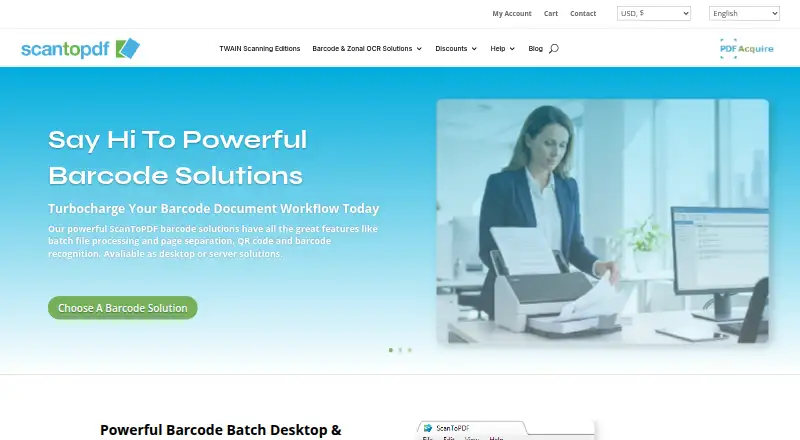
- Barcode solutions support batch processing, page separation, QR code and barcode recognition, and are available as desktop or server solutions.checked 9 Oct 2026
- Batch processing
- Barcode solutions can separate batches into PDFs and use barcode values for automatic file naming.checked 9 Oct 2026
- Deployment limits
- Using Citrix, Terminal Services, or virtual machines for multiple users requires the OiC Licensing server and a concurrent license.checked 9 Oct 2026
- Editions
- The Standard, Professional, and OCR editions cover PDF creation, office scanning features, and searchable PDF creation with OCR.checked 9 Oct 2026
- Evaluation
- The maker says all software can be evaluated free of charge; evaluation documents carry a website watermark until activation.checked 9 Oct 2026
- Evaluation restriction
- During free evaluation, documents carry the maker’s website address watermark until the software is activated with purchased license keys.checked 9 Oct 2026
- Integrations
- Plugins include SMTP email, WebDAV upload, FTP based cloud sharing, and export of processing data to CSV, TXT, or XML.checked 9 Oct 2026
- License activation
- After evaluation, the software requires activation; the maker describes remote activation using an internet connection and local keys available on request.checked 9 Oct 2026
- Licensing
- License types include annual subscriptions, perpetual licenses for the purchased version, and concurrent licenses that expire yearly.checked 9 Oct 2026
- OCR
- The OCR Edition adds optical character recognition to create searchable PDFs and export data for integration with other systems.checked 9 Oct 2026
- Operating systems
- The stated client operating systems are Windows 10 version 1607 or later and Windows 11; server systems listed are Windows Server 2019, 2022, and 2025 or newer.checked 9 Oct 2026
- PDF creation
- Its Standard Edition creates PDF or PDF/A documents from TWAIN compliant scanners and can import PDFs to remove or merge pages.checked 9 Oct 2026
- PDF standards
- The PDF settings documentation lists PDF/A-1b and PDF/UA-1 compliance options.checked 9 Oct 2026
- Product purpose
- ScanToPDF provides desktop software for capturing images from TWAIN scanners or importing files from folders.checked 9 Oct 2026
- Purpose
- ScanToPDF provides desktop software for capturing images from TWAIN scanners or importing images from folders and converting them to PDF.checked 9 Oct 2026
- Scanner requirements
- TWAIN capture requires a compatible scanner and driver, and the maker says TWAIN drivers can be used only with the 32-bit version.checked 9 Oct 2026
- Server processing
- PDF Acquire Barcode Server runs as a Windows Server application and processes previously scanned files from monitored hot folders.checked 9 Oct 2026
- Support
- Priority support agreements include support portal access and may include remote screen sharing, email, and telephone support; support without an agreement may be chargeable.checked 9 Oct 2026
The company
- Company
- The maker identifies itself as O Imaging Corporation Limited (OiC), trading as ScanToPDF, and says it has been registered and based in the UK since October 1993.checked 9 Oct 2026
- Founded
- 1993checked 28 Sep 2026
- Headquarters
- United Kingdomchecked 28 Sep 2026
- Maker history
- OiC says it has been registered and based in the United Kingdom since October 1993 and began as a scanning bureau.checked 9 Oct 2026
Money
- Free evaluation
- The maker offers a 30-day evaluation, with Try Out licenses for editions and Proof Of Concept licenses for solutions.checked 9 Oct 2026
- Free plugins
- Auto Rotate, PDF Import, Page Deskew, and Document Visualisation are listed as free plugins that do not require a license key.checked 9 Oct 2026
Alternatives to ScanToPDF
- 1
Dynamic Web TWAIN
AndroidiOSWebAPI7.7$1,249 usage-based - 2

EzeScan
Free planWebAPISelf-hostedWindows7.6$500 usage-based - 3

NAPS2
Free planOpen sourceAPILinuxmacOSWindows7.4Free plan - 4

PaperScan
Free planWindows7.4$79 one-time - 5
Avidemux
Free planOpen sourceWebLinuxmacOSWindows7.3Free plan - 6
Readiris PDF
macOSWindows6.6