Scanner App
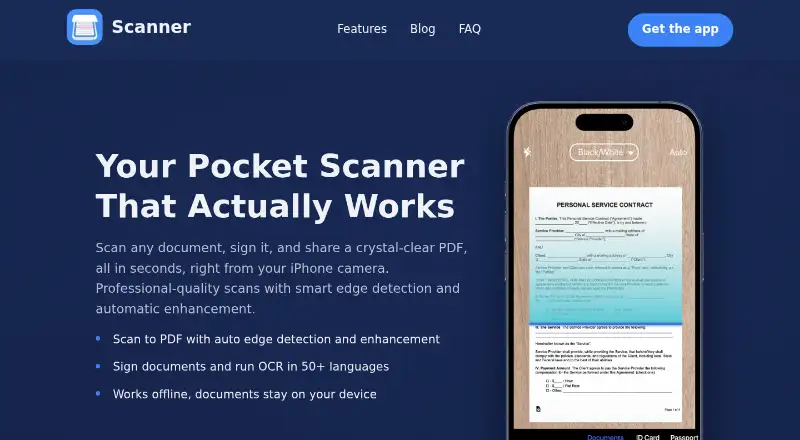
The facts below are what the maker publishes about Scanner App, checked and dated. Our editors have not written about it yet.
Plans and prices
From Scanner App's own pricing page, checked 22 Sep 2026.
| Plan | Price | What it gives you |
|---|---|---|
| Premium Weekly | — | Unlimited scans · OCR · Signatures · Advanced features |
| Premium Yearly | — | Unlimited scans · OCR · Signatures · Advanced features |
| Premium Lifetime | — | Premium features |
| Free | Free | Core scanning · optional in-app purchases unlock premium features |
| Scanner Premium - Yearly | $34.99 a year | Unlimited scans · OCR · signatures · advanced features · Automatically renews yearly unless canceled |
| Scanner Premium - Lifetime | $49.99, paid once | Premium features · One-time in-app purchase |
The facts
Each one read from Scanner App's own pages, with the date it was checked.
Where it runs
- Android app
- Nochecked 22 Sep 2026
- iOS app
- Yeschecked 22 Sep 2026
- Platform
- The maker describes Scanner App as an iPhone app; its App Store listing says it is only for iPhone and requires iOS 15.4 or later.checked 11 Oct 2026
What it does
- Auto capture
- Yeschecked 22 Sep 2026
- Document privacy
- The maker says documents are stored locally and are not accessed, collected, or shared by Scanner App.checked 11 Oct 2026
- Document scanning
- The iPhone app detects page edges, corrects perspective, enhances scans, and supports batch scanning into multipage documents.checked 11 Oct 2026
- Editing and export
- Users can adjust image settings, reorder or merge pages, and export scans as PDF, JPG, PNG, or TXT.checked 11 Oct 2026
- ID scanning
- A dedicated mode scans ID cards, passports, driver’s licenses, and business cards.checked 11 Oct 2026
- Integrations
- Scans can be shared through email, iMessage, or WhatsApp, uploaded to iCloud Drive, Google Drive, Dropbox, or OneDrive, and printed with AirPrint.checked 11 Oct 2026
- Multipage PDF
- Yeschecked 22 Sep 2026
- OCR
- OCR extracts text from scans and images and supports more than 50 languages, including handwritten notes.checked 11 Oct 2026
- OCR included
- Yeschecked 22 Sep 2026
- Offline use
- Scanning, enhancement, OCR, and signing run on the iPhone without an internet connection.checked 11 Oct 2026
- Organization
- Users can organize scans in folders, add tags, and search document text using OCR.checked 11 Oct 2026
- Signing
- Users can save multiple signatures and add a signature to a document with a tap.checked 11 Oct 2026
- Support
- The maker lists [email protected] for questions, bug reports, and feature requests and says a person reads every message.checked 11 Oct 2026
Money
- Free plan
- Yeschecked 22 Sep 2026
- Plan limits
- Core scanning is available free; premium purchases unlock unlimited scans, OCR, signatures, and advanced features, and the maker says no subscription is mandatory.checked 11 Oct 2026
- Trial and renewal
- The App Store listing offers a three-day free trial and says subscriptions renew automatically unless auto-renew is turned off at least 24 hours before the period ends.checked 11 Oct 2026
The company
- Headquarters
- Istanbul, Türkiyechecked 28 Sep 2026
- Maker and location
- Scanner App is made by Xeplin, a mobile app studio based in Istanbul, Türkiye.checked 11 Oct 2026
Alternatives to Scanner App
- 1

Smallpdf
Free planAndroidiOSWebWindows8.9From $10 a month - 2

DocuWare
AndroidiOSWebAPI8.6From £1,060 a month - 3

Docutain
Free planAndroidiOSWindows8.4From €2.08 a month - 4

CamScanner
Free planAndroidiOSWebmacOS8.3From $59.99 a year - 5

Google Photos
Free planAndroidiOSWebAPI8.3Free plan - 6
TapScanner
Free planAndroidiOSWeb8.2From $39.99 a year