
Samsung Internet
Samsung Internet is a free web browser for Android phones and tablets and Windows PCs, using Chromium as its browser engine.
What Samsung Internet is
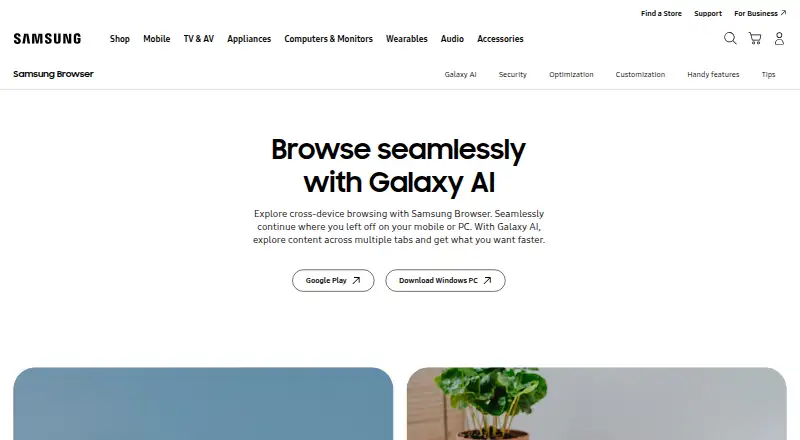
Samsung Internet is a free web browser for Android phones and tablets and Windows PCs, using Chromium as its browser engine. It supports continuing browsing across devices, provided both devices use the same Samsung Account; handoff also requires Wi-Fi, Bluetooth, and the Continue apps on other devices setting. On select devices running Android 14 with One UI 6.1 or higher, Galaxy AI’s Browsing Assist can summarize and translate webpages and read selected text aloud. Availability may depend on language, region, operating system, and device, and AI features may require a network connection and Samsung Account. Video Assistant offers full-screen and pop-up playback with touch controls for brightness and volume on Android, depending on the webpage. Users can customize the menu and toolbar, while Quick access displays favorite-site shortcuts. Secret Mode removes cookies and browsing history when its tabs close. Smart Anti-Tracking and a Privacy Dashboard provide privacy features. PC supports content blockers; Android ad blocking requires a compatible third-party app.
Good
- Free browser for Android and Windows
- Cross-device browsing support
- Customizable menu, URL bar, and toolbar
- Secret Mode deletes cookies and browsing history
- Privacy Dashboard shows blocked trackers
Watch out
- Android ad blocking requires a compatible third-party app
- Galaxy AI features are limited to supported devices
- Cross-device handoff has account and connectivity requirements
Who it suits
Samsung Internet suits people seeking a free browser for Android and Windows who want cross-device browsing and customizable controls. Its Galaxy AI features are for users with supported devices and software.
Verdict
Samsung Internet offers core browsing, privacy features, and cross-device continuation at no listed cost. Some capabilities depend on supported devices, settings, or third-party apps.
Plans and prices
From Samsung Internet's own pricing page, checked 12 Oct 2026.
| Plan | Price | What it gives you |
|---|---|---|
| Samsung Browser | Free | No paid plans or usage limits stated on the pages reviewed |
The facts
Each one read from Samsung Internet's own pages, with the date it was checked.
What it does
- Ad blocking
- On PC, Samsung Browser includes content blocker support; on Android, a compatible third-party app must be installed to block ads.checked 11 Oct 2026
- AI availability
- Browsing Assist is available on select devices running Android 14 with One UI 6.1 or higher; Samsung says its basic Galaxy AI features are free.checked 12 Oct 2026
- AI features
- Galaxy AI features include Ask AI, webpage summaries, translation and reading highlighted text aloud.checked 11 Oct 2026
- AI requirements
- Galaxy AI features may require a network connection and Samsung Account, and availability varies by language, region, operating system and device.checked 11 Oct 2026
- Battery
- Samsung says Galaxy hardware optimization can extend battery life while browsing on Galaxy devices.checked 11 Oct 2026
- Biometric sign-in
- Samsung web sign-in can use fingerprint or iris verification on supported biometric-enabled devices and requires accepting Samsung Account and Samsung Pass terms.checked 12 Oct 2026
- Built-in ad blocking
- Nochecked 21 Sep 2026
- Customization
- Users can move the menu and URL bar, rearrange the Customize menu, and add up to seven features to the toolbar.checked 11 Oct 2026
- Extensions
- Samsung Browser extensions can add features such as translation, security, shopping assistance, and ad blocking; the product page says to download them from Galaxy Store.checked 12 Oct 2026
- Extension support
- own_storechecked 21 Sep 2026
- Galaxy AI
- Browsing Assist can summarize and translate webpages and read selected text aloud on supported devices.checked 12 Oct 2026
- Privacy
- Secret Mode deletes cookies and browsing history after all Secret Mode tabs are closed, while saved items remain accessible only in Secret Mode.checked 11 Oct 2026
- Privacy dashboard
- The Privacy Dashboard shows blocked trackers, privacy protections, and browsing security settings.checked 12 Oct 2026
- Purpose
- Samsung describes its browser as a web browser for phones and tablets.checked 12 Oct 2026
- Quick access
- Quick access displays shortcuts to favorite websites when the browser launches.checked 11 Oct 2026
Where it runs
- Android ad blocking
- On Android, Smart Anti-Tracking is built in, but ad blocking requires installing a compatible third-party app.checked 12 Oct 2026
- Browser
- Samsung Browser lets users browse webpages across mobile and PC, and continue where they left off between devices.checked 11 Oct 2026
- Browser engine
- chromiumchecked 21 Sep 2026
- Cross-device sync
- Yeschecked 21 Sep 2026
- Cross-device use
- Samsung Browser is available on Android phones and tablets and Windows PCs, and supports continuing browsing between devices.checked 12 Oct 2026
- Platforms
- Samsung says the browser is available on Android smartphones and tablets and on PCs running Windows 10 or later.checked 11 Oct 2026
The company
- Company
- Samsung Electronics says it was founded in 1969.checked 12 Oct 2026
- Headquarters
- Suwon, South Koreachecked 4 Oct 2026
Money
- Free plan
- Yeschecked 21 Sep 2026
Alternatives to Samsung Internet
- 1

Brave Browser
Free planOpen sourceAndroidiOSLinuxmacOS9.2Free plan - 2

AVG Secure Browser
Free planAndroidWebExtensionmacOS8.8From $39.99 a year - 3

Kameleo
Free planAndroidiOSWebAPI8.8Free plan - 4

DuckDuckGo Browser
Free planAndroidiOSmacOSWindows8.7Free plan - 5

Opera
Free planAndroidiOSWebExtension8.6From $48 a year - 6
Waterfox
Free planOpen sourceAndroidExtensionLinuxmacOS8.6From $5 a month