QMPlay2
QMPlay2 is a video and audio player for formats supported by FFmpeg, along with Audio CDs, raw files, and chiptunes.
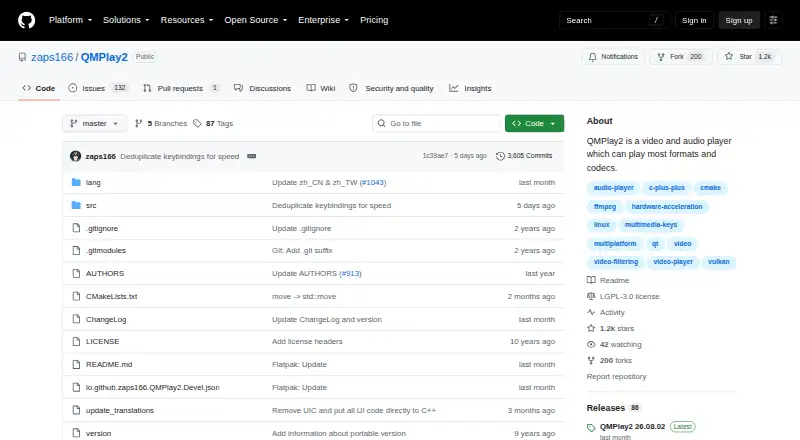
What QMPlay2 is
QMPlay2 is a video and audio player for formats supported by FFmpeg, along with Audio CDs, raw files, and chiptunes. It supports network playback, subtitles, and hardware acceleration, and its video features include spherical view, automatic interlace detection, and deinterlacing filters. The player includes a YouTube browser; YouTube playback requires yt-dlp, which QMPlay2 can download automatically. Its documentation also describes using Streamlink as the player and an optional Last.fm extension for scrobbling. QMPlay2 is available for Linux, macOS, and Windows under the LGPL-3.0 license. The listed macOS download requires Big Sur or higher and includes a universal x86_64 and arm64 binary. Windows XP builds lack updates and MediaBrowser, while the offline Windows build lacks updates and most network services. The latest release page says the experimental Android package is no longer provided, and AppImage is no longer offered for Linux. The project provides Issues and Discussions for community reports and questions.
Good
- Plays FFmpeg-supported formats, Audio CDs, raw files, and chiptunes.
- Supports subtitles and network playback.
- Includes hardware acceleration.
- Offers YouTube browsing with automatic yt-dlp download.
Watch out
- macOS download requires Big Sur or higher.
- Windows XP builds lack updates and MediaBrowser.
- Offline Windows build lacks updates and most network services.
- Android package is no longer provided.
Who it suits
QMPlay2 suits people looking for a free player for a range of audio and video formats on Linux, macOS, or Windows. It may also suit listeners who want documented Streamlink playback or optional Last.fm scrobbling.
Verdict
QMPlay2 covers common desktop platforms and a range of media sources, with several documented video and audio integrations. Check the platform-specific limitations, particularly if you need older Windows versions, Android, or an AppImage.
Plans and prices
From QMPlay2's own pricing page, checked 9 Oct 2026.
| Plan | Price | What it gives you |
|---|---|---|
| Free | Free | Video and audio player; no paid plans stated |
The facts
Each one read from QMPlay2's own pages, with the date it was checked.
Where it runs
- Android availability
- The latest release page says the experimental Android package is no longer provided.checked 9 Oct 2026
- Linux downloads
- The latest release page says AppImage is no longer provided; the README lists installation instructions for several Linux distributions.checked 9 Oct 2026
- Linux integration
- On Linux/BSD, the README documents multimedia-key controls and MPRIS2 commands.checked 9 Oct 2026
- macOS requirement
- The listed macOS download requires macOS Big Sur or higher and is a universal x86_64 and arm64 binary.checked 9 Oct 2026
- macOS requirements
- The latest release page requires macOS Big Sur or higher and offers a universal x86_64 and arm64 binary.checked 9 Oct 2026
- Platforms
- The latest release page lists downloads for Windows and macOS and links to Arch Linux packages; it says Android experimental packages and AppImage are no longer provided.checked 9 Oct 2026
What it does
- Audio integration
- The README documents ALSA and Linux/BSD MPRIS2 multimedia key controls.checked 9 Oct 2026
- Audio scrobbling
- The README describes an optional Last.fm scrobbling extension configured with a Last.fm login and password.checked 9 Oct 2026
- Format support
- FFmpeg-supported formats and codecs; Audio CD; raw files; chiptuneschecked 23 Sep 2026
- Hardware acceleration
- Yeschecked 23 Sep 2026
- Hardware decoding
- Supported hardware video decoding options include Vulkan Video, NVIDIA CUVID, Windows DXVA2 and D3D11VA, Linux/BSD VA-API, and macOS VideoToolBox.checked 9 Oct 2026
- Last.fm
- An optional Last.fm extension can scrobble playback using a configured login and password.checked 9 Oct 2026
- License
- The repository identifies its license as LGPL-3.0.checked 9 Oct 2026
- License model
- freechecked 23 Sep 2026
- Maintainer
- GitHub identifies zaps166 as Błażej Szczygieł and lists Poland on the profile; it does not state a founding date.checked 9 Oct 2026
- Media support
- It also supports Audio CD, raw files, and chiptunes.checked 9 Oct 2026
- Network playback
- Yeschecked 23 Sep 2026
- Product
- QMPlay2 is a video and audio player that supports formats handled by FFmpeg, Audio CDs, raw files, and chiptunes.checked 9 Oct 2026
- Purpose
- QMPlay2 is a video and audio player that can play formats supported by FFmpeg.checked 9 Oct 2026
- Security
- GitHub reports that the project has no security policy set up and no published security advisories.checked 9 Oct 2026
- Streaming integration
- The README documents using Streamlink with QMPlay2 as the player.checked 9 Oct 2026
- Streamlink
- QMPlay2 can be used as a Streamlink player.checked 9 Oct 2026
- Subtitle support
- Yeschecked 23 Sep 2026
Money
- Free plan
- Yeschecked 23 Sep 2026
The full review of QMPlay2
QMPlay2 is a free video and audio player for Windows, Linux and macOS. It suits desktop viewers and listeners who want broad FFmpeg format support alongside options for streaming and hardware decoding. Its range is appealing, but platform-specific caveats make it a less straightforward choice if you need Windows XP updates, an AppImage, or an Android package.
Overview
QMPlay2 handles video and audio formats supported by FFmpeg, as well as Audio CDs, raw files and chiptunes. That breadth makes it useful for mixed media libraries and less common audio sources, rather than just routine video playback. Network playback and subtitle support add practical flexibility.
Its integrations extend beyond local files: it includes a YouTube browser, can work with Streamlink, and offers an optional Last.fm scrobbling extension. YouTube playback requires yt-dlp, which QMPlay2 can download automatically. Streamlink setup and Last.fm account configuration make those features more appealing to users willing to configure their player than to anyone seeking a zero-setup streaming hub.
Key features
- Broad media support: FFmpeg-supported formats and codecs, Audio CDs, raw files and chiptunes cover varied libraries and listening habits.
- Video decoding and processing: Hardware decoding options include Vulkan Video, NVIDIA CUVID, Windows DXVA2 and D3D11VA, Linux/BSD VA-API, and macOS VideoToolBox. Spherical view, automatic interlace detection and deinterlacing filters give users additional ways to handle particular video sources.
- Online playback: The built-in YouTube browser requires yt-dlp for playback, while Streamlink can be used with QMPlay2 as the player. These are useful additions, though they depend on separate tools or setup.
- Audio and desktop integration: An optional Last.fm extension scrobbles playback with a configured login and password. Linux/BSD users also get documented multimedia-key controls and MPRIS2 commands.
- Community support: Issues and Discussions provide places to report problems and ask questions.
Pricing
QMPlay2 is free: its Free plan costs nothing and provides the video and audio player. No paid plans are stated, so there is no paid tier to weigh against its capabilities. The project identifies its license as LGPL-3.0.
Platforms
QMPlay2 supports Linux, macOS and Windows, but the practical fit depends on the release. The latest macOS release requires Big Sur or higher and provides a universal x86_64 and arm64 binary. Linux users can follow distribution-specific installation instructions, but an AppImage is no longer provided.
Windows XP builds lack updates and MediaBrowser; the offline build lacks updates and most network services. Those are meaningful compromises for users who depend on older Windows or want offline installation without losing network features. The experimental Android package is no longer provided, so QMPlay2 is not a current choice for Android playback. GitHub reports no security policy and no published security advisories.
Who it's for
QMPlay2 is a strong fit for desktop users who value wide codec and media-type coverage, hardware-decoding options, and configurable links to YouTube, Streamlink or Last.fm. It is less suitable for Android users, Mac users below Big Sur, people who require an AppImage, or Windows XP users who need current updates and MediaBrowser.
Pros and cons
- Pro: FFmpeg-supported formats plus Audio CDs, raw files and chiptunes make it useful across varied video and audio collections.
- Pro: Hardware decoding options span the major desktop operating systems, giving users platform-specific acceleration paths.
- Pro: YouTube, Streamlink and optional Last.fm integrations broaden its use beyond local playback.
- Con: YouTube playback depends on yt-dlp, and Streamlink and Last.fm involve additional setup.
- Con: No current AppImage or experimental Android package narrows its convenience for those platforms.
- Con: Older Windows and offline builds give up updates and, depending on the build, MediaBrowser or most network services.
Alternatives
Consider mpv if you want a free player with wide media-format, codec and subtitle support and do not mind a command-line interface; it also runs on Android. For a Windows media player with an explicitly free tier, ALLPlayer is another option, though its AI Voice-Over requires a paid package. SMPlayer is a free, open-source alternative for Linux, macOS and Windows.
RealPlayer offers a free tier with 720p video downloads, no cloud storage, and in-product ads and upsells. 5KPlayer is another free option for iOS, macOS and Windows, with no subscription required. For Apple-device users who want a paid upgrade path, Infuse offers a Pro monthly plan at $1.99 a month, with a free 7-day trial, additional video formats and high-resolution Dolby and DTS-HD audio.
MediaElement.js is a free, MIT-licensed option across web, self-hosted and several mobile platforms. reEmbed offers a free player. Browse more options in Video Player Software or Media Player Software.
Verdict
Choose QMPlay2 if you want a free desktop player that combines broad FFmpeg-based playback with Audio CD and chiptune support, hardware-decoding choices, and optional streaming and scrobbling integrations. Its strongest case is that breadth; look elsewhere if you need Android support, an AppImage, or a current, fully network-capable build for older Windows.
Getting started
- Visit the QMPlay2 project page at https://github.com/zaps166/QMPlay2.
- Choose the Windows, Linux, or macOS release or installation route.
- On macOS, use a system running Big Sur or higher.
- For YouTube playback, use yt-dlp; QMPlay2 can download it automatically.
- For Streamlink playback or Last.fm scrobbling, follow the documented integration route.
Limits worth knowing
The listed macOS release requires Big Sur or higher. The Windows XP builds lack updates and MediaBrowser, and the offline Windows build lacks updates and most network services.
Questions
How much does QMPlay2 cost?
The listed plan is free at no cost, and no paid plans are stated.
Which platforms are supported?
QMPlay2 is available for Windows, Linux, and macOS. The listed macOS release requires Big Sur or higher.
What media can it play?
It supports formats and codecs handled by FFmpeg, as well as Audio CDs, raw files, and chiptunes.
Does it support YouTube playback?
It includes a YouTube browser. Playback requires yt-dlp, which QMPlay2 can download automatically.
What license does it use?
The project identifies its license as LGPL-3.0.
Where can users report issues or ask questions?
The project repository provides Issues and Discussions for community reports and questions.
Alternatives to QMPlay2
- 1
foobar2000
Free planAndroidiOSAPILinux8.2Free plan - 2
Volumio
Free planAndroidiOSWebAPI8.2Free plan - 3

Infuse
Free planiOSmacOS8.1From $16.99 a year - 4
mpv
Free planAndroidAPILinuxmacOS7.9Free plan - 5

Audirvāna
AndroidiOSLinuxmacOS7.7 - 6

MediaPortal
Free planAndroidiOSWebWindows7.6Free plan