
PyCharm
PyCharm is an IDE for web, data, and AI/ML professionals, with a broad set of Python tools.
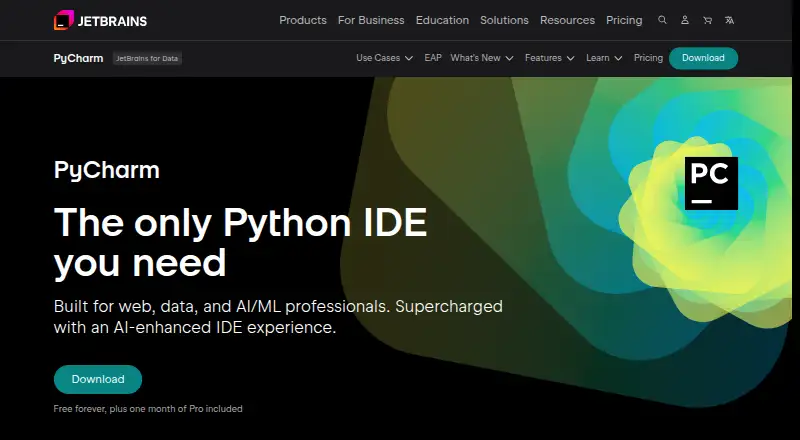
What PyCharm is
PyCharm is an IDE for web, data, and AI/ML professionals, with a broad set of Python tools. It provides code completion, PEP 8 checks, inspections, and refactoring support. Its AI-assisted local completion can run local language models without sending code over the internet. The IDE includes debugging and testing tools, a terminal, package managers, Docker integration, and dev container support. For dependencies and interpreters, it works with Pipenv, conda, virtualenv, and Poetry. Version-control options include Git, GitHub, GitLab, Subversion, Mercurial, and Perforce; database tools cover MySQL, SQL Server, PostgreSQL, Oracle, Redis, and other providers. Remote development can use services including GitHub Codespaces and Google Cloud Workstations. PyCharm runs on Linux, macOS, and Windows. A free plan is available, with one month of Pro included. The listed Pro plan costs $200 a year, billed per user annually; Ultimate can be evaluated free for 30 days before purchase and license activation are required.
Good
- Local AI completion can run models without sending code online.
- Includes integrated debugging and testing tools.
- Supports Pipenv, conda, virtualenv, and Poetry.
- Works with several version-control systems and databases.
- Available on Linux, macOS, and Windows.
Watch out
- The free plan includes only one month of Pro.
- Pro costs $200 a year per user.
- Ultimate requires purchase and license activation after its 30-day trial.
Who it suits
PyCharm suits Python developers working in web, data, or AI/ML projects who want integrated coding, testing, debugging, and project tools. Its dependency, database, version-control, and remote-development support may also suit teams with varied development environments.
Verdict
PyCharm combines Python-focused assistance with integrated development, database, and remote-work tools. Its free plan offers a starting point, while the listed Pro plan is billed annually per user.
Plans and prices
From PyCharm's own pricing page, checked 15 Oct 2026.
| Plan | Price | What it gives you |
|---|---|---|
| PyCharm core | Free | core functionality · Jupyter Notebook support · advanced features require Pro |
| PyCharm Free | Free | Free forever · one month of Pro included |
| PyCharm Pro personal annual first year | $100 a year | advanced Pro features · AI Free included · first year |
| PyCharm Pro | $200 a year | Advanced support for data and web professionals · AI Free included · perpetual fallback license with annual subscription · per user, per year |
| PyCharm Pro commercial annual | $200 a year | advanced support for data and web professionals · AI Free included · perpetual fallback license · per user, per year |
The facts
Each one read from PyCharm's own pages, with the date it was checked.
What it does
- AI completion
- Its AI-powered local code completion can run local LLMs without sending code over the internet.checked 1 Oct 2026
- API and SDK
- PyCharm plugins can be built with the IntelliJ Platform Gradle tooling, a PyCharm dependency, bundled PythonCore or Pythonid plugins, and plugin.xml APIs.checked 15 Oct 2026
- Databases
- Database tools support MySQL, SQL Server, PostgreSQL, Oracle, Redis, and other providers.checked 1 Oct 2026
- Database support
- PyCharm provides database querying, schema browsing, database-object refactoring, and support for PostgreSQL, Oracle, MongoDB, and Redis.checked 15 Oct 2026
- Data collection
- Data sharing is disabled by default in release versions, while Preview and EAP versions enable it by default.checked 1 Oct 2026
- Data science
- The product supports scientific Python libraries, Jupyter notebooks, Anaconda, interactive tables, and SQL and NoSQL databases.checked 15 Oct 2026
- Debugging
- PyCharm includes a configurable visual debugger that works locally, remotely, in virtual environments, and in containers.checked 15 Oct 2026
- Dependency managers
- PyCharm supports Pipenv, conda, virtualenv, and Poetry for project dependencies and interpreters.checked 1 Oct 2026
- Development tools
- The IDE includes debugging and testing tools, Git and GitHub integration, an integrated terminal, package managers, and Docker integration.checked 1 Oct 2026
- Documentation
- JetBrains maintains versioned PyCharm 2026.2 documentation covering setup, interpreters, testing, debugging, databases, remote development, security, plugins, and data sharing.checked 15 Oct 2026
- Extensibility
- The IntelliJ Platform exposes more than 1,700 extension points for adding tool windows, settings pages, language support, and other IDE behavior.checked 15 Oct 2026
- Integrations
- Built-in version-control integrations include Git, GitHub, GitLab, Subversion, Mercurial, and Perforce support.checked 15 Oct 2026
- License
- The open-source PyCharm build consists of open-source software governed by the Apache 2.0 license; proprietary Pro functionality is distributed separately.checked 15 Oct 2026
- Limit: learning curve
- Reviewers mention that PyCharm's feature density, configuration depth, and Git workflow can be difficult for beginners.checked 15 Oct 2026
- Limit: resource use
- Reviewers commonly report high memory or CPU usage, slow startup, and lengthy indexing, especially on older or weaker machines and large projects.checked 15 Oct 2026
- Limit: update stability
- Some reviewers report plugin incompatibilities, regressions, or broken workflows after updates and say remote development can be unstable.checked 15 Oct 2026
- LSP API
- The IntelliJ Platform LSP API is publicly available in PyCharm, and unified PyCharm supports it without a Pro subscription.checked 15 Oct 2026
The company
- Company founded
- JetBrains was founded in 2000.checked 15 Oct 2026
- Company headquarters
- LinkedIn lists Amsterdam as JetBrains' headquarters.checked 15 Oct 2026
- Company legal name
- Crunchbase lists JetBrains s.r.o. as the company's legal name and identifies it as privately held.checked 15 Oct 2026
- Company size
- LinkedIn lists JetBrains in the 1,001–5,000 employee range.checked 15 Oct 2026
- Founded
- 2000checked 23 Sep 2026
- Headquarters
- Amsterdam, Netherlandschecked 23 Sep 2026
Money
- Limit: price
- Independent reviewers frequently describe the Professional edition as expensive compared with lighter or free alternatives.checked 15 Oct 2026
The full review of PyCharm
Overview
PyCharm is an IDE for Python development across web, data, and AI/ML work. It is best suited to developers who want Python-specific assistance alongside project, database, and remote-development tools in one environment.
The main trade-off is breadth versus cost: the free plan provides a starting point, while Pro is an annual per-user purchase for advanced data and web work.
Compare it with other Python IDEs, integrated development environments, IDE software, and web development IDEs.
Key features
Python editing and project workflow
Code completion, PEP 8 checks, inspections, and intelligent refactorings put Python-specific guidance close to the work. Support for Pipenv, conda, virtualenv, and Poetry makes it practical for projects using different dependency and interpreter setups. Debugging, build and testing tools, and an integrated terminal keep common development tasks within the IDE.
AI and integrations
Local AI code completion can use local LLMs without sending code over the internet, an important option for developers who want assistance while keeping code on-device. Git and GitHub integration sit alongside version-control support for GitLab, Subversion, Mercurial, and Perforce. Docker integration and package managers broaden the workflow, while plugins from JetBrains Marketplace or local ZIP/JAR archives can add integrations and language or framework support.
Databases and remote development
Database tooling covers MySQL, SQL Server, PostgreSQL, Oracle, Redis, and other providers, making PyCharm relevant when Python projects also involve database work. Remote development can connect to Google Cloud Workstations, GitHub Codespaces, Gitpod, Coder, and Amazon CodeCatalyst. Those connections use end-to-end TLS 1.3 encryption with SSH security and host-fingerprint verification.
Project safety and data sharing
Safe Mode preview, trusted-project controls, and a Don't Open option provide ways to approach projects from unknown sources cautiously. Data sharing is disabled by default in release versions, but enabled by default in Preview and EAP versions, so preview users should account for that difference.
Pricing
PyCharm Free: free. The plan is free forever and includes one month of Pro. It is the sensible starting point for individuals who want to try the IDE without an ongoing subscription, though advanced Pro capabilities are the reason to move up for data- and web-focused professional work.
PyCharm Pro: $200 a year. Billed per user, per year, it includes advanced support for data and web professionals, AI Free, and a perpetual fallback license with an annual subscription. The per-user annual term is material for teams budgeting multiple seats; this is not a one-time price.
PyCharm Ultimate can be evaluated free for 30 days; after that, purchase and license activation are required. That trial is useful for evaluating the paid offering before committing, while the free plan remains the no-cost option.
Platforms
PyCharm is available for Linux, macOS, and Windows, covering the major desktop operating systems. No mobile platform is included in its listed support.
Who it's for
PyCharm is a strong fit for Python developers who value focused code analysis and refactoring, use varied dependency managers, or need debugging, testing, databases, and remote development within one IDE. Its local AI completion is particularly relevant to users who want AI assistance without sending code over the internet.
It is less compelling for someone seeking only a lightweight, no-cost editor or a specialist scientific Python environment; the Pro plan's annual per-user charge makes most sense when its broader professional toolkit is useful.
Pros and cons
- Pros: Python-specific completion, checks, inspections, and refactorings support both day-to-day coding and code maintenance.
- Pros: Broad version-control, database, dependency, and remote-development support can reduce the need to switch tools across a project workflow.
- Pros: Local LLM completion avoids sending code over the internet, and release versions disable data sharing by default.
- Cons: Pro costs $200 a year per user, so teams must account for each seat rather than treating it as a single flat fee.
- Cons: Preview and EAP versions enable data sharing by default, unlike release versions.
Alternatives
Spyder is a free, open-source scientific Python IDE for readers whose priority is scientific Python rather than PyCharm's broader professional development toolkit; it has Linux, macOS, Windows, and web platforms.
Eric is a free option for readers who want an alternative Python IDE; its listed platform support is Linux, macOS, and Windows.
Positron is a free desktop option for readers interested in Posit's open-source software lineage for data scientists.
Anvil is worth considering when a reader wants a free cloud-hosted app-building route: its Free plan includes unlimited apps, cloud hosting, any library, one developer, and 50,000 Data Table rows.
PyScripter is a free alternative for Windows users; its stated requirement is Python 3.8 or later.
Pyzo is a free, open-source computing environment for readers who prefer that approach.
Wing Python IDE is another freemium option with support for Windows, macOS, and Linux.
LiClipse is a paid alternative with a free trial for readers comparing licensed IDE options.
Verdict
Choose PyCharm if Python is central to your work and you want its code-specific assistance alongside debugging, testing, database access, and remote-development support. Its free plan makes it approachable, but the main reason to look elsewhere is the $200 a year per-user Pro cost when those broader capabilities are not worth an annual commitment.
Alternatives to PyCharm
- 1

GeneXus
Free planAndroidiOSWebAPI8.2From $99 a year - 2
Omnis Studio
Free planAndroidiOSWebAPI8.1From $9.38 a month - 3

CLion
Free planExtensionLinuxmacOSSelf-hosted7.8From $10.90 a month - 4

IntelliJ IDEA
Free planAPIExtensionLinuxmacOS7.8Free plan - 5
Qt Creator
Free planAndroidiOSWebLinux7.7From €546 a year - 6

Visual Studio
Free planAPIWindows7.6Free plan