
PunchClock Pro
PunchClock Pro is a web-based time and attendance platform for tracking employee hours, handling multiple locations, and producing reports.
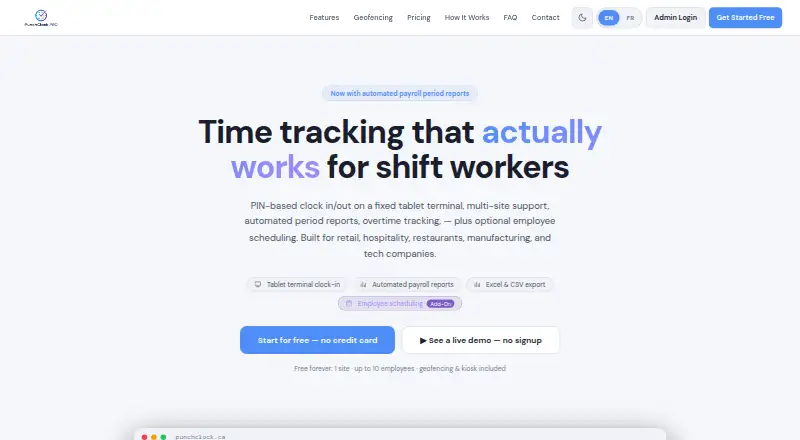
What PunchClock Pro is
PunchClock Pro is a web-based time and attendance platform for tracking employee hours, handling multiple locations, and producing reports. It is described for retail, hospitality, restaurants, manufacturing, and technology companies. Employees can clock in and out with a four-digit PIN on a shared tablet at a job site; listed methods also include desktop or laptop access and site-specific kiosk shortcut URLs. Mobile clock-in is not available. Admins can export hours by employee, site, or period in Excel, CSV, or PDF, and email period summaries. Attendance features include overtime flags, time-off tracking, manual punch editing, break tracking, and configurable payroll periods. Geofencing can block punches outside a site boundary, and punch records store GPS coordinates, accuracy, and distance from the boundary. Employees can use a self-service portal from a phone, tablet, or computer without installing an app; authorized employees can clock in remotely. The free plan covers one company, one site, and up to 10 employees, with basic PDF reports, geofencing, and kiosk access.
Good
- Free plan includes one site and up to 10 employees.
- Geofencing and kiosk access are included in the free plan.
- Exports reports in Excel, CSV, or PDF.
- Employee portal works without installing an app.
- Tracks overtime, time off, and breaks.
Watch out
- Mobile clock-in is not available.
- Free plan reports are PDF only.
- Starter costs C$19.49 a month.
Who it suits
PunchClock Pro suits organizations that need to track staff hours across job sites, especially in the listed retail, hospitality, restaurant, manufacturing, and technology sectors. It is also relevant for teams needing geofencing, time-off tracking, and downloadable attendance reports.
Verdict
PunchClock Pro combines site-based clock-ins, attendance controls, and reporting in a web platform. Consider the lack of mobile clock-in and the free plan’s PDF-only reporting when choosing a plan.
Plans and prices
From PunchClock Pro's own pricing page, checked 8 Oct 2026.
| Plan | Price | What it gives you |
|---|---|---|
| Free | Free | 1 company · 1 site · up to 10 employees · basic reports (PDF only) · geofencing and kiosk included |
| Employee Scheduling Add-On | C$14.95 a month | Shift builder · weekly view · per-site assignment · Add-on to any paid plan |
| Starter | C$19.49 a month | 1 company · 2 sites · up to 25 employees · 2 admins · +$4.90/mo per extra employee or admin · Billed monthly in advance |
| Growth | C$39.49 a month | Up to 3 companies · 6 sites · 60 employees · 4 admins · +$4.90/mo per extra employee or admin · Billed monthly in advance |
| Business | C$79.49 a month | Unlimited companies, sites, and employees · up to 6 admins · +$4.90/mo per extra admin · Billed monthly in advance |
The facts
Each one read from PunchClock Pro's own pages, with the date it was checked.
What it does
- Attendance features
- Features include overtime flags, time-off tracking, manual punch editing, and configurable payroll periods.checked 8 Oct 2026
- Availability
- The Terms say the company strives for 99.9% uptime but does not guarantee uninterrupted access.checked 8 Oct 2026
- Clock-in
- Employees can clock in and out with a four-digit PIN on a shared tablet terminal at a job site.checked 8 Oct 2026
- Data retention
- After cancellation, data is retained for 30 days before permanent deletion; punch and visitor records older than 18 months are archived and can be provided on request.checked 8 Oct 2026
- Employee access
- Employees get a self-service portal through a phone, tablet, or computer without installing an app, and authorized employees can use remote clock-in.checked 8 Oct 2026
- Geofencing
- Geofencing can block punches outside a site boundary, and punch records store GPS coordinates, accuracy, and distance from the boundary.checked 8 Oct 2026
- Hosting and encryption
- The privacy policy says data is stored in Supabase on AWS infrastructure and that data in transit uses TLS/SSL encryption.checked 8 Oct 2026
- Integrations
- The Terms describe integration with payroll software, but the opened page does not name any specific payroll integration.checked 8 Oct 2026
- Privacy
- The privacy policy says the service does not sell, trade, or rent personal information and identifies PIPEDA and Quebec Law 25 rights.checked 8 Oct 2026
- Purpose
- PunchClock Pro is a SaaS time and attendance platform for tracking employee hours, managing multiple locations, and generating reports.checked 8 Oct 2026
- Reporting
- Admins can export hours by employee, site, or period in Excel, CSV, or PDF and email period summaries to employees.checked 8 Oct 2026
- Support
- The Growth plan includes priority support, while the Business plan includes dedicated support; the site also describes bilingual support in French and English.checked 8 Oct 2026
The company
- Intended teams
- The product is described as built for retail, hospitality, restaurants, manufacturing, and technology companies.checked 8 Oct 2026
Alternatives to PunchClock Pro
- 1

Jibble
Free planAndroidiOSWebAPI8.0From $4.49 a month - 2

Workforce.com
AndroidiOSWebAPI7.9From C$12.80 a month - 3
QuickBooks Time
AndroidiOSWebAPI7.8From $20 a month - 4

Timeero
AndroidiOSWebAPI7.7From $5 a month - 5

Fareclock
Free planAndroidiOSWebLinux7.5Free plan - 6

PunchFlow
Free planAndroidiOSWebmacOS7.4From A$10 a month