
Pulsar Fusion
Pulsar Fusion is software for customizing Pulsar wireless gaming mice.
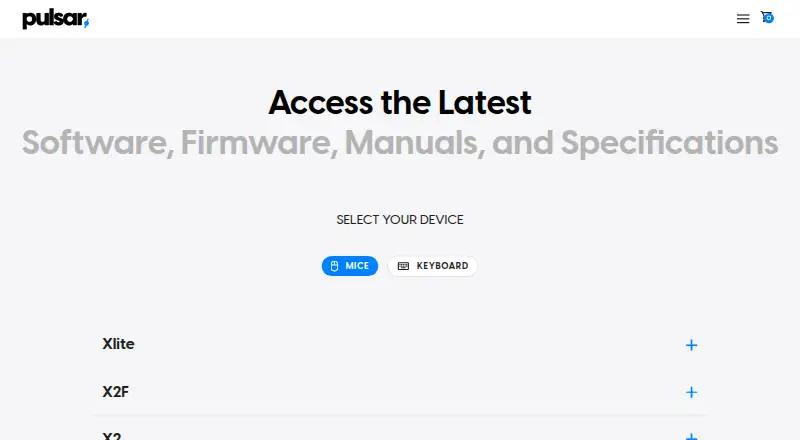
What Pulsar Fusion is
Pulsar Fusion is software for customizing Pulsar wireless gaming mice. The Windows application supports multiple settings profiles, importing and exporting settings files, and up to three DPI profiles. Users can record advanced macros and assign them to mouse buttons, though scroll-wheel movement in macros requires the compatible web driver. Wireless Fusion supports Pulsar wireless mice except the eS Series; Fusion2 covers wired Pulsar mice released after September 2024. Newer compatible models can use Pulsar’s web software in a browser, while the Windows software does not run on macOS. For 4K or 8K polling, the mouse needs the corresponding receiver or dongle. Turbo Mode is in beta for CrazyLight, TenZ, and X2F models; it holds the sensor at a 20,000 FPS scanning rate and demands more battery. Some model firmware updates are handled within the software. Pulsar lists the software as free.
Good
- Free plan is available.
- Supports multiple settings profiles on Windows.
- Can import and export settings files.
- Allows up to three DPI profiles.
- Macros can be assigned to mouse buttons.
Watch out
- Windows software is not compatible with macOS.
- Wireless Fusion excludes the eS Series.
- Scroll-wheel macro movement requires the compatible web driver.
- 4K and 8K polling need a compatible mouse and receiver or dongle.
Who it suits
It suits Pulsar mouse owners who want to configure buttons, DPI profiles, or macros. Check your mouse model and operating system before choosing a version.
Verdict
Pulsar Fusion offers configuration tools for supported Pulsar mice, including profiles, DPI settings, and button macros. Compatibility varies by mouse and software version, so confirm which download applies to your device.
The facts
Each one read from Pulsar Fusion's own pages, with the date it was checked.
What it does
- Compatibility limitation
- Pulsar says the 4K pairing tool is not compatible with eS series dongles and directs users to support for help pairing an eS mouse.checked 2 Oct 2026
- DPI profiles
- Users can configure up to three DPI profiles.checked 1 Oct 2026
- Firmware guidance
- The download page says firmware updates for some models are handled within the software and instructs users to install and open the latest software.checked 2 Oct 2026
- Intended audience
- Pulsar says its gear is intended for esports pros and players.checked 2 Oct 2026
- Pairing
- Pulsar's support guide instructs users to download Fusion with the 4K Wireless Pairing tool to pair a 4K dongle.checked 2 Oct 2026
- Payment security
- Pulsar says direct-payment information is stored on Shopify servers encrypted through PCI-DSS.checked 1 Oct 2026
- Polling requirements
- 4K and 8K polling require the corresponding receiver or dongle and a compatible mouse.checked 1 Oct 2026
- Privacy data
- Pulsar says its products, services, apps, software, and devices may send hardware model, firmware version, operating-system version, device identifiers, and IP or location information.checked 1 Oct 2026
- Profiles
- The Windows software supports multiple settings profiles and exporting or importing settings files.checked 1 Oct 2026
- Purpose
- Pulsar describes its wireless mouse software as a tool for customizing Pulsar wireless gaming mice.checked 2 Oct 2026
- Settings restore
- Pulsar's support guide says users can restore mouse settings to default from the button assignment tab in Fusion software.checked 2 Oct 2026
- Support
- Pulsar Support provides a submit-a-ticket option for users with further questions.checked 2 Oct 2026
- Turbo Mode
- Turbo Mode locks the sensor at a 20,000 FPS scanning rate and is beta-available for CrazyLight, TenZ, and X2F models, with higher battery demand.checked 1 Oct 2026
- Web and PC access
- The Xlite CrazyLight software listing says it supports a web version called Bibimbap and PC software.checked 2 Oct 2026
- Wired compatibility
- Fusion2 wired software supports Pulsar wired mice released after September 2024.checked 1 Oct 2026
- Wireless compatibility
- The wireless Fusion software supports all Pulsar wireless mice except the eS Series.checked 1 Oct 2026
Where it runs
- Device compatibility
- The download page lists Fusion software for Pulsar wireless mice and separate Fusion2 software for newer wired and wireless mouse models.checked 2 Oct 2026
- Device settings
- The Xlite CrazyLight software listing includes macro settings, button customization and firmware updates.checked 2 Oct 2026
- Macro limit
- Adding scroll-wheel movement to macros is unavailable in the Windows software and requires the compatible web driver.checked 1 Oct 2026
- Macros
- The Windows software can record advanced macros and assign them to mouse buttons.checked 1 Oct 2026
- Macro support
- Yeschecked 20 Sep 2026
- Mac support
- The Windows software is not compatible with macOS, but newer compatible models can use Pulsar web software in a browser.checked 1 Oct 2026
Money
- Free plan
- Yeschecked 20 Sep 2026
The full review of Pulsar Fusion
Overview
Pulsar Fusion is configuration software for Pulsar gaming mice, with separate versions for wireless mice and newer wired models. It suits Pulsar owners who want to adjust controls and sensitivity; its main drawback is that the correct software and some features depend on the mouse model.
Wireless Fusion supports Pulsar wireless mice except the eS Series, while Fusion2 wired software supports wired Pulsar mice released after September 2024. Pulsar also lists Fusion2 for newer wired and wireless models, so check model compatibility before downloading. Some models handle firmware updates within the software. Pairing a 4K dongle requires Fusion and the 4K Wireless Pairing tool; the tool does not work with eS series dongles, for which Pulsar directs owners to support. Fusion can restore default mouse settings from the button assignment tab.
Key features
Profiles, DPI and controls
Windows users can create multiple settings profiles and import or export settings files, which is useful for keeping distinct configurations. Up to three DPI profiles can be configured, alongside button customization and lighting control. The Xlite CrazyLight software listing also includes firmware updates and macro settings.
Macros and polling
Windows Fusion can record advanced macros and assign them to mouse buttons. It cannot add scroll-wheel movement to those macros; that requires the compatible web driver. This limitation matters for users whose macros depend on wheel input. 4K and 8K polling require both a compatible mouse and the corresponding receiver or dongle, so the software alone does not unlock those rates.
Turbo Mode
Turbo Mode locks the sensor at a 20,000 FPS scanning rate and is beta-available for CrazyLight, TenZ and X2F models. It increases battery demand, making it a trade-off for supported wireless mice rather than a free performance gain.
Pricing
Pulsar Fusion is free, with a free plan and no paid tier identified. That makes it a straightforward choice for owners of supported Pulsar devices who need configuration tools, but it is not a general-purpose peripheral suite for users of other brands.
Platforms
The Windows desktop software supports profiles and advanced macro recording, but it is not compatible with macOS. Newer compatible models can use Pulsar's web software in a browser; the Xlite CrazyLight listing calls its web version Bibimbap and also offers PC software. Although Windows, macOS, Linux and web are associated with the entry, the specific features depend on the version and device. Confirm compatibility rather than assuming every platform supports every mouse.
Who it's for
Fusion is best for Pulsar mouse owners who want to remap buttons, adjust lighting and DPI, or maintain multiple Windows profiles. It is less suitable for eS wireless owners seeking Fusion compatibility, Mac users relying on the Windows app, or anyone who needs wheel movement in Windows-recorded macros. Buyers should also account for the receiver and compatible mouse needed for 4K or 8K polling.
Pros and cons
- Pro: Multiple Windows profiles with import and export help preserve or switch between configurations.
- Pro: Up to three DPI profiles, button customization and lighting control cover core mouse adjustments.
- Pro: Advanced macros can be recorded and assigned to buttons in Windows.
- Con: Wireless Fusion excludes eS Series mice, and Fusion2 wired support is limited to mice released after September 2024.
- Con: Windows macros cannot include scroll-wheel movement without the compatible web driver.
- Con: Turbo Mode raises battery demand, and high polling rates need the matching receiver or dongle as well as a compatible mouse.
Alternatives
Razer Synapse is a free option for readers seeking peripheral software with Windows, macOS and web platforms. ROCCAT Swarm II is free device configuration software for compatible Turtle Beach devices, with Windows, Android and iOS support.
MonsGeek Driver offers free keyboard driver and configuration downloads for supported models, with macOS, web and Windows platforms. Choose it for a supported MonsGeek keyboard rather than a Pulsar mouse. 8BitDo Ultimate Software V2 is free for supported 8BitDo devices on Windows 10 (1903) or above and macOS 13.0 or above.
Glorious CORE is free software for configuring most Glorious products on macOS and Windows; cloud profile saving requires a Glorious ID. Logitech G HUB is another free macOS and Windows option, with LIGHTSYNC RGB customization, device configuration, presets and game profiles.
Elgato Wave Link is free on macOS and Windows for microphone and audio-interface users, with no subscription or feature gates. SteelSeries Moments is a Windows alternative. For broader category browsing, see Gaming Peripheral Software and Keyboard and Mouse Customization Software.
Verdict
Pulsar Fusion is the right free choice for owners of compatible Pulsar mice who want practical control over buttons, DPI, lighting, profiles and macros. Its model-specific compatibility, Windows-focused feature set and macro limitation are good reasons to look elsewhere if your device or workflow does not fit those boundaries.
Alternatives to Pulsar Fusion
- 1
SteelSeries GG
Free planAndroidiOSWebAPI8.3Free plan - 2
be quiet! IO Center
Free planWebLinuxmacOSWindows7.9Free plan - 3
Rebind
Free planLinuxmacOSWindows7.8$199 one-time - 4

Akko Cloud Driver
Free planWebmacOSWindows7.8Free plan - 5
MonsGeek Driver
Free planWebLinuxmacOSWindows7.8Free plan - 6
ROCCAT Swarm II
Free planAndroidiOSWindows7.8Free plan