
Razer Synapse
Razer Synapse is software for controlling and customizing Razer devices, including button remapping, macro creation, performance settings, and lighting.
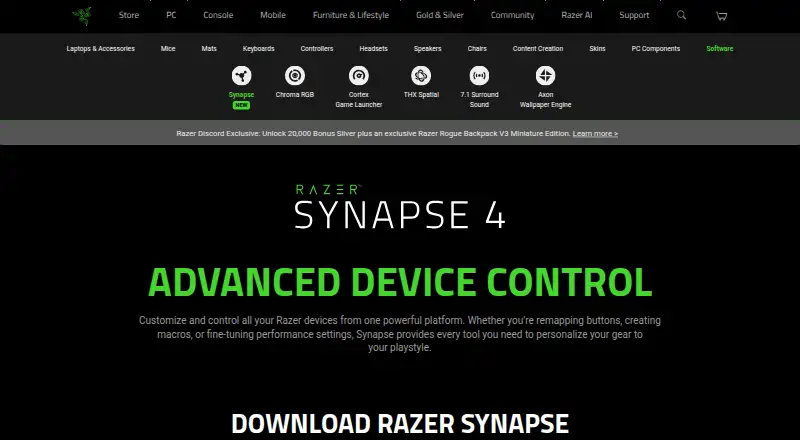
What Razer Synapse is
Razer Synapse is software for controlling and customizing Razer devices, including button remapping, macro creation, performance settings, and lighting. Users can configure compatible gear with Hypershift for a secondary set of button functions, Rapid Trigger, and advanced macros. Browser-based quick customization offers onboard profiles and Chroma RGB effects for compatible devices. Synapse 4 works with Synapse 3 devices, subject to Razer’s compatibility list, and its migration tool can transfer selected Synapse 3 profiles, macros, and Chroma effects. The software is available for Windows 11 x86-64 and Windows 10. A Mac preview is available for macOS 15 Sequoia and later on Apple silicon Macs. Razer also describes Chroma RGB integration with PC games and lighting effects on devices. The page provides Windows and Mac downloads as well as browser customization; it does not state a price. Device support depends on Razer’s compatibility list.
Good
- Supports button remapping and macro creation.
- Includes Hypershift and Rapid Trigger.
- Browser controls include onboard profiles and Chroma RGB effects.
- Migration tool can transfer selected Synapse 3 profiles and macros.
- Works with Synapse 3 devices, subject to compatibility list.
Watch out
- Mac support is a preview for macOS 15 and later.
- Mac preview requires an Apple silicon Mac.
- Device compatibility depends on Razer’s supported-device list.
- The page does not state a price.
Who it suits
Synapse suits people customizing compatible Razer devices, especially those who want to remap buttons, create macros, adjust performance settings, or configure lighting. It is also relevant to Synapse 3 users who want to migrate selected profiles and effects.
Verdict
Synapse provides device controls, macros, and lighting customization for compatible Razer gear, with browser controls and a migration tool among its options. Check supported devices and operating-system requirements before downloading.
The facts
Each one read from Razer Synapse's own pages, with the date it was checked.
What it does
- Age policy
- Razer says its services are intended for general audiences and not children under 13.checked 29 Sep 2026
- Architecture
- Razer says its multi-threaded architecture isolates device processes so installing or upgrading one device does not interrupt other devices in use.checked 29 Sep 2026
- Backward compatibility
- Works with Synapse 3 devices.checked 27 Sep 2026
- Chroma integrations
- Razer says Chroma supports enabled accessories from more than 50 third-party hardware partners, including Govee, Yeelight, Philips Hue, Nanoleaf, and Twinkly.checked 30 Sep 2026
- Controls
- Listed features include Hypershift for a secondary set of button functions, Rapid Trigger, and advanced macros.checked 29 Sep 2026
- Customization features
- The page lists Hypershift, Rapid Trigger, and advanced macros among Synapse 4’s features.checked 30 Sep 2026
- Customization scope
- The page describes quick customization anywhere.checked 27 Sep 2026
- Download availability
- The page provides downloads for Windows and Mac.checked 27 Sep 2026
- Ecosystem
- The Synapse page describes integration with Razer Chroma RGB quick effects.checked 29 Sep 2026
- Game lighting
- Razer says Chroma RGB integrates with PC games and can control RGB lighting effects on devices.checked 30 Sep 2026
- Legacy compatibility
- Synapse 4 is backwards compatible with Synapse 3 devices.checked 30 Sep 2026
- Lighting software
- Synapse is described as advanced device control and lighting software.checked 27 Sep 2026
- Performance
- Razer says Synapse 4 processing is 30% faster than Synapse 3, with results that may vary by usage, software, power settings, and other conditions.checked 29 Sep 2026
- Performance claim
- Razer says Synapse 4’s multi-threaded architecture is up to 30% faster than Synapse 3, based on its stated July 2023 test; actual improvement may vary.checked 30 Sep 2026
Where it runs
- Browser controls
- Synapse Web offers browser-based device settings, onboard profile switching, and Chroma RGB quick effects for compatible devices.checked 30 Sep 2026
- Button remapping
- Supports remapping buttons.checked 27 Sep 2026
- Device compatibility
- The page provides a full list of compatible devices.checked 27 Sep 2026
- Device control
- Controls and customizes Razer devices from one platform.checked 27 Sep 2026
- Legacy device support
- Synapse 4 is backward compatible with Synapse 3 devices, subject to Razer's compatibility list.checked 29 Sep 2026
- Macro creation
- Supports creating macros.checked 27 Sep 2026
- Mac support
- Razer Synapse for Mac is described as a preview for macOS 15 Sequoia and above on Macs with Apple silicon.checked 30 Sep 2026
The company
- Company
- Razer says it was founded in 2005 and is dual headquartered in Irvine, California, and Singapore.checked 30 Sep 2026
- Company name
- The software is presented by Razer.checked 27 Sep 2026
Money
- Free plan
- Yeschecked 19 Sep 2026
The full review of Razer Synapse
Overview
Razer Synapse is a free control and lighting app for people who use compatible Razer peripherals and want to tailor their buttons, macros, performance settings, and RGB effects. Its breadth of controls and support for older Synapse 3 devices make it a strong fit within the Razer ecosystem; it is less compelling if your gear is from another brand or you need a fully supported Mac release today.
Synapse 4 can carry over selected profiles, macros, and Chroma effects from Synapse 3, which can ease a transition without forcing every old profile into the new setup. Compatibility depends on the device, so check Razer’s list before relying on a particular feature.
Key features
- Peripheral controls: Button remapping, performance settings, and macros let users shape compatible devices around particular games or playstyles. Hypershift adds a secondary set of button functions, while Rapid Trigger and advanced macros provide more specialized controls for supported gear.
- Lighting: Synapse supports addressable RGB control, lighting profiles, cross-device synchronization, and game lighting effects through Chroma RGB. That makes it useful for coordinating compatible devices, though the practical value depends on having compatible hardware.
- Browser customization: Compatible devices can be adjusted through browser-based quick controls, including onboard profiles and Chroma RGB quick effects. This is a convenient lighter-weight option for quick changes, rather than a substitute for every desktop control.
- Migration and device isolation: The migration tool lets users choose which Synapse 3 profiles, macros, and Chroma effects to transfer. Razer says its multithreaded design isolates device processes so installing or upgrading one device does not interrupt others in use; that is a useful design goal for multi-device setups.
- Speed claim: Razer says Synapse 4 is up to 30% faster than Synapse 3, based on a July 2023 test. The company cautions that results vary with usage, software, power settings, and other conditions, so the claim is not a guarantee of a noticeable improvement for every user.
Pricing
Synapse is free, with no free trial or paid plan described. That makes it an easy choice for owners of compatible Razer gear who need configuration and lighting controls, rather than a subscription decision. Razer provides Windows and Mac downloads as well as browser customization; the browser option covers compatible quick controls, not necessarily the full range of desktop features.
Platforms
Synapse is available for Windows, macOS, and the web. Windows support covers Windows 10 and Windows 11 x86-64. The Mac release is a preview for macOS 15 Sequoia and later on Apple silicon, so Mac users should weigh that narrower, preview-stage support against the broader Windows support before choosing it.
Who it's for
Synapse is best for Razer peripheral owners who want one place for remapping, macros, performance adjustments, and Chroma lighting, especially those moving from Synapse 3 and wanting to retain selected settings. It is not the natural choice for users whose devices are outside Razer’s compatibility list, or for Mac users who need support beyond the stated Apple silicon preview requirements.
Pros and cons
- Pro: The free software combines device configuration, macros, and lighting controls, avoiding a separate subscription for those core functions.
- Pro: Selective profile migration and backward compatibility give existing Synapse 3 device owners a path to carry settings forward, subject to device compatibility.
- Pro: Browser quick controls, onboard profiles, and Chroma effects offer a practical way to make supported adjustments without relying exclusively on desktop controls.
- Con: Device support is conditional on Razer’s compatibility list, so ownership of Razer gear alone does not establish that every device will work.
- Con: The Mac offering is a preview restricted to macOS 15 or later and Apple silicon, making Windows the more broadly supported desktop option.
- Con: The speed improvement is a vendor claim whose outcome may vary; it should not be the deciding reason to upgrade.
Alternatives
Logi Options+ is a free option for supported Logitech devices on Windows 10 or later and macOS 12 or later, making it the more relevant pick for users whose peripherals are Logitech rather than Razer.
Rapoo A HUB is another free device-configuration option with Windows, macOS, and web availability.
Rebind offers a free software mode with a Luau scripting runtime and supports Linux, macOS, and Windows, making it worth considering for users who need Linux support or scripting.
Logitech G HUB is a free alternative for Logitech G gaming devices, with LIGHTSYNC RGB customization, device configuration, presets, and game profiles.
Glorious CORE is free software for configuring most Glorious products; cloud profile saving requires a Glorious ID.
MonsGeek Driver provides free keyboard driver and configuration downloads across Windows, macOS, and web, with supported models varying by driver.
Azeron Software is a free option for Linux and Windows users configuring Azeron gear.
ROCCAT Swarm II is free configuration software for compatible Turtle Beach devices, with Windows, Android, and iOS support.
For broader comparisons, browse Keyboard and Mouse Customization Software, Gaming Peripheral Software, and RGB Lighting Software.
Verdict
Choose Razer Synapse if you own compatible Razer gear and want a free, unified place to configure controls, macros, and Chroma lighting, with a selective migration path from Synapse 3. Look elsewhere if your devices are from another manufacturer or you need fully supported Mac software rather than a limited preview.
Alternatives to Razer Synapse
- 1
SteelSeries GG
Free planAndroidiOSWebAPI8.3Free plan - 2
be quiet! IO Center
Free planWebLinuxmacOSWindows7.9Free plan - 3
Rebind
Free planLinuxmacOSWindows7.8$199 one-time - 4

Akko Cloud Driver
Free planWebmacOSWindows7.8Free plan - 5
MonsGeek Driver
Free planWebLinuxmacOSWindows7.8Free plan - 6
ROCCAT Swarm II
Free planAndroidiOSWindows7.8Free plan