MonsGeek Driver
MonsGeek Driver is a free downloads and configuration hub for MonsGeek mechanical and magnetic-switch keyboards.
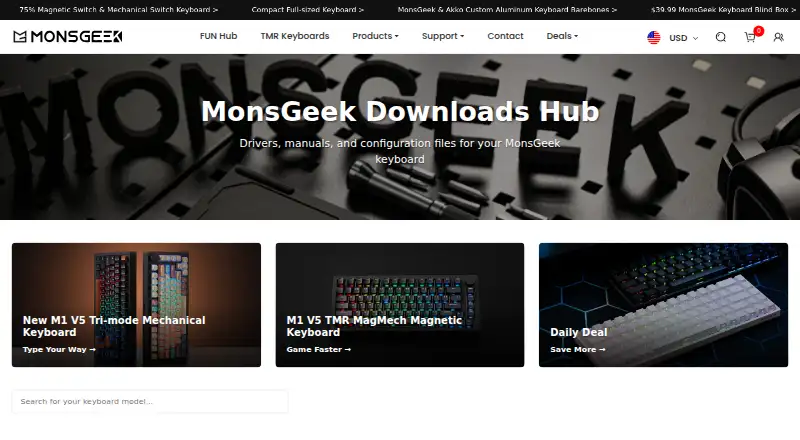
What MonsGeek Driver is
MonsGeek Driver is a free downloads and configuration hub for MonsGeek mechanical and magnetic-switch keyboards. It provides drivers, manuals, and configuration files; driver tools can customize RGB lighting, macros, and key mappings. Available features and supported models vary by driver. Its plugin-free web driver supports FUN68, MG108B, M1 V5 TMR, and FUN60, except the ISO Layout version. MonsGeek recommends Chrome for the online driver; Safari and Firefox are not supported. Mac users cannot customize over Bluetooth, and Audio Visualizer and some other features are unavailable in the Mac web driver. The hub lists V4 drivers for Mac, web, and Windows, as well as older driver options. It also offers JSON configuration files for VIA-compatible keyboards that can be imported into VIA for layout changes. Model-specific manuals cover setup, features, troubleshooting, and specifications. MonsGeek says additional models will be added to the web driver periodically.
Good
- Free driver and configuration downloads
- Drivers can adjust lighting, macros, and key mappings
- Manuals cover setup and troubleshooting
- VIA-compatible keyboards have configuration JSON files
Watch out
- Web driver supports a limited model list
- Safari and Firefox are unsupported for the online driver
- Mac Bluetooth customization is unavailable
- Some features are missing from the Mac web driver
Who it suits
This hub suits owners of MonsGeek mechanical or magnetic-switch keyboards who need drivers, manuals, or configuration files. The web driver may suit users with a supported model and Chrome.
Verdict
MonsGeek Driver gathers keyboard downloads, manuals, and configuration resources in one place. Check the driver’s model support and Mac limitations before choosing the web or desktop option.
Plans and prices
From MonsGeek Driver's own pricing page, checked 29 Sep 2026.
| Plan | Price | What it gives you |
|---|---|---|
| MonsGeek Driver | Free | Keyboard driver and configuration downloads; supported models vary by driver |
The facts
Each one read from MonsGeek Driver's own pages, with the date it was checked.
What it does
- April 2026 update
- Version 500.2.14, dated April 25, 2026, added AstroAim switch profiles for M1 V5 TMR calibration.checked 15 Oct 2026
- Calibration
- The driver includes a Main-page calibration flow that requires pressing every key to its lowest point.checked 15 Oct 2026
- Customization
- The page says drivers can customize RGB lighting, macros, and key mappings.checked 29 Sep 2026
- Documentation
- The downloads hub provides model-specific manuals covering setup, features, troubleshooting and specifications.checked 15 Oct 2026
- Downloads
- The downloads page lists V4 drivers for Mac, web, and Windows, as well as older Windows, Mac, and web app driver options.checked 29 Sep 2026
- Firmware updates
- The driver provides firmware upgrading from its About page.checked 15 Oct 2026
- Independent feature review
- Basic Tutorials observed RGB control, macro creation and firmware updates in the driver.checked 15 Oct 2026
- Independent UI criticism
- Basic Tutorials criticized the driver's typography and said VIA was more comprehensive and sophisticated.checked 15 Oct 2026
- June 2026 update
- Version 500.3.0, dated June 17, 2026, improved loading stability for M1 V5 Domestic, FUN68 and Verve68.checked 15 Oct 2026
- Licence
- The opened official pages do not state an open-source licence for MonsGeek Driver.checked 15 Oct 2026
- Limit: instability
- Reddit users reported unstable software in which settings changed in the web driver did not reliably transfer to the keyboard.checked 15 Oct 2026
- Limit: non-intuitive UI
- A Reddit user described MonsGeek software as lacking and non-intuitive, while still liking the keyboard hardware.checked 15 Oct 2026
- Limit: setup instructions
- A Trustpilot reviewer said the FUN60 lacked clear configuration and pairing instructions and that the driver URL had changed.checked 15 Oct 2026
- Limit: shipping and refunds
- Trustpilot complaints described unresolved lost-package compensation, return-shipping costs and a partial refund after a faulty replacement board.checked 15 Oct 2026
The company
- Brand owner
- MonsGeek says it is a registered trademark of Shenzhen Yinchen Technology Co., Ltd., which authorized InfinityZero Inc to operate the website.checked 29 Sep 2026
- Company history
- MonsGeek says it was established in 2016 and began as a B2B supplier in the 3C electronics manufacturing sector.checked 29 Sep 2026
- Founded
- 2016checked 28 Sep 2026
- Legal owner
- MonsGeek identifies Shenzhen Yinchen Technology Co., Ltd. as its registered-trademark owner and InfinityZero Inc. as the authorized website operator.checked 15 Oct 2026
Where it runs
- Browser limitation
- The online driver requires Chrome because Safari and Firefox are unsupported.checked 15 Oct 2026
- Browser requirement
- MonsGeek says its online driver does not support Safari or Firefox and recommends Chrome.checked 29 Sep 2026
- Key remapping
- Users can remap a key to another function within a selected layer.checked 15 Oct 2026
- Linux workflow
- MonsGeek says Linux users should configure the device first on Windows or macOS and then use the saved settings on Linux.checked 15 Oct 2026
- Mac limitations
- Mac Bluetooth customization is unsupported, and the Mac web driver lacks some functions such as Audio Visualizer.checked 15 Oct 2026
Money
- Free plan
- Yeschecked 20 Sep 2026
Alternatives to MonsGeek Driver
- 1
SteelSeries GG
Free planAndroidiOSWebAPI8.3Free plan - 2
be quiet! IO Center
Free planWebLinuxmacOSWindows7.9Free plan - 3
Rebind
Free planLinuxmacOSWindows7.8$199 one-time - 4

Akko Cloud Driver
Free planWebmacOSWindows7.8Free plan - 5
ROCCAT Swarm II
Free planAndroidiOSWindows7.8Free plan - 6
HYTE Nexus
Free planAndroidiOSLinuxmacOS7.6Free plan