be quiet! IO Center
be quiet! IO Center lets users configure supported keyboards, mice, and coolers, including RGB lighting, keybindings, macros, and profiles.
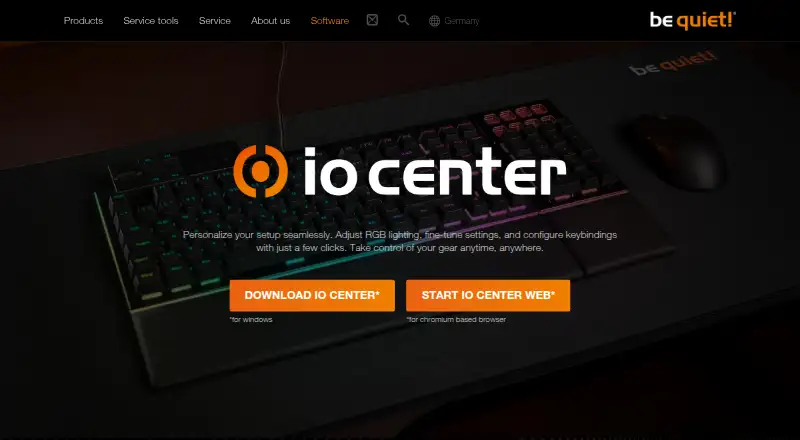
What be quiet! IO Center is
be quiet! IO Center lets users configure supported keyboards, mice, and coolers, including RGB lighting, keybindings, macros, and profiles. Users can customize individual LEDs or select preconfigured effects; the desktop software also works with Windows 11 Dynamic Lighting. Keys can be remapped to media controls, mouse buttons, Windows tools, files, and applications. The desktop app records keyboard and mouse actions as macros, with editable delays and action order. Profiles can be switched manually, launched with an application, and imported or exported as files. For supported cooler screens, users can choose preset or uploaded images and videos, or browse GIPHY animations and memes. Cooling options include presets and PID control, which continues after IO Center closes. The Windows desktop app is complemented by IO Center Web, which runs in a Chromium-based browser on Windows, macOS, and Linux without an account. Settings can be saved to keyboard onboard memory, including many through the web version. Custom keyboard lighting effects require IO Center to run in the background. The listed compatible devices are DARK MOUNT, LIGHT MOUNT, DARK PERK ERGO, and DARK PERK SYM. IO Center is free.
Good
- Customize individual LEDs or choose preset effects.
- Remap keys to applications, files, and device controls.
- Profiles can launch when an application runs.
- PID cooling control continues after IO Center closes.
- Web version works on Windows, macOS, and Linux.
Watch out
- Custom keyboard lighting requires IO Center in the background.
- The desktop app is offered for Windows.
- Web version requires a Chromium-based browser.
Who it suits
It suits owners of the listed be quiet! devices who want to adjust lighting, key assignments, macros, or profiles. The browser version may suit users on Windows, macOS, or Linux who use a Chromium-based browser and prefer not to create an account.
Verdict
IO Center offers a range of configuration options for the listed be quiet! devices, with both a Windows app and an account-free browser version. Users who rely on custom keyboard lighting should note that the software must remain running.
Plans and prices
From be quiet! IO Center's own pricing page, checked 7 Oct 2026.
| Plan | Price | What it gives you |
|---|---|---|
| IO Center | Free | No price is stated on the product page |
The facts
Each one read from be quiet! IO Center's own pages, with the date it was checked.
What it does
- Background requirement
- Custom keyboard lighting effects require IO Center to run in the background.checked 7 Oct 2026
- Compatible gear
- The listed compatible devices include the Dark Mount and Light Mount keyboards and Dark Perk Ergo and Dark Perk Sym mice.checked 7 Oct 2026
- Cooling controls
- The tutorials describe cooling presets and PID control, and say PID control continues to work after IO Center is closed.checked 7 Oct 2026
- LCD media
- For supported cooler screens, users can choose preset or uploaded images and videos, or browse GIPHY for animations and memes.checked 7 Oct 2026
- Lighting
- Users can customize individual LEDs and choose preconfigured RGB effects.checked 7 Oct 2026
- Lighting integration
- The product page states that IO Center is compatible with Windows 11 Dynamic Lighting.checked 7 Oct 2026
- Onboard storage
- The manufacturer says settings are saved to the keyboard’s onboard memory, and many settings can be saved there through the web version.checked 7 Oct 2026
- Polling rate control
- Yeschecked 22 Sep 2026
- Profiles
- Users can create profiles, connect optimized profiles to games, and switch between profiles.checked 7 Oct 2026
- Purpose
- IO Center lets users adjust RGB lighting, fine-tune device settings, and configure keybindings.checked 7 Oct 2026
- Sensitivity controls
- Yeschecked 22 Sep 2026
The company
- Company
- be quiet! says it was founded in 2001 and identifies itself as a German hardware manufacturer.checked 7 Oct 2026
- Founded
- 2001checked 23 Sep 2026
- Headquarters
- Glinde, Germanychecked 23 Sep 2026
- Maker
- be quiet! identifies itself as a German hardware brand founded in 2001 and states that it is a trademark of Listan GmbH.checked 7 Oct 2026
Where it runs
- Compatible devices
- The page lists DARK MOUNT, LIGHT MOUNT, DARK PERK ERGO, and DARK PERK SYM as compatible gear.checked 7 Oct 2026
- Desktop app
- The desktop IO Center app is offered for Windows.checked 7 Oct 2026
- Key remapping
- Users can remap keys, open apps, games, and websites with one press, and customize Fn key actions.checked 7 Oct 2026
- Macros
- The desktop app can record keyboard and mouse actions as macros, with editable delays and action order.checked 7 Oct 2026
- Macro support
- Yeschecked 22 Sep 2026
- Onboard device memory
- Yeschecked 22 Sep 2026
- On-device settings
- The page says settings can be saved directly to the keyboard’s onboard memory, so configurations remain available without the software.checked 7 Oct 2026
- Per-app profiles
- Yeschecked 22 Sep 2026
Money
- Free plan
- Yeschecked 22 Sep 2026
The full review of be quiet! IO Center
be quiet! IO Center is free software for configuring compatible be quiet! keyboards, mice, and cooler screens. It suits owners who want lighting, remapping, macros, and device controls without adding another paid tool. Its broad configuration options are tempered by a notable catch: custom keyboard lighting requires the Windows app to keep running.
Overview
IO Center is a focused companion for be quiet! hardware, not a cross-brand peripheral manager. Compatible devices include the DARK MOUNT and LIGHT MOUNT keyboards and DARK PERK ERGO and DARK PERK SYM mice, as well as supported cooler screens. If your gear is on that list, the software brings several useful adjustments together; if you need one utility for devices from multiple makers, look elsewhere.
Configuration covers lighting, key assignments, macros, profiles, polling rate, and sensitivity. Keyboard settings can be saved to onboard memory, and many can be stored there through the web version. That helps make device configurations less dependent on the software, although custom keyboard lighting remains an exception.
Key features
Lighting and profiles
Users can customize individual LEDs or choose preset RGB effects. Windows 11 users also get compatibility with Dynamic Lighting. Profiles can be changed manually or launched when an application starts, and exported or imported as files. The app’s background requirement for custom keyboard effects limits how self-contained that lighting setup is.
Remapping and macros
Keys can be assigned to media controls, mouse buttons, Windows tools, files, and applications. The Windows desktop app can record keyboard and mouse actions as macros, then adjust their delays and action order. This is useful for owners who want repeatable input sequences, though macro recording is tied to the desktop app rather than the browser version.
Cooling and screen content
Cooling tutorials cover presets and PID control; PID control continues after IO Center is closed, so that function does not share the lighting limitation. On supported cooler screens, users can display preset or uploaded images and videos, or browse GIPHY for animations and memes.
Pricing
IO Center costs free. The free plan includes the software’s configuration features, with no paid tier or trial clock to weigh against its limitations. The main trade-off is compatibility: the free price is useful only if you own supported be quiet! gear.
Platforms
The desktop app is offered for Windows. IO Center Web runs in a Chromium-based browser on Windows, macOS, and Linux and requires no account. The browser option broadens access beyond Windows, while the desktop app is needed for recording macros and custom keyboard lighting effects.
Settings saved to keyboard memory can remain available without the software, and the manufacturer says many settings can be saved this way through the web version. That gives owners some flexibility when switching between desktop and browser configuration.
Who it's for
IO Center is a sensible choice for owners of compatible be quiet! peripherals who want to adjust LEDs, assign keys, record macros, or manage cooling in one place at no cost. The account-free browser version is particularly useful for macOS and Linux users who want device configuration without a Windows desktop app. It is less suitable for shoppers who need support for other brands or want custom keyboard effects to work without a background app.
Pros and cons
- Pros: Free software combines lighting, remapping, macros, profiles, polling-rate and sensitivity controls for compatible gear.
- Pros: The Chromium-based web version works on Windows, macOS, and Linux without an account.
- Pros: Profiles can launch with applications, and keyboard settings can be saved to onboard memory.
- Pros: Cooling PID control continues after IO Center is closed.
- Cons: Custom keyboard lighting effects require the desktop app to run in the background.
- Cons: Compatibility is limited to the listed be quiet! devices and supported cooler screens.
Alternatives
Logi Options+ is another free option for supported Logitech devices, with Windows 10 or later and macOS 12 or later required. Choose it if your peripherals are Logitech rather than be quiet!.
Rebind offers a free software mode with a Luau scripting runtime and no account or Rebind Link requirement. It is worth considering if scripting is the priority and you need Linux, macOS, or Windows support.
Logitech G HUB is a free choice for Logitech G gaming mice, with LIGHTSYNC RGB customization, device configuration, presets, and game profiles. Pick it for that Logitech G setup.
Razer Synapse is a free alternative for supported Razer devices.
SteelSeries GG is free to download for Windows 10 and later; choose it for SteelSeries gear.
Glorious CORE is free for configuring Glorious products, with cloud profile saving requiring a Glorious ID. Consider it for Glorious gear, especially if local configuration is enough.
Fnatic OP Software is a free early-access option for supported Fnatic gear.
Cosmic Byte Orbit is free for Cosmic Byte device owners, with a free Cosmic Byte Connect helper; choose it for that hardware.
Browse more options in Keyboard and Mouse Customization Software or Gaming Peripheral Software.
Verdict
Choose IO Center if you own compatible be quiet! gear and want a free mix of lighting, key configuration, macros, and cooling controls, with a browser option that does not require an account. Look elsewhere if you need a multi-brand utility or expect custom keyboard lighting to work without leaving a desktop app running.
Getting started
- Visit the be quiet! software page.
- For desktop use, get the Windows IO Center app.
- For browser use, open IO Center Web in a Chromium-based browser on Windows, macOS, or Linux; no account is required.
- Connect a listed compatible device: DARK MOUNT, LIGHT MOUNT, DARK PERK ERGO, or DARK PERK SYM.
- Configure device settings, lighting, keybindings, macros, or profiles.
- Save supported settings to the keyboard’s onboard memory if you want them available without the software.
Questions
Is be quiet! IO Center free?
Yes. It has a free plan, listed as free.
Which platforms can I use it on?
The desktop app is offered for Windows. IO Center Web works on Windows, macOS, and Linux in a Chromium-based browser and requires no account.
Which devices are listed as compatible?
The compatible gear listed includes the DARK MOUNT and LIGHT MOUNT keyboards and the DARK PERK ERGO and DARK PERK SYM mice.
Can I save settings to the device?
The manufacturer says settings can be saved to keyboard onboard memory. Many settings can also be saved there through the web version.
Do custom lighting effects work after closing IO Center?
Custom keyboard lighting effects require IO Center to run in the background. Cooling PID control continues to work after IO Center is closed.
Who makes IO Center?
It is made by be quiet!, a German hardware manufacturer founded in 2001 and based in Glinde, Germany.
Alternatives to be quiet! IO Center
- 1
SteelSeries GG
Free planAndroidiOSWebAPI8.3Free plan - 2
Rebind
Free planLinuxmacOSWindows7.8$199 one-time - 3

Akko Cloud Driver
Free planWebmacOSWindows7.8Free plan - 4
MonsGeek Driver
Free planWebLinuxmacOSWindows7.8Free plan - 5
ROCCAT Swarm II
Free planAndroidiOSWindows7.8Free plan - 6
HYTE Nexus
Free planAndroidiOSLinuxmacOS7.6Free plan