
Cosmic Byte Orbit
Cosmic Byte Orbit is a browser-based configurator for compatible Cosmic Byte peripherals.
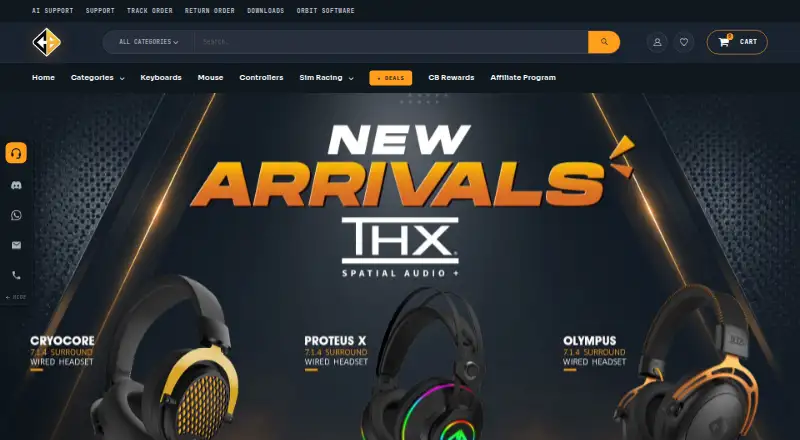
What Cosmic Byte Orbit is
Cosmic Byte Orbit is a browser-based configurator for compatible Cosmic Byte peripherals. It lets owners change button and key assignments, macros, DPI, RGB lighting, polling, and controller stick, trigger, vibration, and motion settings, then save profiles to supported devices. Guided firmware updates are available for supported gear. The live device list includes Helios and Velox mice, the Phantom TKL keyboard, and Lumora, Ares Pro, Drakon, Blitz, and Stellaris controllers. Orbit is free for Cosmic Byte device owners. Setup requires the portal in a desktop Chromium browser such as Chrome or Edge and a USB or 2.4 GHz dongle connection; Bluetooth-only setup is unsupported. Windows, macOS, and Linux desktop use is supported, though Linux and some devices require Cosmic Byte Connect. Safari, Firefox, and mobile browsers are not supported. Configuration can start without an account; logging in allows settings and profiles to be saved to an account and synced across devices. Some controllers may not be configurable on macOS, while controller support is described as full on Windows and Linux.
Good
- Supports macros, remapping, DPI, and RGB controls.
- Profiles can be saved to supported devices.
- Guided firmware updates are available.
- Free for Cosmic Byte device owners.
Watch out
- Requires a desktop Chromium browser.
- Bluetooth-only setup is unsupported.
- Some controllers may not be configurable on macOS.
- Linux and some devices require Cosmic Byte Connect.
Who it suits
Orbit suits Cosmic Byte device owners who want to configure compatible peripherals and save settings to them. It is intended for desktop use in a Chromium browser with a supported connection.
Verdict
Orbit provides device configuration and profile saving at no charge for Cosmic Byte owners. Check browser, connection, and operating system requirements before setup.
Plans and prices
From Cosmic Byte Orbit's own pricing page, checked 8 Oct 2026.
| Plan | Price | What it gives you |
|---|---|---|
| Orbit | Free | Free for Cosmic Byte device owners · Cosmic Byte Connect helper also free |
The facts
Each one read from Cosmic Byte Orbit's own pages, with the date it was checked.
What it does
- Account and sync
- The portal says configuration can start without an account, while logging in allows users to save settings and profiles to their account and sync them across devices.checked 8 Oct 2026
- Connection requirement
- Configuration requires USB or a 2.4 GHz dongle; Bluetooth-only connections are not supported for setup.checked 8 Oct 2026
- Controls
- Supported devices can be configured for button and key remapping, macros, DPI, RGB lighting, polling, and controller stick, trigger, vibration, and motion settings.checked 8 Oct 2026
- Desktop systems
- Orbit supports desktop use on Windows, macOS, and Linux, with Cosmic Byte Connect required for Linux and some devices.checked 8 Oct 2026
- Polling rate control
- Yeschecked 23 Sep 2026
- Profiles and firmware
- Orbit supports saving profiles to devices and guided firmware updates for supported gear.checked 8 Oct 2026
- Purpose
- Orbit is a browser based configurator for Cosmic Byte peripherals that lets users tune settings and save them to the device.checked 8 Oct 2026
- Security
- The maker describes Orbit as a secure web portal and says the macOS Connect app is signed and notarized; it does not state a security certification.checked 8 Oct 2026
- Sensitivity controls
- Yeschecked 23 Sep 2026
- Support
- Cosmic Byte offers support through its support site and ticket system, with phone and WhatsApp contact details on its contact page.checked 8 Oct 2026
- Supported operating systems
- cross-platformchecked 23 Sep 2026
- Who it is for
- Orbit is offered free to Cosmic Byte device owners for configuring their compatible peripherals.checked 8 Oct 2026
Where it runs
- Browser support
- The Orbit portal requires a desktop Chromium browser such as Chrome or Edge; Safari, Firefox, and mobile browsers are not supported.checked 8 Oct 2026
- macOS limitation
- Some controllers may not be configurable on macOS, while the page says controllers are fully supported on Windows and Linux.checked 8 Oct 2026
- Macro support
- Yeschecked 23 Sep 2026
- Onboard device memory
- Yeschecked 23 Sep 2026
- Supported devices
- The page lists Helios and Velox mice, Phantom TKL keyboard, and Lumora, Ares Pro, Drakon, Blitz, and Stellaris controllers as live devices.checked 8 Oct 2026
Money
- Free plan
- Yeschecked 23 Sep 2026
The company
- Headquarters
- Pune, Indiachecked 19 Oct 2026
Alternatives to Cosmic Byte Orbit
- 1
SteelSeries GG
Free planAndroidiOSWebAPI8.3Free plan - 2
be quiet! IO Center
Free planWebLinuxmacOSWindows7.9Free plan - 3
Rebind
Free planLinuxmacOSWindows7.8$199 one-time - 4

Akko Cloud Driver
Free planWebmacOSWindows7.8Free plan - 5
MonsGeek Driver
Free planWebLinuxmacOSWindows7.8Free plan - 6
ROCCAT Swarm II
Free planAndroidiOSWindows7.8Free plan