
PixelWall
PixelWall is a local pixel-art and animation studio by CapLock, available in a browser and as desktop downloads.
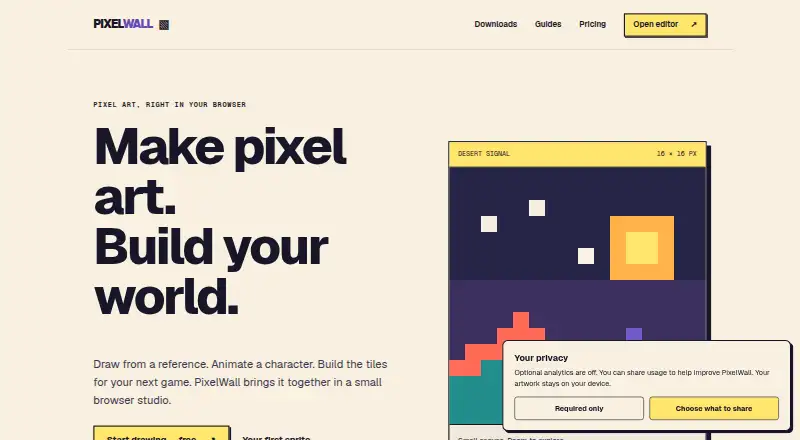
What PixelWall is
PixelWall is a local pixel-art and animation studio by CapLock, available in a browser and as desktop downloads. Its workspace includes drawing tools, layers and groups, animation clips, tilemap editing, 2D motion, scripts, and a command API. The browser editor requires no account and provides free editing and PNG exports. Artwork stays on your device; PixelWall does not provide cloud project sync. The Free studio plan costs nothing and includes drawing, animation, scripting, tilemap editing, frame exports in PNG, BMP, and TGA, plus editable project files. PixelWall Pro costs $15, paid once and adds animated GIFs, sprite-sheet PNGs, sprite ZIPs with PNG and JSON, Tiled-compatible tilemap packages, and named export presets. A signed ownership license has no expiry and can unlock listed Pro features offline in a compatible app. The browser and command-line bundles require Node.js 22.13 or newer. The local library defaults to 40 recovery revisions per document and a 96 MiB estimated library budget.
Good
- Browser editing and PNG exports need no account.
- Includes animation, tilemap editing, scripts, and an API.
- Free plan exports frames as PNG, BMP, and TGA.
- Pro ownership license has no expiry.
- Lua scripts cannot access arbitrary files, networks, or processes.
Watch out
- No cloud project sync.
- Browser and CLI bundles require Node.js 22.13 or newer.
- GIF, sprite-sheet, and sprite ZIP exports require Pro.
Who it suits
PixelWall suits people making pixel art, animations, or tilemaps who want local browser or desktop tools. It also offers automation options including a CLI, command API, JSON batches, and bounded Lua scripts.
Verdict
PixelWall combines pixel-art, animation, and tilemap tools with local storage and several automation surfaces. The Free studio covers core editing and frame exports, while the listed Pro exports cost $15, paid once.
Plans and prices
From PixelWall's own pricing page, checked 15 Oct 2026.
| Plan | Price | What it gives you |
|---|---|---|
| Free studio | Free | Drawing, layers, groups, references · Animation, scripting, API, CLI · Tilemap editing · PNG/BMP/TGA frame exports · Recovery and editable project files · $0 |
| PixelWall Pro | $15, paid once | Animated GIFs at 1×/2×/4×/8× · Sprite-sheet PNGs · Sprite ZIPs with PNG and JSON · Tiled-compatible tilemap packages · Named export presets · $15 USD once |
The facts
Each one read from PixelWall's own pages, with the date it was checked.
What it does
- AI capability
- PixelWall contains no embedded AI model; external agents can connect through the CLI, browser API or computer control.checked 15 Oct 2026
- API batch limit
- Browser command batches accept 1 to 2,000 commands and are limited to 16 MiB of command JSON.checked 15 Oct 2026
- Automation
- Supported automation surfaces include the local CLI, browser command API, bounded Lua 5.4 scripts, JSON command batches, and deliberate computer control.checked 30 Sep 2026
- CLI
- The command-line bundle requires Node.js 22.13 or newer and uses a saved Pro ownership license for premium exports.checked 30 Sep 2026
- CLI capabilities
- The CLI can create, inspect, render, import, apply JSON commands and run JavaScript or Lua scripts on native projects.checked 15 Oct 2026
- CLI requirement
- The standalone command-line bundle requires Node.js 22.13 or newer.checked 15 Oct 2026
- Color modes
- The document model supports RGBA, indexed and grayscale artwork with palettes and color conversion.checked 15 Oct 2026
- Core workspace
- The editor supports drawing tools, layers and groups, animation clips, tilemap editing, 2D motion, scripts, and a command API.checked 30 Sep 2026
- Desktop requirements
- Desktop downloads support Apple-silicon and Intel Macs on macOS 12 or newer, 64-bit Windows PCs and 64-bit Linux PCs.checked 15 Oct 2026
- Independent hosting observation
- ScamAdviser identifies Vercel Inc. in the United States as the server provider for pixelwall.dev.checked 15 Oct 2026
- Independent market context
- SourceForge’s September 2026 pixel-art comparison describes common category capabilities such as layers, frame management, onion skinning, tilesets and sprite-sheet export.checked 15 Oct 2026
- Independent market listing
- SourceForge’s displayed September 2026 comparison lists products including Photoshop, GIMP, Pixie Engine, Pixlr, Krita, Pixen and Piskel; PixelWall is not shown on the opened page.checked 15 Oct 2026
- Independent security observation
- ScamAdviser reports a valid Let's Encrypt certificate and DNSFilter safe classification for pixelwall.dev.checked 15 Oct 2026
- Independent traffic observation
- ScamAdviser describes pixelwall.dev as having a low Tranco traffic ranking and hidden WHOIS data.checked 15 Oct 2026
- Integrations
- Official guides cover Phaser, PixiJS and Tiled workflows using sprite metadata and tilemap packages.checked 15 Oct 2026
- Layers and animation
- The editor supports layers, animation clips, frame timing and onion-skin overlays.checked 15 Oct 2026
- Licence status
- The reviewed pages describe proprietary PixelWall ownership licenses and do not state an open-source license.checked 15 Oct 2026
- Limit: cloud sync
- The product has no cloud project sync, so users must retain downloaded project backups.checked 15 Oct 2026
- Limit: paid exports
- Animated GIF, sprite-sheet, atlas and game-package exports require Pro even when invoked through the API or CLI.checked 15 Oct 2026
Where it runs
- Browser access
- The browser editor requires no account and offers free editing and PNG exports.checked 30 Sep 2026
- Browser API
- A running editor exposes version 1 of window.pixelwall for inspection, revision-checked edits, previews, saves and exports.checked 15 Oct 2026
- Browser recovery limit
- Local recovery defaults to 40 revisions per document and an estimated 96 MiB library budget.checked 15 Oct 2026
- Desktop platforms
- Desktop downloads are provided for Apple-silicon and Intel Macs, 64-bit Windows PCs, and 64-bit Linux PCs.checked 30 Sep 2026
The company
- Company identity
- The official site identifies CapLock as PixelWall’s maker and gives [email protected] as its contact address.checked 15 Oct 2026
The full review of PixelWall
Overview
PixelWall is a pixel-art studio for people who want drawing, animation, tilemap editing and automation in one workspace. Its strongest fit is an artist or developer who prefers local files and needs more than a basic sprite editor; cloud project sync is not part of the package.
The browser editor is free to use without an account, making it a low-friction way to begin. The trade-off is that advanced export options require a one-time Pro purchase.
Key features
Drawing and animation
Layers, groups and references support organized artwork, while animation clips, a timeline and onion skinning cover frame-based work. Indexed color tools add palette control. These are useful foundations for sprite work, but Free studio exports individual frames rather than animated GIFs or sprite sheets.
Tilemaps and motion
Tilemap editing and 2D motion extend PixelWall beyond static sprites. Tiled-compatible tilemap packages give game developers a route into Tiled-based workflows, and guides cover using classic sprite packages with Phaser. That makes the tool more relevant to game-asset production than an editor limited to drawing and frame animation.
Automation and local control
Automation spans a local CLI, browser command API, JSON command batches, deliberate computer control and bounded Lua 5.4 scripts. Lua scripts cannot access arbitrary files, networks or processes, a meaningful safety boundary for users who want scripting without unrestricted system access. The CLI and portable local browser studio require Node.js 22.13 or newer, which adds a setup requirement for those versions.
Artwork stays on the user’s device, with no cloud project sync. Optional usage analytics and enhanced diagnostics are off unless enabled, and artwork and imported files are excluded from analytics. Recovery defaults to 40 revisions per document and an estimated 96 MiB library budget, so users working on large projects should account for that cap.
Pricing
| Plan | Price | What it includes |
|---|---|---|
| Free studio | free | Drawing, layers, groups, references, animation, scripting, API, CLI, tilemap editing, frame PNG/BMP/TGA exports, recovery and editable project files. |
| PixelWall Pro | $15, paid once | Animated GIF exports at 1×, 2×, 4× and 8×; sprite-sheet PNGs; sprite ZIPs with PNG and JSON; Tiled-compatible tilemap packages; named export presets. |
Free studio is unusually broad for a no-cost tier: it includes the core workspace and automation surfaces, as well as editable projects and frame exports. It gives up the packaged and animated export formats that matter when delivering sprites or tilemaps to a downstream workflow. PixelWall Pro is billed once, not as a recurring subscription, and its signed PW2 ownership license has no expiry and can unlock Pro features offline in a compatible installed or downloaded app.
Platforms
PixelWall supports web, macOS, Windows and Linux. Desktop downloads cover Apple-silicon and Intel Macs, 64-bit Windows PCs and 64-bit Linux PCs. The browser editor needs no account for free editing and PNG exports; a portable local browser studio is also available with Node.js 22.13 or newer. The command-line bundle has the same Node.js version requirement and uses a saved Pro ownership license for premium exports.
Who it's for
PixelWall suits pixel artists and game developers who want animation, tilemaps and scriptable workflows while keeping projects local. It is especially attractive to users who can make use of the Free studio’s broad editing and frame-export features or who need Pro’s one-time unlock for delivery formats. Choose another tool if cloud project synchronization is essential, or if you need premium exports without purchasing Pro.
Pros and cons
Pros
- Generous free workspace: animation, scripting, API, CLI and tilemap editing are included alongside frame exports.
- One-time Pro payment: animated GIFs, sprite sheets, sprite ZIPs, tilemap packages and named presets unlock for $15, paid once.
- Local-first privacy: projects remain on the device, while analytics and enhanced diagnostics require opt-in.
- Multiple automation routes: CLI, command API, JSON batches, deliberate computer control and bounded Lua scripts serve different workflows.
Cons
- No cloud project sync: projects stay local, so PixelWall is a poor match for users who expect cloud-based project continuity.
- Premium formats are paid: animated GIF, sprite-sheet and sprite-ZIP exports are not included in Free studio.
- Recovery has bounds: the default library budget is estimated at 96 MiB, with 40 revisions per document.
- Some local tools require Node.js: the portable browser studio and CLI need version 22.13 or newer.
Alternatives
Pixel Art Software is the category directory for comparing more options.
- Pixelorama is worth considering for readers who want a free, open-source option spanning Android as well as desktop and web platforms.
- Pro Motion NG may suit users who want a free edition with limited features and commercial use allowed, or a full version at $19 a month.
- LibreSprite is a free, open-source alternative for users who prefer software under the GNU General Public License Version 2.
- Pixel Studio is an option for mobile users, with a free tier and a one-time PRO plan priced at $12.99, paid once.
- Manabit may fit users seeking AI credits and automatic history backups in its $5.99 a month Pro subscription.
- Pixilart offers a free plan with 15 stamps and a three-day PRO trial before $4.99 a month billing.
- Aseprite is a paid alternative for users willing to pledge at least $19.99 a month for its desktop packages.
Verdict
PixelWall is a strong choice for local-first pixel artists and game developers who value animation, tilemap tools and automation in one free-capable studio. Its $15, paid once Pro tier is a clear step up for packaged and animated exports without a subscription. Look elsewhere if cloud sync is essential or if the Node.js requirement complicates your local workflow.
Alternatives to PixelWall
- 1
LibreSprite
Free planOpen sourceAndroidWebAPILinux8.0Free plan - 2
Pixelc
Free planOpen sourceAndroidWebLinuxmacOS7.8Free plan - 3
Avidemux
Free planOpen sourceWebLinuxmacOSWindows7.3Free plan - 4
Hexcalibur
Free planWebLinuxmacOSWindows7.2Free plan - 5
PixelAoi
Free planAPIWindows7.2$17 one-time - 6
Pixilart
Free planAndroidiOSWeb7.2From $4.99 a month