
Pixelorama
Pixelorama is a free, open-source pixel-art creation tool for drawing, animation and game graphics.
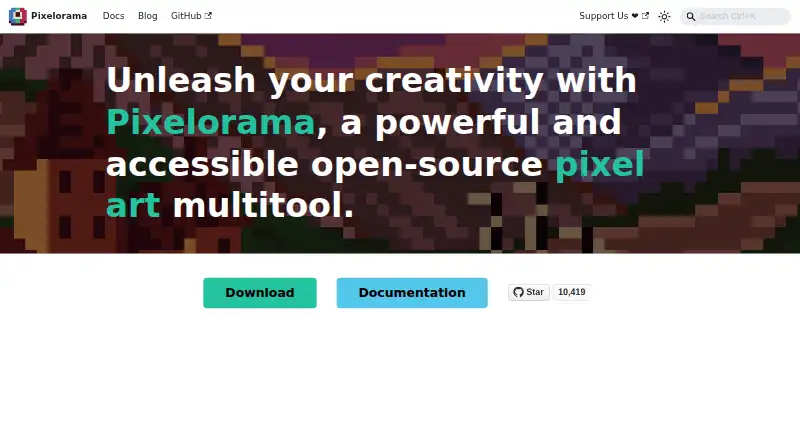
What Pixelorama is
Pixelorama is a free, open-source pixel-art creation tool for drawing, animation and game graphics. Drawing features include shading tools, palettes, indexed color, and algorithms for rotating and scaling pixel art. Its layer system includes clipping masks, group blending, non-destructive effects and 3D layers. Animation tools support frame-by-frame work, onion skinning, frame tags and audio synchronization; projects can be exported as PNG, animated PNG, spritesheets, GIFs or video. It can import animations from Aseprite, Photoshop and Krita. Tilemap layers support rectangular, isometric and hexagonal layouts, and elements can hold custom user data. Pixelorama runs on Windows, Linux, macOS and web browsers, and has an experimental Android version. The MIT license permits personal and commercial use, modification and redistribution. The Android interface is not properly adapted for phones, and the project describes that version as mostly intended for tablets. Desktop versions also include a command-line interface for automating project exports. The FAQ says it should run on most devices supporting OpenGL 3.3 or OpenGL ES 3.0.
Good
- Free and open source under the MIT license.
- Exports spritesheets, GIFs and video.
- Imports animations from Aseprite, Photoshop and Krita.
- Tilemaps support three tile layouts.
- Desktop command-line exports can be automated.
Watch out
- Android version is experimental.
- Android interface is not properly adapted for phones.
- Command-line exports are available on desktop platforms.
Who it suits
Pixelorama suits pixel artists, animators and game-graphics creators who want drawing, animation and tilemap tools. Its Android version is mainly suited to tablet users, given the interface limitation on phones.
Verdict
Pixelorama covers pixel drawing, animation and tilemap work across desktop and web, with broad usage rights under its MIT license. Android users should note that the experimental version is mostly aimed at tablets.
Plans and prices
From Pixelorama's own pricing page, checked 20 Sep 2026.
| Plan | Price | What it gives you |
|---|---|---|
| Free | Free | Free and open-source software · Windows, Linux, macOS, Android, and web availability · Paying is optional on itch.io and free builds are available. |
| Steam | — | Windows and Linux · Steam Cloud synchronization · Steam Achievements · Automatic updates |
| Free version | Free | Windows · Linux · macOS · Web; Android version is experimental · $0.00 |
| Steam version | — | Windows · Linux · Steam features include automatic updates and achievements · Paid; price not stated on the page |
The facts
Each one read from Pixelorama's own pages, with the date it was checked.
Where it runs
- Android limitation
- The Android version is experimental and its interface has not been properly adapted for mobile phones; the page says it is mostly meant for tablets.checked 30 Sep 2026
What it does
- Animation
- Its animation tools include frame-by-frame drawing, onion skinning, frame tags, audio synchronization, and exports to spritesheets, GIFs, and videos.checked 30 Sep 2026
- Animation imports
- The site says Pixelorama can import animations from Aseprite, Photoshop, and Krita.checked 30 Sep 2026
- Audience
- The introduction describes uses including pixel art, animations, game graphics, sketches, and pixelated memes.checked 30 Sep 2026
- CLI exports
- The command-line interface can automate project exports and is available on desktop platforms.checked 30 Sep 2026
- Drawing tools
- Pixelorama includes drawing and shading tools, palettes, indexed mode, and pixel-art rotation and scaling algorithms.checked 30 Sep 2026
- Export formats
- PNG,animated PNG,spritesheets,GIF,videochecked 20 Sep 2026
- Game development
- Tilemap layers support rectangular, isometric, and hexagonal tiles, and elements can hold custom user data.checked 30 Sep 2026
- Layer editing
- Its layer system includes clipping masks, group blending, non-destructive effects, and 3D layers.checked 30 Sep 2026
- License and commercial use
- The FAQ says Pixelorama is free and open source under the MIT license, and permits personal and commercial use, modification, and redistribution.checked 30 Sep 2026
- Product
- Pixelorama is an open-source pixel-art creation tool developed by Orama Interactive and contributors.checked 30 Sep 2026
- Security
- The FAQ says official builds are generated from source using GitHub Actions and warns that unsigned builds may trigger security warnings such as Windows SmartScreen.checked 30 Sep 2026
- Support
- The documentation directs users seeking help to the project's Discord community and GitHub repository.checked 30 Sep 2026
- System requirement
- The FAQ says Pixelorama should run on most devices that support OpenGL 3.3 or OpenGL ES 3.0.checked 30 Sep 2026
- Web and desktop
- The installation page lists free versions for Windows, Linux, macOS, and Web browsers.checked 30 Sep 2026
Money
- Free plan
- Yeschecked 20 Sep 2026
The full review of Pixelorama
Overview
Pixelorama is an open-source pixel-art editor that brings drawing, animation and game-asset work into one tool. It is best suited to artists and game makers who want a free, modifiable workflow across desktop and web. Its breadth is compelling, though Android users should treat the tablet-focused experimental build as a caveat.
Key features
Drawing and color
Drawing and shading tools, palettes and indexed-color controls cover both freeform pixel work and more deliberate palette management. Pixel-art rotation and scaling algorithms address a common practical concern: transforming artwork without losing control over its crisp, block-based look. This makes Pixelorama a stronger fit for pixel-specific work than a general-purpose drawing tool.
Animation
The timeline supports frame-by-frame drawing, onion skinning and frame tags, while audio synchronization can help coordinate animation with sound. Importing animations from Aseprite, Photoshop and Krita gives users a route to continue work brought from those tools. Exports include animated PNG, spritesheets, GIF and video, so assets can be prepared for different uses without limiting the output to a single format.
Layers and game assets
Clipping masks, group blending, non-destructive effects and 3D layers make the layer system more capable than a basic stack of drawings. Tilemap layers support rectangular, isometric and hexagonal grids, and elements can carry custom user data. That combination makes Pixelorama relevant to game-asset workflows as well as standalone illustration, although the available tools do not by themselves make it a complete game-development suite.
Automation
The desktop command-line interface can automate project exports, a useful option for repeatable asset pipelines. It is not a stated feature of the web or Android versions, so users who depend on scripted exports should choose a desktop build.
Pricing
Pixelorama is freemium, with free builds and a free plan at no cost. The free offering covers Windows, Linux, macOS and web, with Android availability experimental. Paying is optional on itch.io, and the software is free and open source rather than a time-limited trial.
The MIT license permits personal and commercial use, modification and redistribution. That gives independent creators and commercial teams broad freedom to use and adapt the software without a stated seat cap or free-plan quota.
A Steam version is offered for Windows and Linux with Steam Cloud synchronization, achievements and automatic updates.
Platforms
Pixelorama runs on Windows, Linux, macOS and web browsers, with an experimental Android version. The Android interface is not properly adapted for phones and is mostly intended for tablets, making mobile-phone use a less suitable choice. The FAQ says it should run on most devices supporting OpenGL 3.3 or OpenGL ES 3.0. Official builds are generated from source using GitHub Actions; unsigned builds may trigger security warnings such as Windows SmartScreen.
Who it's for
Pixelorama suits pixel artists, animators and game creators who want drawing, sprite animation and tilemap work under one roof, particularly if license flexibility and export automation matter. It is less appropriate for phone-first artists, and desktop users seeking a purchase with a stated price should weigh the Steam edition's unspecified cost before choosing it.
Pros and cons
Pros
- Broad pixel-art workflow: drawing, animation, layers and tilemaps serve several related tasks in one application.
- Useful output choices: spritesheet, GIF, animated PNG and video exports accommodate different animation needs.
- Commercially permissive license: MIT terms allow commercial use, modification and redistribution.
- Desktop export automation: CLI support can reduce repetitive work in asset pipelines.
Cons
- Android is tablet-oriented: the experimental interface is not properly adapted for phones.
- Unsigned builds may raise warnings: security prompts can add friction for users installing unofficial builds.
Alternatives
- Pixel Art Software is a useful category comparison for readers who want to weigh more pixel-art options.
- Game Animation Software is a broader comparison for readers focused on animation for games.
- Animation Software is the category to browse when general animation is the priority.
- Pixelc is another free, open-source freemium option with Android, Linux, macOS, web and Windows availability; Android Premium is a separate purchase.
- Pixel Studio is a free freemium alternative across Android, iOS, macOS and Windows, but its free app contains ads and PRO is required for Google Drive sync, dark theme and other features.
- PixelWall offers a free studio with drawing, layers, animation, tilemap editing and scripting, plus API and CLI capabilities.
- Pro Motion NG has a free edition with limited features and commercial use allowed; its full version costs $19 a month.
- LibreSprite is a free, open-source alternative under GNU General Public License Version 2 for Android, Linux, macOS and Windows.
- Manabit is an option for users seeking AI credits and automatic history backups, with Pro at $5.99 a month through an auto-renewing PayPal subscription requiring a license.
- Aseprite is a paid alternative with a free trial; its stated minimum pledge is $19.99 a month.
- Pix2D is a free alternative for web, desktop and Android.
Verdict
Choose Pixelorama if you want a capable, free pixel-art workspace that spans animation, tilemaps and desktop export automation, with an MIT license that leaves room for commercial and modified use. Look elsewhere if you need a polished phone interface or prefer a Steam option with a clearly stated price.
Getting started
- Choose the free version for Windows, Linux, macOS, or a web browser.
- Use the Android version if you are setting up on a tablet; it is experimental.
- For desktop use, the command-line interface can automate project exports.
Questions
Is Pixelorama free?
Yes. Free versions are available, and the software is open source under the MIT license.
Can Pixelorama be used commercially?
Yes. The MIT license permits personal and commercial use, modification, and redistribution.
Which platforms does it support?
Windows, Linux, macOS, Android, and web browsers. The Android version is experimental and mostly intended for tablets.
What animation formats can it export?
It can export animations as spritesheets, GIFs, and videos; exports also include PNG and animated PNG.
Can it import animations from other tools?
Yes. It can import animations from Aseprite, Photoshop, and Krita.
What hardware support does it require?
The FAQ says it should run on most devices that support OpenGL 3.3 or OpenGL ES 3.0.
Alternatives to Pixelorama
- 1
LibreSprite
Free planOpen sourceAndroidWebAPILinux8.0Free plan - 2
Pixelc
Free planOpen sourceAndroidWebLinuxmacOS7.8Free plan - 3

PixelWall
Free planWebAPILinuxmacOS7.6$15 one-time - 4
Avidemux
Free planOpen sourceWebLinuxmacOSWindows7.3Free plan - 5
Hexcalibur
Free planWebLinuxmacOSWindows7.2Free plan - 6
PixelAoi
Free planAPIWindows7.2$17 one-time