Pixano
Pixano is an open-source tool for exploring and annotating computer vision datasets, including collections with text, images, and videos.
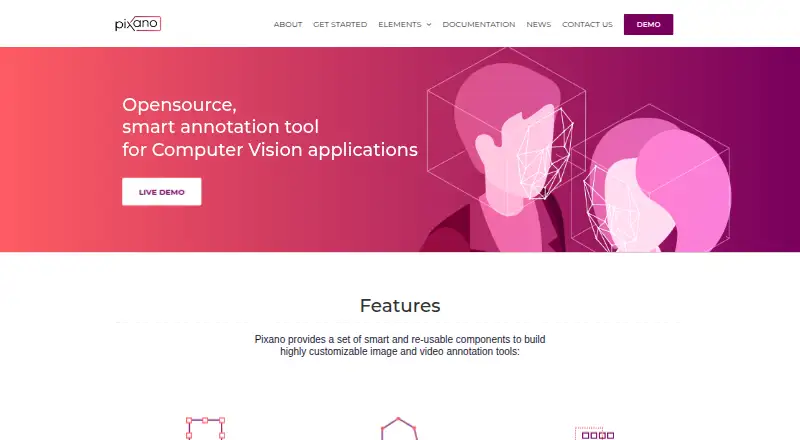
What Pixano is
Pixano is an open-source tool for exploring and annotating computer vision datasets, including collections with text, images, and videos. Its annotation tools cover bounding boxes, polygons, pixel masks, keypoints, cuboids, classification, and tracking; video labels can also be propagated over time. Smart annotation features include semantic search using models such as CLIP and segmentation using models such as SAM. Dataset formats such as COCO can be imported and exported, and the tool uses Lance storage for dataset navigation. Pixano documents REST and Python APIs, and reusable Web Components can be assembled into custom apps. Pixano Inference offers a Ray Serve-based inference server with a Python client and REST API. Installation is documented through pip in a Python virtual environment or an official Docker image. The documented Python range is 3.10 or later and earlier than 3.14. Pixano is licensed under CeCILL-C and is actively developed, so its API may change. The maker describes uses in AI development across manufacturing, security, robotics, and transportation.
Good
- Annotation tools cover boxes, masks, cuboids, and tracking.
- Supports importing and exporting COCO datasets.
- Includes REST and Python APIs.
- Offers pip and official Docker installation options.
- Licensed under CeCILL-C.
Watch out
- The project is under active development.
- API changes are possible.
- Documented Python versions must be below 3.14.
- 3D point-cloud support is described as planned.
Who it suits
Pixano suits AI developers and teams working with computer vision datasets who need annotation, import/export, or API access. Its documented installation options may appeal to users comfortable with Python environments or Docker.
Verdict
Pixano brings dataset exploration, annotation, search, and API options into an open-source tool. Its active development and possible API changes are important considerations for teams building around it.
The facts
Each one read from Pixano's own pages, with the date it was checked.
What it does
- 3D annotation
- The official site says users can create cuboids and match them to point clouds using geometric transformations.checked 30 Sep 2026
- AI features
- Pixano lists semantic search using models such as CLIP and smart segmentation using models such as SAM.checked 30 Sep 2026
- Annotation tools
- The official site lists bounding boxes, editable polygons, pixelwise masks, customizable labels, and temporal propagation of video annotations.checked 30 Sep 2026
- API
- Pixano documents a REST API and a Python API for interacting with the application and datasets.checked 30 Sep 2026
- Dataset formats
- It supports importing and exporting dataset formats such as COCO.checked 30 Sep 2026
- Dataset navigation
- Pixano uses the Lance storage format for fast dataset navigation.checked 30 Sep 2026
- Deployment
- The maker documents installation with pip in a Python virtual environment and official Docker releases.checked 30 Sep 2026
- Development status
- The project states that it is under active development and subject to API changes.checked 30 Sep 2026
- Import and export
- Pixano supports importing and exporting dataset formats such as COCO.checked 30 Sep 2026
- Inference integration
- Pixano Inference provides a Ray Serve based inference server with a Python client and REST API for deployed models.checked 30 Sep 2026
- Installation
- The project README describes installation with pip in a Python virtual environment or by running an official Docker image.checked 30 Sep 2026
- Intended users
- CEA-List describes Pixano as supporting AI developers and applications in areas including manufacturing, security, robotics, and transportation.checked 30 Sep 2026
- License
- Pixano is licensed under CeCILL-C.checked 30 Sep 2026
- License and maturity
- Pixano is licensed under CeCILL-C, and its README says it is under active development and subject to API changes.checked 30 Sep 2026
- Product
- Pixano is an open-source tool for exploring and annotating computer vision datasets with AI features.checked 30 Sep 2026
- Purpose
- Pixano is an open-source tool for exploring and annotating computer vision datasets.checked 30 Sep 2026
- Requirements
- The documented Python requirement is version 3.10 or later and earlier than 3.14.checked 30 Sep 2026
- Security and compliance
- The pages reviewed did not state a security certification or compliance standard.checked 30 Sep 2026
- Semantic search
- Pixano supports semantic search using models such as CLIP.checked 30 Sep 2026
- Smart annotation
- It offers smart annotation components for bounding boxes, polygons, pixelwise masks, 3D bounding boxes, customizable labels, and temporal label propagation.checked 30 Sep 2026
Where it runs
- Custom apps
- Pixano's reusable annotation elements are Web Components that can be assembled into a custom app.checked 30 Sep 2026
The company
- Founded
- 2020checked 28 Sep 2026
- Headquarters
- Palaiseau, Francechecked 28 Sep 2026
- Maker
- The product pages identify CEA List as Pixano's maker; its About page describes the LIST Institute as one of the three institutes of CEA Tech.checked 30 Sep 2026
The full review of Pixano
Overview
Pixano is an open-source computer-vision dataset tool for teams that need to explore, search and annotate image or video collections. It is best suited to developers who can work with Python and want annotation components and APIs they can build into their own workflow. Its breadth is appealing, but active development and possible API changes make it a less settled foundation for integrations that must stay stable.
Key features
Annotation and model assistance
Pixano covers bounding boxes, editable polygons, pixel masks, keypoints, cuboids, classification and tracking, with customizable labels and propagation of video annotations over time. That range gives teams a route from common 2D labeling to temporal and 3D tasks within one tool. Cuboids can be matched to point clouds using geometric transformations, although point-cloud support is described as planned for the broader multi-view dataset experience.
Model-assisted labeling includes smart segmentation using models such as SAM; semantic search using models such as CLIP can help locate relevant material in a dataset. These features are most useful for AI developers who already work with such models, rather than teams seeking a turnkey labeling service.
Datasets, APIs and customization
Pixano supports multi-view datasets containing text, images and video, and imports and exports formats such as COCO. Annotation exports include COCO and Pixano's own format; JPEG and PNG are supported image formats. Lance is used for storage and dataset navigation, while REST and Python APIs offer ways to interact with the application and datasets. Reusable annotation elements are Web Components, so developers can assemble a custom app instead of treating the interface as fixed.
Pixano Inference adds a Ray Serve-based server for deployed models, with a Python client and REST API. This developer-oriented integration is a strength for teams connecting labeling and inference, but also increases the importance of accounting for API changes while the project is under active development.
Pricing
Pixano is free, open-source software under the CeCILL-C license. There is a free plan and no free trial; no paid plan or seat-based tier is part of its pricing model. The absence of a subscription makes it suitable for teams that can deploy and operate the software themselves, but free access should not be mistaken for a hosted service or a promise of support. The README points users to its Getting Started and contributing guides for usage and contribution information.
Platforms
Pixano is available for web use and can be deployed on Linux, macOS or Windows, with self-hosted and API options. The project documents installation through pip in a Python virtual environment or through official Docker releases. Its recommended Python range is version 3.10 or later and earlier than 3.14. That deployment flexibility suits technical teams, while the documented Python requirement and self-hosting path may be a barrier for users looking for a managed, ready-to-use service.
Who it's for
Pixano is aimed at AI developers and applications in areas such as manufacturing, security, robotics and transportation. It makes sense for teams handling computer-vision datasets that want to combine annotation, model-assisted labeling, search and custom integrations. It is less compelling for organizations that need a stable, managed platform with established security assurances: no security certification or compliance standard is stated, and the project warns that its API may change.
Pros and cons
- Pros: Broad annotation coverage, from polygons and pixel masks to tracking and cuboids, serves varied computer-vision workflows.
- Pros: COCO import and export, plus Pixano-format exports, gives teams practical routes to move annotations between workflows.
- Pros: Python and REST APIs, reusable Web Components and Pixano Inference support developer-led customization and model integration.
- Pros: Free, open-source licensing avoids subscription charges and allows self-hosted deployment.
- Cons: Active development and potential API changes create maintenance risk for teams building long-lived integrations.
- Cons: Installation requires a compatible Python environment or Docker deployment, making it less suited to nontechnical users seeking a managed service.
- Cons: No stated security certification or compliance standard may rule it out for teams with formal assurance requirements.
Alternatives
For a broader comparison, browse Image Annotation Software and AI Image Annotation Tools.
- Label Studio is another option with a free Community Edition and a free trial; consider it if you want to compare a freemium alternative across web, desktop, API and self-hosted platforms.
- Roboflow offers a free tier with 10 credits per month, described as enough for about 30 model training runs or 80,000 inferences, as well as a Core plan at $39 a month. Choose it if those stated allowances or its Android and iOS platform support fit your needs better.
- CVAT has a free Community plan for personal use and small teams under the MIT license, and a separate free online plan with limits of one member, one project, three tasks and 1 GB. It is worth comparing if those defined free options better match your team size and workload.
- Ultralytics Platform has a free plan with 100 GB storage, 10 GB per upload, 100 models, three concurrent cloud training jobs and three cloud deployments. Consider it if those cloud capacities are a better match than Pixano's self-hosted, developer-oriented approach.
- BasicAI offers private-cloud deployment starting from $6,600 a year, with customizable seats, storage, model calls and on-premise deployment options. It is an option to compare if those deployment terms suit your requirements.
- Labelbox is another freemium option with a free plan.
- Labelme is another freemium option for Windows, macOS and Linux.
- MakeSense.ai is another free option for web, Windows, macOS and Linux.
Verdict
Choose Pixano if your team needs a free, open-source toolkit for computer-vision dataset annotation and exploration, and has the technical capacity to deploy it and maintain integrations. Its strongest case is the combination of broad annotation tools, model-assisted features and APIs that can support custom workflows. Look elsewhere if you need a managed service, formal security assurances, or an integration surface that is less exposed to change.
Alternatives to Pixano
- 1

Roboflow
Free planAndroidiOSWebAPI8.3From $39 a month - 2

Label Studio
Free planOpen sourceWebAPILinuxmacOS8.2From $99 a month - 3
VGG Image Annotator
Free planOpen sourceWebLinuxmacOSSelf-hosted7.7Free plan - 4
MakeSense.ai
Free planOpen sourceWebLinuxmacOSSelf-hosted7.6Free plan - 5
COCO Annotator
Free planOpen sourceWebAPILinuxSelf-hosted7.4Free plan - 6
Prodigy
WebAPILinuxmacOS7.0$390 one-time