
Pinako
Pinako organizes browser tabs and sessions into nested trees and can restore closed tabs and windows to their prior positions.
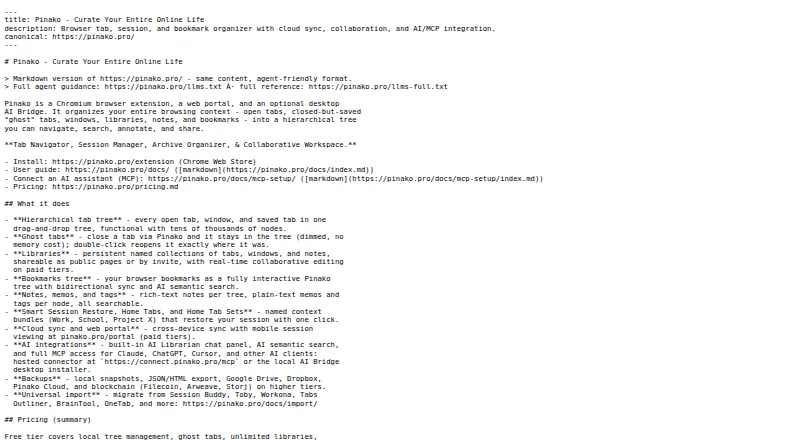
What Pinako is
Pinako organizes browser tabs and sessions into nested trees and can restore closed tabs and windows to their prior positions. Libraries collect tabs, windows, and notes, including in collaborative workspaces. Notes support rich text; Pro+ adds resizable image, video, and audio embeds stored in Pinako cloud. Search features include natural-language search and an AI Librarian chat panel, while an MCP bridge connects desktop AI clients and runs locally. AI Search sends the query and relevant context to xAI’s Grok API. The free extension stores data locally; Pinako’s privacy policy says it does not sell data, read page contents, or train AI models on stored data. Backups can use local snapshots or optional services such as Google Drive, Dropbox, Filecoin, Arweave, and Storj. The free plan includes local backups, rich-text notes, and tab and bookmark trees. Pro and Pro+ monthly plans include a 14-day trial without a payment method. Pinako works in Chromium-based browsers, not WebKit-based browsers such as Orion.
Good
- Restores closed tabs and windows to prior positions.
- Libraries can hold shared collections and notes.
- Free extension stores data locally.
- Local snapshots and optional external backups are available.
Watch out
- WebKit-based browsers such as Orion are not supported.
- AI Search sends queries and relevant context to xAI’s Grok API.
- AI Bridge requires the Pinako Chrome extension.
Who it suits
Pinako suits people who manage many browser tabs or want to organize sessions, notes, and shared collections. Its AI search and desktop bridge may appeal to users of connected AI clients, with the noted data handling in mind.
Verdict
Pinako combines tab organization and restoration with libraries, notes, backups, and AI tools. Check browser compatibility and the different data flows for AI Search and the locally run AI Bridge.
Plans and prices
From Pinako's own pricing page, checked 29 Sep 2026.
| Plan | Price | What it gives you |
|---|---|---|
| Free | Free | Free extension; local backups; rich-text notes; tab and bookmark trees |
| Pro | $5 a month | 200 AI credits/month; sync, sharing, AI search, snapshot search · $5/month billed monthly; $4.16/month billed annually |
| Pro+ | $10 a month | 400 AI credits/month; collaboration, multimedia storage, blockchain backups · $10/month billed monthly; $8.33/month billed annually |
| Premium | $25 a month | 1,000 AI credits/month; expanded collaboration, AI and media storage limits · $25/month billed monthly; $20.83/month billed annually |
| Enterprise | $60 a month | 2,400 AI credits/month; large collaboration teams, bulk packages, SLA-backed support · $60/month billed monthly; $50.00/month billed annually |
The facts
Each one read from Pinako's own pages, with the date it was checked.
What it does
- AI
- AI features include natural-language search, an AI Librarian chat panel, and an MCP bridge for desktop AI clients.checked 29 Sep 2026
- AI data handling
- AI Search sends relevant context and the query to xAI's Grok API, while the AI Bridge runs locally on the user's computer.checked 29 Sep 2026
- Backups
- The extension supports local snapshots and optional Google Drive, Dropbox, Filecoin, Arweave and Storj backups.checked 29 Sep 2026
- Cloud security
- The privacy policy says cloud data is stored with row-level security and transmitted over HTTPS.checked 29 Sep 2026
- Imports
- Pinako lists imports from Session Buddy, Toby, Workona, Tabs Outliner, BrainTool, Link Map, TabXpert and OneTab.checked 29 Sep 2026
- Integrations
- The site names Claude, Codex, Cursor, Antigravity, Notion, Google Sheets, Slack and Obsidian among supported AI-client or connected-app examples.checked 29 Sep 2026
- Libraries
- Libraries store and share collections of tabs, windows and notes, including as collaborative workspaces.checked 29 Sep 2026
- Notes
- Notes support rich text, and Pro+ adds resizable image, video and audio embeds stored in Pinako cloud.checked 29 Sep 2026
- Privacy
- The free extension stores data locally; the privacy policy says Pinako does not sell data, read page contents or use stored data to train AI models.checked 29 Sep 2026
- Product
- Pinako organizes browser tabs and sessions in a nested tree and can reopen closed tabs and windows in their previous positions.checked 29 Sep 2026
Where it runs
- Browser compatibility
- The Chrome Web Store listing says Pinako works in Chromium-based browsers and that WebKit-based browsers such as Orion are not supported yet.checked 29 Sep 2026
- Platform support
- The downloads page offers the AI Bridge for Windows 10/11 and Linux x64 or ARM64, and requires the Pinako Chrome extension.checked 29 Sep 2026
The company
- Company
- The Chrome Web Store listing identifies the developer as Evan Robert Martin and gives a Grass Valley, California address.checked 29 Sep 2026
Money
- Trial
- New subscribers can try Pro and Pro+ monthly plans for 14 days without providing a payment method.checked 29 Sep 2026
The full review of Pinako
Pinako is a browser tab and session organizer that combines nested trees with libraries for tabs, windows and notes. It suits people who want to preserve and share project context, not just clear a crowded tab bar. Its strongest case is for Chromium users comfortable with optional cloud and AI services.
Overview
Pinako’s defining idea is to give browser work a structure that can survive beyond the current window: tabs and sessions sit in nested trees, and closed tabs or windows can be reopened in their previous positions. Libraries extend that approach to collections of tabs, windows and notes, with sharing and collaborative workspaces. That scope is useful for ongoing research or team projects, but may be more apparatus than someone seeking only a quick tab-saving tool needs.
The free extension stores data locally and includes local backups. Optional backup destinations include Google Drive, Dropbox, Filecoin, Arweave and Storj. Pinako also supports imports from Session Buddy, Toby, Workona, Tabs Outliner, BrainTool, Link Map, TabXpert and OneTab, giving users of those tools a route to bring existing collections across.
Key features
Tabs, sessions and libraries
Tab search, session restore, tab suspension and workspaces cover the basic cycle of finding, preserving and organizing browser work. The nested tree and restoration of previous tab and window positions are the more meaningful differentiators for users who want to return to a particular working arrangement, rather than merely reopen a flat list. Libraries add sharing and collaborative workspaces, making Pinako more relevant to people managing collections with others.
Notes, AI and connected apps
Rich-text notes let users keep written context alongside saved tabs. Pro+ adds resizable image, video and audio embeds stored in Pinako cloud; that may help build richer reference libraries, but multimedia storage is not part of the free plan.
AI features include natural-language search, an AI Librarian chat panel and an MCP bridge for desktop AI clients. Named examples of supported clients or connected apps include Claude, Codex, Cursor, Antigravity, Notion, Google Sheets, Slack and Obsidian. The data paths differ: AI Search sends the query and relevant context to xAI’s Grok API, while the AI Bridge runs locally on the user’s computer. Readers who want AI-assisted search should weigh that context sharing; the locally run bridge is a separate option for desktop AI clients.
Privacy and backups
The privacy policy says Pinako does not sell data, read page contents or use stored data to train AI models. Cloud data is stored with row-level security and transmitted over HTTPS. These protections do not change the AI Search flow: relevant context and the query go to Grok. The free plan’s local storage and local backups suit users who prefer to keep their data on-device, while optional cloud and decentralized backup destinations provide additional choices.
Pricing
Pinako has a free plan and a 14-day trial of its monthly Pro and Pro+ plans; new subscribers do not need to provide a payment method for the trial. The paid tiers add sync, sharing, AI credits, collaboration and storage at different levels.
- Free — free. Includes the extension, local backups, rich-text notes, and tab and bookmark trees. It is the sensible starting point for individual local organization, but it omits paid-plan sync, sharing and AI search.
- Pro — $5 a month (billed $5/month billed monthly; $4.16/month billed annually). Includes 200 AI credits/month, sync, sharing, AI search and snapshot search. It fits users who need synchronized collections and search but not Pro+ collaboration or multimedia storage.
- Pro+ — $10 a month (billed $10/month billed monthly; $8.33/month billed annually). Includes 400 AI credits/month, collaboration, multimedia storage and blockchain backups. Choose it when shared workspaces and embedded media justify the added cost.
- Premium — $25 a month (billed $25/month billed monthly; $20.83/month billed annually). Includes 1,000 AI credits/month and expanded collaboration, AI and media storage limits, for users whose needs exceed Pro+ allowances.
- Enterprise — $60 a month (billed $60/month billed monthly; $50.00/month billed annually). Includes 2,400 AI credits/month, large collaboration teams, bulk packages and SLA-backed support, making it the tier aimed at larger deployments.
Annual billing lowers the stated monthly rate on paid plans. The free tier avoids a subscription but gives up sync and paid AI and sharing capabilities; higher plans primarily buy larger allowances and team-oriented features.
Platforms
Pinako lists Linux, web and Windows support, with cross-device sync on paid plans. The browser extension works in Chromium-based browsers; WebKit-based browsers such as Orion are not supported yet. The separate AI Bridge is offered for Windows 10/11 and Linux x64 or ARM64, and requires the Pinako Chrome extension. That browser requirement is a practical constraint for users outside the Chromium ecosystem.
Who it's for
Pinako is best suited to Chromium users who manage many tabs across ongoing projects and value nested organization, restoration, shared libraries or AI-assisted retrieval. Teams may find the collaboration tiers useful, while individuals can begin with local storage on Free. It is a weaker fit for people who want a minimal tab collector, avoid cloud-connected features, or rely on a WebKit-based browser.
Pros and cons
- Pro: Nested trees and restoration of previous tab and window positions preserve more working context than a simple saved-tab list.
- Pro: Libraries combine tabs, windows and notes, and can be shared as collaborative workspaces.
- Pro: Free includes local backups and rich-text notes, and imports are supported from several named tab managers.
- Con: AI Search sends its query and relevant context to Grok, a meaningful trade-off for users who do not want that data flow.
- Con: Orion and other WebKit-based browsers are not supported yet, narrowing the choice for those users.
- Con: Multimedia embeds require Pro+, while sync, sharing and AI search also require a paid plan.
Alternatives
Tab Management Software is the broader category directory for comparing tools in this space.
- Workona is worth considering for users seeking a freemium organizer across extension, iOS, Linux, macOS, web and Windows; its free individual accounts have limited spaces and sections, with no free team or organization accounts.
- Toby offers a free Starter plan for up to 60 saved tabs with unlimited members, and a Productivity plan at $6 a month billed per member / month; it may suit readers prioritizing a free saved-tab allowance.
- Tabblar has a free Basic plan with unlimited tabs, five workspaces, one group and tab search, making it a fit for users who want those limits and features without starting with Pinako’s paid tiers.
- Tabmanager.io is an extension-based option with session and window management, saved sessions and windows, session history and basic support on its free plan.
- Tabox offers free core tab collections, restore, folders and Google Drive sync; consider it if those collection and sync features are the priority.
- Tablerone is a free, donationware extension.
- Sidebery is a free Firefox extension that accepts donations.
- OneTab is another free option, with Windows and macOS platforms.
Verdict
Choose Pinako if you want a structured home for browser work, with position-aware session restoration and libraries that can hold notes and be shared. Its free local-first plan makes it possible to start without a subscription, but the most connected and collaborative uses depend on paid tiers, and AI Search shares context with Grok. If you need WebKit support or a simpler tab saver, look elsewhere.
Getting started
- Open the Pinako website or install its Chrome extension
- Use a Chromium-based browser on Linux, web, or Windows
- Create tab, bookmark, and session trees
- Choose the Free plan or select a paid plan
- Try Pro or Pro+ monthly plans for 14 days without a payment method
- Install the AI Bridge on Windows 10/11 or Linux x64 or ARM64 if needed
- Connect the AI Bridge with the Pinako Chrome extension
Limits worth knowing
The Free plan includes local backups, rich-text notes, and tab and bookmark trees. Pro provides 200 AI credits monthly, Pro+ 400, Premium 1,000, and Enterprise 2,400, with higher plans adding collaboration, storage, or support allowances.
Questions
Is Pinako free?
Yes. The Free plan costs nothing and includes the free extension, local backups, rich-text notes, and tab and bookmark trees.
What do paid plans cost?
Pro is $5 a month, Pro+ is $10 a month, Premium is $25 a month, and Enterprise is $60 a month. Annual billing prices are listed separately for each plan.
Is there a trial?
New subscribers can try Pro and Pro+ monthly plans for 14 days without providing a payment method.
Which browsers and systems are supported?
Pinako works in Chromium-based browsers and offers Linux, web, and Windows support. WebKit-based browsers such as Orion are not supported yet.
Does Pinako offer AI connections?
Yes. It lists natural-language search, an AI Librarian panel, an MCP bridge, and connections including Claude, Codex, Cursor, Antigravity, Notion, Google Sheets, Slack, and Obsidian.
How is AI data handled?
AI Search sends relevant context and the query to xAI’s Grok API. The AI Bridge runs locally on the user’s computer.
Alternatives to Pinako
- 1

Toby
Free planAndroidiOSWebExtension8.1From $4.50 a month - 2

Tabblar
Free planAndroidiOSWebAPI8.0From $5 a month - 3
tabExtend
Free planAndroidiOSWebExtension8.0From $8 a month - 4
Workona
Free planiOSWebExtensionLinux7.6From $12 a month - 5
Tabmanager.io
Free planExtension6.4From $35.88 a year - 6
Tabs Outliner
Free planExtension6.4$15 one-time