
Tabblar
Tabblar helps users group, search, and manage browser tabs.
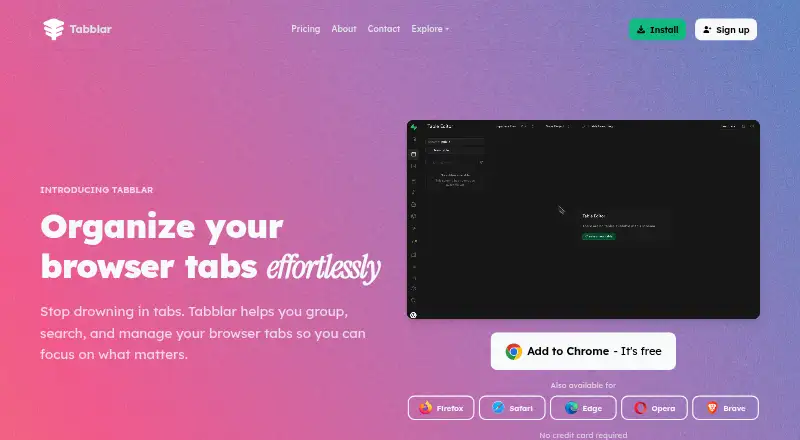
What Tabblar is
Tabblar helps users group, search, and manage browser tabs. It organizes tabs by domain, topic, or custom rules, while fuzzy search can find tab titles, URLs, and page content. Users can save, name, and restore sessions, and suspend inactive tabs to free up RAM. The site says tab groups and sessions sync across Chrome, Firefox, and Edge. It also says processing is local, personal data is not collected, and data is encrypted in transit and at rest. The Basic plan is free and includes unlimited tabs, five workspaces, one group, and tab search. Paid options are listed at $5.00 per month for Plus, $11.00 per month for Pro, and $24.00 per month for Max; their annual billing amounts are listed as $70, $140, and $290 respectively. Higher plans add workspace and group capacity, while custom rules are listed for Pro and team sharing for Max. The extension page links to Chrome, Firefox, and Edge. Windows, macOS, and Linux are marked as not currently available, while Android and iOS are listed as coming soon.
Good
- Fuzzy search covers titles, URLs, and content.
- Sessions can be saved and restored.
- Inactive tabs can be suspended to free RAM.
- Site states processing is local and personal data is not collected.
Watch out
- Windows, macOS, and Linux are not currently available.
- Android and iOS are coming soon.
- Opera, Safari, and Brave extensions are not currently available.
Who it suits
Tabblar may suit people who manage many browser tabs and want to organize them into groups or restore saved sessions. Its listed sync and search capabilities may also suit users working across supported browsers.
Verdict
Tabblar focuses on organizing, finding, and restoring browser tabs, with memory saving and cross-browser sync listed. Note the stated availability gaps for operating systems and browser extensions.
Plans and prices
From Tabblar's own pricing page, checked 15 Oct 2026.
| Plan | Price | What it gives you |
|---|---|---|
| Basic | Free | unlimited tabs · 5 workspaces · 1 group · tab search |
| Plus | $5 a month | unlimited tabs · 25 workspaces · 3 groups · memory saver · $70 annually |
| Pro | $11 a month | unlimited tabs · 100 workspaces · 10 groups · cloud sync · custom rules · $140 annually |
| Max | $24 a month | unlimited tabs · unlimited workspaces · unlimited groups · team sharing · 24/7 priority support · $290 annually |
| Enterprise | Priced on request | custom solutions · advanced security · flexible pricing |
The facts
Each one read from Tabblar's own pages, with the date it was checked.
What it does
- API and MCP
- The account interface provides an API-key control and an MCP server URL for connecting AI assistants.checked 15 Oct 2026
- Automatic grouping
- Tabs can be grouped by domain, topic, project, or user-defined rules.checked 15 Oct 2026
- Chrome data disclosure
- Chrome says the extension handles personally identifiable information, web history, user activity, and website content.checked 15 Oct 2026
- Chrome listing details
- The Chrome listing shows version 1.1.10, a 1.08 MiB package, 15 languages, and 33 users at the time of capture.checked 15 Oct 2026
- Desktop availability limit
- The download page labels Windows, macOS, and Linux installers as not currently available.checked 15 Oct 2026
- Documentation depth
- The public site exposes feature, session-manager, installation, pricing, privacy, and account pages, but no dedicated API or developer documentation page was presented.checked 15 Oct 2026
- Firefox adoption
- The Firefox listing shows 2 users and no reviews.checked 15 Oct 2026
- Founder and origin
- The About page says Tabblar was founded in 2022 and launched on the Chrome Web Store in 2024.checked 2 Oct 2026
- Integrations
- The public product pages identify browser integrations with Chrome, Firefox, Edge, Opera, Safari, and Brave, although availability differs by browser.checked 15 Oct 2026
- License
- The Firefox Add-ons listing marks the extension license as All Rights Reserved.checked 15 Oct 2026
- Limit: affiliate commerce
- The Chrome and Firefox listings say the extension applies shopping deals and may earn affiliate commissions from partner links.checked 15 Oct 2026
- Memory saver
- Inactive tabs can be suspended to reduce RAM usage.checked 15 Oct 2026
- Mobile availability limit
- Android and iOS are marked as coming soon rather than currently downloadable apps.checked 15 Oct 2026
Where it runs
- Browser availability limit
- The extension page marks Opera, Safari, and Brave as not currently available, while listing Chrome, Firefox, and Edge versions.checked 15 Oct 2026
- Browser extensions
- The extension page provides links for Chrome, Firefox, and Edge, while Opera, Safari, and Brave are marked as not currently available there.checked 2 Oct 2026
- Browser sync
- The site says tab groups and sessions sync across Chrome, Firefox, and Edge.checked 2 Oct 2026
- Cross-browser sync
- The product advertises synchronization of tab groups and sessions across Chrome, Firefox, and Edge.checked 15 Oct 2026
- Limit: browser permissions
- Firefox requires access to browser tabs, navigation activity, and data for all websites, with authentication information collected as required data.checked 15 Oct 2026
The company
- Company
- The site footer identifies Tabblar as being by ITW Creative Works.checked 2 Oct 2026
- Company founded
- LinkedIn lists ITW Creative Works as founded in 2018.checked 15 Oct 2026
- Company size
- LinkedIn lists ITW Creative Works as a 2–10 employee organization.checked 15 Oct 2026
- Founded
- 2022checked 28 Sep 2026
- Headquarters
- 4001 Inglewood Ave 101-385, Redondo Beach, CA 90278, USchecked 28 Sep 2026
- Maker company
- Chrome identifies the developer as ITW Creative Works at 4001 Inglewood Ave, Redondo Beach, California.checked 15 Oct 2026
The full review of Tabblar
Overview
Tabblar is a browser-tab organizer for people who need to sort, search, and bring back collections of tabs rather than manage each window manually. It is most compelling for users who want rules-based grouping and saved sessions, though the gap between its stated platform ambitions and current availability is significant.
Its strongest case is the combination of fuzzy search, session restore, and optional memory saving. The main caveat is that desktop and mobile apps are not currently available, and extension support is limited to Chrome, Firefox, and Edge.
Key features
Grouping and workspaces
Tabblar can sort tabs by domain or topic, or use custom rules. That gives people with recurring browsing projects a way to separate collections without relying on a single undifferentiated tab list. Workspaces and group limits vary by plan, however, so users with many parallel projects may need a paid tier.
Search and session restore
Fuzzy search covers tab titles, URLs, and page content, which can help when a user remembers what a page was about but not its exact name. Saved, named sessions make it possible to return to a set of tabs later. These are useful everyday tools for research or ongoing tasks, and tab search is also included in the free Basic plan.
Memory saving and sync
Plus and higher plans can suspend inactive tabs to free RAM. That makes Plus more relevant to people who keep many tabs open, but Basic users do not get this feature. Tab groups and sessions sync across Chrome, Firefox, and Edge, while cloud sync is reserved for Pro and higher plans.
Privacy and support
Tabblar says processing is local and that it never collects personal data; its download page also says data is encrypted in transit and at rest. Those claims may appeal to privacy-conscious users, though the stated encryption does not change the practical limitation that the service's platform reach is narrow. The company also says support is available 24/7 for installation and setup help, with priority support reserved for Max.
Pricing
Tabblar is freemium, with a free plan and a 14-day trial. All listed plans include unlimited tabs, so the main price differences are workspace and group caps and the features bundled with higher tiers.
- Basic — free: unlimited tabs, 5 workspaces, 1 group, and tab search. It suits a solo user who needs basic organization and search, but has no memory saver, custom rules, or cloud sync.
- Plus — $5 a month, billed Billed $70 annually: unlimited tabs, 25 workspaces, 3 groups, and memory saver. It is the lower-cost paid option for users who want to free RAM, but it does not include cloud sync or custom rules.
- Pro — $11 a month, billed Billed $140 annually: unlimited tabs, 100 workspaces, 10 groups, cloud sync, and custom rules. This is the best fit for users who need cross-browser continuity and more tailored organization.
- Max — $24 a month, billed Billed $290 annually: unlimited tabs, workspaces, and groups, plus team sharing and 24/7 priority support. It targets users who need unrestricted capacity or collaboration rather than an individual starting point.
- Enterprise — custom pricing: custom solutions for large organizations, advanced security, and flexible pricing. It is aimed at organizational deployments rather than individual use.
The annual billing terms shown alongside the monthly prices matter for anyone comparing the headline rates: Plus is billed at $70 annually, Pro at $140 annually, and Max at $290 annually. No seat or usage quota beyond the stated workspace and group caps is given for those plans.
Platforms
The listed platform set includes Android, iOS, Linux, macOS, Windows, and browser extensions, but the download page marks Windows, macOS, and Linux as not currently available and Android and iOS as coming soon. The extension page provides Chrome, Firefox, and Edge links; Opera, Safari, and Brave are marked not currently available. In practice, Tabblar is a poor fit for anyone who needs a desktop or mobile app today, or relies on one of those unsupported browsers.
Who it's for
Tabblar best suits browser-heavy users who work across recurring topics, want to restore named sessions, and use Chrome, Firefox, or Edge. Basic is a reasonable starting point for light organization, while Pro makes more sense when sync and custom rules matter. Users who need a currently available desktop or mobile client, or who need more than one group on the free plan, should look elsewhere.
Pros and cons
- Pros: Fuzzy search spans titles, URLs, and page content, so finding a tab does not depend on remembering its exact wording.
- Pros: Named session saving and restoring can preserve a working set for later use.
- Pros: The free plan includes unlimited tabs, five workspaces, and tab search.
- Pros: Local processing and the stated no-personal-data-collection policy are clear privacy advantages for cautious users.
- Cons: Basic permits only one group, which constrains users who organize tabs into several categories.
- Cons: Memory saver requires Plus or higher, and cloud sync and custom rules require Pro or higher.
- Cons: Windows, macOS, Linux, Android, and iOS apps are not currently available, while Opera, Safari, and Brave extensions are unavailable.
Alternatives
For a broader comparison, see Tab Management Software.
- Workona is worth considering if limited free spaces and sections are enough and you want its listed web platform alongside extension and mobile coverage; its free plan excludes team and organization accounts.
- Pinako is a better match if local backups, rich-text notes, and tab and bookmark trees matter more than Tabblar's memory saver and browser sync; it lists Linux, web, and Windows platforms.
- tabExtend may suit someone who wants up to 30 saves on a free plan, unlimited time, and no account requirement, with Android, iOS, web, and extension platforms.
- Toby is an option for users who can work within a 60-saved-tab Starter limit and want unlimited members on that tier.
- Tabmanager.io is an extension-only alternative with session and window management, saved sessions, session history, and basic support on its free tier.
- Tablerone is a free, donationware extension option.
- Tabox is another freemium option with a free plan.
- Raft is another free option.
Verdict
Choose Tabblar if you want a free starting point for tab search and session management, or are willing to pay for custom grouping, memory saving, and sync across its supported browsers. Its feature mix is strongest for browser-focused users who value structured collections. Look elsewhere if you need native desktop or mobile availability now, or if your browser is Opera, Safari, or Brave.
Getting started
- Open the Tabblar website.
- Choose the Basic plan or a paid plan: Plus, Pro, or Max.
- Use the extension page to find links for Chrome, Firefox, or Edge.
- Contact the support team for installation and setup help; the site says support is available 24/7.
Limits worth knowing
Basic costs nothing and includes five workspaces and one group. Plus lists 25 workspaces and three groups; Pro lists 100 workspaces and 10 groups; Max lists unlimited workspaces and groups. Enterprise has custom pricing.
Questions
Is Tabblar free?
Yes. Basic is listed as free and includes unlimited tabs, five workspaces, one group, and tab search. The pricing note also mentions a 14-day trial.
What do the paid plans cost?
Plus is $5 a month, Pro is $11 a month, and Max is $24 a month. Their listed annual billing amounts are $70, $140, and $290 respectively.
Which browsers have Tabblar extensions?
The extension page provides links for Chrome, Firefox, and Edge. Opera, Safari, and Brave are marked as not currently available there.
Can Tabblar sync tab groups and sessions?
The site says tab groups and sessions sync across Chrome, Firefox, and Edge. Pro lists cloud sync.
What devices can run Tabblar?
The platform list names Android, iOS, Linux, macOS, and Windows. The download page marks Windows, macOS, and Linux as not currently available and Android and iOS as coming soon.
Who makes Tabblar, and what does it say about privacy?
The site footer identifies ITW Creative Works, and the About page says Tabblar was founded in 2022. The site says processing is local and personal data is never collected.
Alternatives to Tabblar
- 1

Toby
Free planAndroidiOSWebExtension8.1From $4.50 a month - 2
tabExtend
Free planAndroidiOSWebExtension8.0From $8 a month - 3
Workona
Free planiOSWebExtensionLinux7.6From $12 a month - 4

Pinako
Free planWebLinuxWindows6.9From $5 a month - 5
Tabmanager.io
Free planExtension6.4From $35.88 a year - 6
Tabs Outliner
Free planExtension6.4$15 one-time