
Tabox
Tabox is a browser extension for saving tabs and tab groups as named collections, then organizing and reopening them later.
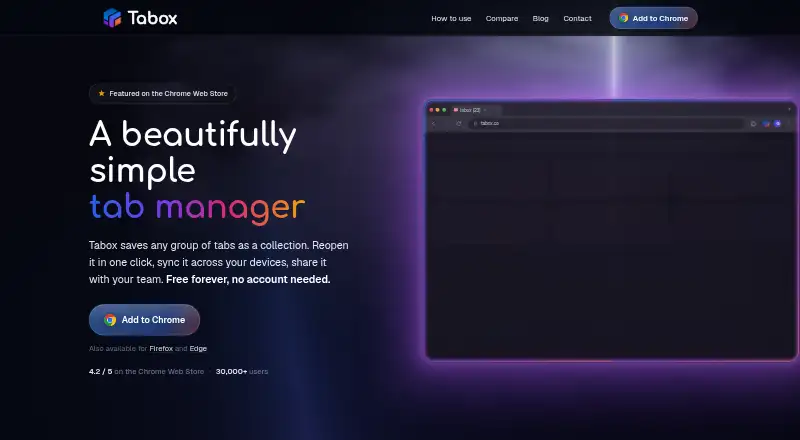
What Tabox is
Tabox is a browser extension for saving tabs and tab groups as named collections, then organizing and reopening them later. Users can place collections in folders, reorder and color-code them, and choose list or grid views. Saved tab groups retain their names, colors, titles, URLs, and order. The extension is available for Chrome, Firefox, and Edge. Collections stay on-device by default; optional Google Drive sync stores them in a hidden application data folder in the user’s Drive. Optional AI actions can group tabs, remove duplicates, rename collections, and arrange folders. When an AI action runs, relevant titles and URLs are sent to Tabox’s API and forwarded to OpenRouter; Tabox says it does not store prompts or responses. Users can share folders or collection links, and import or export collection and folder data as text files. Tabox says network communication uses HTTPS and server-side data is encrypted at rest. The free plan includes core collections, restore, folders, and Drive sync. Pro lists AI tools and sharing features, but its price is not shown; it lists a 7-day free trial.
Good
- Available for Chrome, Firefox, and Edge.
- Collections stay on-device by default.
- Exports include complete collection and folder backups.
- Free plan includes Google Drive sync.
- Shared folders support collaboration.
Watch out
- Pro plan price is not shown.
- AI actions send relevant titles and URLs to external services.
Who it suits
Tabox suits people managing many browser tabs who want to save, organize, and restore collections. Shared folders and collection links may suit teams sharing project or research material.
Verdict
Tabox combines tab saving and organization with optional sync, sharing, and AI actions. Consider its AI data flow and unlisted Pro price when deciding whether those paid features suit you.
Plans and prices
From Tabox's own pricing page, checked 4 Oct 2026.
| Plan | Price | What it gives you |
|---|---|---|
| Free | Free | Core tab collections · restore · folders · Google Drive sync |
| Pro | — | AI tools · live shared folders · collection links · AI assistant · 7-day free trial · Monthly option; price loads locally and is not shown on the page |
| Pro | — | AI tools · live shared folders · collection links · AI assistant · 7-day free trial · Billed yearly; price loads locally and is not shown on the page |
The facts
Each one read from Tabox's own pages, with the date it was checked.
What it does
- AI data handling
- For an AI action, relevant tab or collection titles and URLs are sent to Tabox's API and forwarded to OpenRouter; Tabox says it does not store prompts or responses.checked 4 Oct 2026
- AI features
- Optional AI can group tabs, clean duplicates, rename collections, and arrange folders when the user triggers an action.checked 4 Oct 2026
- Availability
- Tabox says it is available for Chrome, Firefox, and Edge.checked 4 Oct 2026
- Data control
- Users can export local collections, disable sync, and remove local data by uninstalling the extension.checked 4 Oct 2026
- Google Drive sync
- Optional sync stores collections in a hidden application data folder in the user's own Google Drive and uses narrow Drive scopes.checked 4 Oct 2026
- Import and export
- Tabox imports and exports collection and folder data using text files, including complete backups.checked 4 Oct 2026
- Intended users
- Tabox describes itself as a tool for people managing many browser tabs and supports sharing project or research collections with a team.checked 4 Oct 2026
- Organization
- Collections can be grouped in folders, reordered, color-coded, and viewed in list or grid layouts.checked 4 Oct 2026
- Privacy
- The extension has no ads, behavioral tracking, or analytics telemetry, though its website may load optional Google Analytics after consent.checked 4 Oct 2026
- Product
- Tabox is a browser extension for saving open tabs and tab groups into named collections, organizing collections into folders, syncing them, sharing them, and using optional AI tools.checked 4 Oct 2026
- Save and restore
- Users can save the tabs in a browser window as a collection and reopen all of its tabs later.checked 4 Oct 2026
- Security
- Tabox says local collections stay on-device by default, network communication uses HTTPS, and server-side data is stored on Cloudflare with encryption at rest.checked 4 Oct 2026
- Sharing
- Shared folders support collaboration, and collection share links let recipients access shared content.checked 4 Oct 2026
- Support
- Users can get help through the guide, GitHub issues, or the contact form; the site says GitHub issues get the fastest turnaround.checked 4 Oct 2026
- Tab groups
- Tabox saves tab group names and colors along with tab titles, URLs, and order.checked 4 Oct 2026
The company
- Founded
- 2020checked 28 Sep 2026
- Headquarters
- Austin, Texas, United Stateschecked 28 Sep 2026
Alternatives to Tabox
- 1

Toby
Free planAndroidiOSWebExtension8.1From $4.50 a month - 2

Tabblar
Free planAndroidiOSWebAPI8.0From $5 a month - 3
tabExtend
Free planAndroidiOSWebExtension8.0From $8 a month - 4
Workona
Free planiOSWebExtensionLinux7.6From $12 a month - 5

Pinako
Free planWebLinuxWindows6.9From $5 a month - 6
Tabmanager.io
Free planExtension6.4From $35.88 a year