pfSense
pfSense is a free, open-source firewall and router distribution based on FreeBSD, managed through a web interface.
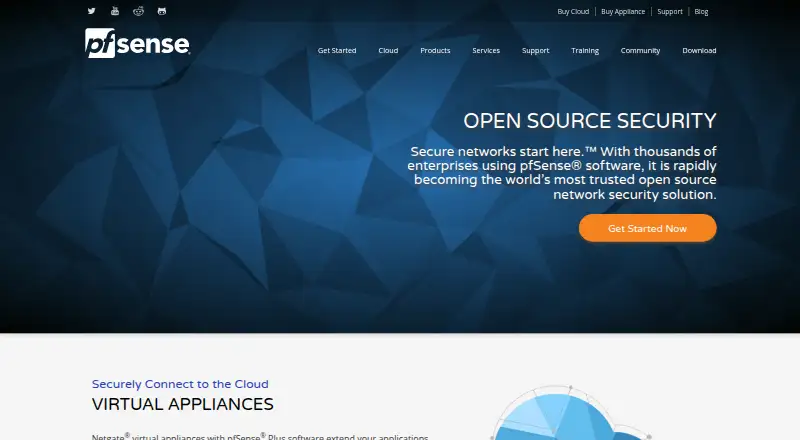
What pfSense is
pfSense is a free, open-source firewall and router distribution based on FreeBSD, managed through a web interface. Its firewall inspects packets statefully and can block traffic according to policy matches. Routing features include policy-based routing, static routes, and support for IPv4 and IPv6 at the same time. Security options include IDS/IPS, Snort packet analysis, Suricata rules, IP block lists, and application detection. For VPNs, it supports IPsec, OpenVPN, and WireGuard, including site-to-site and remote access. The software can run on selected hardware, virtual machines, and cloud instances; it is the software component of a firewall deployment. pfSense is also available through the Azure and AWS Marketplaces, including US GovCloud regions. Community Edition is free and open source. The USB installer overwrites the entire hard drive and does not support dual booting.
Good
- Free, open-source Community Edition.
- Supports IPv4 and IPv6 concurrently.
- Includes IPsec, OpenVPN, and WireGuard.
- Can run on hardware, virtual machines, or cloud instances.
Watch out
- USB installation overwrites the entire hard drive.
- USB installation does not support dual booting.
Who it suits
pfSense can suit home and remote workers, businesses, government, education, and service providers looking for firewall and routing software. It supports hardware, virtual-machine, and cloud deployments.
Verdict
pfSense provides firewall, routing, intrusion-prevention, and VPN capabilities across several deployment types. Check the installer limitation before installation, especially if the machine must retain another operating system.
Plans and prices
From pfSense's own pricing page, checked 21 Sep 2026.
| Plan | Price | What it gives you |
|---|---|---|
| pfSense Plus Software | — | 1 instance |
| pfSense Community Edition | Free | Free network firewall distribution · self-hosted installation |
| pfSense Plus Cloud | Priced on request | Amazon and Azure marketplaces · VM options vary by memory, CPU, storage, and networking · free 30 day software trials · Starting at $0.08/hr; software prices range from $0.08/hr to $0.40/hr depending on provider and VM option. |
| pfSense Plus on third-party hardware | $129 a year | Third-party hardware deployment · Netgate Installer · Starting at $129/yr. |
| pfSense Plus on Netgate appliances | $189, paid once | Turnkey appliance · support and warranty options vary by appliance · Starting at $189; pfSense Plus is included at no charge with a Netgate appliance. |
The facts
Each one read from pfSense's own pages, with the date it was checked.
What it does
- Attack prevention
- The feature list includes IDS/IPS, Snort packet analysis, Suricata rules, IP block lists, and application detection.checked 2 Oct 2026
- Cloud availability
- The getting-started page says pfSense is available in the Azure and AWS Marketplaces, including their US GovCloud regions.checked 2 Oct 2026
- Deployment
- The software can run on selected hardware, virtual machines, and cloud instances; the project says it is the software portion of the firewall.checked 2 Oct 2026
- Firewall
- Its firewall uses stateful packet inspection and can block traffic based on policy matches.checked 2 Oct 2026
- Integrations
- The feature page names Azure and name.com as dynamic DNS providers, and RADIUS/LDAP as VPN authentication sources.checked 2 Oct 2026
- Intended users
- Netgate identifies home and remote workers, businesses, government, education, and service providers as users of pfSense Plus.checked 2 Oct 2026
- Limits
- The download guide says the USB installer overwrites the entire hard drive and does not support dual booting with another operating system.checked 2 Oct 2026
- Project license
- The pfSense project source code is distributed under the Apache 2.0 open-source license.checked 2 Oct 2026
- Purpose
- pfSense is a free, open-source FreeBSD-based firewall and router distribution managed through a web interface.checked 2 Oct 2026
- Routing
- Listed routing features include policy-based routing, static routes, and concurrent IPv4 and IPv6 support.checked 2 Oct 2026
- Security process
- Netgate publishes security advisories and asks vulnerability reports to include a description, affected product and versions if known, and any plausible workaround.checked 2 Oct 2026
- Support
- Netgate Global Support covers installation, deployment, and configuration issues, and is available for self-installed and virtual pfSense software.checked 2 Oct 2026
- VPN
- It supports IPsec, OpenVPN, and WireGuard, including site-to-site and remote-access VPN capabilities.checked 2 Oct 2026
Money
- Free plan
- Yeschecked 21 Sep 2026
The company
- Headquarters
- Austin, Texas, USAchecked 28 Sep 2026
The full review of pfSense
pfSense is a FreeBSD-based firewall and router distribution managed through a web interface. It suits people and organizations that want to run network security software on their own hardware, a virtual machine, or a cloud instance. Its breadth of routing, intrusion prevention, and VPN capabilities is compelling, but its installer erases the target drive and does not support dual boot.
Overview
pfSense combines firewall and routing functions in an open-source project whose source code is distributed under the Apache 2.0 license. It can serve as the software layer on selected hardware, virtual machines, or cloud instances, so buyers can choose a deployment to fit their environment rather than being tied to one appliance. Azure and AWS marketplaces also offer cloud deployment, including US GovCloud regions.
That flexibility comes with an important installation constraint: the USB installer overwrites the entire hard drive. A machine that needs to keep another operating system in a dual-boot setup is a poor fit.
Key features
Firewall and routing
Stateful packet inspection and policy-based traffic blocking give administrators control over which traffic passes. Policy-based routing, static routes, and concurrent IPv4 and IPv6 support make pfSense relevant to networks with more than basic home-router needs. The trade-off is that these capabilities are most useful to people prepared to configure and manage a network distribution, not those looking for a plug-and-play desktop app.
Intrusion prevention and VPN
Its security toolkit includes IDS/IPS, Snort packet analysis, Suricata rules, IP block lists, and application detection. IPsec, OpenVPN, and WireGuard support both site-to-site and remote-access VPNs, while RADIUS and LDAP can serve as VPN authentication sources. Azure and name.com are named as dynamic DNS providers. Together, these options suit organizations needing several ways to inspect traffic and connect remote users or sites.
Netgate publishes security advisories and asks vulnerability reports to identify the issue, affected product and versions when known, and any plausible workaround. Global Support covers installation, deployment, and configuration issues for self-installed and virtual software.
Pricing
pfSense is freemium: a free plan and a 30-day software trial are available. The Community Edition is free and open source, with firewall and router software. It is the natural starting point for users who want the core distribution without paying for a listed license tier.
pfSense Plus Software covers one instance, with custom pricing. pfSense Plus Cloud is deployed as a virtual machine through Amazon or Azure marketplaces; 30-day software trials are available, and pricing is custom. These options suit virtual deployments, but buyers should account for marketplace terms as well as software cost.
For third-party hardware, pfSense Plus starts at $129 a year, billed starting at $129/yr., and includes the Netgate Installer. This is the paid route for users bringing their own hardware. On Netgate appliances, pfSense Plus starts at $189, paid once; the software is included at no charge with the appliance, and support and warranty options vary by appliance. That option bundles the software with turnkey hardware rather than an annual software charge.
Platforms
pfSense supports Linux, self-hosted, and web platforms, with a hybrid deployment model. Its deployments span selected hardware, virtual machines, and cloud instances. The installer’s full-drive overwrite makes installation planning essential on any machine whose existing operating system must remain intact.
Who it's for
Netgate identifies home and remote workers, businesses, government, education, and service providers among pfSense Plus users. Its range of routing, inspection, and VPN functions can serve networks across those settings, while the choice of hardware, virtual, and cloud deployment offers operational flexibility. It is less suitable for someone who needs to preserve another OS on the installation drive or wants an uncomplicated consumer app instead of configurable firewall software.
Pros and cons
- Pro: Stateful firewall controls pair with policy routing, static routes, and IPv4/IPv6 support, giving administrators room to shape traffic and routing.
- Pro: IDS/IPS options and three VPN protocols cover traffic inspection and both site-to-site and remote access use.
- Pro: Hardware, virtual-machine, and cloud deployments let teams choose where the firewall runs.
- Con: The USB installer overwrites the whole drive and cannot dual boot with another operating system.
- Con: Plus software and cloud pricing is custom, so buyers cannot compare those options by a stated price alone.
Alternatives
For a firewall shortlist, see Network Firewall Software. Readers comparing system-level options can also browse Operating Systems, Intrusion Detection and Prevention Software, and Business VPN Software.
IPFire is worth considering if a free, open-source firewall operating system with no feature tiers or license renewals better matches your priorities. OPNsense is another freemium option for readers comparing self-hosted firewall software. Arista NG Firewall may suit readers looking for a freemium option with a free plan and basic security and connectivity features, though its free capabilities are limited. Sangfor EasyConnect, Zscaler Private Access, Cato SASE Platform, Oracle Cloud Infrastructure Secret Management, and Endian Firewall Community are also alternatives to compare.
Verdict
Choose pfSense if you need configurable firewall, routing, intrusion-prevention, and VPN capabilities across hardware, virtual, or cloud deployments, and can manage a full-drive installation. Its breadth and deployment flexibility are the main reasons to choose it; look elsewhere if the machine must keep another operating system or you need clearly priced Plus software before committing.
Getting started
- Visit the pfSense website and choose Community Edition or a pfSense Plus deployment option.
- Select a deployment target: selected hardware, a virtual machine or a cloud instance.
- For cloud deployment, pfSense is available in the Azure and AWS Marketplaces, including their US GovCloud regions.
- If installing from USB, account for the installer overwriting the entire hard drive and not supporting dual booting.
Limits worth knowing
The USB installer overwrites the entire hard drive and does not support dual booting with another operating system. pfSense Plus on third-party hardware starts at $129 a year; Plus on Netgate appliances starts at $189, paid once, with the software included at no charge with an appliance.
Questions
Is pfSense open source?
The project source code is distributed under the Apache 2.0 open-source license. Community Edition is listed as free and open source.
What does pfSense cost?
Community Edition is free.
Is there a free trial?
The pricing note lists a 30-day trial, and pfSense Plus Cloud says 30-day software trials are available.
Where can pfSense run?
It can run on selected hardware, virtual machines and cloud instances. It is available through the Azure and AWS Marketplaces, including their US GovCloud regions.
Which VPN protocols does it support?
pfSense supports IPsec, OpenVPN and WireGuard, including site-to-site and remote-access VPN capabilities.
Can the USB installer be used for dual boot?
No. The USB installer overwrites the entire hard drive and does not support dual booting with another operating system.
Alternatives to pfSense
- 1

OPNsense
Free planOpen sourceAndroidiOSWebAPI8.6Free plan - 2
OpenWrt
Free planOpen sourceAndroidWebAPILinux7.8Free plan - 3
Kali Linux
Free planOpen sourceAndroidLinuxmacOSSelf-hosted7.6Free plan - 4
Apache NuttX
Free planOpen sourceAPILinuxmacOSSelf-hosted7.3Free plan - 5
AlmaLinux OS
Free planOpen sourceAPILinuxSelf-hostedWindows7.1Free plan - 6
Manjaro Linux
Free planOpen sourceLinuxSelf-hosted6.9Free plan