
oTranscribe
oTranscribe is a free web app for manually transcribing recorded interviews on desktop computers.
What oTranscribe is
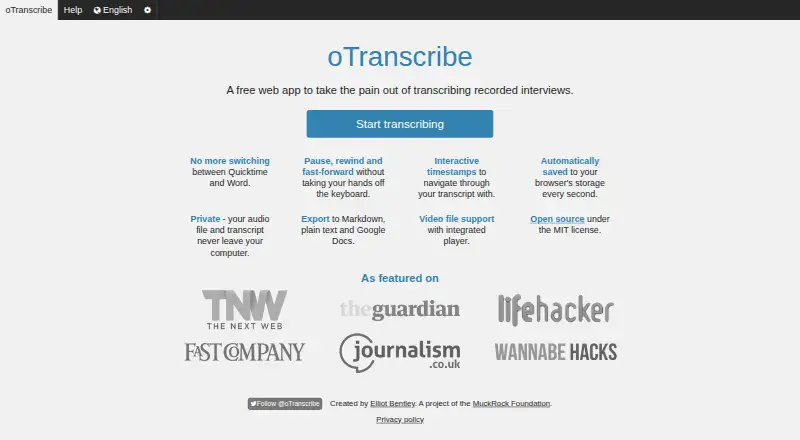
oTranscribe is a free web app for manually transcribing recorded interviews on desktop computers. It does not turn speech into text automatically: you listen to audio or video and type the transcript yourself. Keyboard shortcuts control pausing, rewinding, fast-forwarding and playback speed while you work. You can place clickable timestamps that return to a point in the media, and the integrated player supports video. Supported audio and video formats depend on the browser, with YouTube videos also mentioned. Work is saved to browser storage every second, while transcript backups are made every five minutes and 100 copies are retained. Transcripts can be downloaded as Markdown, plain text or oTranscribe files, or sent to Google Drive. Audio and transcript data remain on the local computer. An offline browser copy is available, but YouTube and Google Drive features need internet access. Saved transcripts cannot be opened from another computer, and browser storage may be unreliable, so exporting is advised. The app is open source under the MIT license and maintained by MuckRock Foundation.
Good
- Free web app with no paid plan
- Keyboard shortcuts control playback
- Clickable timestamps return to media points
- Exports Markdown, plain text and oTranscribe files
- Local browser storage keeps data on the computer
Watch out
- Manual transcription only; no automatic speech-to-text
- Desktop computers only
- Saved transcripts cannot be accessed elsewhere
- YouTube and Google Drive do not work offline
Who it suits
It suits people who transcribe interviews manually and want keyboard-controlled playback, timestamps and browser-based saving. It is intended for desktop computer use rather than mobile devices.
Verdict
oTranscribe provides focused tools for listening and typing interview transcripts, with timestamps, backups and several export formats. Its desktop-only design, manual workflow and browser-storage limits matter when choosing it.
Plans and prices
From oTranscribe's own pricing page, checked 15 Oct 2026.
| Plan | Price | What it gives you |
|---|---|---|
| Free | Free | manual transcription workspace · desktop browsers · local browser storage · Markdown/plain-text/OTR export · Google Drive export |
The facts
Each one read from oTranscribe's own pages, with the date it was checked.
What it does
- Autosave
- The current transcript is saved to browser storage every second.checked 15 Oct 2026
- Backup behavior
- Automatic backups are made every five minutes and exactly 100 copies are retained before older copies are deleted.checked 15 Oct 2026
- Creator and launch
- Journalism.co.uk reported that journalist Elliot Bentley created oTranscribe and launched it at Hacks/Hackers London on November 27, 2013.checked 15 Oct 2026
- Desktop requirement
- The current homepage says oTranscribe works on desktop computers only.checked 15 Oct 2026
- Developer commands
- The repository documents npm run build, npm run serve and npm run dev workflows.checked 15 Oct 2026
- Developer requirements
- The current build instructions require Node.js 24 or newer and npm 10 or newer, with npm 11.12.1 and Node 24.14.1 verified.checked 15 Oct 2026
- Export formats
- The application exports Markdown, plain text and its OTR format, and can send transcripts to Google Drive.checked 15 Oct 2026
- Exports
- The app offers transcript downloads in Markdown, plain text, and oTranscribe format, and can send transcripts to Google Drive.checked 11 Oct 2026
- Extensible components
- The project publishes oTplayer, Progressor.js and oTinput as reusable open-source components.checked 15 Oct 2026
- File format
- The OTR format is JSON containing transcript HTML plus optional media name, media source and playback time.checked 15 Oct 2026
- Interactive timestamps
- The editor inserts clickable timestamps that jump back to the corresponding media position.checked 15 Oct 2026
- Limit: data durability
- The maker warns that browser storage is unreliable and recommends exporting regularly to avoid losing work.checked 15 Oct 2026
- Limit: editing depth
- Clubic characterizes the feature set as limited and says advanced editing is not provided.checked 15 Oct 2026
- Limit: missing automation
- Clubic lists the absence of automatic transcription as a disadvantage because users must do the transcription themselves.checked 15 Oct 2026
- Limit: recovery
- If a transcript is absent from the history panel, the help page says it cannot be recovered.checked 15 Oct 2026
- Limit: storage capacity
- Backups may stop when browser local storage is full, and clearing storage can affect data belonging to other sites.checked 15 Oct 2026
- Local privacy
- The help page says audio and transcript data stay on the local computer in browser localStorage and are not kept on a remote server.checked 11 Oct 2026
- Local-storage limitation
- Saved transcripts cannot be accessed from another computer because they are kept in browser localStorage.checked 15 Oct 2026
- Maintainer
- oTranscribe says it is maintained by MuckRock Foundation and has been hosted and maintained by MuckRock since 2018.checked 11 Oct 2026
- Manual transcription
- oTranscribe does not automatically convert audio into text; users do the transcription themselves.checked 11 Oct 2026
Where it runs
- Browser support
- The help page identifies Chrome 31 or later and Safari 7 or later as the preferred browsers.checked 15 Oct 2026
The company
- Company finances
- For fiscal 2024, ProPublica reports MuckRock Foundation revenue of $5,277,573, expenses of $3,908,683 and net assets of $3,931,801.checked 15 Oct 2026
- Company legal status
- MuckRock Foundation Incorporated is listed by ProPublica as a Boston, Massachusetts 501(c)(3) civil-liberties nonprofit with tax exemption issued in May 2016.checked 15 Oct 2026
Money
- Free plan
- Yeschecked 20 Sep 2026
Alternatives to oTranscribe
- 1

Superwhisper
Free planAndroidiOSAPILinux8.3From $84.99 a year - 2

Notta
Free planAndroidiOSWebExtension8.2From $8.17 a month - 3

Rev AI
Free planAndroidiOSWebAPI8.1Free plan - 4

Whisper
Free planOpen sourceAPILinuxmacOSSelf-hosted8.1$0.01 usage-based - 5

Happy Scribe
Free planAndroidiOSAPImacOS7.8From $8.50 a month - 6
Simon Says
Free planiOSWebExtensionmacOS7.7From $15 a month