OptiTune
OptiTune is remote monitoring and management software for organization computers, aimed at IT departments and managed service providers.
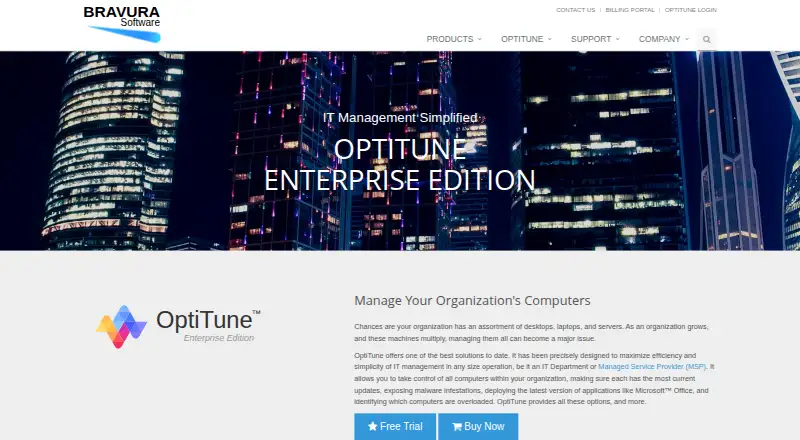
What OptiTune is
OptiTune is remote monitoring and management software for organization computers, aimed at IT departments and managed service providers. Remote support includes desktop connections, command line, PowerShell, task and service managers, and file transfer. Administrators can monitor configurable events and send email or SMS alerts using schedules and notification groups. Windows update status can be reviewed with include and exclude filters controlling installation. OptiTune deploys applications and scripts, supports uninstall and repair tasks, and includes at least 5 GB of cloud storage per organization. Integrations listed include MSP360 Backup, Windows Defender, CCleaner Business, Autotask, ConnectWise Manage, and HaloPSA. Customers may use Bravura’s cloud servers or self-host the management server. The HTML5 console works in browsers on Windows, Mac, Linux, iPad, iPhone, and Android. Authentication supports passwords or text/email two-factor codes, while audits record actions such as IP addresses and configuration changes. Yearly licensing is $23.40 a year, or $1.95 per computer monthly, and monthly billing is $3 a month per computer.
Good
- Remote desktop, PowerShell, and file transfer
- Configurable email and SMS alerts
- Application and script deployment
- Cloud or self-hosted management server
- 30-day trial for up to 100 computers
Watch out
- No free plan
- Monthly billing is $3 per computer
- Self-hosting requires Windows Server and SQL Server
- Trial registration code is limited to 100 computers
Who it suits
It suits IT departments and managed service providers overseeing organization computers. Hybrid hosting, unattended access, scripting, and multi-tenant management support managed environments.
Verdict
OptiTune combines endpoint monitoring, remote support, patch controls, and deployment under cloud or self-hosted management. Compare hosting requirements and per-computer billing with your administration model.
Plans and prices
From OptiTune's own pricing page, checked 5 Oct 2026.
| Plan | Price | What it gives you |
|---|---|---|
| OptiTune Enterprise Edition Monthly Billing | $3 a month | $3.00 USD / computer / month · cloud hosting included · free technical support · cancel anytime · Per Month; billed each month on actual usage |
| OptiTune Enterprise Edition Yearly License | $23.40 a year | $1.95 USD / computer / month · cloud hosting included · free technical support · Per Year |
The facts
Each one read from OptiTune's own pages, with the date it was checked.
The company
- Company
- Bravura Software says it is privately held, based in Bellevue, Washington, and founded in 2007.checked 5 Oct 2026
- Founded
- 2007checked 28 Sep 2026
- Headquarters
- Bellevue, Washington, USAchecked 28 Sep 2026
What it does
- Deployment and automation
- OptiTune deploys applications and scripts, supports uninstall and repair tasks, and includes at least 5 GB of cloud storage per organization.checked 5 Oct 2026
- Hosting
- Customers can use Bravura's cloud-hosted servers or self-host the management server on their own hardware or another cloud service.checked 5 Oct 2026
- Integrations
- Listed integrations include MSP360 Backup, Windows Defender, CCleaner Business, Autotask, ConnectWise Manage, and HaloPSA.checked 5 Oct 2026
- Management access
- The cloud management console is accessible from an HTML5 browser, including browsers on Windows, Mac, Linux, iPad, iPhone, and Android devices.checked 5 Oct 2026
- Monitoring
- It monitors configurable events and can alert administrators by email or SMS, with customizable schedules and notification groups.checked 5 Oct 2026
- Patch management
- Administrators can view Windows update status and use include and exclude filters to control update installation.checked 5 Oct 2026
- Purpose
- OptiTune provides remote monitoring and management for organization computers and is designed for IT departments and managed service providers.checked 5 Oct 2026
- Remote support
- Remote support includes desktop connections, command line, PowerShell, task and services managers, and file transfer.checked 5 Oct 2026
- Security controls
- The management server supports password or two-factor authentication using a code sent by text message or email, and audits user actions including IP address and configuration changes.checked 5 Oct 2026
- Self-host requirements
- The download page lists Windows Server 2016 or 2019, 4 GB RAM, 25 GB free disk space, and Microsoft SQL Server 2017 or 2019 as requirements.checked 5 Oct 2026
- Support
- OptiTune support resources include FAQs, support forums, online help, and customer support by email; paid licenses include free technical support by phone or email.checked 5 Oct 2026
Money
- Trial limit
- The free trial requires no credit card and provides a registration code for up to 100 computers for 30 days.checked 5 Oct 2026
Alternatives to OptiTune
- 1

ManageEngine RMM Central
Free planAndroidiOSWebAPI8.2Free plan - 2

Naverisk
Free planAndroidiOSWebAPI8.2Free plan - 3
LogMeIn Resolve IT Asset Management
Free planAndroidiOSWebAPI8.1From $29 a month - 4
NinjaOne
AndroidiOSWebAPI7.9From $1.50 a month - 5
Atera
AndroidiOSWebAPI7.8From $169 a month - 6
Cinch RMM
Free planAndroidiOSWebAPI7.4From $83 a month