OpenDNS Home
OpenDNS Home provides customizable filtering and basic protection for home internet users.
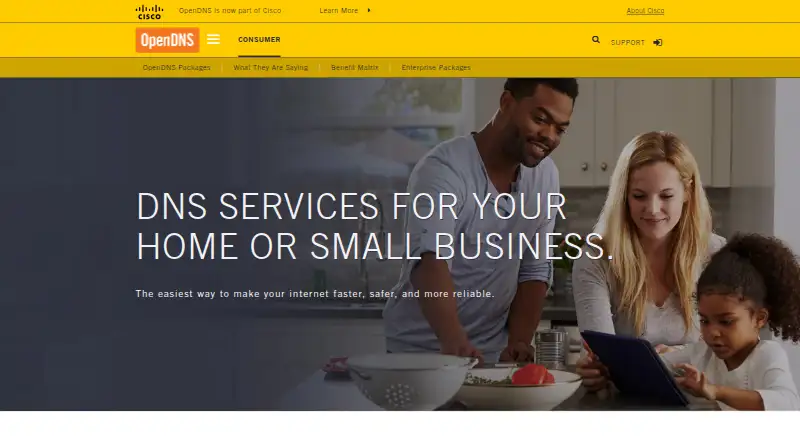
What OpenDNS Home is
OpenDNS Home provides customizable filtering and basic protection for home internet users. Its DNS settings can apply to every device that connects to a home network, including laptops, phones, tablets, DVRs, game consoles, and TVs. The listed benefits include protection against malicious phishing and parental controls for devices in the home. OpenDNS Family Shield is a separate preconfigured option that blocks adult content and requires no sign-up. To use OpenDNS, configure devices to use its DNS nameservers; the setup guide recommends configuring the home router so connected devices are covered. The listed nameservers are 208.67.222.222 and 208.67.220.220. Support resources include FAQs, community forums, documentation, and deployment walkthroughs, and the documentation includes API guides. OpenDNS says it was founded in 2006 and acquired by Cisco in 2015. Its consumer products are intended to provide safer, faster, and more reliable internet in homes. OpenDNS Home, Family Shield, and its Public Service are listed as free options.
Good
- Filtering can cover every device on a home network
- Includes malicious phishing protection
- Offers parental controls for home devices
- Family Shield requires no sign-up
- Free options are listed
Watch out
- Requires configuring devices to use OpenDNS nameservers
- Router setup is recommended for home coverage
Who it suits
OpenDNS Home suits households seeking customizable filtering and basic DNS-layer protection across devices on a home network. Family Shield is an option for those who want preconfigured adult-content blocking without signing up.
Verdict
OpenDNS Home focuses on filtering and basic protection at the home network level. Its setup involves changing DNS settings, while Family Shield offers a preconfigured alternative without sign-up.
Plans and prices
From OpenDNS Home's own pricing page, checked 11 Oct 2026.
| Plan | Price | What it gives you |
|---|---|---|
| OpenDNS Family Shield | Free | Preconfigured to block adult content · no sign-up required |
| OpenDNS Home | Free | Customizable filtering · basic protection |
| OpenDNS Public Service | Free | Basic DNS-layer protection · built-in filtering configurations |
The facts
Each one read from OpenDNS Home's own pages, with the date it was checked.
What it does
- APIs
- OpenDNS documentation includes guides to its APIs.checked 11 Oct 2026
- DNS addresses
- The page lists 208.67.222.222 and 208.67.220.220 as OpenDNS nameservers.checked 11 Oct 2026
- Family Shield
- OpenDNS Family Shield is preconfigured to block adult content and requires no sign-up.checked 11 Oct 2026
- Intended users
- OpenDNS says its consumer products are designed to provide safer, faster, and more reliable internet in homes.checked 11 Oct 2026
- Network coverage
- OpenDNS settings apply to every device that connects to the user's home network.checked 11 Oct 2026
- Parental controls
- The benefit matrix describes parental controls that protect every device in the home.checked 11 Oct 2026
- Purpose
- OpenDNS Home provides customizable filtering and basic protection for home internet users.checked 11 Oct 2026
- Setup
- The setup guide instructs users to configure devices to use OpenDNS DNS nameservers and recommends setting up home routers.checked 11 Oct 2026
- Setup support
- The support page offers FAQs, community forums, documentation, and deployment walkthroughs.checked 11 Oct 2026
- Threat protection
- The benefit matrix lists built-in protection against malicious phishing.checked 11 Oct 2026
The company
- Company history
- OpenDNS says it was founded in 2006 and was acquired by Cisco in 2015.checked 11 Oct 2026
- Founded
- 2006checked 28 Sep 2026
Where it runs
- Device examples
- The page lists laptops, smartphones, tablets, DVRs, game consoles, and TVs as covered device types.checked 11 Oct 2026
The full review of OpenDNS Home
Overview
OpenDNS Home is a free DNS service for filtering and basic protection across a household network. It best suits families and technically comfortable users who want one router-level policy for phones, computers, televisions and consoles. The main trade-off is that coverage depends on configuring devices or the home router to use OpenDNS.
Founded in 2006 and acquired by Cisco in 2015, OpenDNS is intended to make home internet use safer and more reliable. Because the service works at the DNS layer, it can cover varied hardware without installing a separate client on every device, provided that hardware follows the configured DNS settings.
Key features
Network-wide coverage
OpenDNS settings apply to devices connecting through the configured home network. Supported examples include laptops, smartphones, tablets, DVRs, game consoles and TVs, as well as computers, smart devices and servers. Setting up the router is the most practical approach for a mixed-device household: new devices can inherit the network policy instead of requiring individual configuration. A device that bypasses the router's DNS configuration will not receive the same filtering.
Custom filtering and protection
OpenDNS Home combines customizable filtering with basic protection against malicious phishing. Its parental controls are designed for every device in the home, making it more useful than a single-device browser filter when children use several types of screens. This is DNS-layer protection rather than a complete security suite, so readers seeking broader endpoint security should look elsewhere.
Family Shield
OpenDNS Family Shield is the better fit when the priority is a preset adult-content block with minimal administration. It requires no sign-up and comes preconfigured, but gives up the category-level customization that defines OpenDNS Home. OpenDNS Public Service is another free option with basic DNS-layer protection and built-in filtering configurations, aimed at users who want a standard configuration rather than household-specific rules.
Setup, support and APIs
The setup guidance recommends configuring a home router and provides the nameservers 208.67.222.222 and 208.67.220.220. Users can instead configure individual devices, although that is less convenient for a large home. FAQs, community forums, documentation and deployment walkthroughs support the process. API guides are included for users who need programmatic control or integration.
Pricing
OpenDNS Home costs nothing. There is no free trial because the service itself is free, and no paid renewal or seat charge is stated. The free plan includes customizable filtering and basic protection, with network coverage determined by the devices and routers using OpenDNS. Family Shield also costs nothing and includes adult-content blocking without sign-up; its fixed configuration is the price of simplicity. OpenDNS Public Service costs nothing and provides basic DNS-layer protection with built-in filtering configurations.
These plans have no published device quota or query allowance. The practical limit is configuration: the policy applies where OpenDNS DNS settings are in use, not automatically to every connection a household member may use elsewhere.
Platforms
OpenDNS supports Android, iOS, Linux, macOS, Windows and the web. Its deployment model also covers home routers, computers and laptops, smart devices and servers, so it can protect equipment that does not support a conventional app.
Who it's for
Choose OpenDNS Home for a household that needs customizable controls across many device types and is willing to change router or DNS settings. Family Shield is more appropriate when adult-content blocking is enough and no account is desired. It is less suitable for users who want per-device controls without network configuration, protection that follows a device onto other networks, or a full endpoint-security package.
Pros and cons
Pros
- Network-wide reach: one router configuration can cover phones, computers, consoles, TVs and other household devices.
- Customizable controls: OpenDNS Home offers more policy control than the preset Family Shield option.
- Free plans: Home, Family Shield and Public Service each cost nothing.
- Phishing protection: malicious-phishing protection adds a basic security layer to filtering.
- Broad deployment support: DNS configuration works with routers, smart devices and servers, not only app-capable hardware.
Cons
- DNS setup required: users must configure a router or individual devices, which is less convenient than an install-and-sign-in service.
- Coverage follows the network: devices using another DNS path or another network are outside the configured home policy.
- Basic protection scope: the service is focused on DNS filtering and phishing protection rather than comprehensive device security.
- Family Shield is limited: its no-sign-up convenience comes with preconfigured blocking instead of customizable rules.
Alternatives
For a broader directory of filtering tools, see Internet Filtering Software.
AdGuard DNS is the better choice for readers who want a freemium service with a free trial, app and API support, and an open-source implementation.
FilterDNS is another free option with broad desktop, mobile, web, API and self-hosted platform support.
NextDNS suits users who want a free tier with 300,000 queries per month, unlimited devices and configurations.
OpenBLD is worth considering for private users who prefer a free service with an approximately 100,000-query daily allowance.
DNS for Family offers a free family-focused DNS service with fair-use rate limits.
NxFilter is an alternative for users who want freeware licensing and an optional $7 a month Jahaslist plan.
UnveilDNS is a free community option with unlimited devices and requests, plus filtering across more than 120 services.
Cloudflare Gateway fits organizations or households that need a free tier for up to 50 users and up to 24 hours of standard log retention.
Verdict
OpenDNS Home is a strong fit for households that want free, customizable, router-level filtering across a wide mix of devices. Its decisive advantage is broad network coverage without per-device software; look elsewhere if you need protection that travels with devices, richer endpoint security, or controls that require no DNS configuration.
Alternatives to OpenDNS Home
- 1

AdGuard DNS
Free planOpen sourceAndroidiOSWebAPI8.6From $29.88 a year - 2

NextDNS
Free planOpen sourceAndroidiOSWebAPI8.6From £1.79 a month - 3

Cloudflare Gateway
Free planAndroidiOSWebAPI8.3$7 usage-based - 4

Control D
Open sourceAndroidiOSWebAPI8.1From $2 a month - 5

GoodAccess
Free planAndroidiOSWebLinux8.1Free plan - 6
DNSFilter
AndroidiOSWebAPI7.8From $1 a month