
Cloudflare Gateway
Cloudflare Gateway is a web and network filtering service with controls for blocking content and managing how users reach online resources.
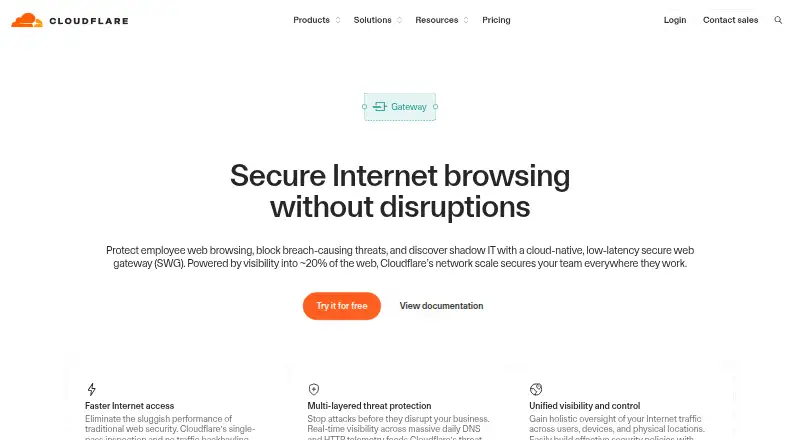
What Cloudflare Gateway is
Cloudflare Gateway is a web and network filtering service with controls for blocking content and managing how users reach online resources. It supports custom blocklists, safe search controls, filtering schedules, and advanced activity reports. Its platform support includes macOS, Windows, Linux, iOS, Android, PAC files, DNS locations, Cloudflare WAN, Cloudflare Mesh, and HTML5 browsers. The Free plan costs nothing, is billed forever, and supports up to 50 users with up to 24 hours of standard log retention. Pay-as-you-go costs $7 a month, billed monthly, has no user limit, and retains standard logs for up to 30 days. These plans give organizations different user-capacity and log-retention limits, while the filtering controls address both browsing rules and reporting. Cloudflare Gateway’s listed website provides information about the service and its plans.
Good
- Custom blocklists and safe search controls are available.
- Filtering schedules can shape when rules apply.
- Advanced activity reports are included.
- Platforms include desktop, mobile, browsers, and network options.
- Free plan supports up to 50 users.
Watch out
- Free plan standard log retention is limited to 24 hours.
- Pay-as-you-go costs $7 a month.
Who it suits
Cloudflare Gateway may suit individuals or organizations that need filtering across supported devices, browsers, or network environments. The Free plan covers up to 50 users, while the paid options have no user limit and offer longer standard log retention.
Verdict
Choose Cloudflare Gateway if you need content filtering with custom blocklists, safe search controls, and activity reporting. The Free plan has a 50-user cap and 24-hour standard log retention; paid plans remove the user limit and extend retention.
Plans and prices
From Cloudflare Gateway's own pricing page, checked 22 Sep 2026.
| Plan | Price | What it gives you |
|---|---|---|
| Free | Free | 50 users · Up to 24 hours standard log retention · forever |
| Contract | Priced on request | No user limit · Up to 6 months standard log retention |
| Free Plan | Free | under 50 users · up to 24 hours standard log retention · community forums and Discord support · $0 forever |
| Pay-as-you-go | $7 a month | no user limit · up to 30 days standard log retention · chat and ticket support · 100% uptime SLA · $7/user/month |
| Contract Plan | — | no user limit · up to 6 months log retention with Logpush · phone, chat and ticket support · professional services available as add-on · Annual custom price per user |
The facts
Each one read from Cloudflare Gateway's own pages, with the date it was checked.
What it does
- API example
- The HTTP-filtering guide documents POST requests to the /accounts/{account_id}/gateway/rules endpoint for creating Gateway policies.checked 14 Oct 2026
- Client open-source code
- Cloudflare's connector brief says the WARP client uses a custom WireGuard implementation and that its relatively short code base is open source and auditable.checked 14 Oct 2026
- Data loss prevention
- When combined with Cloudflare DLP profiles, Gateway operates as a forward proxy that can inspect and block sensitive data uploads to unapproved applications.checked 14 Oct 2026
- DNS filtering
- Administrators can create DNS policies using predefined security and content categories to control domain access.checked 14 Oct 2026
- Documentation depth
- Cloudflare One documentation covers implementation guides, reference architecture, account limits, troubleshooting, API and Terraform, changelogs and client deployment.checked 14 Oct 2026
- Endpoint integrations
- Supported service-provider integrations include CrowdStrike, Kolide, Microsoft Endpoint Manager, SentinelOne, Tanium, Uptycs and Workspace ONE.checked 14 Oct 2026
- Guest Wi-Fi
- Gateway policies can be applied to guest Wi-Fi and branch networks to enforce acceptable-use rules and block threats.checked 14 Oct 2026
- HTTP filtering
- HTTP policies inspect complete URLs and request content, allowing page-level blocking and inspection of uploads.checked 14 Oct 2026
- Integrations
- Cloudflare One documentation lists identity-provider integrations including Google, Google Workspace, GitHub, Microsoft Entra ID, Okta, OneLogin, PingOne, Keycloak and custom SAML or OIDC providers.checked 14 Oct 2026
- Limit: complexity
- TrustRadius and G2 reviewers report that the extensive feature set, configuration and changing interface can make navigation and setup unintuitive.checked 14 Oct 2026
- Limit: false positives
- Capterra reviewers describe bot and security controls that sometimes flag legitimate users or create false positives.checked 14 Oct 2026
- Limit: mobile reliability
- Google Play and Apple reviewers report battery drain, connection loops, enrollment problems and difficulty toggling the VPN in some situations.checked 14 Oct 2026
- Limit: support
- GetApp reviewers include complaints that customer support can be slow or fail to respond quickly during problems.checked 14 Oct 2026
- Mobile requirements
- The One Agent documentation lists iOS 15+ and Android 5.0+ requirements.checked 14 Oct 2026
- Network filtering
- Gateway can filter network traffic through the Cloudflare One Client in traffic and DNS modes.checked 14 Oct 2026
- Performance design
- Cloudflare says Gateway uses single-pass inspection without traffic backhauling to reduce browsing latency.checked 14 Oct 2026
- Praise: performance and integration
- TrustRadius reviewers repeatedly cite DDoS and WAF protection, caching that reduces latency, rapid deployment and measurable cost savings.checked 14 Oct 2026
Where it runs
- Application policies
- Gateway policies can target named applications and application types, including AI applications, instead of requiring separate hostname rules.checked 14 Oct 2026
- Client platforms
- The Cloudflare One Client is distributed for Windows, macOS, Linux, iOS and Android; ChromeOS devices manufactured after 2019 use the Android app.checked 14 Oct 2026
- Linux requirements
- The current Linux client supports RHEL 9/10, Debian 12/13, Fedora 43/44 and Ubuntu 22.04/24.04/26.04 on AMD64 or ARM64, with at least 3 vCPUs and 1 GB RAM without a desktop.checked 14 Oct 2026
The company
- Company founded
- Cloudflare was founded in 2009 by Matthew Prince, Michelle Zatlyn and Lee Holloway.checked 14 Oct 2026
- Company legal name
- Cloudflare, Inc. is the legal company name shown in Cloudflare and Crunchbase materials.checked 14 Oct 2026
- Company size
- LinkedIn lists Cloudflare as a public computer and network security company with 1,001–5,000 employees.checked 14 Oct 2026
- Headquarters
- Cloudflare lists its headquarters at 101 Townsend Street, San Francisco, California.checked 14 Oct 2026
The full review of Cloudflare Gateway
Overview
Cloudflare Gateway is a filtering service for managing and reporting on network activity across supported devices and connections. It suits households and organizations that want custom blocklists, safe search controls, and scheduled filtering without imposing a user limit on the monthly paid plan. Its free tier makes it possible to start at no cost, while the 50-user cap and short log retention make the plan choice consequential.
Key features
Custom blocklists and safe search controls let administrators shape what users can reach and how search results are filtered. Filtering schedules add a useful way to vary those rules over time. These controls make Gateway more compelling for managed access than a basic proxy whose stated role is simply to handle traffic.
Advanced activity reports provide visibility into network use, but the amount of standard log retention depends on the plan: up to 24 hours on Free, 30 days on Pay-as-you-go, and six months on Contract. The free tier's brief window is a real constraint for anyone who needs to review activity after more than a day.
Pricing
The Free plan costs nothing, billed forever, and supports 50 users with up to 24 hours of standard log retention. It is a sensible starting point for smaller groups that can work within that cap and do not need a long reporting history.
Pay-as-you-go costs $7 a month, billed monthly, with no user limit and up to 30 days of standard log retention. It is the practical upgrade for larger groups or anyone who needs a month of logs; the cost is a per-user monthly rate, so the total rises with the number of users.
Contract has custom pricing, no user limit, and up to six months of standard log retention. That longer window fits organizations with extended review needs, but the price is not a fixed published amount. The cheaper Free plan gives up both scale and retention, while Pay-as-you-go trades the longer Contract retention for a monthly per-user price.
Platforms
Gateway supports macOS, Windows, Linux, iOS, and Android, as well as PAC files, DNS locations, Cloudflare WAN, Cloudflare Mesh, and HTML5 browsers. This breadth suits mixed-device environments and several connection types, rather than teams tied to one desktop operating system.
Who it's for
Choose Gateway when filtering policy, safe search, scheduling, and activity reporting matter across a varied set of devices or network paths. Free is a fit for groups of up to 50 users with modest log-review needs; Pay-as-you-go is better for larger groups or a month-long standard log window. Contract makes more sense when six months of retention justifies custom pricing. It is less suitable when a small, self-hosted proxy is the actual need rather than a managed filtering service.
Pros and cons
- Pro: Custom blocklists, safe search controls, and filtering schedules give administrators several distinct ways to shape access.
- Pro: Paid plans remove the user limit, and Contract extends standard log retention to six months.
- Pro: Support for major desktop and mobile platforms plus DNS locations and network options suits varied deployments.
- Con: Free is capped at 50 users and retains standard logs for up to 24 hours, limiting both growth and later review.
- Con: Pay-as-you-go is billed per user each month, so its cost scales with the user count.
- Con: Contract requires custom pricing, making the longer retention option less straightforward to budget.
Alternatives
For a free, open-source interactive HTTPS proxy across Linux, macOS, Windows, or self-hosted setups, consider mitmproxy. Privoxy is a free option for Linux, macOS, Windows, and self-hosted use, with permission to use, copy, modify, or distribute it and no registration. 3proxy is another free, open-source choice for Linux, macOS, Windows, or self-hosted environments.
If a paid private access product is a better fit, Skyhigh Private Access supports Android, iOS, macOS, web, and Windows. Zscaler Private Access is a paid option across Android, iOS, Linux, macOS, web, and Windows; its ZPA Standard plan describes limited private access for 5% of users.
For free proxy software, Squid is self-hosted and available for Linux, macOS, and Windows, with third-party commercial support potentially available. Apache Traffic Server is a free choice for API, Linux, macOS, or self-hosted use. Tinyproxy is a free option for Linux, macOS, or self-hosted environments, distributed under GNU GPL version 2 or above.
Readers comparing categories can also browse Forward Proxy Software, Security Service Edge Software, Zero Trust Network Access Software, and Internet Filtering Software.
Verdict
Cloudflare Gateway is a strong fit for groups that need filtering controls and activity reporting across diverse devices, with paid plans that scale beyond 50 users. Its clearest reason to choose it is the combination of blocklists, safe search, schedules, and longer retention options. Look elsewhere if you need a free self-hosted proxy or cannot accommodate per-user monthly charges or custom Contract pricing.
Getting started
- Visit https://www.cloudflare.com/products/gateway/.
- Choose the Free, Pay-as-you-go, or Contract plan.
- Use the supported platform or connection option that fits your environment.
Limits worth knowing
The Free plan supports up to 50 users and up to 24 hours of standard log retention. Pay-as-you-go has no user limit and retains standard logs for up to 30 days; Contract extends that period to up to 6 months.
Questions
Is Cloudflare Gateway free?
Yes. Its Free plan costs nothing and is billed forever.
How much does Pay-as-you-go cost?
It costs $7 a month, billed monthly.
What are the Free plan limits?
It supports up to 50 users and up to 24 hours of standard log retention.
Which platforms does it support?
Listed support includes macOS, Windows, Linux, iOS, Android, HTML5 browsers, PAC files, DNS locations, Cloudflare WAN, and Cloudflare Mesh.
What filtering controls are available?
The listed controls include custom blocklists, safe search controls, and filtering schedules.
How long does Contract retain standard logs?
The Contract plan allows up to 6 months of standard log retention and has no user limit.
Alternatives to Cloudflare Gateway
- 1

Pomerium
Free planOpen sourceWebAPILinuxmacOS8.3From $7 a month - 2
Twingate
Free planAndroidiOSWebAPI8.3From $5 a month - 3

NetBird
Free planAndroidiOSLinuxmacOS8.2From €6 a month - 4

Cloudflare Access
Free planAndroidiOSWebAPI7.8$7 usage-based - 5

FortiClient
Free planAndroidiOSLinuxmacOS7.8Free plan - 6
NetFoundry
Free planAndroidiOSWebAPI7.7Free plan